Table of Contents
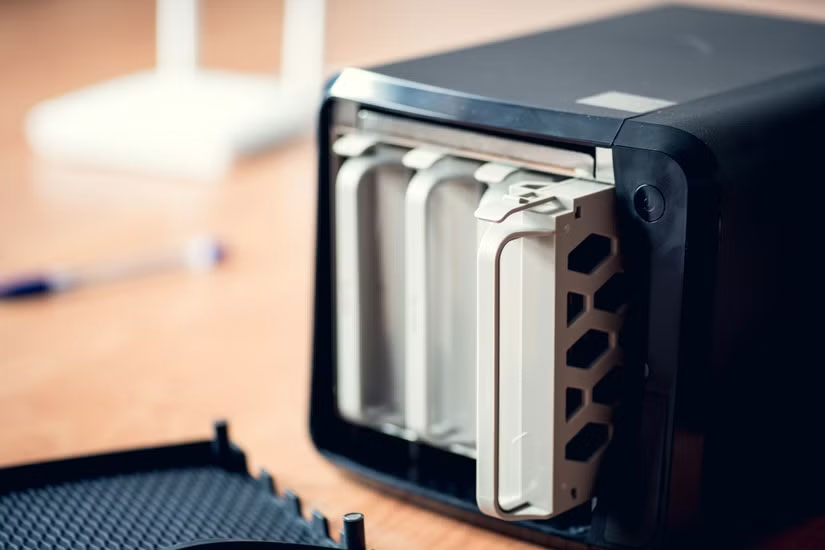
For a DIY NAS, consider OpenMediaVault for straightforward file sharing on Debian, TrueNAS Community Edition for an OpenZFS-first build, or Unraid if you want to grow a mixed-size array and run apps or virtual machines. TrueNAS CORE is the older FreeBSD line and matters mainly if you already run it.
Compare the storage options
| Feature | OpenMediaVault | TrueNAS | Unraid |
|---|---|---|---|
| Base system | Debian Linux | Community Edition is Linux-based. CORE is FreeBSD-based. | Linux |
| Typical storage setup | Linux filesystems and software RAID where supported | OpenZFS pools, snapshots, and replication | Parity-protected array plus pools using supported filesystems |
| Expansion consideration | Depends on the selected filesystem and RAID layout | Plan pool and drive layout in advance. Check expansion support for your release. | An array can mix data-drive sizes. A parity drive must be at least as large as the largest data drive. |
| Cost | Free and open source | Community Edition is available without a license fee | Paid license. Drive limits and update entitlement vary by tier. |
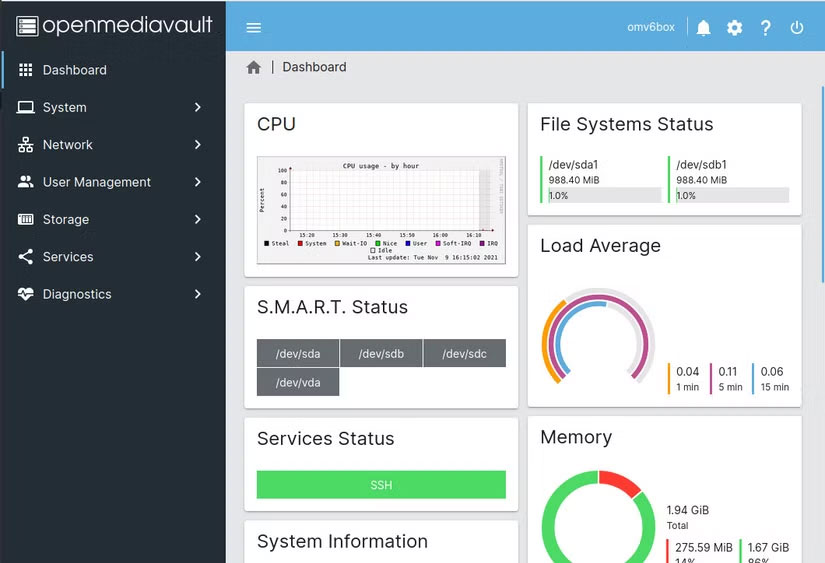
OpenMediaVault for basic network shares
Choose OpenMediaVault if you mainly need shared folders, user permissions, and monitoring through a web interface. If you are reusing a small ARM board, verify that the exact board and installation method are supported. For disks connected over USB, pay attention to power and how reliably the hardware exposes each drive.
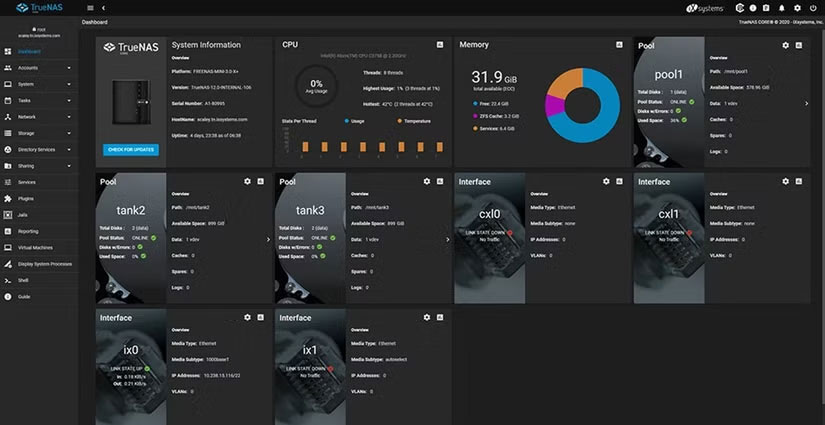
TrueNAS for a ZFS-centered build
TrueNAS offers dataset management, snapshots, and replication. For a new build, check the current Community Edition documentation and size the system for your pool and workload. The screenshot shows CORE, whose 13.3 branch has reached its final release. If you already run it, follow TrueNAS’s CORE migration instructions for your starting version.
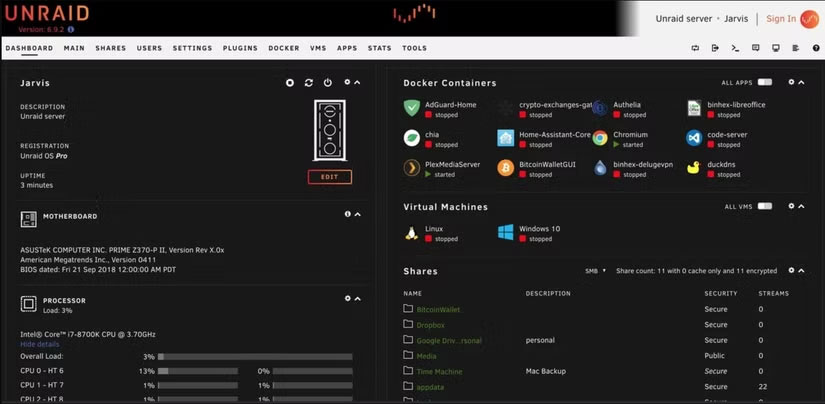
Unraid for mixed drives and a home lab
Unraid is useful if you plan to add disks over time or run containers and VMs on the NAS. Check the licensing comparison for drive limits and how long updates are included.
Before you install or switch systems
List your drives, choose a storage layout, and test a backup on another device. RAID and parity can help with drive failure. A separate backup is what you need for recovery from accidental deletion, damage to the whole NAS, or a failed migration. Avoid using your only copy of the data to test an installer.
Related Articles
 Should You Use an Old PC as a NAS? Hardware Checklist
 How to turn a Raspberry Pi into a NAS with OpenMediaVault
 Should I choose Intel Core i9, Core i7 or Core i5 CPU?
 What is Core? Detailed concepts about Core i that you need to know
 Top 5 best Intel CPUs 2022
 What's the difference between Intel Core and Intel Core X CPUs?
Reader Comments 0
Sign in with email or Google to join the discussion.