Table of Contents
Microsoft product manager Merill Fernando described using a Mac for everyday work and turning to Windows when a task required it. His comments were about his own setup. The practical detail was how he used two different ways to reach Windows from macOS.
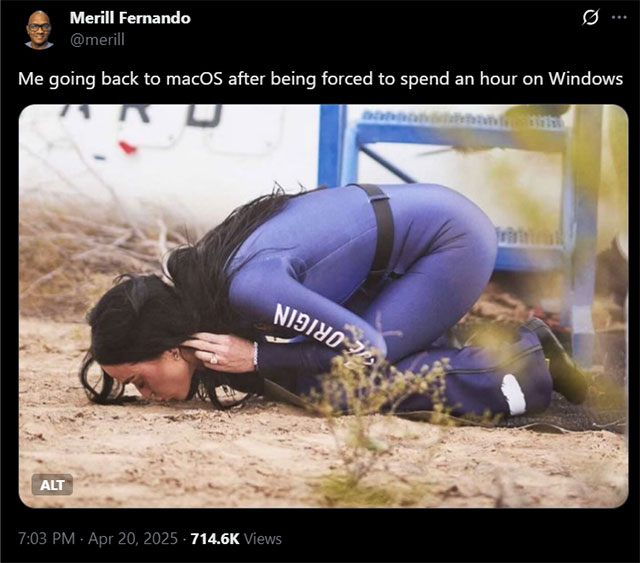
Remote Windows for work, a local virtual machine when needed
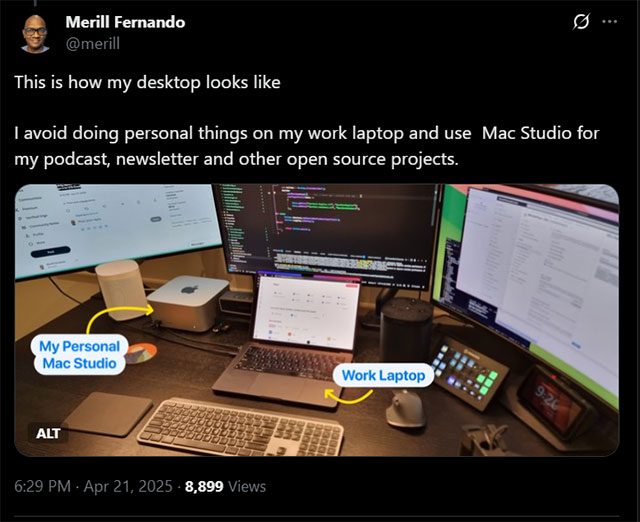
As Windows Central reported, Fernando used Windows App to reach services such as Microsoft Dev Box and used Parallels when he wanted a Windows virtual machine. He also described using a Mac Studio for personal projects and shortcuts to switch between work apps.
Which approach fits your Windows task?
- Remote desktop: Use a Windows environment your employer provides if the required apps and files already live there. Confirm that your organization supports access from your Mac.
- Local virtual machine: Consider it if you need to work with a Windows app locally. Check Windows licensing, RAM, disk space, and software compatibility with your Mac’s processor before setting it up.
For alternatives, see ways to run Windows programs on a Mac and compare desktop virtual machine apps.
Related Articles
 Microsoft admits a new zero-day vulnerability threatens millions of Windows users
 Former Microsoft director shows off extremely rare copy of the first Windows 95 floppy disk produced
 How to use Toolbox in Microsoft PC Manager on Windows 11
 Preparing for a new Task Manager on Windows 11
 Windows 10 Mobile Insider program was killed by Microsoft
 21 mistakes that an excellent manager never really make
Reader Comments 0
Sign in with email or Google to join the discussion.