Table of Contents
Understanding Microsoft revealed plans to update applications for Windows 8 is easier when the main points are organized clearly. This guide brings together the essential details and practical considerations.
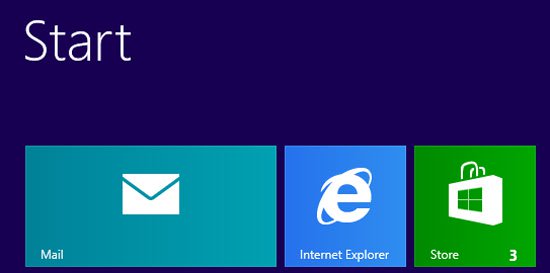 Photo: Microsoft
How Microsoft Revealed Plans to Update Applications for Windows 8 Works
Microsoft has revealed plans to update some of the pre-installed applications with Windows 8. In the coming weeks, the "software giant " will update applications such as Mail, Photo, Maps, SkyDrive, Bing, Finance, News., Sports, Travel, Weather, video, Music and Games before the release of Windows 8 on October 26, 2012.
Microsoft said it will provide updates for applications through the Windows Store. Users will see applications that have improved performance, reliability and some new capabilities.
" With Windows 8 and Windows RT going to be officially released, in addition to thousands of new applications already in the Windows Store, tens of thousands of developers around the world have been very busy creating applications. new, "said Steven Sinofsky, chairman of Windows and Windows Live group wrote on Microsoft's blog. "Since August 2012, Microsoft has been very busy with adding new features, improving applications available with Windows and will update them before Windows 8 officially launches."
See Microsoft update plan Here .
FAQ
What is the main benefit of Microsoft revealed plans to update applications for Windows 8?
The main benefit is a clearer understanding of the topic and a practical way to apply the information covered in this guide.
What should I check before using Microsoft revealed plans to update applications for Windows 8?
Confirm compatibility, review the required settings, protect important data, and use the latest supported version whenever possible.
What should I do if the result is different?
Repeat the steps carefully, verify permissions and version differences, and consult the product's official support documentation for changes not shown in the article.
Related Articles
 Windows 11 2022 Update: Complete Guide3 minutes read
 Microsoft Announced Plans to Upgrade Windows 84 minutes read
 Microsoft Delayed Updating Windows 10 Spring Creators Update Due to a Dead Blue Screen Error4 minutes read
 Microsoft Allows Downloading Application Installation Files Directly from the5 minutes read
 Microsoft Revealed Many Major Changes on Windows 104 minutes read
 Microsoft Is Preparing to Automate the Windows 10 Update Process5 minutes read
Reader Comments 0
Sign in with email or Google to join the discussion.