Table of Contents
This guide covers Microsoft launches xp for olpc laptops with practical context and easy-to-follow details. Use it to understand the subject and apply the information confidently.
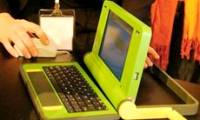
Microsoft software giant said in January next year it will test the version of Windows XP operating system exclusively for low-end OLPC XO notebooks for children. It is expected that the official version of Windows XP for the XO laptop will be released at any time in late 2008. Microsoft said in 2008 it will also release detailed technology design guidelines to help device manufacturers adopt Flash memory platforms that can build systems that are best compatible with Windows operating systems. . Currently, the XO series of cheap laptops use the Linux operating system and are primarily aimed at children in developing countries.
Earlier this year Microsoft also launched an initiative to allow national governments to be allowed to buy software packages for only $ 3 for learning and research. Analysts say Microsoft can hardly sit and watch Linux 'dominate' the low-end OLPC laptop line because if children are the main users of this product line, they will get used to using Linux as an adult. . The future is most likely Microsoft to lose a huge number of customers if OLPC succeeds. Hoang Dung
FAQ
What should I check before following these steps?
Confirm device and software compatibility, save important data, and make sure you have the required permissions, files, and account access.
Why might the process not work?
Common causes include outdated software, missing permissions, incompatible hardware, an unstable connection, or completing a step in the wrong order.
Can I undo the changes if necessary?
That depends on the tool or setting. Use built-in restore options when available, keep a backup, and record the original configuration first.
Related Articles
 OLPC Computers Will Have Windows4 minutes read
 Will Sell 5 Million 100USD Laptops4 minutes read
 Intel Left, Microsoft Shook Hands with the OLPC Project5 minutes read
 The Peruvian Government Buys 40, 000 Laptops for Elementary Students3 minutes read
 There Have Been 4 Countries Ordering OLPC Laptops3 minutes read
 How to Add an Effort to Bring Cheap Computers to People4 minutes read
Reader Comments 0
Sign in with email or Google to join the discussion.