Table of Contents
You need a supported system after Windows 10, but you only need a Copilot+ PC if you want its extra on-device AI features. First check whether your current computer can upgrade to Windows 11. If it can, you may be able to keep using it without buying a new PC.
Check which Windows 10 edition you have
Regular support for Windows 10 version 22H2 ended on October 14, 2025. Microsoft’s consumer Extended Security Updates program provided security updates through October 13, 2026. Commercial ESU and LTSC editions have separate timelines. Use Microsoft’s Windows 10 release information to look up the edition you actually run. The computer can still start after support ends, but a device without a supported update path stops receiving routine security fixes.
Check your existing PC before replacing it
- Find the edition, processor, memory, and storage using this PC specifications checklist.
- Run Microsoft’s PC Health Check or review the compatibility result in Windows Update. If the PC qualifies, confirm that your essential apps and peripherals support Windows 11.
- Back up important files before upgrading. If you need a clean installation, see how to install Windows 11 from USB.
What a Copilot+ PC adds
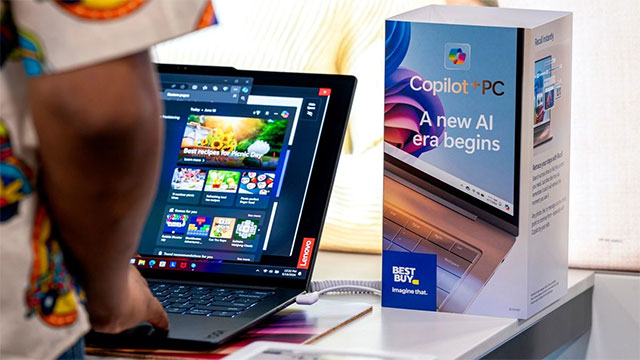
Microsoft defines Copilot+ PCs as a class of Windows 11 devices with a qualifying neural processing unit and additional hardware requirements. These requirements support certain on-device features. Check the Windows 11 and Copilot+ specifications for the feature you intend to use, since availability can also depend on the device and software. For ordinary office work, web browsing, and video calls, compare supported Windows 11 models on the battery life, display, ports, and app compatibility you need.
Audio from the original report
The recording covers Microsoft’s earlier upgrade campaign and predates the support status described above.
Related Articles
 Microsoft explains why you need Copilot on Windows 11 and 10 even if you don't want to
 What is Copilot Labs, and how do its experiments work?
 Copilot cannot be successful if Microsoft cannot convince Windows 10 users
 What is Microsoft Copilot AI? How to use it effectively?
 What is Microsoft Copilot? How to use Copilot in Windows
 Instructions on how to completely uninstall Copilot on Windows 11
Reader Comments 0
Sign in with email or Google to join the discussion.