Table of Contents
Microsoft is upgrading the Photos app on Windows 11 with AI that automatically sorts photos into categories like screenshots, receipts, documents, and notes.
Windows 11 Photos AI Overview
Microsoft has just released a new update for the Photos app on Windows 11 (for Insider users), providing the ability to organize the photo library more scientifically. Starting with version 2025.11090.25001.0 , the Photos app will take advantage of AI to automatically categorize photos on compatible devices. AI can analyze your photo library and create many groups such as screenshots, receipts, documents, notes. to make managing and searching for photos easier.
The created categories will be displayed in the left navigation bar, under Categories . You can also search for photos by category through the search box. The interesting thing is that AI can recognize content regardless of the language in the photo, for example, invoices in foreign languages are still classified correctly.
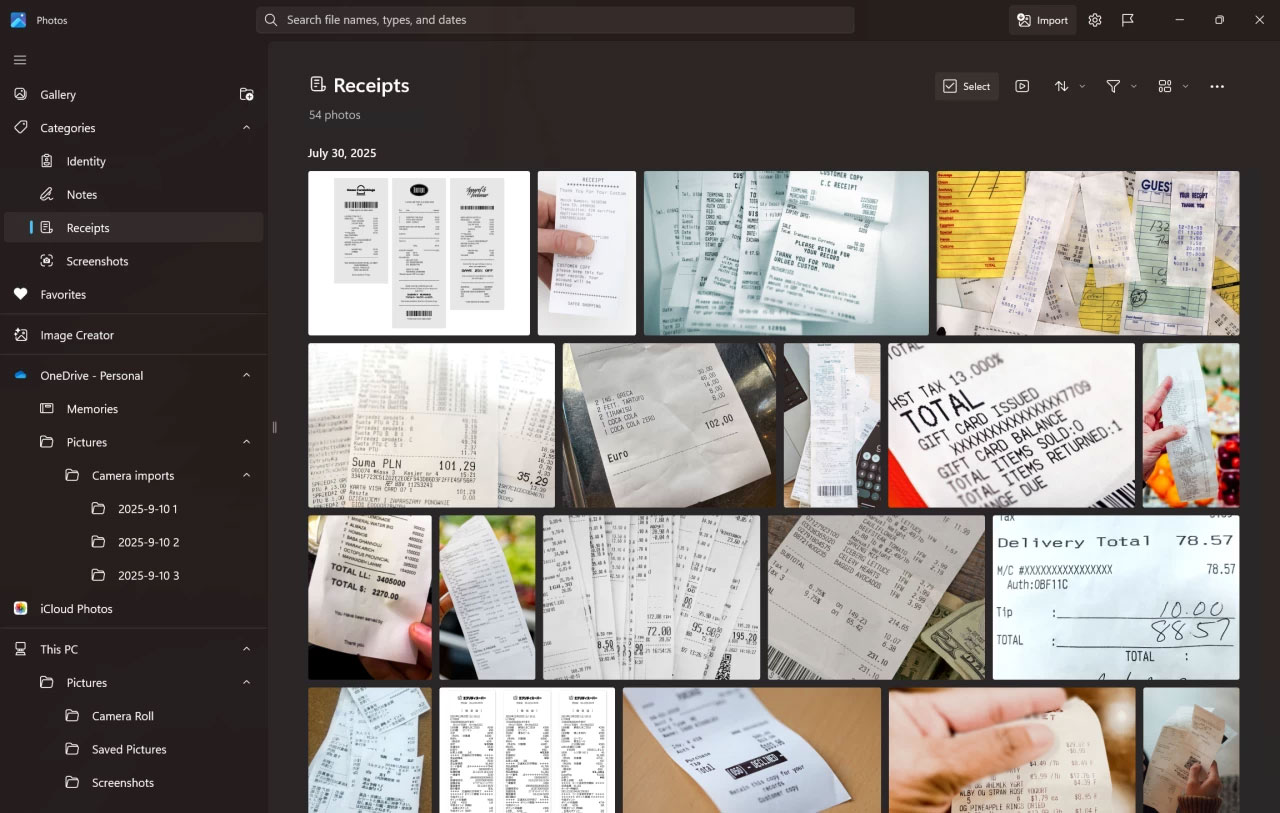
Of course, AI can make mistakes, so Microsoft lets you manually change categories and send feedback. Currently, the Photos app only supports creating four types of categories: Screenshots, receipts, IDs, and notes . Another limitation is that this feature only works on Copilot+ PCs With a powerful Neural Processing Unit (NPU).
The update also adds Super Resolution For photos on Copilot+ PCs running Intel, Snapdragon, and AMD chips (including Snapdragon X, AMD Ryzen AI, and Intel Core Ultra 200 Series). While Intel has been rumored to be bringing Copilot+ PC capabilities to desktops, these features are currently limited to laptops, tablets, and some mini-PCs.
You can update the Photos app manually or let the Microsoft Store update automatically in the background (this feature can't be turned off). Note that new features are released gradually, so they may not appear on your device right away.
FAQ
What should you know about Windows 11 photos integrates AI?
In practical terms, Microsoft is upgrading the Photos app on Windows 11 with AI that automatically sorts photos into categories like screenshots, receipts, documents, and notes.
Why does Windows 11 photos integrates AI matter?
The article highlights that starting with version 2025.11090.25001.0 , the Photos app will take advantage of AI to automatically categorize photos on compatible devices.
What is the main takeaway?
The main takeaway is that AI can analyze your photo library and create many groups such as screenshots, receipts, documents, notes. to make managing and searching for photos easier.
Related Articles
 How to Turn Off Automatic Saving of Screenshots to Google Photos2 minutes read
 How to Use Snapup to Take Screenshots Automatically3 minutes read
 Windows Image Capture Tool: Ways to Take Screen Shots of Windows16 minutes read
 How to Take a Screenshot in Microsoft Windows: Step-by-Step Guide16 minutes read
 How to Turn Off Read Receipts on Apple Messages2 minutes read
 Here's How to Take Super-Fast Screenshots on Firefox!5 minutes read
Reader Comments 0
Sign in with email or Google to join the discussion.