Table of Contents
Kaggle is an online platform for learning, practicing, and demonstrating data science and machine learning. A beginner can study short courses, explore public datasets, run reproducible notebooks in the browser, join competitions, and publish projects without first configuring a local development environment.
The most effective way to use Kaggle is not to chase rankings immediately. Start with one small dataset, reproduce an existing notebook, build a simple baseline, document what you learned, and only then move to a beginner competition.

What is Kaggle?
Kaggle is a Google-owned community and project platform for people working with data and AI. Its current navigation centers on competitions, benchmarks, a data hub, reproducible notebooks, learning resources, and community activity.
You can use Kaggle at several stages of your learning:
| Kaggle area | What it is for | Good first action |
|---|---|---|
| Learn | Short practical courses and guides | Complete Intro to Programming or Python |
| Data Hub | Public datasets with descriptions and licenses | Find a small, well-documented tabular dataset |
| Notebooks | Browser-based, shareable code and analysis | Fork a public notebook and rerun every cell |
| Competitions | Problems with datasets, metrics, rules, and leaderboards | Try a beginner-friendly practice competition |
| Benchmarks | Structured evaluation of models and systems | Read the methodology before comparing scores |
| Community | Discussions, feedback, and published work | Ask a focused question and cite what you already tried |
Why use Kaggle for data science?
Practice with real datasets
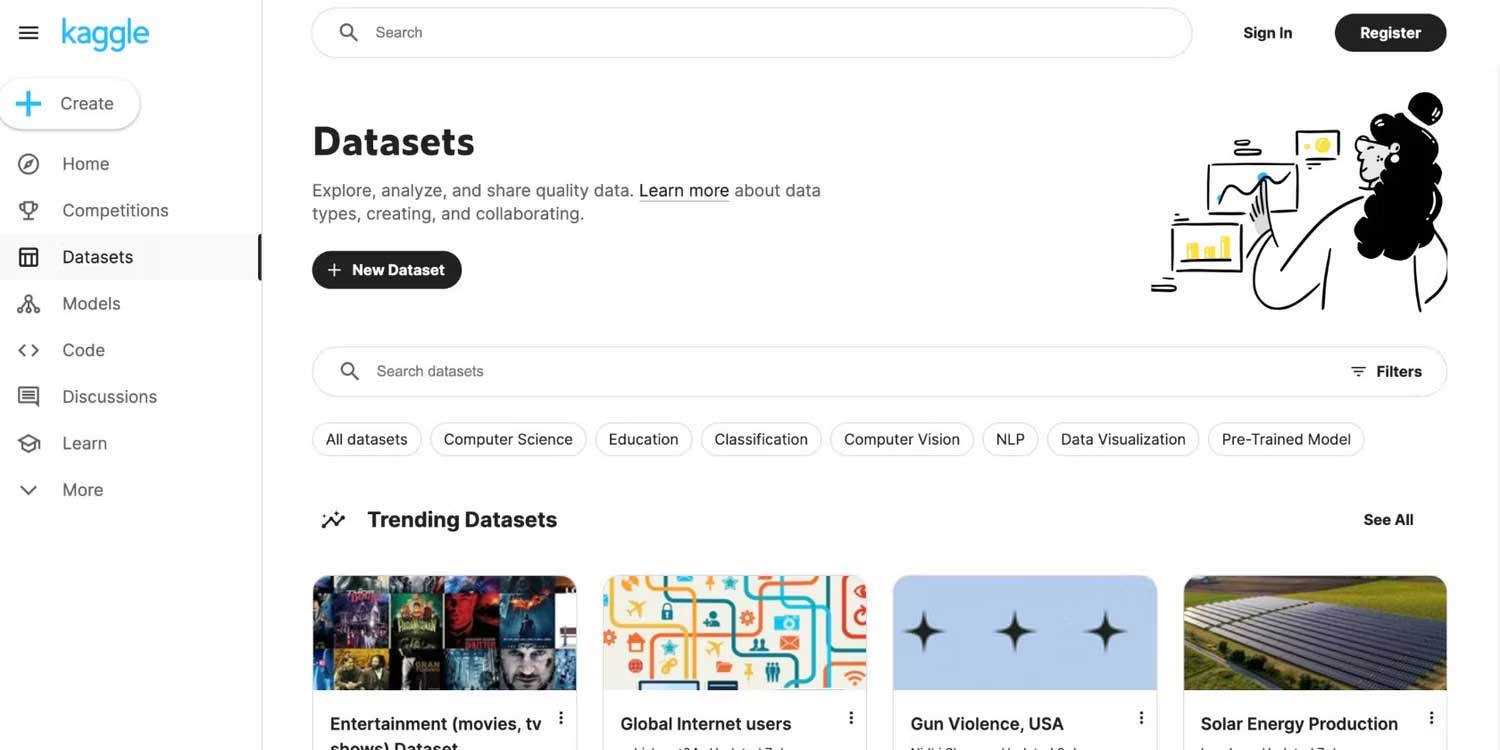
The Kaggle Data Hub covers many subjects and formats, including common tabular, text, image, geospatial, and time-series projects. This removes the initial barrier of finding data, but availability does not guarantee quality. Always inspect the dataset card, source, update history, license, columns, missing values, and known limitations.
Run notebooks in the browser
Kaggle Notebooks provide a cloud environment for reproducible and collaborative analysis. You can inspect another person's code, copy it into your own notebook, change a step, and compare results. Python and R are common choices, and many public notebooks demonstrate data cleaning, visualization, feature engineering, and modeling.
Cloud hardware and usage allowances are limited and may change. Save versions regularly, pin dependencies when reproducibility matters, and do not treat temporary storage as a permanent backup.
Follow guided courses
Kaggle Learn offers no-cost courses and community-authored guides covering programming, data analysis, machine learning, natural language processing, model evaluation, and other topics. The lessons are concise and practical, making them useful for filling a specific skills gap.
A course certificate can document completion, but a clear project with correct analysis is stronger evidence of ability. If you need a broader sequence, use TipsMake's Data Science and AI learning roadmap alongside the hands-on exercises.
Learn through competitions
Kaggle competitions define a task, data, evaluation metric, submission format, and rules. Practice contests are valuable because they turn theory into a measurable workflow: split data correctly, build a baseline, validate locally, submit, and improve.
Some competitions offer prizes, while others are for learning, research, or community recognition. Read eligibility, team, data-use, external-data, code-sharing, and submission rules before participating.
Build a visible portfolio
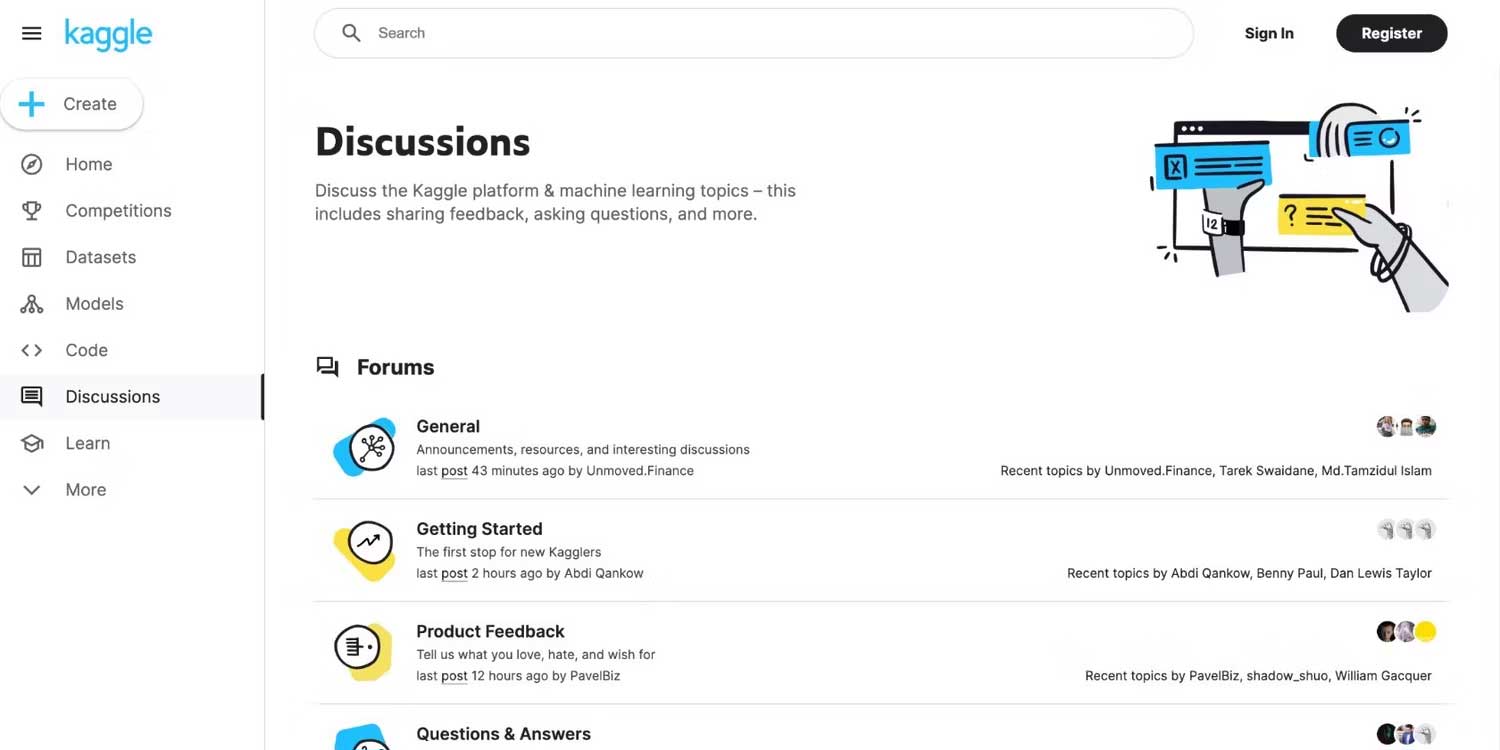
A public notebook can show how you frame a question, clean data, choose a metric, explain uncertainty, and communicate results. Those skills matter more than a complicated model with no explanation. Be explicit about copied code and data sources, and add your own analysis instead of publishing a lightly modified fork.
How to use Kaggle: step by step
1. Create an account and useful profile
Register, choose a professional display name, and add a short description of the skills you are developing. Link only public work you are comfortable sharing. Do not publish private contact details, credentials, API tokens, client information, or employer data.
2. Learn the minimum foundation
Before training a model, understand variables, functions, tables, missing data, train-validation splits, and one evaluation metric. A beginner does not need advanced mathematics to start, but should understand what the code is measuring.
3. Choose a small, well-documented dataset
Favor a dataset with a clear question, understandable columns, a stated license, and enough public discussion to unblock you. Avoid starting with a huge image or language dataset that requires expensive computation.
4. Reproduce a public notebook
Open a highly rated notebook for the dataset, read its explanation, fork it, and run every cell from top to bottom. Then change one element—such as a chart, feature, or validation method—and explain what happened. Reproduction is a learning exercise; attribution is essential.
5. Perform exploratory data analysis
- Confirm row and column counts, data types, and target definition.
- Measure missing values, duplicates, ranges, and class imbalance.
- Visualize distributions and relationships that relate to the question.
- Identify leakage: information that would not be available when making a real prediction.
- Write observations in Markdown instead of leaving unexplained charts.
6. Build a simple baseline
Start with a transparent rule or standard model. A baseline tells you whether a complex approach actually improves the chosen metric. Use a validation scheme that matches the problem; random splitting is inappropriate for some time-based, grouped, or user-level data.
7. Enter a practice competition
Read the overview, metric, rules, and data description. Download the sample submission, reproduce a baseline, and make one change at a time. A leaderboard score is feedback—not proof that the model will work in the real world.
8. Publish a polished project
Give the notebook a clear title and include the problem, data source and license, method, validation design, results, limitations, and next steps. Remove secrets and unnecessary output. A concise, reproducible story is more useful to a reviewer than dozens of disconnected experiments.
A 30-day Kaggle learning plan
| Week | Focus | Deliverable |
|---|---|---|
| 1 | Python, pandas, and basic visualization | One clean exploratory notebook |
| 2 | Missing data, feature preparation, and validation | A baseline with a documented metric |
| 3 | Beginner competition workflow | At least one valid submission and experiment log |
| 4 | Communication and reproducibility | A polished public notebook with limitations |
If you need ideas after the first project, review these AI projects for different skill levels and adapt one to a dataset whose license permits your intended use.
Is Kaggle free?
Creating an account, browsing many public datasets and notebooks, and taking Kaggle Learn courses are available at no cost. Kaggle also provides shared cloud compute, but quotas, accelerators, internet access, storage, and eligibility can vary. Competition prizes are not guaranteed income, and organization or hosted-event needs may follow different terms.
Check the current Kaggle documentation and each competition's rules instead of assuming every resource is unlimited or every dataset is free for commercial use.
Data licensing, privacy, and ethics
- Read the license. Publicly visible data may still restrict redistribution, modification, or commercial use.
- Protect personal information. Do not upload data that identifies people unless you have a lawful basis, appropriate consent, and adequate safeguards.
- Check provenance. Confirm who collected the data, how it was sampled, and whether labels are reliable.
- Evaluate bias. A strong aggregate score can hide poor performance for important groups or rare cases.
- Keep secrets out of notebooks. Store tokens using supported secret-management features and revoke anything exposed accidentally.
Common beginner mistakes
- Copying a notebook without understanding or crediting it.
- Optimizing for the public leaderboard and ignoring local validation.
- Using test information during training or preprocessing.
- Choosing a complex model before establishing a baseline.
- Publishing a score without explaining the data, metric, or limitations.
- Assuming competition performance equals production readiness.
Frequently asked questions
Do I need to install Python before using Kaggle?
No. Kaggle Notebooks run in the browser. Installing Python locally can still be useful later for custom environments and offline work.
Should beginners start with datasets or competitions?
Start with a small dataset and a guided notebook, then enter a practice competition after you can clean data, create a validation split, and explain a baseline metric.
Can Kaggle help me get a data science job?
It can provide evidence of practical work, especially when notebooks are original, reproducible, and clearly explained. It does not replace fundamentals, interviews, collaboration skills, or experience solving messy real-world problems.
Bottom line
Kaggle is most valuable as a structured practice environment: learn one concept, apply it to a real dataset, compare approaches, and publish a careful explanation. Use courses for foundations, notebooks for reproducible experiments, competitions for feedback, and community work for learning—not as shortcuts around understanding the data.
Related Articles
 How Will AI Agents Change the Field of Data Science?9 minutes read
 The Best Python Tools for Machine Learning and Data Science7 minutes read
 Why Is Python a 'Must Learn' Programming Language for Data7 minutes read
 Is Artificial Intelligence Part of Computer Science?6 minutes read
 Why Do AI Agents Struggle with Data Science Code More Than Software Engineering Code?10 minutes read
 9 Crazy Mistakes That Science Once Recognized It as True7 minutes read
Reader Comments 0
Sign in with email or Google to join the discussion.