Table of Contents
An n8n AI Agent workflow combines a chat or event trigger, a language model, and one or more tools the model can choose to call. Start with a low-risk tool and test every action before publishing the chat. If you only need question-and-answer text with no tools, use a chain or direct model node instead of an agent.
What makes an n8n workflow an AI agent?
| Workflow type | Behavior | Best fit |
|---|---|---|
| Direct model or chain | Receives input and returns generated text through a fixed sequence. | Summaries, classification, extraction, and simple chat. |
| AI Agent | Receives a goal and can decide which connected tool to call. | Tasks that genuinely require retrieval or an external action. |
| Deterministic automation | Runs explicitly configured nodes and conditions. | Predictable business rules where a model should not choose the next action. |
An agent is not automatically more capable or appropriate. Giving a model tools also creates risks: it can choose the wrong action, use the wrong arguments, repeat a request, or expose data returned by a tool. Use normal n8n nodes for deterministic steps and give the agent the smallest tool set it needs.
The current n8n AI Agent documentation says an AI Agent must have at least one tool connected. Older tutorials that show only a Chat Trigger, Agent, and model may no longer run as shown.
Optional: run n8n locally with Docker Desktop
If n8n is already available through n8n Cloud or a managed server, skip this section. For a local Windows test environment, install Docker Desktop with its supported WSL 2 backend, start Docker, and use a named volume so workflows and credentials survive container replacement.
docker volume create n8n_data

docker run -d --name n8n --restart unless-stopped ^
  -p 127.0.0.1:5678:5678 ^
  -e GENERIC_TIMEZONE="Asia/Ho_Chi_Minh" ^
  -e TZ="Asia/Ho_Chi_Minh" ^
  -e N8N_ENFORCE_SETTINGS_FILE_PERMISSIONS=true ^
  -e N8N_RUNNERS_ENABLED=true ^
  -v n8n_data:/home/node/.n8n ^
  docker.n8n.io/n8nio/n8n
Open http://localhost:5678 and create the owner account. Binding the port to 127.0.0.1 keeps this test instance local to the Windows computer. Do not expose the port directly to the internet. A production deployment needs HTTPS, authentication, backups, updates, secret protection, and a supported reverse-proxy and database design.
Do not disable Windows Firewall to solve a port problem. Check whether another process uses the port, review the container logs, or map a different host port, such as 127.0.0.1:5679:5678.
1. Create a workflow
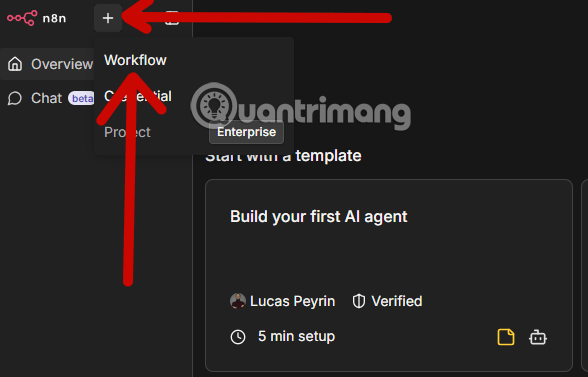
Open n8n, go to Workflows, and create a new workflow. Give it a descriptive name that identifies the purpose and environment, such as Test – Support Knowledge Agent.
2. Add the Chat Trigger
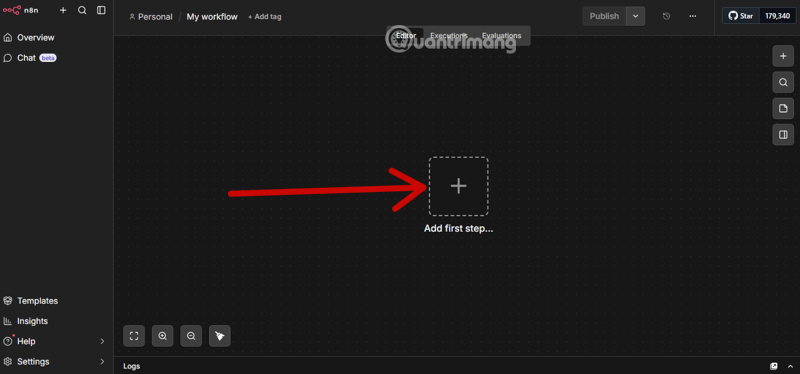
Add a Chat Trigger as the first node. During development, keep public access off and use n8n's manual chat interface.
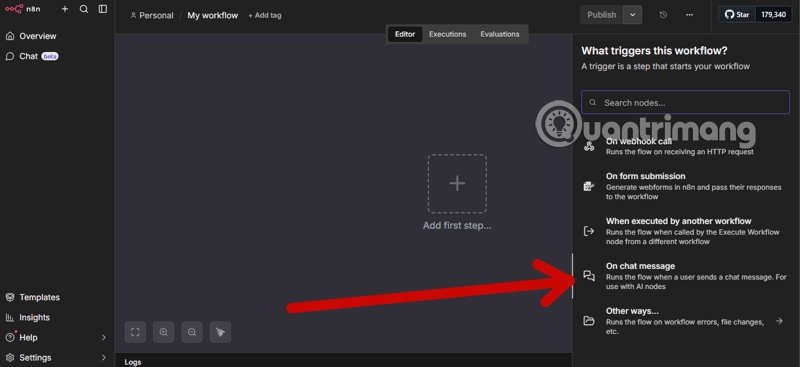
Search for Chat Trigger in the node menu and select it.
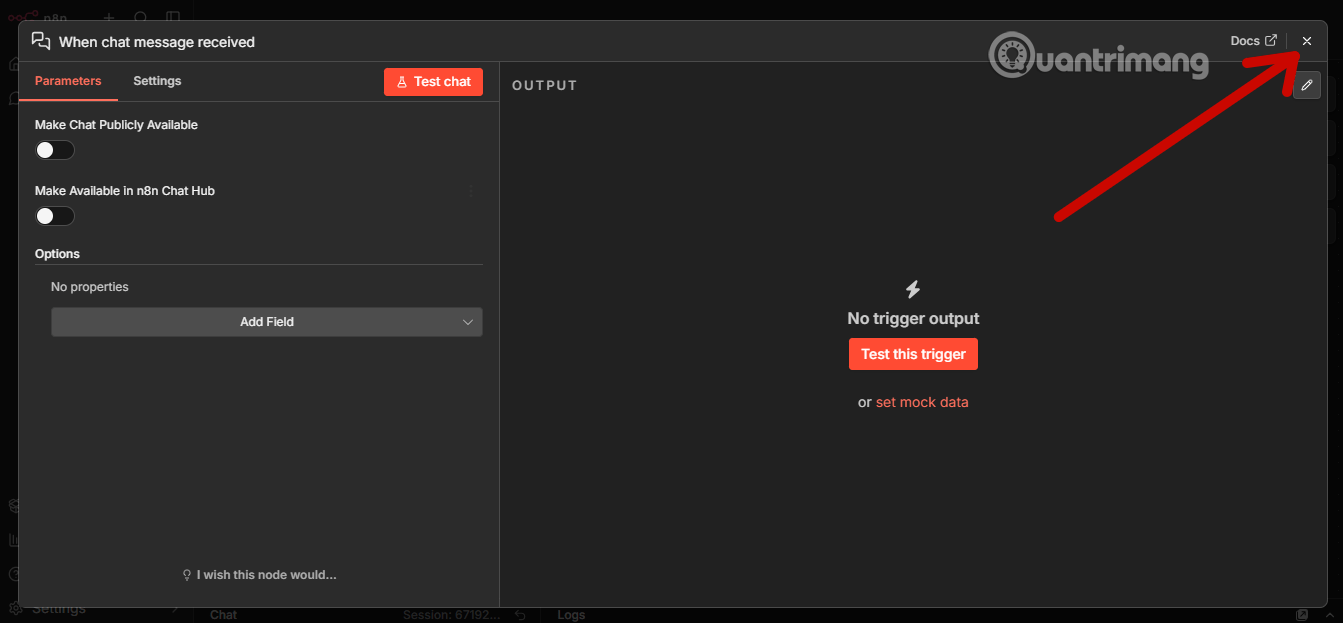
Review the node's access and response settings rather than accepting them blindly. Each incoming message runs the workflow and can consume an n8n execution plus model and tool usage. Public chat should use appropriate authentication, origin controls, rate limits, and abuse monitoring.
3. Add the AI Agent node
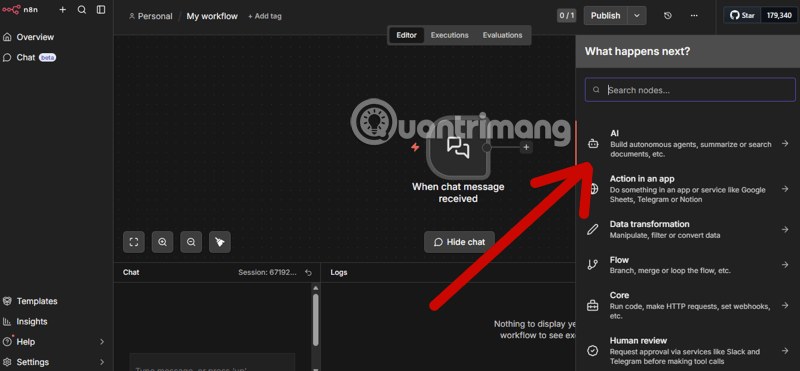
Add an AI Agent after the Chat Trigger.
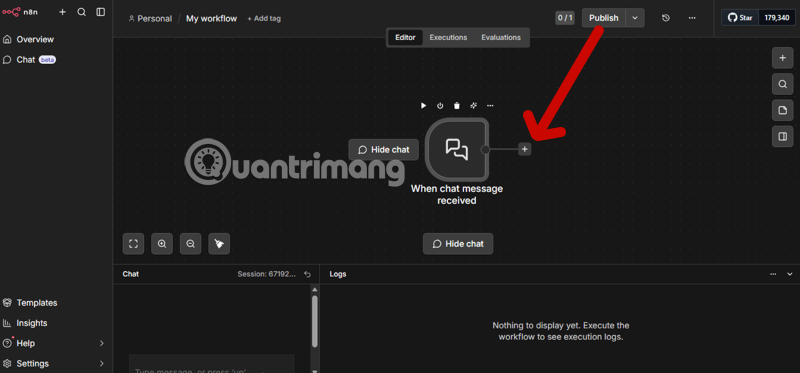
Search for AI Agent and place it on the canvas.
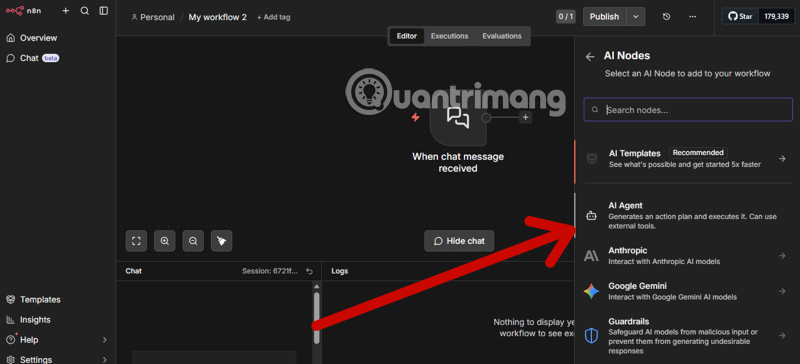
Keep the incoming chat message as the prompt source for this first workflow. Add a system message that defines the agent's job, permitted tools, response style, and what it must do when information is missing.
You are a support knowledge assistant.
Use the connected knowledge-search tool for factual answers.
If the tool does not contain the answer, say that the information is unavailable.
Never invent policy, prices, account status, or customer data.
Do not perform an external action without explicit user confirmation.
4. Connect a chat model
Select the Chat Model connector under the Agent and add the provider node supported by your account, such as OpenAI Chat Model or another compatible model integration.
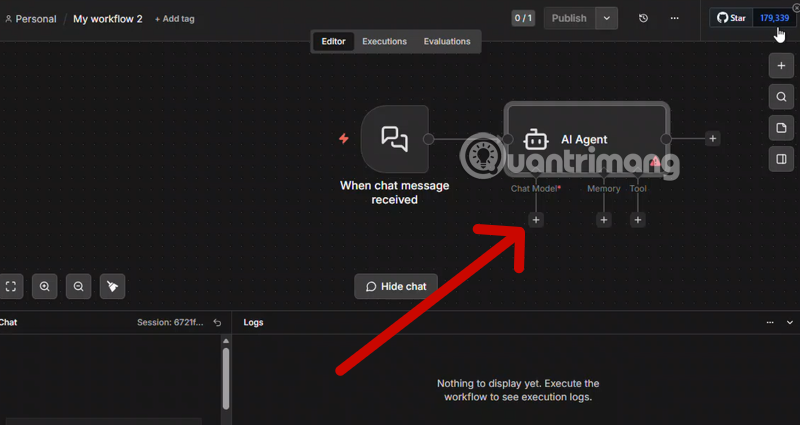
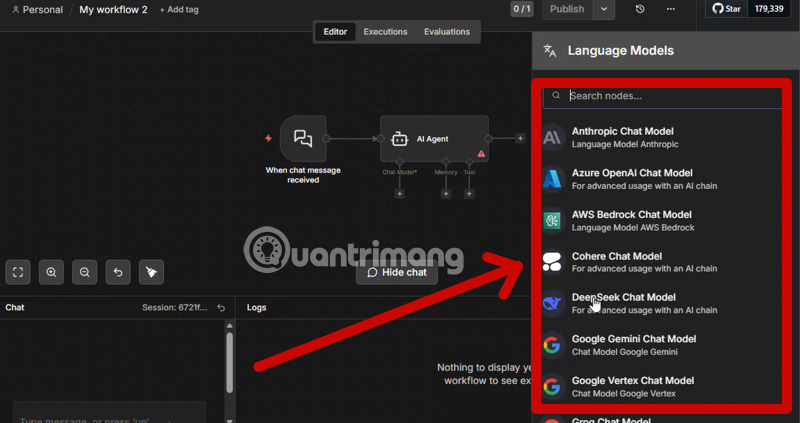
Select a model available to your provider account and appropriate for tool calling. Do not copy an old model name from a screenshot. API usage, model access, context limits, and prices vary by provider and can change. An OpenAI API model is not made free by having a ChatGPT account; API billing is separate.
5. Store the model credential safely
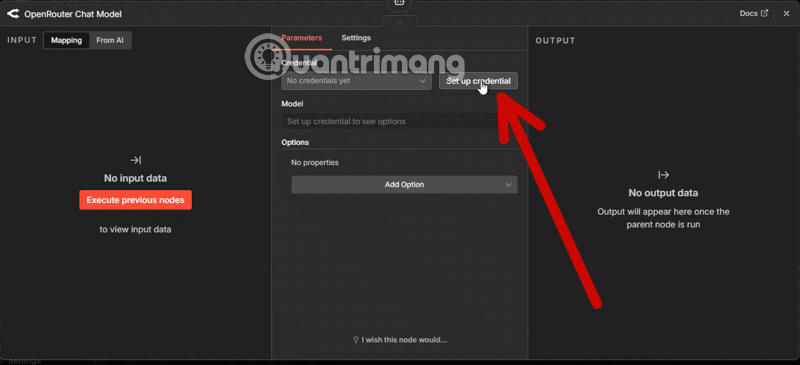
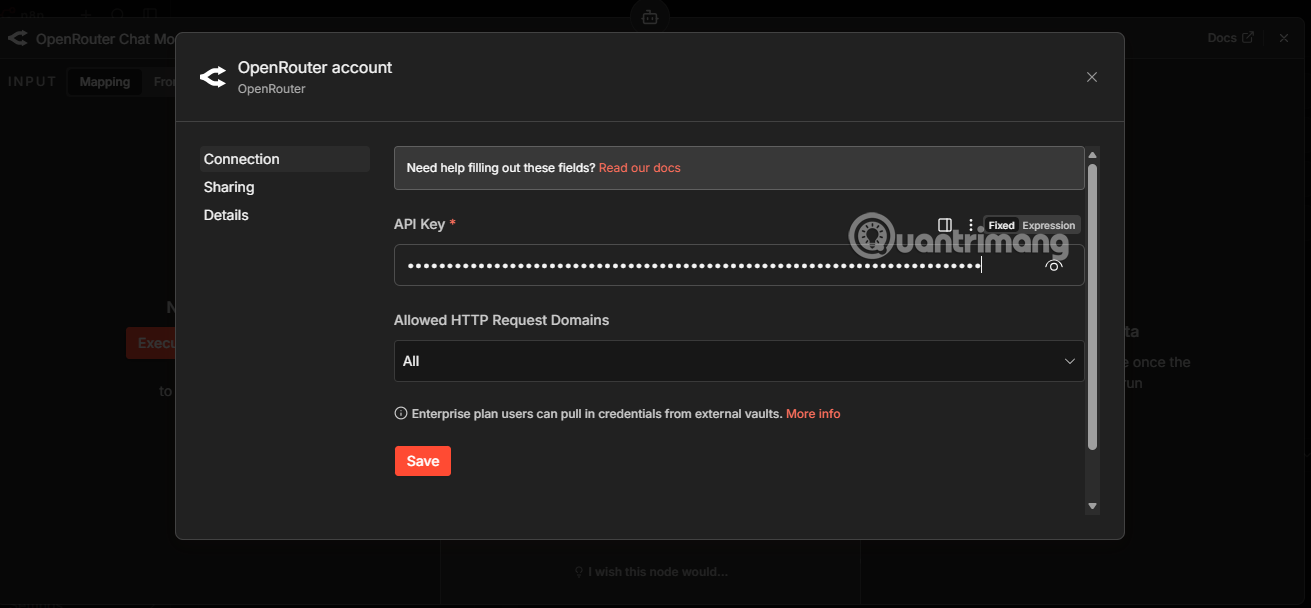
Create the provider credential from the model node's credential selector. Paste the API key only into n8n's credential form.
- Create a separate project or key for the workflow when the provider supports it.
- Apply the narrowest permissions and sensible spending limits.
- Never place the secret in a system prompt, Code node, normal field, log, screenshot, or exported sample workflow.
- Restrict who can view, edit, or execute the n8n project.
- Revoke and replace any key that has been exposed.
Optional: use OpenRouter or another provider
The same pattern applies to another supported chat-model provider. Create the key on the provider's official site, review which upstream models and data policies it uses, and store the key in the corresponding n8n credential.
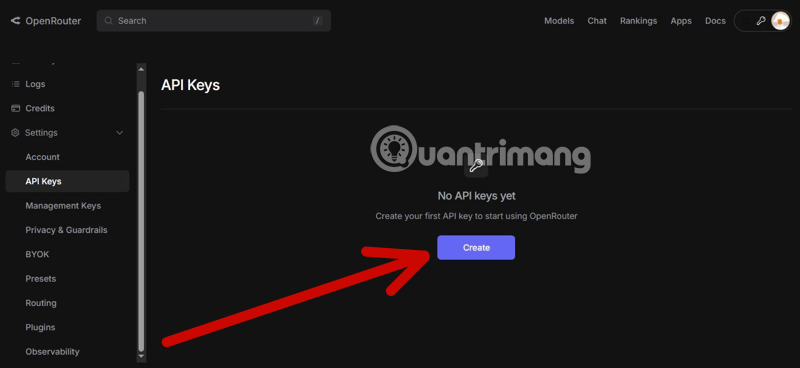
If the provider offers key-level credit, expiration, or usage controls, set limits suitable for testing. These controls supplement n8n access rules; they do not replace them.
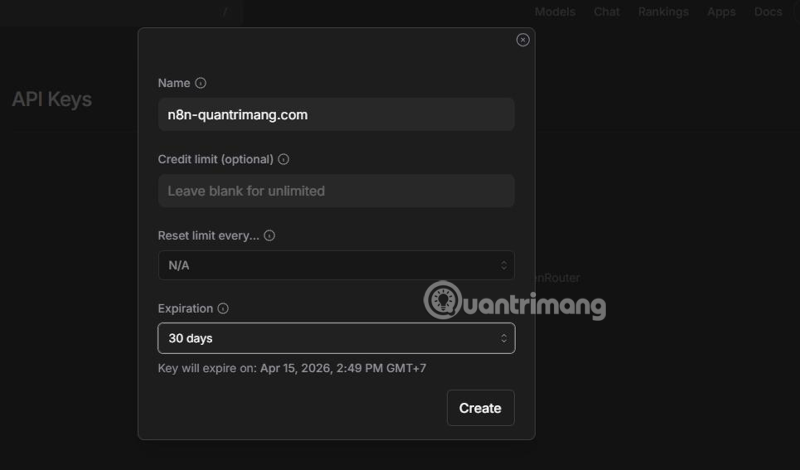
Return to n8n and select the matching provider credential. Do not paste a key from one service into an unrelated credential type unless the integration documentation explicitly supports that endpoint.
6. Connect at least one low-risk tool
An AI Agent needs a tool. For a safe first test, choose a read-only calculator, a small approved knowledge source, or another tool that cannot send messages or modify external data. Give it a precise name and description so the agent knows when to use it.
Before adding Calendar, email, database-write, HTTP Request, or publishing tools, define:
- Which accounts and records the tool may access.
- Which parameters the model may supply.
- What validation occurs before the call.
- Which actions require a human confirmation step.
- How retries avoid duplicate messages, events, or charges.
- What is logged without exposing secrets or personal data.
Prefer a tool that exposes one bounded action over a general HTTP or code execution tool. For example, “find an approved policy by keyword” is safer than unrestricted access to every internal document and URL.
7. Test the agent from the manual chat
Open n8n's chat panel and send a request that should use the tool. Inspect the execution data to confirm:
- The Chat Trigger received the expected message and session value.
- The agent selected the intended tool.
- The arguments were accurate and within allowed limits.
- The tool output contained no secret or irrelevant private data.
- The final answer reflected the tool result instead of inventing details.
Also test a request the tool cannot answer, a malformed input, a very long message, an instruction to ignore the system rules, and repeated submissions. The agent should fail safely and not perform an unauthorized action.
8. Add memory only when the use case needs it
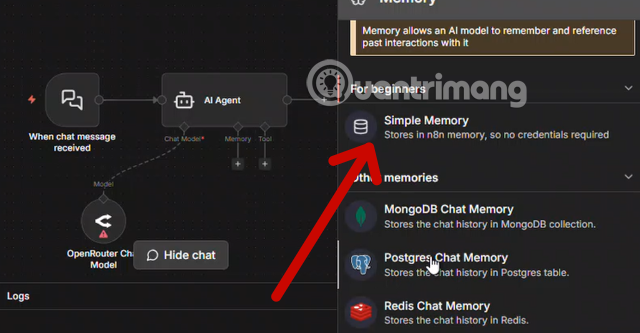
Memory lets later messages reuse conversation context. Connect a supported memory sub-node and use a stable, unguessable session identifier. If Chat Trigger is configured to load previous sessions, n8n recommends connecting the Trigger and Agent to the same memory source.
Simple Memory can be useful for local testing, but confirm its limitations before production or queue-based operation. A durable database-backed memory is easier to manage across restarts and multiple workers. Set a retention window, separate users' sessions, and do not retain sensitive chat content longer than necessary.
9. Add response and error handling
Decide how Chat Trigger returns the answer. A basic flow can return the Agent's output or text. More complex workflows can use a response node or streaming when the connected nodes support it.
Add an error path that records a safe diagnostic, preserves the item for review, and gives the user a clear retry message. Use bounded backoff for temporary rate limits; do not retry invalid credentials or deterministic validation errors indefinitely.
10. Save, activate, and monitor
Save the workflow and keep it private until tests pass. Before making the chat public:
- Enable an appropriate authentication mode.
- Restrict allowed origins instead of using a wildcard where possible.
- Apply input size and request-rate limits.
- Review model, tool, n8n execution, and infrastructure costs.
- Set usage alerts and monitor failed executions.
- Back up the n8n encryption key, database, and persistent data according to the hosting design.
- Retest after updating n8n, the model, prompt, credential, tool schema, or memory configuration.
A dependable first agent is deliberately narrow: it has one job, one read-only tool, a clear failure response, and no permission to create side effects without confirmation. Expand its access only after logs show that the smaller workflow behaves predictably.





Reader Comments 0
Sign in with email or Google to join the discussion.