Table of Contents
DeepL is a language platform for translating text, documents, images, and—in supported products—speech. It also offers DeepL Write for rewriting and tone adjustments, plus an API for applications and automated workflows. Translation quality depends on the language pair, subject, source text, and required terminology, so important work still needs human review.
What DeepL is
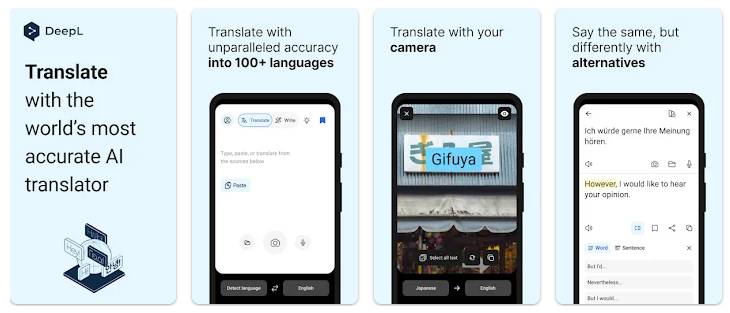
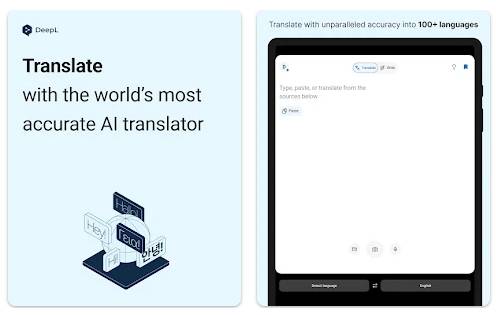
DeepL grew from the team behind Linguee and launched its neural machine translation service in 2017. Today it provides a browser-based translator, desktop and mobile apps, browser extensions, document translation, writing assistance, business integrations, and a developer API.
Do not rely on old language counts. DeepL adds languages and can offer different capabilities for text, files, glossaries, formality, and speech. Check the source and target selectors in the current DeepL Translator for the combination you need.
How neural machine translation works
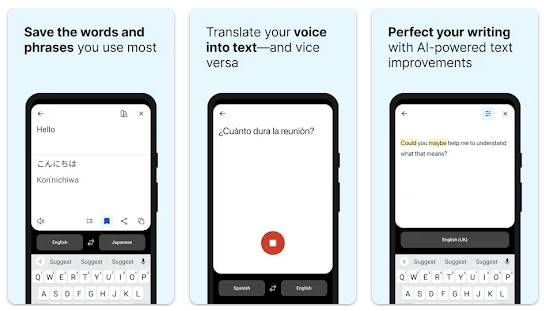
Modern neural translation systems process words in relation to the surrounding sentence and generate a likely target-language sequence. This generally produces more fluent results than replacing individual words or phrases independently.
Fluency is not the same as accuracy. A system can create natural prose while changing a number, negation, name, technical term, or legal obligation. It may also choose the wrong meaning for an ambiguous word when the source lacks context.
Core DeepL features
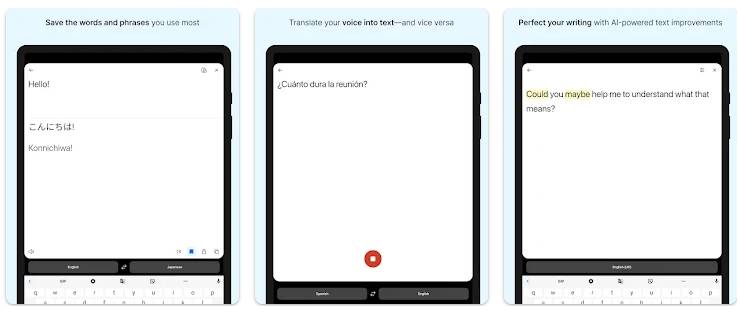
Text translation
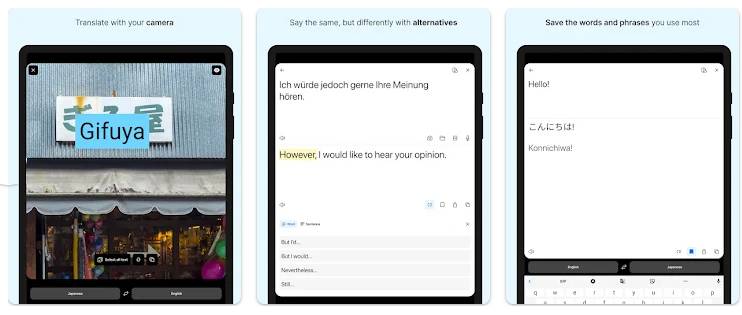
Paste or type text, select the target language, and review the output. For some language pairs and account types, you can click a word or phrase to see alternatives and adjust the sentence without translating it again from scratch.
Document translation
DeepL can translate supported file types while attempting to retain the original layout. The current web interface lists PDF, Word, and PowerPoint among its document options, and other formats or limits may depend on the plan.
Always inspect the exported file. Tables, text boxes, footnotes, scanned pages, embedded fonts, and text that expands in translation can cause layout problems. A PDF that contains only images may also require optical character recognition before its text can be translated accurately.
Glossaries and terminology
A glossary tells the service how selected terms should be translated. It is useful for product names, industry terms, interface labels, and a company's preferred vocabulary. Build it from approved terminology, test inflected forms, and review whether the feature supports the chosen language pair.
Formality, style, and alternatives
Some language pairs provide formality controls or alternative wording. These can help adapt a translation to a customer, colleague, or public audience, but they do not verify factual meaning or guarantee the correct cultural register.
DeepL Write
DeepL Write improves or rephrases text rather than translating it. It can suggest wording and adjust style or tone in supported languages. Use it for revision, not as a substitute for subject knowledge. Compare the revised sentence with the original to make sure names, facts, obligations, and intent did not change.
Apps, extensions, and integrations
DeepL offers desktop and mobile apps, browser extensions, and integrations for productivity software. Availability varies by platform and account. These tools reduce copying and pasting, but users should still check what text is sent to the service and whether the organization's data policy permits it.
DeepL API
Developers can use the API to add translation to websites, internal tools, localization pipelines, and customer-support systems. A production integration should protect the authentication key, limit access, monitor usage, handle rate and quota errors, and keep human review for high-impact text.
How to get a better translation
- Clean the source. Fix typos, broken sentences, duplicated text, and ambiguous pronouns before translating.
- Add context. Translate complete sentences or a coherent section instead of isolated fragments when possible.
- Preserve protected terms. Prepare a glossary for product names and approved terminology.
- Compare alternatives. Check ambiguous phrases and words with multiple meanings.
- Back-check critical details. Verify numbers, units, dates, proper names, negation, headings, links, and legal or safety instructions.
- Use a qualified reviewer. A fluent native speaker with subject expertise should approve high-stakes or public-facing work.
Free access versus paid plans
Free access is suitable for occasional non-sensitive text, but input length, file translation, glossary options, history, and other capabilities may be limited. Paid plans increase allowances and add business-oriented features. API billing is a separate product from ordinary translator subscriptions.
Prices and plan contents vary by country and can change. Check DeepL's current plan page and the checkout terms instead of relying on a fixed price quoted in an older review.
Privacy and confidential information
Do not assume that every DeepL product handles data in the same way. Free tools, Pro products, enterprise services, apps, extensions, saved history, and API plans can have different terms and controls. DeepL advertises enhanced data-protection commitments for eligible Pro use; consult the current DeepL security information and your contract before submitting confidential material.
For workplace use:
- Follow your organization's approved-tool and data-classification rules.
- Remove personal, client, medical, legal, financial, or trade-secret data unless the selected service is authorized for it.
- Disable or avoid translation history where retention is inappropriate.
- Check whether an extension can access text on more pages than the user intends.
- Use an enterprise or API configuration that matches required retention, access, and regional controls.
Where DeepL performs well
DeepL can quickly produce a useful draft, preserve the structure of common office documents, keep terminology consistent through glossaries, and offer alternative phrasing. It is especially helpful when the user knows both languages well enough to review the result or when a translator uses it as one tool in a controlled workflow.
Where human review remains essential
- Contracts, policies, and regulatory submissions.
- Medical instructions and safety-critical procedures.
- Marketing copy that relies on wordplay, cultural references, or brand voice.
- Literature, subtitles, and dialogue where tone and character matter.
- Technical documents with specialized terminology or strict formatting.
- Any translation that will be published without the reader seeing the source.
The best way to evaluate DeepL is with a representative sample from your own material. Compare it with another translation and a trusted human reference, record recurring terminology errors, and decide whether the speed benefit justifies the review effort for that specific language pair and use case.
Related Articles
 How to Translate All Copied Text with Deepl4 minutes read
 TOP AI Tools for Highly Accurate Translation5 minutes read
 The Translation of Google Translate Also Sometimes Has to Surrender Before Vietnamese4 minutes read
 Viki Usage Translator Translated English Vietnamese Online4 minutes read
 Adobe Introduces AI Search and Subtitle Translation Tools for Faster5 minutes read
 ChatGPT Translate: a Smarter New Translation Tool: Explained4 minutes read
Reader Comments 0
Sign in with email or Google to join the discussion.