Table of Contents
Quick Overview
Check TikTok Shop Cart : Get a clear, practical overview of Check TikTok Shop Cart, including Instructions for checking shopping cart on TikTok Shop.
Just like other popular online shopping apps today, TikTok Shop also has full shopping features for users to use such as changing payment methods on TikTok Shop, or checking the TikTok Shop shopping cart when we shop on TikTok Shop. The TikTok Shop shopping cart will save all the items you have added to the shopping cart to shop on TikTok Shop. this guide will guide you to check the shopping cart on TikTok Shop.
Instructions for checking shopping cart on TikTok Shop
Step 1:
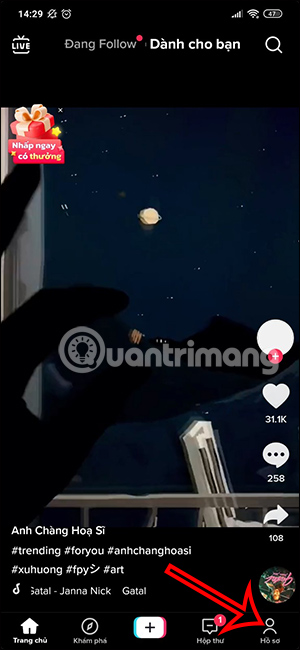
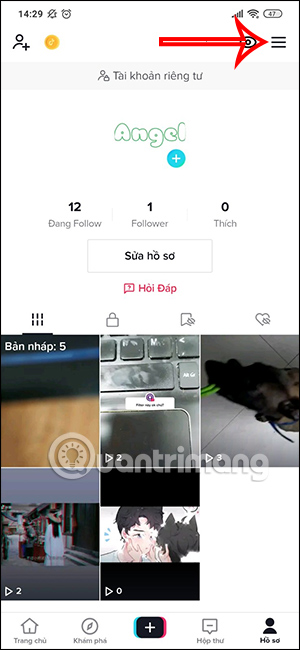
At the interface on the TikTok application, we click on the profile icon . Then go to your TikTok interface, click on the 3 dash icon in the top right corner.
Step 2:
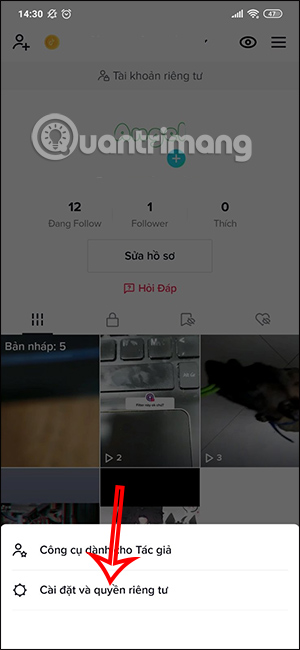
Next, the user clicks on Settings and privacy below the screen.
Step 3:
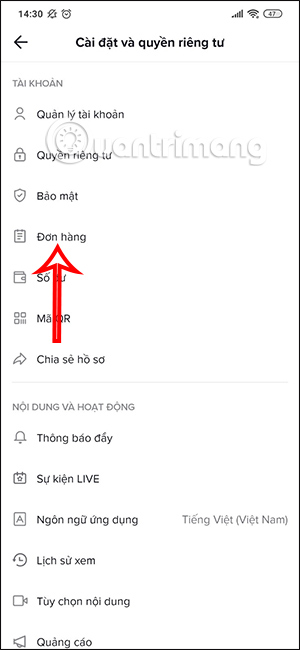
In this new interface, users will click on the Order section to access the TikTok Shop interface. In the next interface, users will click on the shopping cart icon to view the products you have added to TikTok Shop.
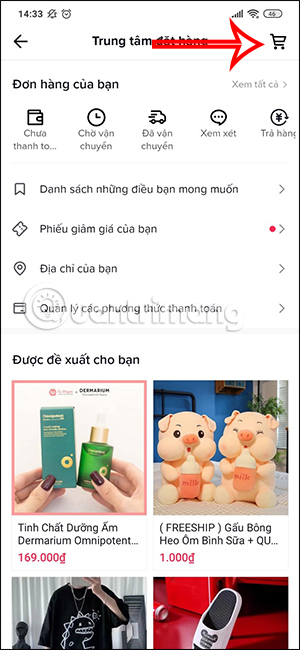
Step 4:
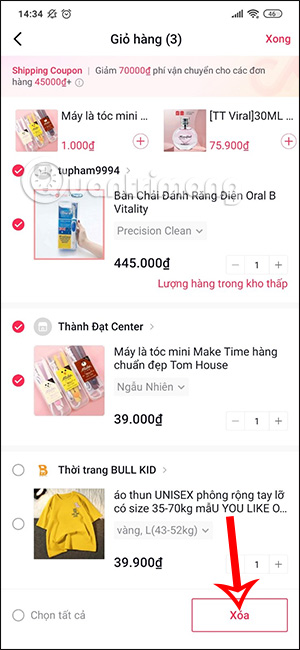
Now you will see the items that we have added to the shopping cart on TikTok Shop. From this interface, you proceed to select the products you want to buy, select each item or select all items.
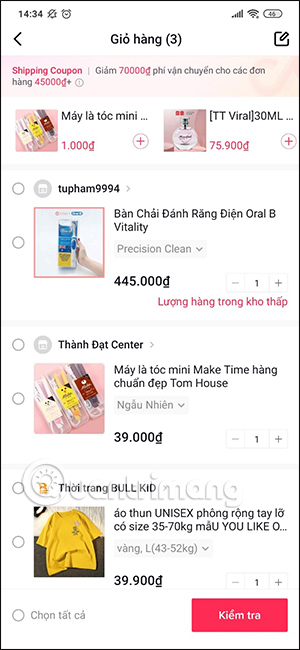
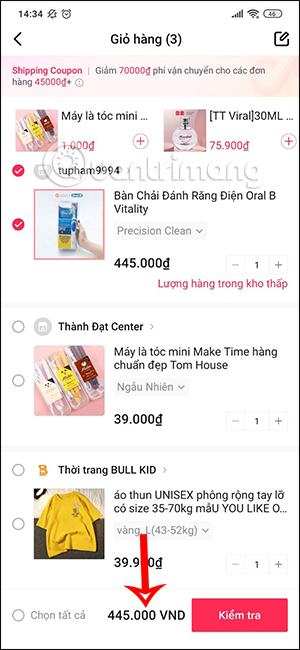
When you choose to buy an item, the amount will be displayed below, but shipping is not included.
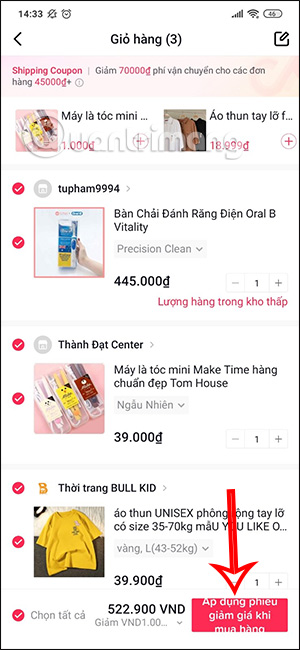
Depending on the order you purchase, we will have additional preferential prices from TikTok Shop.
While checking out items in your TikTok Shop cart, you can quickly delete a product by tapping the pen icon and selecting Delete.
Step 5:
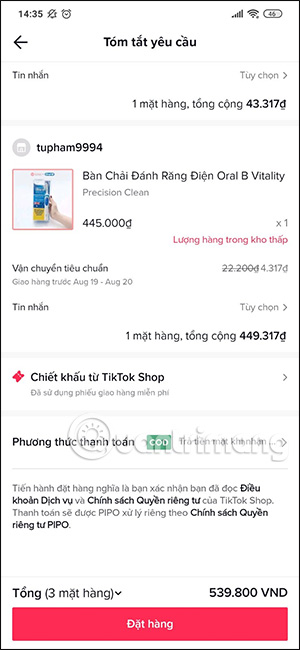
Finally, you proceed to order and choose payment method as usual.
FAQ About Check TikTok Shop Cart
What is Check TikTok Shop Cart?
When you choose to buy an item, the amount will be displayed below, but shipping is not included
Why is Check TikTok Shop Cart important?
Understanding Check TikTok Shop Cart helps you evaluate its benefits, limitations, and potential risks before making a decision.
How can you use or manage Check TikTok Shop Cart effectively?
While checking out items in your TikTok Shop cart, you can quickly delete a product by tapping the pen icon and selecting Delete
Related Articles
 The Hidden Dangers of TikTok Shop You Need to Know Before Shopping8 minutes read
 What Is Zefoy TikTok? How to Use It3 minutes read
 How to Get a Refund When Shopping with Shop Back3 minutes read
 Instructions for Purchasing and Canceling Orders on Zalo Shop7 minutes read
 3 Cheap Market Shopping Cart Models with Easy Folding Wheels5 minutes read
 How to Use ChatGPT to Compare and Shop for Products Directly Within the App7 minutes read
Reader Comments 0
Sign in with email or Google to join the discussion.