Table of Contents
This updated guide explains how to share 4G network on Android phone using QR code with clear steps, practical tips, and useful context. If you find it inconvenient to manually share the 4G network on your Android phone to other phones, we can create a QR code so that others can quickly scan it from their devices when they want to connect to the 4G network.
How to Share 4G Network on Android via QR Code
Step 1:
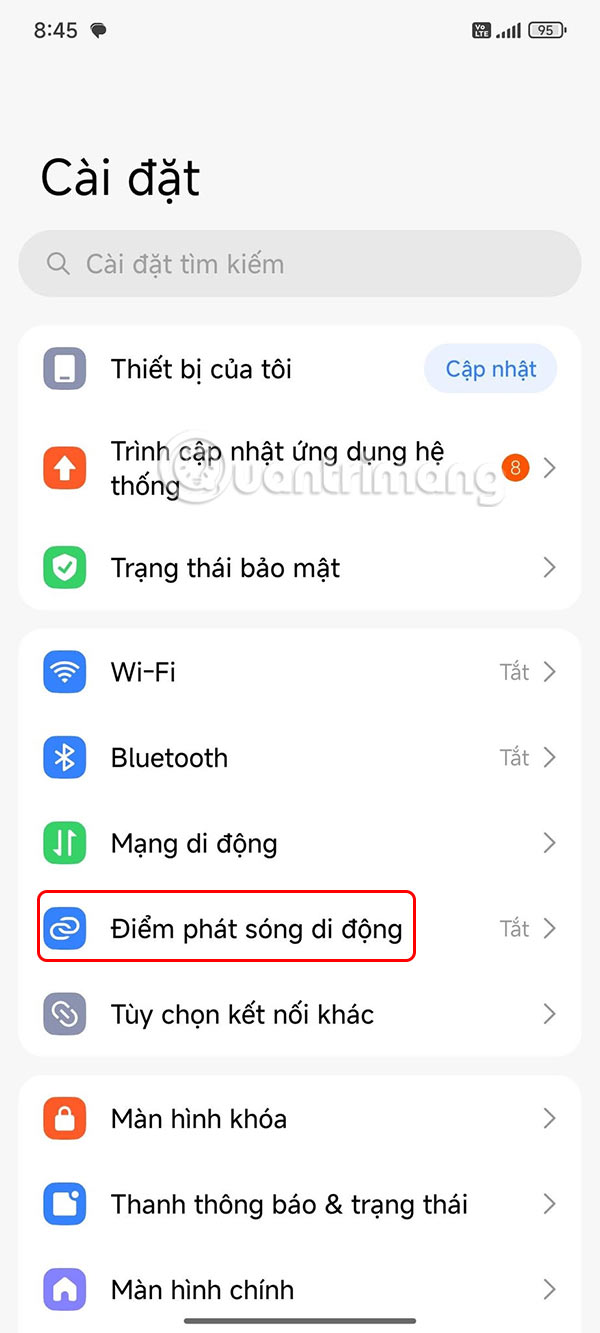
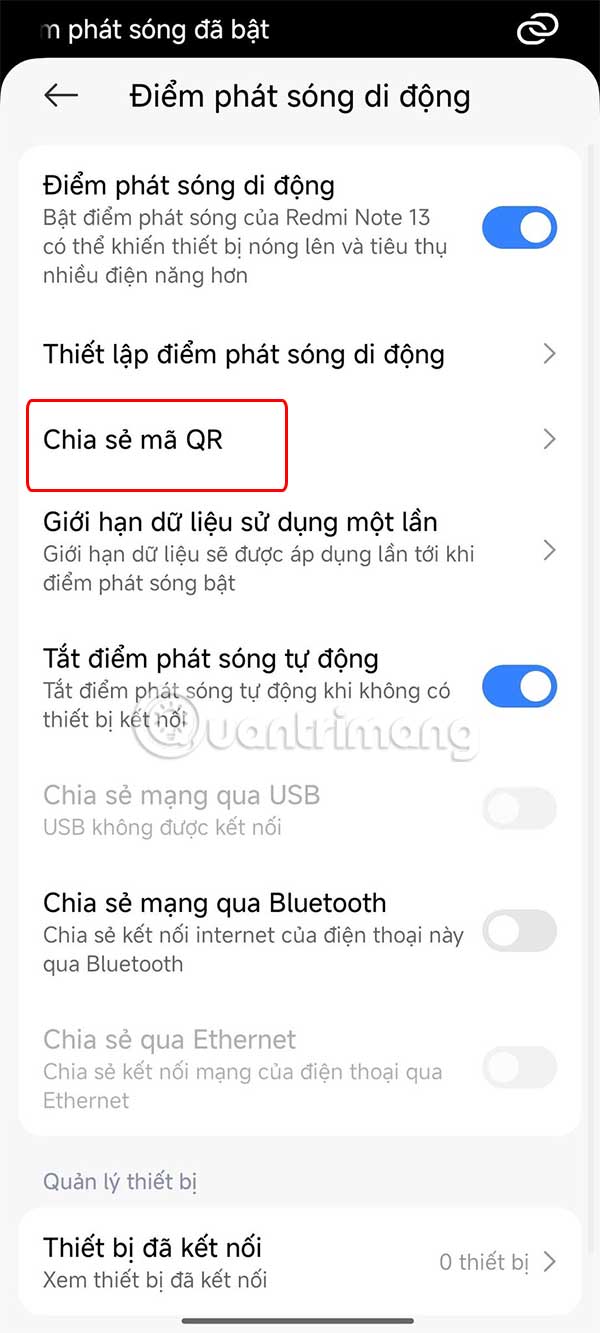
Users access Settings on the phone , then tap the Mobile Hotspot setting to enable use.
Step 2:
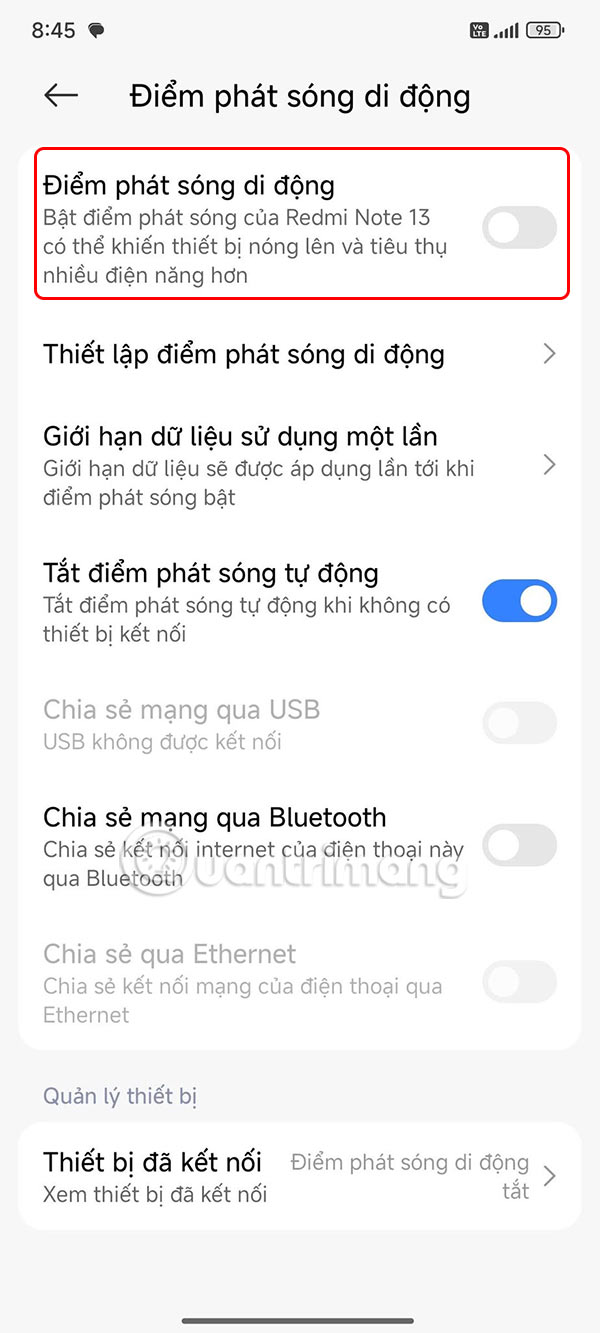
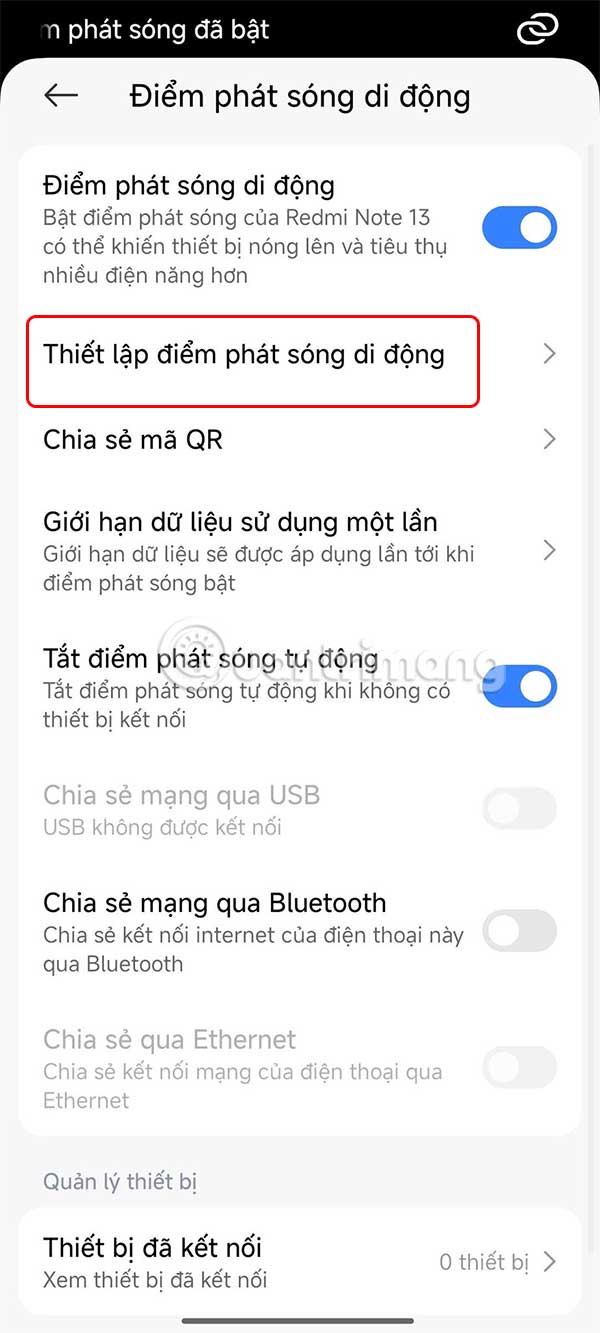
Then you turn on Mobile Hotspot mode to activate on your phone to share 4G network from your phone. Next, you proceed to set up 4G network sharing password, choose Set up mobile hotspot .
Step 3:
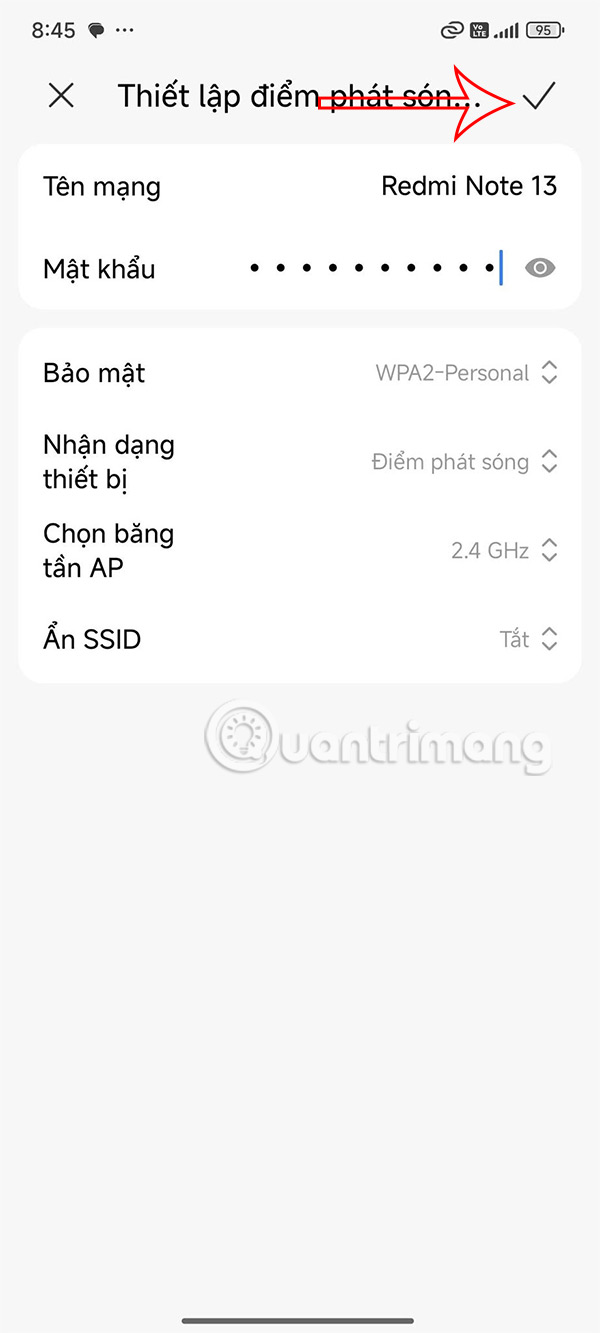
Now, the user enters the network name to share with others and enters the 4G network sharing password if needed. Once set up, press the V mark in the upper right corner to save.
Step 4:
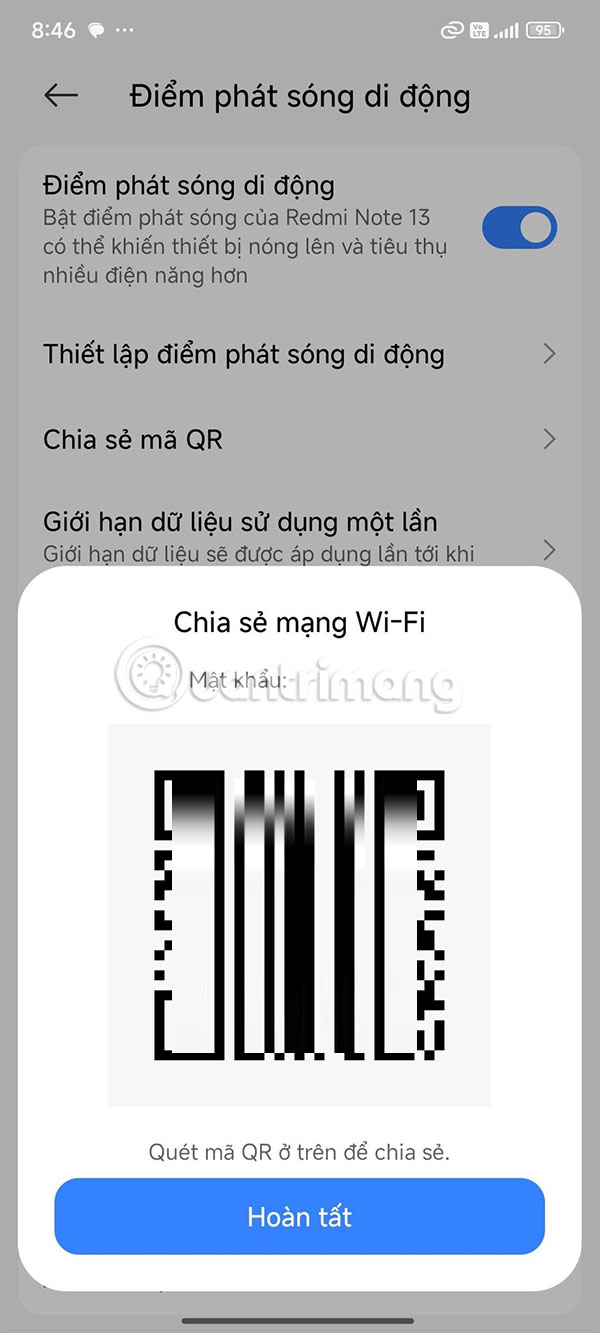
Back to the Mobile Hotspot interface, tap Share QR code . This will display a QR code to share the 4G network on your Android phone. Others will scan this QR code on their phones to connect to the network.
FAQ
What should I prepare before I share 4g network on android phone using qr code?
Review the requirements and options in the guide first. Having the correct device, app version, account access, or materials ready helps prevent avoidable errors.
How long does it take to share 4g network on android phone using qr code?
The time depends on the task and your setup. Most basic steps can be completed quickly, while downloads, updates, scans, or troubleshooting may take longer.
What should I do if the steps do not work?
Repeat the instructions in order, confirm that your software or device is supported, and check permissions, connectivity, and available updates before trying again.
Related Articles
 How to Share Wi-Fi via Bluetooth on Android4 minutes read
 4 Easiest and Quickest Ways to Share Wi - Fi Password8 minutes read
 How to Send Apps Between Android Devices via Nearby Share4 minutes read
 Android Market Share Reached a Record of over 80% in 3Q134 minutes read
 Windows Phone Market Share Declined Because of Cheap Android5 minutes read
 10 Reasons Why You Might Want to Try Windows Phone Instead of Android8 minutes read
Reader Comments 0
Sign in with email or Google to join the discussion.