Table of Contents
Follow the instructions below to review movies of thvl1, thvl2 on the phone efficiently and safely. Each section focuses on the actions, settings, and troubleshooting details that matter most.
The current THVLi channel has provided movies, TV and television game show applications, free live TV. on the phone at the request of Vinh Long broadcasting station. Just download the app to your phone and select the game show program, feature film or music program to follow.
If you do not have time and often miss the programs on THVL channel, you can review on THVLi application, in addition to the film and game show programs, you can also watch Vietnamese movies or of Foreign on this application. Instructions to review the program on THVLi application you can see in the article below.
- Download THVLi for iOS
- Download THVLi for Android
How to review movies and game show shows on THVL1, THVL2
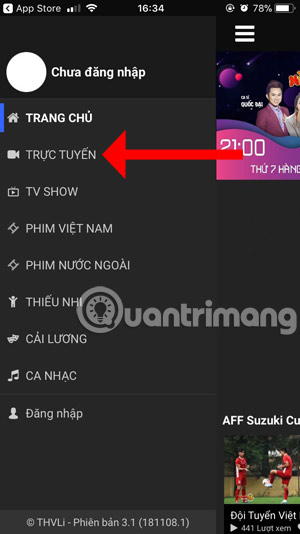
Step 1: Start application of THVL on your phone, select the program list with the list icon in the upper left corner and select Online.

Step 2: Select channel THVL 1 or THVL 2 to review the missed program, click Today And select the date to review.
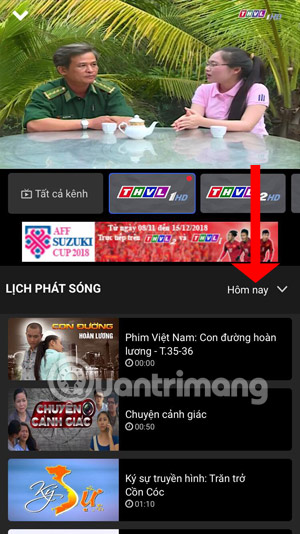
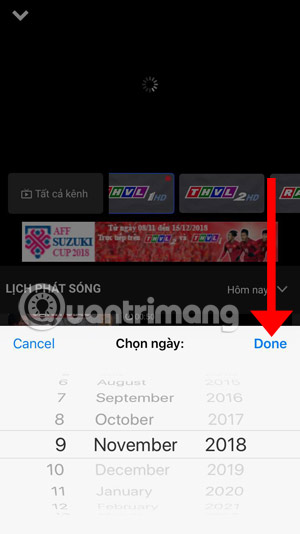
Step 3: Then just select the program or movie you want to watch. In addition to two channels THVL 1 and THVL 2, you also have another radio channel of THVL. when needed to listen to the radio channel's programs, please do the same as the way with the THVL channel.
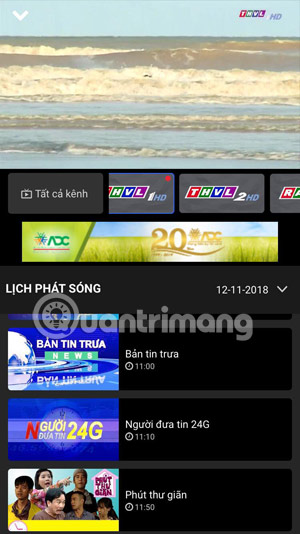
Step 4: In addition to the TV show, you can watch more movies that were shown on THVL channel, the movies being shown on the channel and the movies that have finished showing.
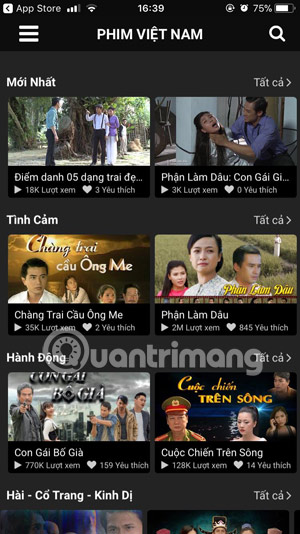
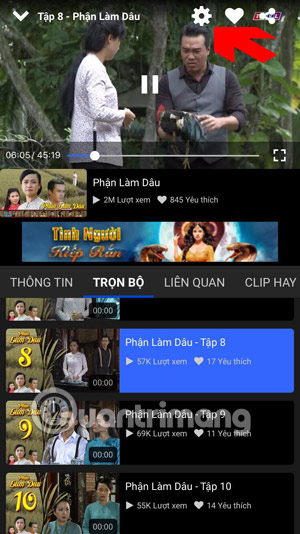
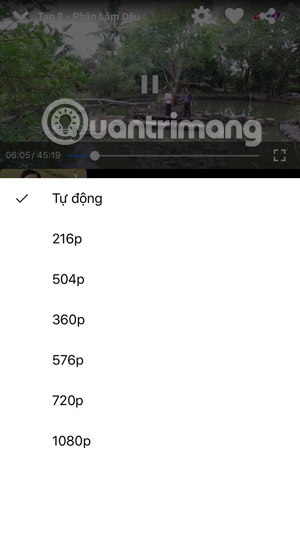
Step 5: Just select the movie and episode you want to watch again, click the gear icon on the screen and choose the resolution to view.
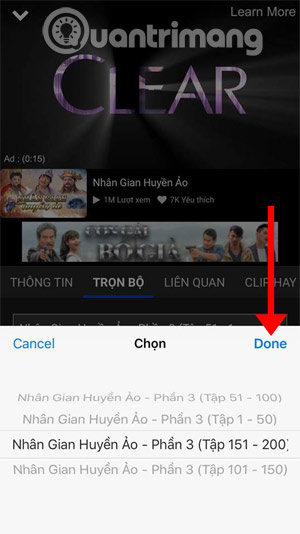
With the same foreign movie program, you just need to select the movie that has been shown or is playing on THVL to review, however, there will be a few very long movies to be applied to each part in THVL on the movie list.
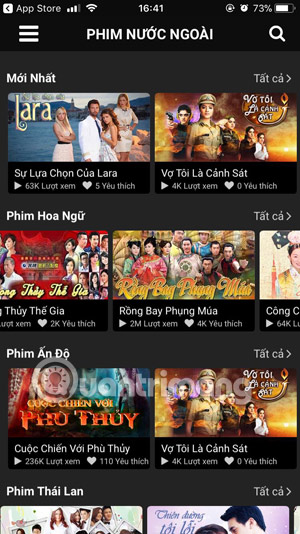
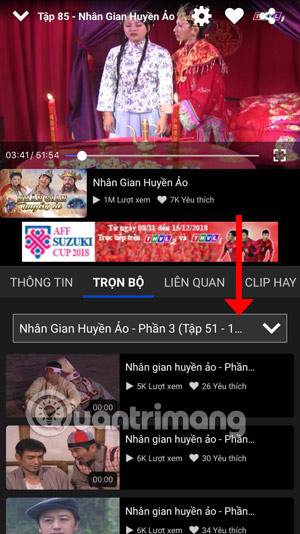
Select the part of the movie you want to watch and press Done , the list of movies appears for you to select.
That's how you can track the movies or game show programs on the app of THVL on the phone, or you can also access the main page of THVL to follow up the game show or feature films. when needed to see it on the web version.
- Applications to watch movies online on the phone
- 12 high quality movie watching software for Android phones
- How to watch VIP full HD movies without account on HDOnline and HDViet
FAQ
What should I prepare before I review movies of thvl1, thvl2 on the phone?
Review the requirements in the guide, confirm that your device or software is compatible, and save important work before changing settings related to review movies of thvl1, thvl2 on the phone.
Why might review movies of thvl1, thvl2 on the phone not work as expected?
The most common causes are incompatible versions, missing permissions, incorrect settings, or an interrupted internet connection. Recheck each step and restart the app or device when appropriate.
Can beginners follow these review movies of thvl1, thvl2 on the phone steps?
Yes. Follow the steps in order, avoid skipping confirmation screens, and compare your interface with the screenshots because labels may differ slightly between versions.
Related Articles
 Review Who Thuong's Movie Is, the Opposite of Tears,.. on VTV8 minutes read
 Applications to Watch Movies Online on the Phone8 minutes read
 Learn About Nothing Phone 1: a Phone with a Unique Design4 minutes read
 What Is Review: What Is a Review? Job Experience Test for People4 minutes read
 How to Use Flick Metrix to Find Movies to Watch7 minutes read
 How to Download Movies on Netflix to Your Phone3 minutes read
Reader Comments 0
Sign in with email or Google to join the discussion.