Table of Contents
IPhone or iPad after updating to new version such as iOS 26 completely lost the calendar events you added.
After updating your iPhone or iPad to a new version such as iOS 26, all the calendar events you added are completely lost. If you are experiencing this situation, you can refer to some of the recovery methods below to get back the lost calendar events when updating your iPhone to a new version.
Check Apple Calendar Sync Mode
Step 1:
You access iCloud Web and log in to your account to check if the calendar is still there. We switch to Week or Month view . If you see that the calendar event is still there, it needs to be synchronized with the iPhone.
Step 2:
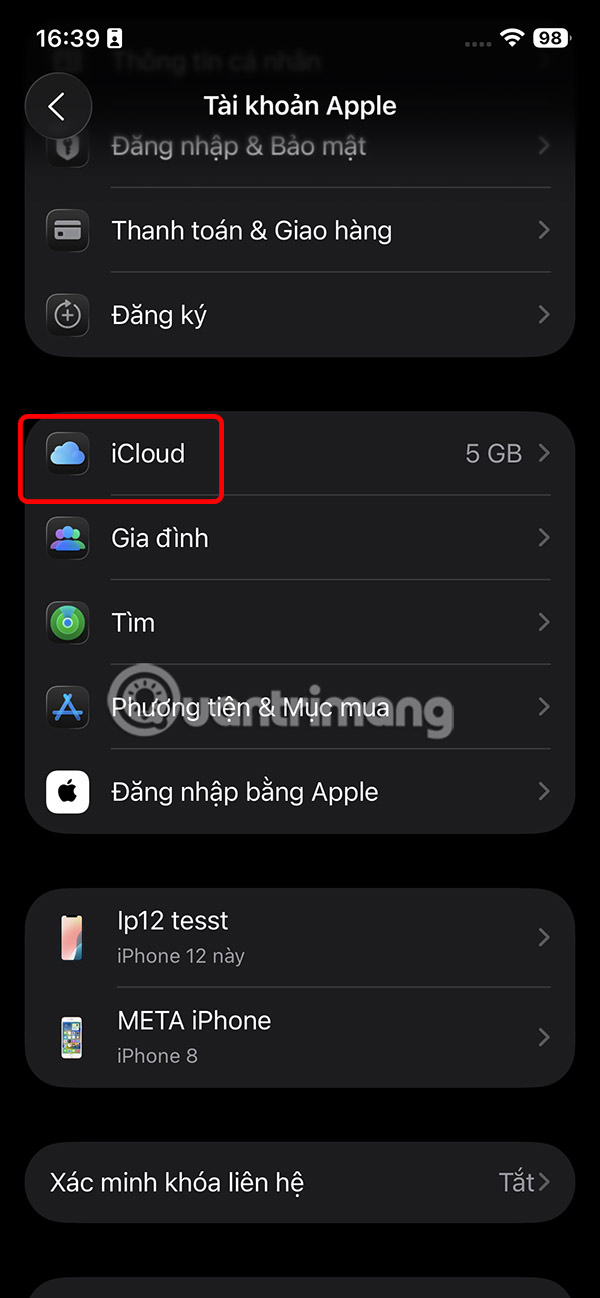
Open Settings on iPhone And select Apple account . Next, we Click on iCloud And select ICloud Calendar To check if it is Enabled or not .

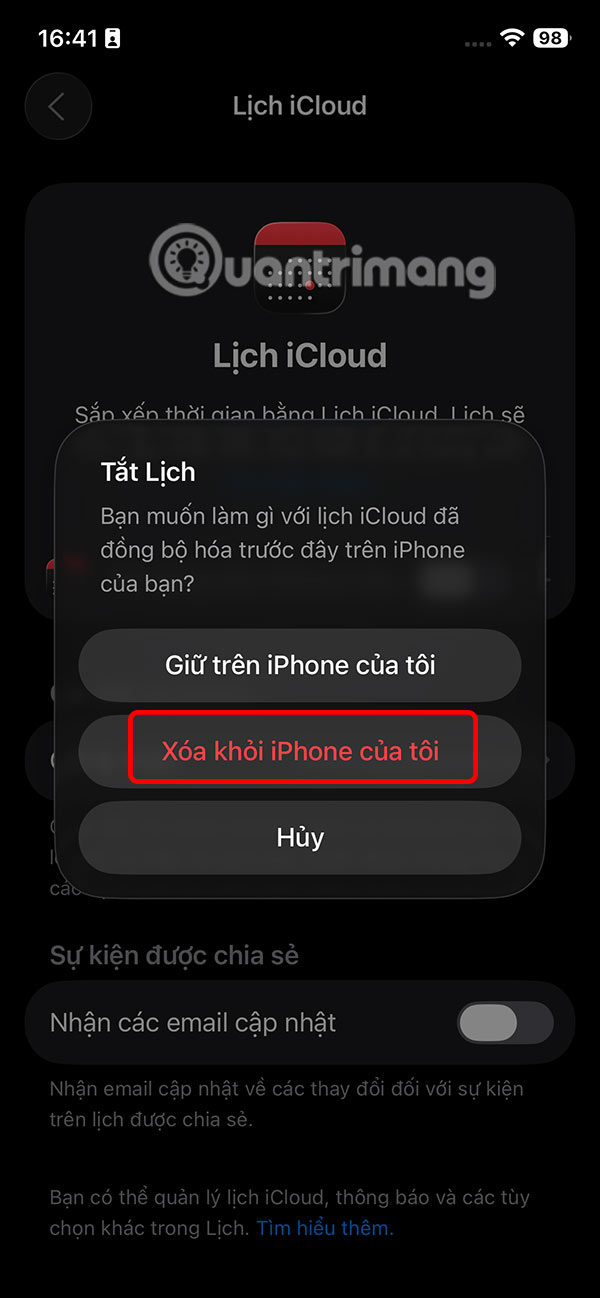
In case you have done all the above steps but the events in the calendar are still not showing up in the app, then you Turn off the Use on this iPhone option . Tap on Delete from my iPhone And then restart the iPhone and turn on the Use on this iPhone option again to sync the calendar.

Show old events on iPhone Calendar
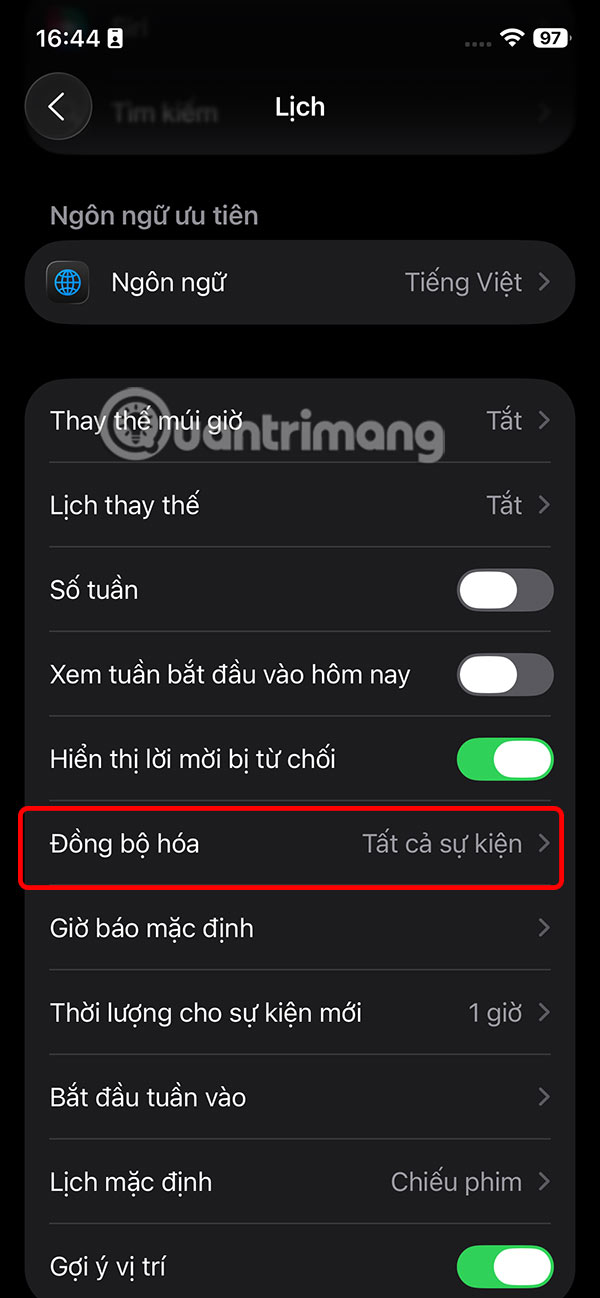
You go to Settings And tap on The Calendar app . Then the user taps on Sync . At this point the user Selects All Events . Then all events are displayed in the Calendar.


Restore iCloud Calendar
The Apple Calendar app doesn't have a Recently Deleted section to save deleted events for the next 30 to 40 days. However, there is a Restore on iCloud Web option that lets you restore deleted events.
You access Apple's content recovery page and log in to your account. Next, you Select Restore Calendars To perform.
- Go to iCloud recovery page
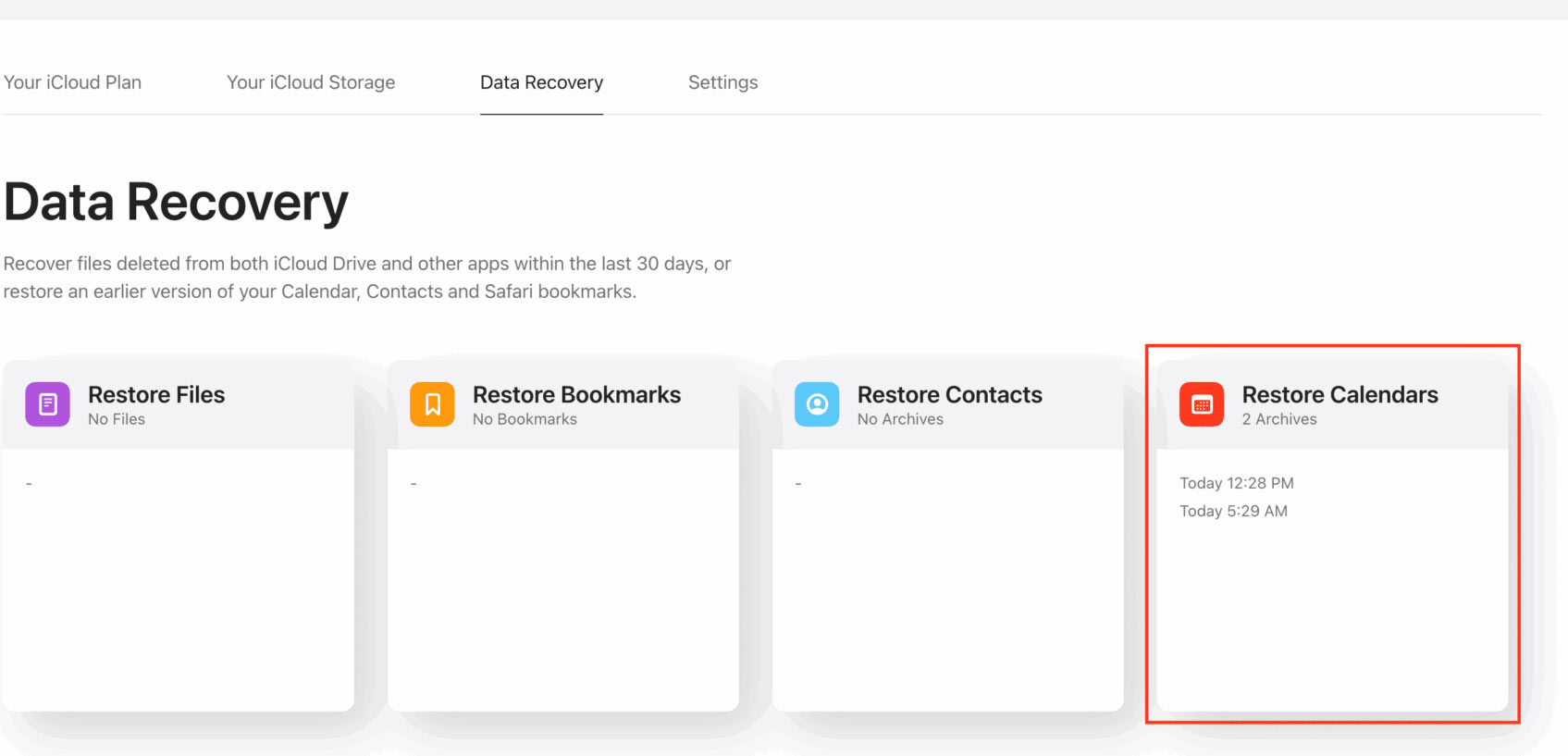
Finally, Click Restore To restore the Calendar.
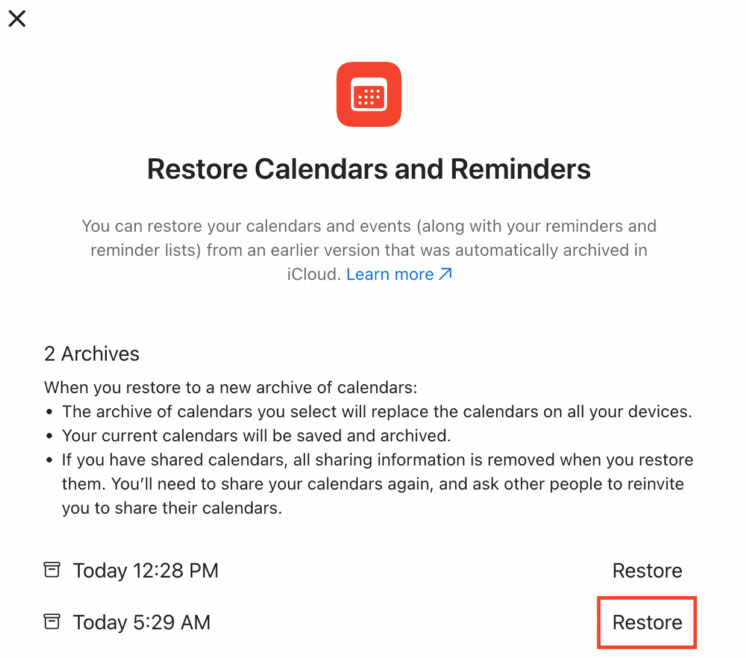
Once complete, your iCloud Calendar app will have all of your events from that particular day. Any new events you added will be deleted. Wait a few minutes for your iPhone to sync the changes.
FAQ
What should you know about recover lost calendar events after updating iPhone?
In practical terms, iPhone or iPad after updating to new version such as iOS 26 completely lost the calendar events you added.
Why does recover lost calendar events after updating iPhone matter?
The article highlights that if you are experiencing this situation, you can refer to some of the recovery methods below to get back the lost calendar events when updating your iPhone to a new version.
What is the main takeaway?
The main takeaway is that in case you have done all the above steps but the events in the calendar are still not showing up in the app, then you Turn off the Use on this iPhone option .
Related Articles
 How to Share Calendars on iPhone: Step-by-Step Guide3 minutes read
 How to Add Attachments to Calendar Events on iOS3 minutes read
 How to Schedule Tet Events with Calendardc Calendar7 minutes read
 8 Best Calendar Apps for Iphone9 minutes read
 How to Remove Spam in Google Calendar3 minutes read
 20 Outstanding Iot Events by 20203 minutes read
Reader Comments 0
Sign in with email or Google to join the discussion.