Table of Contents
This updated guide explains how to Install Windows 10 Dual Dual with Windows 7 or 8 through clear steps, practical examples, and important checks that help prevent common errors.
The best solution for you is to install Windows 10 in parallel with Windows 7 or Windows 8 . You can choose Boot to use one of these two operating systems on the computer when needed.
To start the computer, your laptop is running a different version of Windows 10. It could be Windows 7, 8 or 8.1, etc. And this article guides you to install Windows 10 on a new partition.
Quick Adsense WordPress Plugin: http://quickadsense. com/
Step 1: Split a New Partition to Install Windows 10
To install Dual-Boot 2 on Windows version, you will need to add a new partition with a minimum capacity of 20Gb (Recommended from 30Gb and above). If you already have an existing partition to install Windows 10, skip this step and skip to step 2.
If you may need to use the tool to divide the hard drive with the interface, the operation is simpler and easier than you can install EASEUS Partition Master software 9.2.1. If not, use the built-in Windows tools as instructed below.
Whether you are using Windows 7 or 8, you can use the Disk Management utility to do this. Press Windows Key + R, type diskmgmt. msc into the Run dialog and press Enter to launch it.

Disk Management interface appears. The next task is that you choose a partition on the hard drive with a lot of free space, then shrink the size of that partition again to create an empty partition for Windows 10.

You do the following: Select a partition → Right-click and select Shrink Volume → In the Shrink dialog box, you will fill in the amount of space needed to remove Win 10 in the Enter the amount of space to shrink in MB box . ( Note : this amount of free space must be smaller than the free space of that drive, see the box Size of available shrink space in MB )
Click Shrink to get the free partition you just filled in.
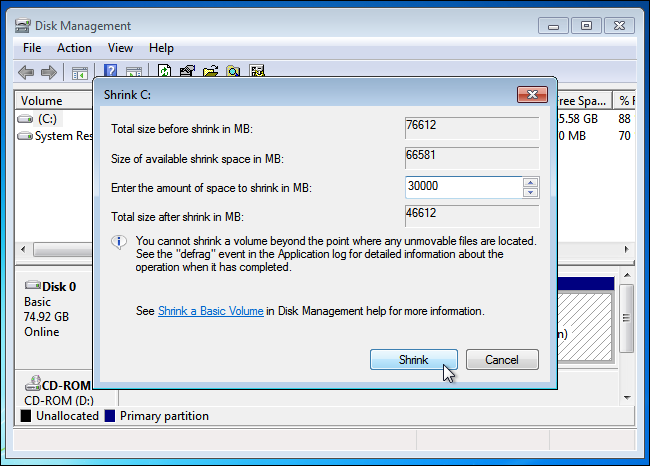
In this example, I take 30000 MB (nearly 30Gb) and the maximum can get 66581Mb (about 65Gb).
My recommendation is that you should Shrink more than the minimum of 20Gb, preferably from 30Gb and above . Because Windows 10 with 64bit version, Microsoft requires at least 20Gb of hard drive space. You also need more space to install applications, software, games,. more so need more depending on your use needs.
After the Shrink step above you will see a new unformatted partition appear. You can leave it there or right-click and install Label, drive letter to complete. For example, I created a new partition as Windows 10 (D:)
It is okay to leave the partition as Unallocated . In step 3 - installing Windows 10, you can use this unallocated partition and install Windows 10 easily.
Step 2: Download Windows 10, Prepare a Bootable USB or DVD to Install Win 10
To install Windows 10 first, you need to download the Windows 10 installation file as an. ISO file . Then burn to DVD or simply create a USB to install Windows 10 .
Download the official Windows 10 installer here: Download Windows 10
How to create a USB boot to install Windows 10
Create a USB to install Win 10 just like in the tutorial Create a USB to install Win I have guided before. You will use Microsoft's Windows USB / DVD Download Tool .
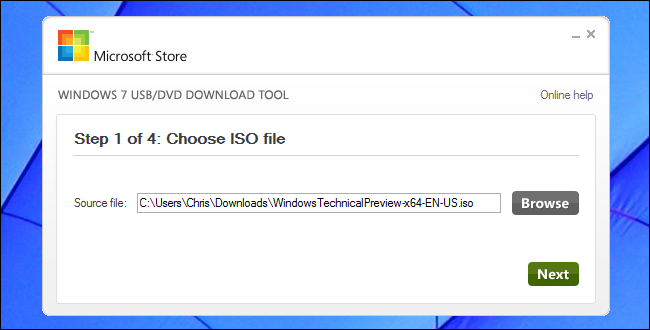
After burning the DVD or creating a USB to install Windows 10 you plugged into the computer, restart the computer. Usually the computer will automatically boot to DVD or USB drive to install Windows 10 immediately. If not, you may need to change the boot order in your BIOS .
Quick Adsense WordPress Plugin: http://quickadsense. com/Step 3: Install Windows 10 with Windows 7 or 8, 8.1
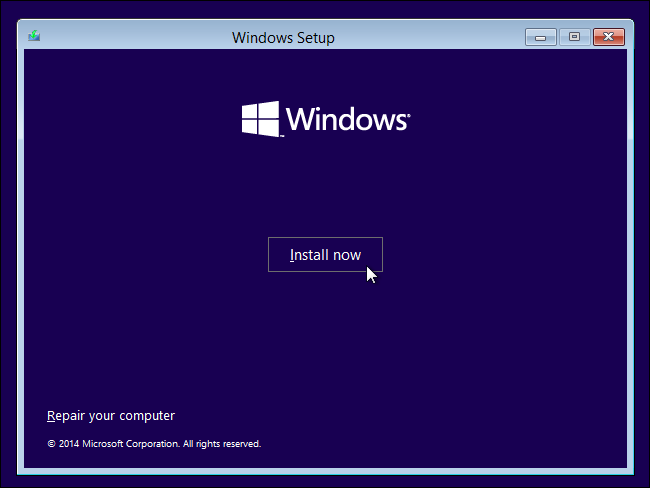
After Booting into DVD or USB drive containing the Windows 10 installer created in step 2, you will come to the Windows 10 installation interface. These steps are quite similar to installing Win 7,8,.
After agreeing to the license agreement, click ' Custom: Install Windows only (advanced) ' to enter the installation options.
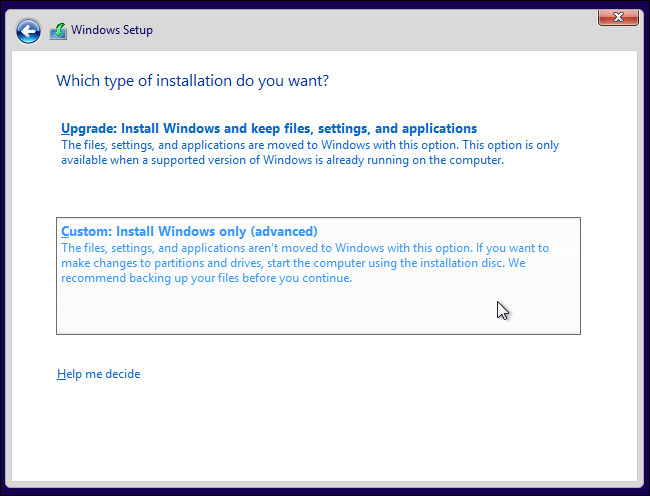
You are trying to install Dual-Boot Windows 10 in parallel with an old Win version so will not choose to Upgrade.
In the next step, you will have to choose a drive partition to install Windows 10 on.
If you create a full partition name, label in Step 1 as you just select on that partition and move to the next step. In my example, I will select the Windows 10 (D:) drive created in step 1.
If the free partition is still in the form of Unallocated Space, then select it and then click New to create a new partition from the Unallocated Space free space . → Apply to confirm.
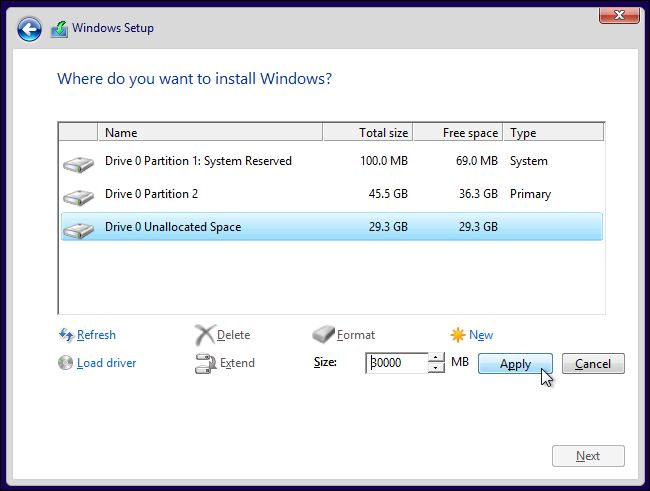
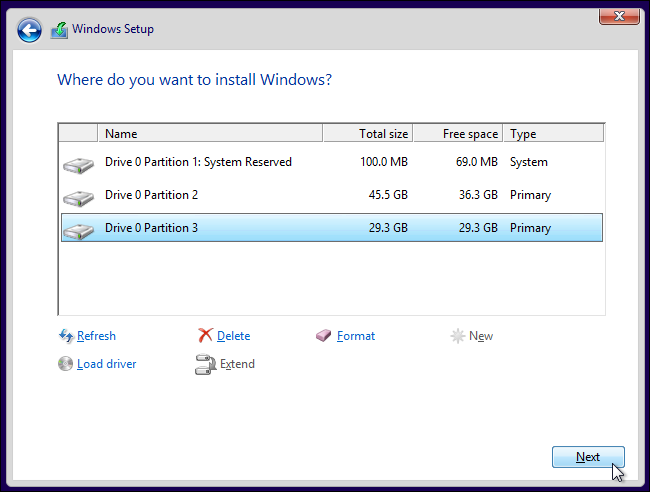
The Windows installer will create a new partition and automatically choose to install Win. Click Next to install Windows 10 on the newly created partition.
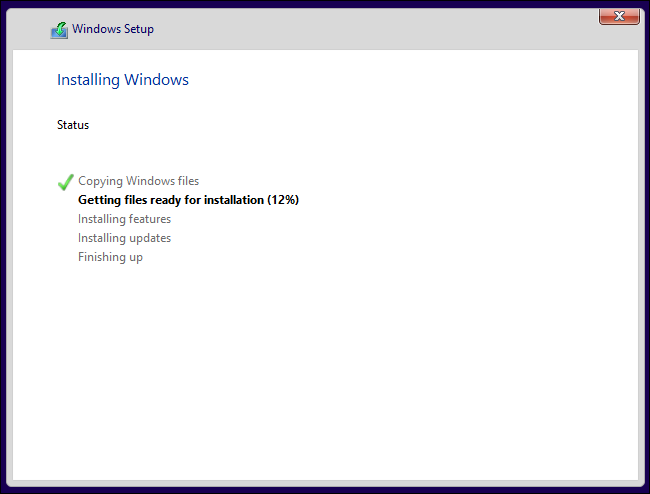
Windows will start the installation process normally and you just need to wait until it finishes.
Done: Select Boot Between Windows 10 and Windows 7 or 8
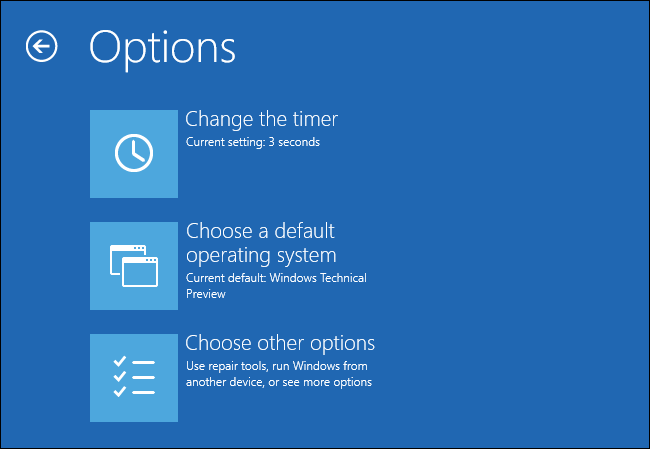
You should now be able to choose between Windows 10 and Windows 7 or 8 when you start your computer . To switch between them, restart your computer and select your desired version of Windows in the boot menu.
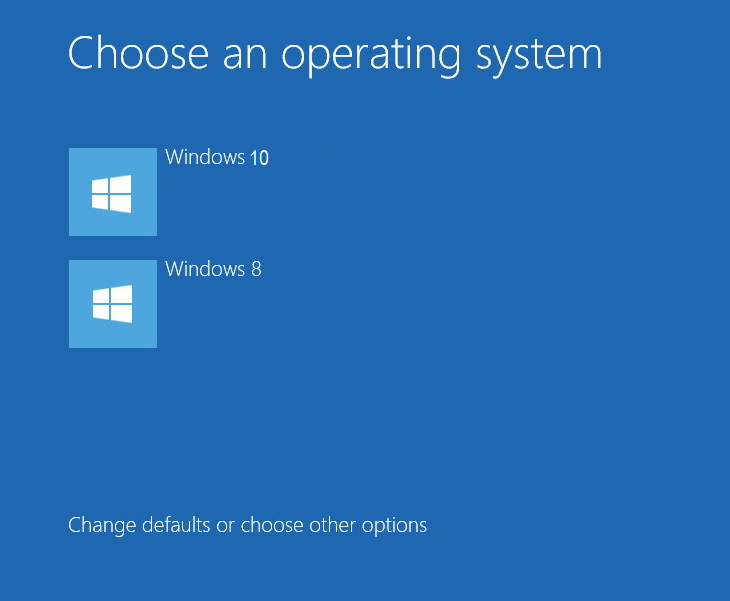
click the section under ' Change defaults or choose other options - Change the default or select other options ' to change the options.
You can choose which Windows operating system boots by default and adjusts the operating system selection time.
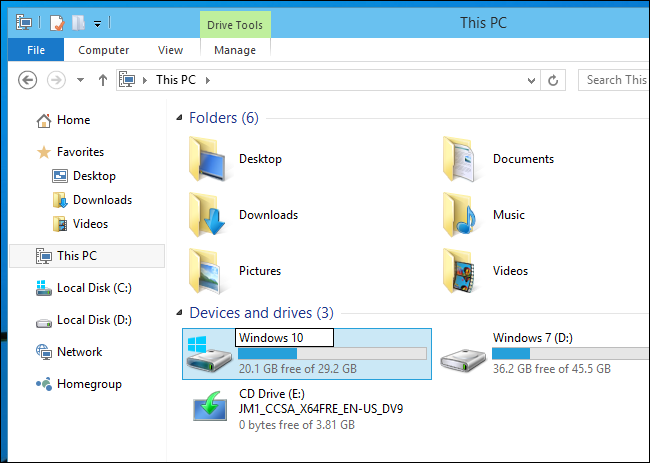
Both versions of Windows use the NTFS file system, so you can easily access your files from whatever version of Windows you're using. You should see your other Windows installation drive with its own drive letter in File Explorer or Windows Explorer. You can right-click the drive and select Rename to change the name for ease of management, for example 2 drives ' Windows 10 ' and ' Windows 7 ' as shown below!
Note If You May Need to Install Windows 10 in Parallel with Linux
If you may need to install Dual - Boot Windows 10 and Linux , you should install Windows 10 first and install your Linux later.
It is the ideal way to set up any dual-boot configuration Windows and Linux. Linux will install the GRUB2 bootloader later and set it up so you can choose to boot Linux or Windows when you start your computer.
If you install Windows 10 after Linux, it will install its own bootloader and bypass your Linux system, so you'll have to take one more step to restore the GRUB2 bootloader.
So my tutorial ends. Hope you can install and use Dual Boot Windows 10 with a different version of Windows such as Win 7, 8, 8.1,. thereby just experiencing Win 10 at the earliest, while still ensuring good work. on the old Win version.
ShareitFAQ
What is the easiest way to Install Windows 10 Dual Dual with Windows 7 or 8?
Start with the requirements in this guide, then follow each step in order. Check the result after every major change so problems are easier to identify.
Can beginners follow these instructions?
Yes. The process is organized into practical steps, and you can repeat any step before moving forward.
What should I check if the method does not work?
Confirm your software or device version, permissions, settings, file format, and internet connection when the task depends on online services.
Related Articles
 How to Install Dual Boot Windows 10 and Windows Server8 minutes read
 How to Install Android in Parallel with Windows by Remix OS5 minutes read
 Stop Choosing Between Windows and Linux —— Dual Booting Offers More Benefits Than You Think8 minutes read
 How to Dual Boot Windows 11 and Windows 109 minutes read
 How to Create Dual Boot Linux and Windows 10 on Linux8 minutes read
 How to Install Kali Linux Dual Boot Windows5 minutes read
Reader Comments 0
Sign in with email or Google to join the discussion.