Table of Contents
This updated guide explains how to find user account ID on steam, customize steam profile URL with clear steps, practical tips, and useful context. The Steam ID is a 17-digit number that uniquely identifies your account on the platform. You may need to use this ID information at times to link certain services (like Ubisoft) to your Steam user account. It is the number that allows other users to access your Steam profile.
https://steamcommunity.com/profiles/12345678912345678/
You can customize this URL to make it easier for people to find you on Steam. This article will show you how to find your account ID in the Steam app.
Find Steam User Account ID
To get started, first launch the Steam app on your computer. ensure you're signed in to your account in the app. Learn what to do if you forget your Steam password.
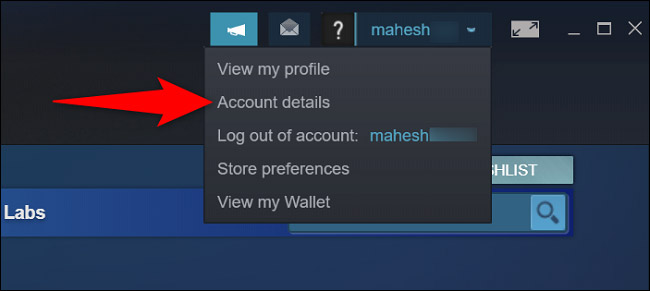
From the top right corner of the Steam interface, select your name, then select " Account Details ".
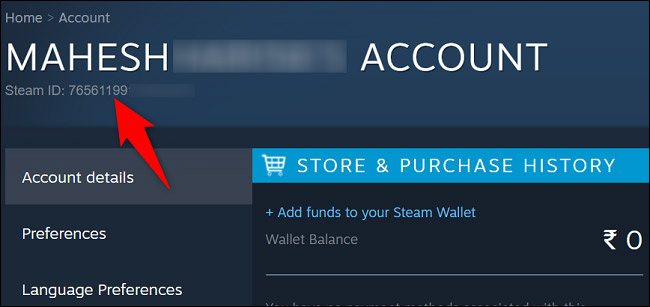
On your account page, below your username, you'll find your unique Steam ID.
Now that you know your ID, you can enter it wherever it is required. This is not a sensitive form of information, so you can share it with anyone.
Change Your Steam Profile URL
In reality, remembering a 17-digit Steam profile URL is difficult (if not impossible). Luckily, you can simplify your Steam profile URL by using a custom link.
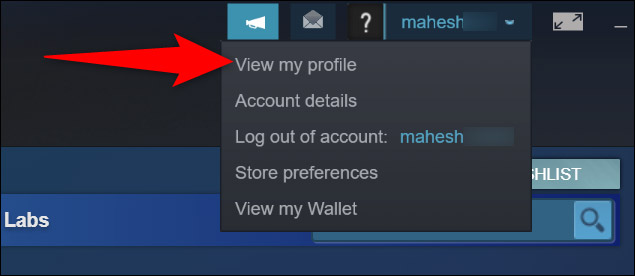
To set up a custom profile URL, first launch the Steam app on your computer. Then, in the top right corner, select your name and select ' View My Profile '.
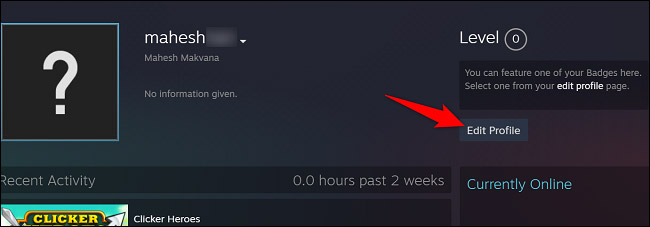
On the right side of the profile page, choose ' Edit Profile '.
In the " General " section, choose the " Custom URL " field and enter the custom name you want to use in your profile link.
for instance, if you use the name paint, the new custom link would be:
https://steamcommunity.com/id/son
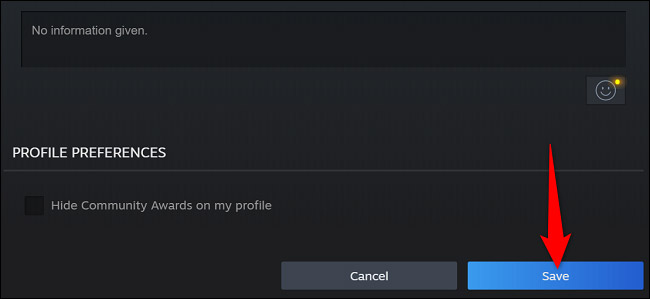
Save your changes by scrolling down and clicking ' Save '.
it is that simple. Good luck!
FAQ
What should I prepare before I find user account id on steam, customize steam profile url?
Review the requirements and options in the guide first. Having the correct device, app version, account access, or materials ready helps prevent avoidable errors.
How long does it take to find user account id on steam, customize steam profile url?
The time depends on the task and your setup. Most basic steps can be completed quickly, while downloads, updates, scans, or troubleshooting may take longer.
What should I do if the steps do not work?
Repeat the instructions in order, confirm that your software or device is supported, and check permissions, connectivity, and available updates before trying again.
Related Articles
 How to Change the Name of the User Profile Folder in Windows 105 minutes read
 How to Register a Steam Account on Your Computer?4 minutes read
 How to Change User Profile Folder Name in Windows 11: Clear Instructions6 minutes read
 5 Steps to Recover Hacked Steam Account9 minutes read
 Restore User Profiles: How to Restore Windows User Profile 1010 minutes read
 What Will Be the Fate of a Steam Account After the Owner3 minutes read
Reader Comments 0
Sign in with email or Google to join the discussion.