Table of Contents
PromptHero is a community-driven search site for AI image and video prompts. It can help you study how other users describe subjects, composition, motion, camera behavior, and model parameters. Treat the results as references rather than guaranteed recipes: community metadata may be incomplete, and a prompt written for one model may behave very differently in another.
Search PromptHero for an image or video prompt
Step 1: Open the official PromptHero website:
https://prompthero.com/PromptHero says its only official domains are prompthero.com and prompthero.co. Avoid look-alike domains that imply affiliation. Search and browsing are available from the public interface; sign-in is used for account features such as saving community activity.
Step 2: Enter a subject, visual property, or shot description in the search box.

A query such as ceramic product photo, soft side light, beige background is more useful than product. For video, include an action and camera instruction, such as cloth moving in a breeze, slow push-in, locked horizon.
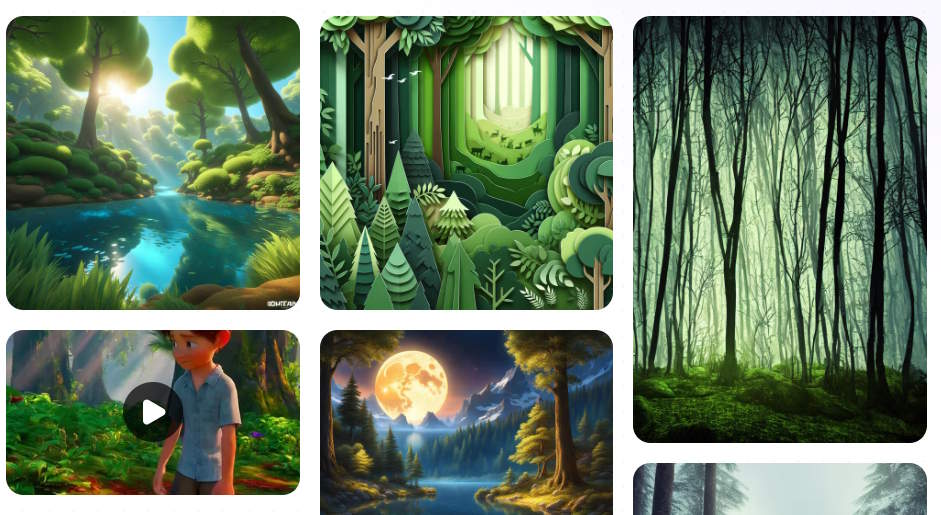
Filter by content type and model
Use the filters above the results to narrow the collection. The current site separates image and video content and offers model categories that can include ChatGPT Image, Midjourney, Nano Banana, Veo, FLUX, Sora, Stable Diffusion, and others.
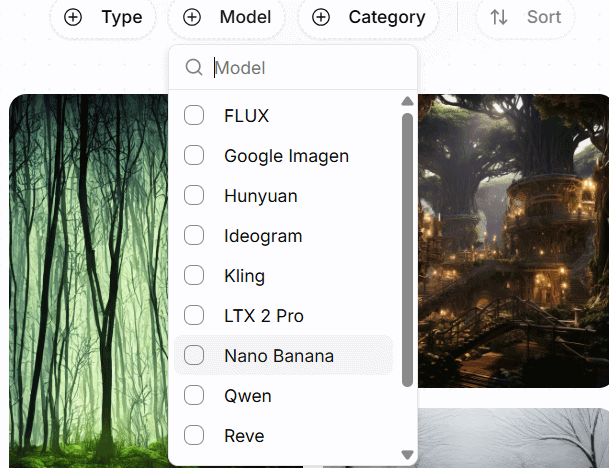
Filtering to the model you actually use is important because prompt syntax is not portable:
- Midjourney parameters beginning with
--are not general natural-language instructions. - Stable Diffusion interfaces can expose negative prompts, sampling steps, CFG scale, seeds, checkpoints, LoRAs, and ControlNet settings.
- Video generators differ in duration, reference-image support, camera controls, aspect ratios, and whether they understand time-based instructions.
- A chat-based image editor may follow conversational constraints that another generator ignores.
If the exact model version is missing, treat the result as inspiration only.
Inspect the prompt and generation details
Step 3: Select a result. Depending on what the contributor supplied, the page may show:
- the positive prompt;
- a negative prompt;
- model or checkpoint;
- image dimensions or aspect ratio;
- sampling steps, CFG scale, or seed;
- likes, views, tags, or contributor information.
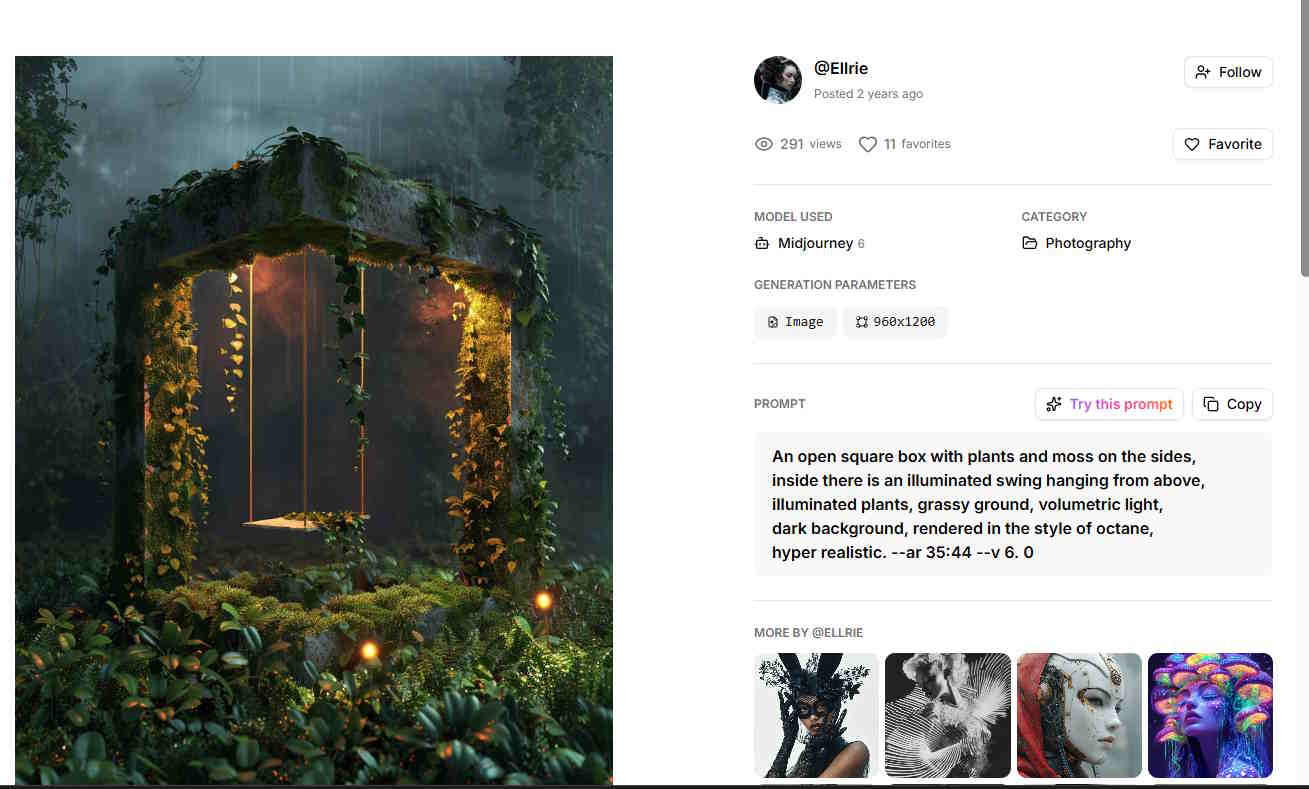
Not every field applies to every model, and displayed values may be user-entered rather than independently verified. Save the source-page URL with your notes so you can recheck the context later.
Why the same prompt produces different results
The example below was generated with the model identified on its PromptHero page:
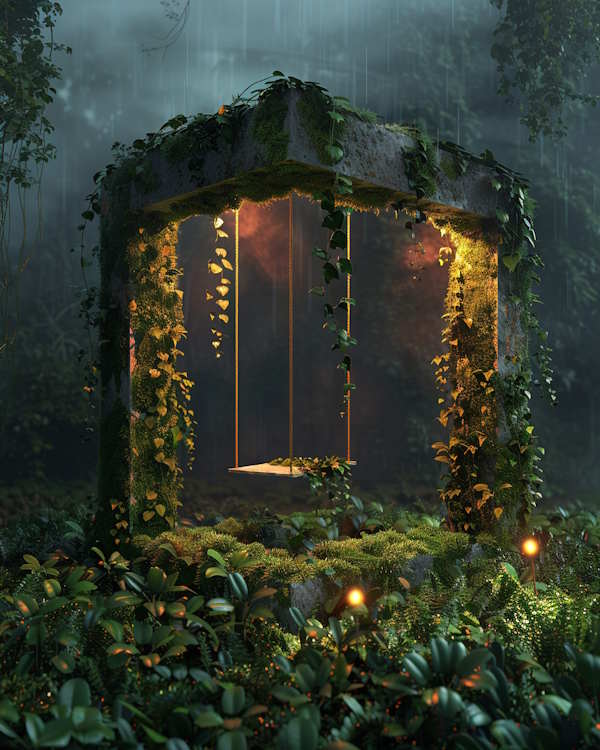
The same text entered in ChatGPT produced a visibly different interpretation:
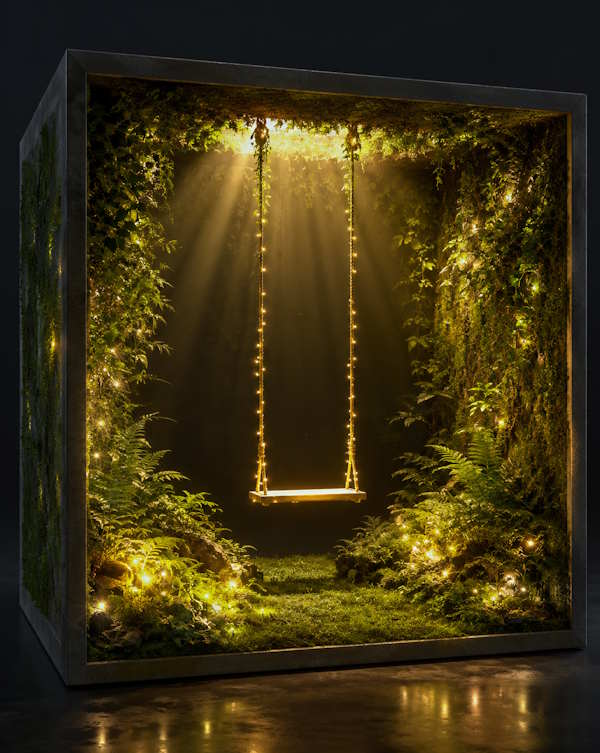
That difference is expected. Output depends on the model, model version, random seed, aspect ratio, hidden system instructions, safety rules, reference images, and generation settings. The most transferable parts are concrete visual requirements—not model-specific flags or a long chain of fashionable adjectives.
Adapt an image prompt methodically
| Component | Example | What to change |
|---|---|---|
| Subject | A red folding bicycle | Replace it with the actual object or character needed. |
| Action | Leaning against a brick wall | Describe a single readable pose or event. |
| Composition | Eye-level three-quarter view, negative space right | Match the intended crop and text placement. |
| Lighting | Soft overcast daylight | State direction, hardness, color, and mood. |
| Medium | Editorial lifestyle photograph | Use a medium that serves the project, not a copied artist name. |
| Constraints | No logo, text, duplicate wheels, or people | Add likely failure cases supported by the target tool. |
Change one component at a time and compare results. Combining several full prompts often creates contradictions, repeated subjects, and uncontrolled style mixing.
Adapt a video prompt with time and motion
A useful video prompt normally needs more than a beautiful first frame. Include:
- Subject motion: what changes from the beginning to the end.
- Camera motion: static, pan, tilt, dolly, orbit, handheld, or tracking.
- Environment motion: wind, water, traffic, smoke, fabric, or lighting changes.
- Timing: whether an event happens immediately, gradually, or at the end.
- Continuity: which identity, color, object count, or camera axis must remain stable.
- Loop requirement: whether the final frame should connect cleanly to the first.
For example:
Close shot of a ceramic cup on a café table. Steam rises slowly while rain moves down the window behind it. The camera makes a gentle five-second push-in. Keep the cup shape, handle position, table, and lighting consistent; no text or new objects.Check the target video's documented controls before adding duration or camera syntax. A phrase supported by one system may be ignored by another.
Do not assume community content is licensed for reuse
PromptHero describes its database as crowdsourced and tells users to verify whether data is legal to reuse on another site. Its terms grant PromptHero broad rights to material contributed to PromptHero, but that does not automatically grant every visitor a universal commercial license to each displayed image, prompt, character, trademark, or training reference.
Before publishing or selling a result:
- check the PromptHero contributor and source details;
- read PromptHero's current terms and FAQ;
- check the target model's terms for generated outputs;
- remove names of living artists when concrete visual descriptions will work;
- avoid copyrighted characters, brand logos, celebrity likenesses, and confidential client material unless you have the necessary rights;
- link back to PromptHero when its terms require attribution for site or API data.
A prompt can also contain a fabricated camera, artist, or technical claim. Treat community text as user-generated content, not verified instruction.
Privacy and account considerations
PromptHero's terms say it collects browser, IP, location, and activity data for analytics and personalization. Contributions can be published and reused by PromptHero under broad license terms. Do not upload or post prompts containing personal information, unreleased product details, private images, client names, or trade secrets.
If you only need inspiration, search public results and write a new prompt in your own notes. Avoid uploading a sensitive reference merely to obtain similar prompts.
A reliable PromptHero research workflow
- Define the intended model, content type, aspect ratio, and output use.
- Search for a concrete subject plus composition or motion.
- Filter to the closest model and inspect several results.
- Record the prompt, model version, visible settings, and source URL.
- Extract only the useful structure and rewrite it for your project.
- Test one controlled change at a time.
- Check licenses, third-party rights, privacy, and platform rules before publishing.
PromptHero is most valuable as a catalog of examples. Use it to learn why a prompt works, not to assume that copied text is accurate, legally cleared, or portable to every generator.
Related Articles
 Basic Principles of Creating Prompts for Programming10 minutes read
 TOP AI Tools for Creating Realistic Videos from Photos8 minutes read
 How to Create Prompts Based on Inference Sequences11 minutes read
 How to Create a 3D Animated 'Stomach Crying for Help' Video with Veo 3 in Geminigen AI7 minutes read
 5 Expert Tips for Creating the Perfect AI Prompt8 minutes read
 Overview of Creating Professional Videos with AI10 minutes read
Reader Comments 0
Sign in with email or Google to join the discussion.