Table of Contents
Lexica is both an AI image generator and a searchable gallery of images with their prompts and generation details. It is useful for studying how subject, composition, lighting, medium, and camera language influence an output. A copied prompt is a starting point, however—not a guarantee that another image model will reproduce the same result.
Search Lexica for prompt examples
Step 1: Open Lexica.art. You can browse search results, while generating images and saving account-specific activity may require sign-in and an eligible plan.
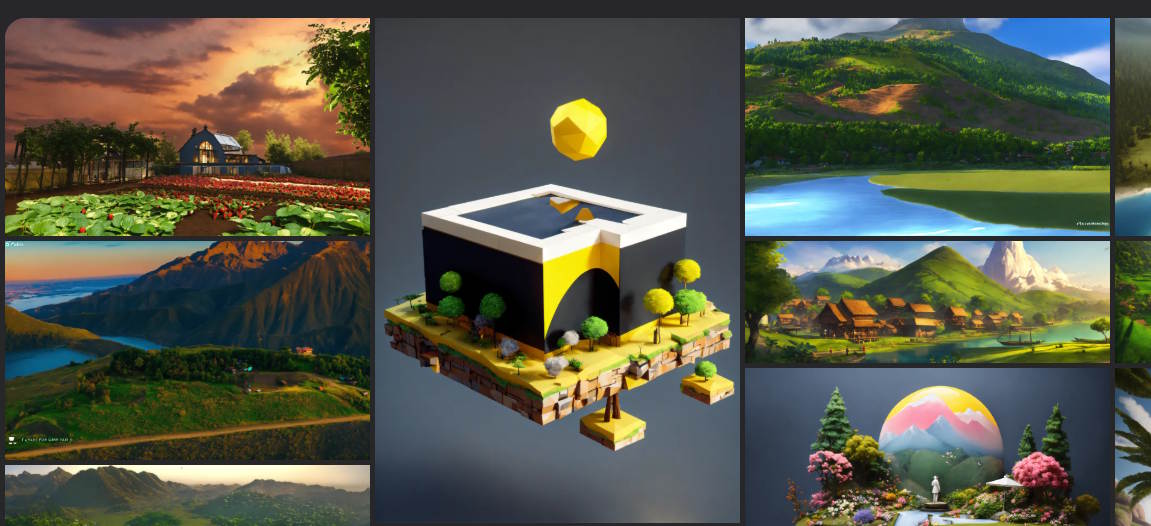
https://lexica.art/Step 2: Enter a descriptive subject in the search field. A query such as rainy neon street, wide angle, reflections usually produces a more useful reference set than a single broad word such as city.

Review several results rather than choosing only the most dramatic image. Look for examples that solve the same design problem you have: portrait framing, product isolation, readable negative space, color palette, material, or lighting direction.
Open an image and inspect its prompt
Step 3: Select a result. The detail page can show the prompt, model, dimensions, guidance information, and actions such as Copy prompt, Open in editor, and Explore this style. The exact controls vary with the image and current interface.
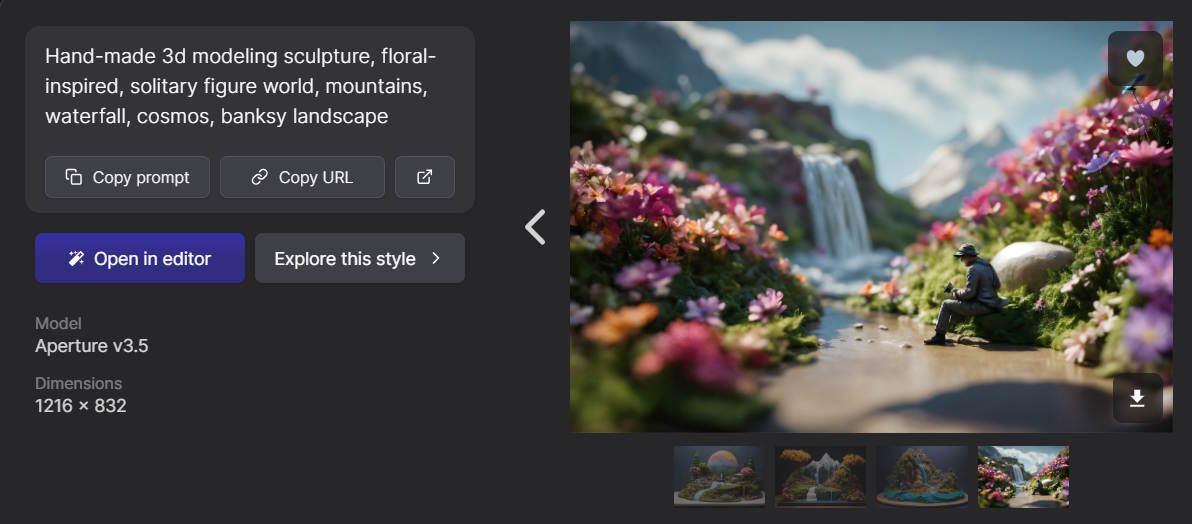
- Copy prompt copies the displayed text so you can study or adapt it.
- Open in editor starts a generation workflow with available settings.
- Explore this style searches for visually related images.
- Copy URL is useful when you need to keep a reference to the source page.
Record the listed model as well as the prompt. Lexica results may come from versions of its Aperture model or from older Stable Diffusion collections. Model-specific training, token handling, aspect ratio, seed, sampler, and safety settings all affect the result.
Explore related visual directions
Step 4: Select Explore this style to view images with similar visual characteristics.
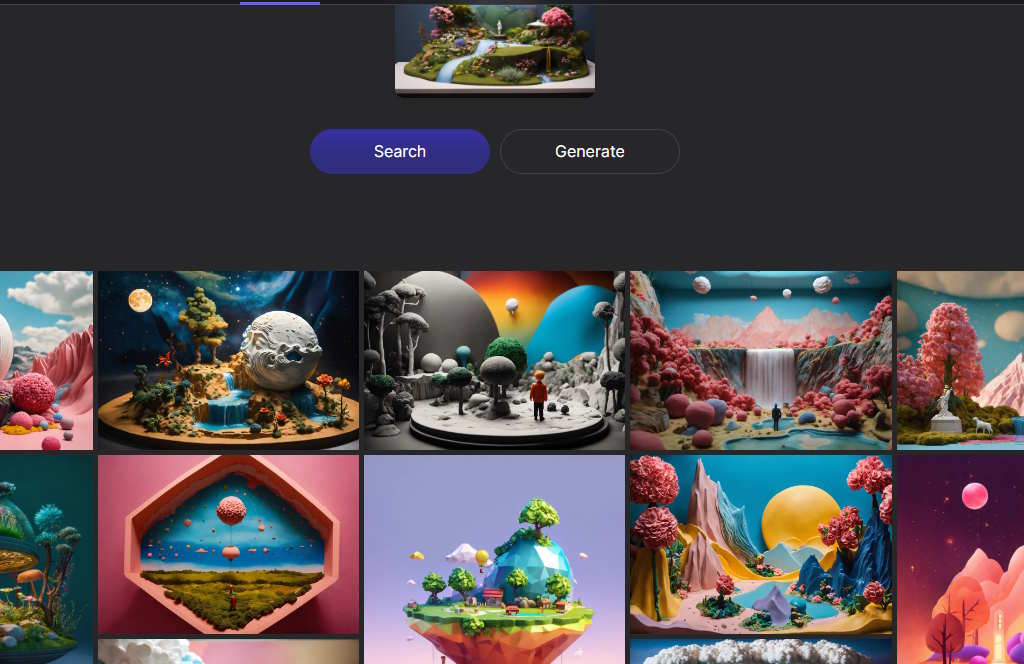
Use the related set to identify repeatable components. For example, several successful results may share a low camera angle, centered subject, rim light, muted background, and shallow depth of field. Those concrete choices are more transferable than a vague request to “make it look professional.”
Adapt the prompt instead of copying it unchanged
Break the reference prompt into parts:
| Prompt element | Question to ask | Example |
|---|---|---|
| Subject | What must appear? | A ceramic teapot with a curved bamboo handle |
| Action or pose | What is the subject doing? | Resting on a linen cloth |
| Environment | Where is the scene? | A quiet workshop beside a window |
| Composition | How is it framed? | Three-quarter product view, negative space on the left |
| Lighting | What creates form and mood? | Soft morning side light with a faint rim highlight |
| Medium | What visual treatment is needed? | Editorial product photograph |
| Constraints | What common error must be avoided? | No text, logo, duplicate handle, or clutter |
Replace the subject, setting, and purpose with your own requirements. Remove contradictory adjectives and stylistic filler. If another generator supports a negative prompt, seed, image reference, or aspect-ratio control, use that tool's documented syntax rather than assuming Lexica wording has the same meaning.
Why the copied prompt may produce a different image
- The target generator may use a different model and tokenizer.
- The original page may not expose every generation parameter.
- Random seeds produce different compositions.
- Dimensions and aspect ratio influence framing.
- Model updates can change how identical text is interpreted.
- Image-to-image references, editing, or upscaling may have contributed to the displayed result.
The productive goal is to learn a prompt's structure, not to recreate a public image pixel for pixel.
Download, save, and organize references
Lexica lets users open or download available images and save favorites through account features such as likes. Keep the prompt-page URL with any downloaded reference so you can return to the model and licensing details later.

A simple reference note should include:
- the Lexica page URL;
- the displayed prompt;
- model and version;
- dimensions and other visible settings;
- the date you checked the page;
- the part you want to learn from, such as composition or lighting;
- the license terms that applied on that date.
Check image rights before reuse
Being able to view or download an image does not mean it is unrestricted. Lexica's current terms distinguish personal and commercial use, plan and team size, whether the user created the image, and whether the image came from Lexica Aperture or the older Stable Diffusion 1.5 collection.
At the time of this revision, Lexica says personal use of its images is licensed under Creative Commons Attribution-NonCommercial 4.0, while commercial use generally requires an appropriate paid plan. It also restricts selling or sublicensing a found image directly on stock sites or marketplaces unless you created that image with Lexica. Images identified as Stable Diffusion 1.5 are described separately as CC0.
Those terms can change and are not legal advice. Read the current Lexica Terms and Conditions for the exact image and intended use. Also consider third-party rights involving trademarks, recognizable people, copyrighted characters, and source material; a platform license cannot grant rights it does not own.
Privacy and responsible prompting
Lexica's current terms say images generated on most plans can appear in search and be available to other users, while only images created under the plan it identifies as private are excluded. Check the current plan terms before entering a confidential campaign concept, unreleased product, personal photograph, client name, or other sensitive information.
Avoid prompts that imitate a living artist by name when you can describe the actual visual qualities instead. Replace a name with concrete attributes such as palette, line weight, lighting, texture, period, lens, or composition. This produces a more controllable prompt and reduces the risk of implying endorsement or copying a distinctive body of work.
A better way to learn from the library
- Choose three images that solve the same visual problem in different ways.
- Highlight the prompt phrases responsible for subject, framing, light, and medium.
- Create a new prompt using your own subject and constraints.
- Change only one variable at a time—such as lighting or aspect ratio.
- Save the result and note what changed.
This approach turns Lexica into a prompt-analysis tool rather than a collection of phrases to copy blindly. The transferable skill is learning which visual instruction changes which part of an image.
Related Articles
 Thousands of Image Creation Prompts Will Be Available on This Website4 minutes read
 Guide to creating better AI images: 4 steps to writing8 minutes read
 ChatGPT Now Has an Image Gallery: Here's What It Does and How to Use It!6 minutes read
 How to find AI prompts for creating photos and videos3 minutes read
 Image Library on ChatGPT: a Complete Guide on How to Use the Library5 minutes read
 Advanced AI Prompts for Comparing Options and Checking Assumptions7 minutes read
Reader Comments 0
Sign in with email or Google to join the discussion.