Table of Contents
This practical guide explains how to enable display over other apps on Android. Follow the steps in order, review the requirements first, and use the troubleshooting notes when a setting or option does not work as expected.
Enable display over other apps on Xiaomi, Redmi, POCO
Step 1:
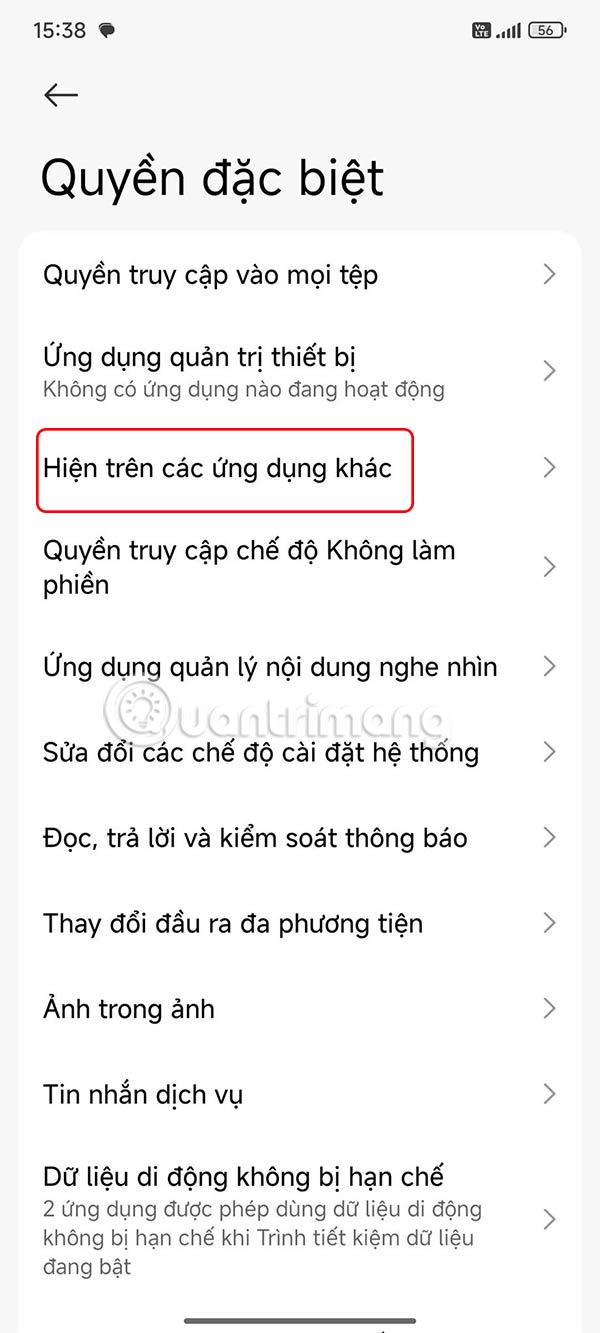
You access Settings on your phone, then select Personal Protection and then select Special Permissions .


Step 2:
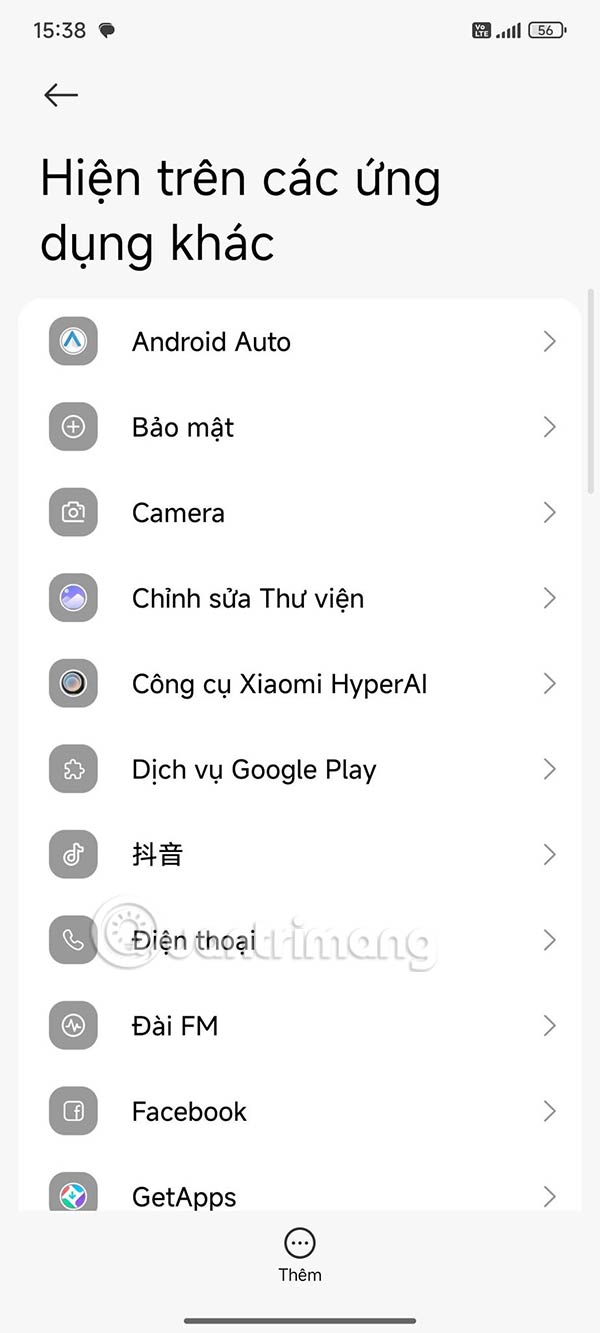
At this time, the user will see the application's access rights, you click Show on other applications to adjust. Then the user will see the list of installed applications , you select the application that needs to adjust the rights.
Step 3:
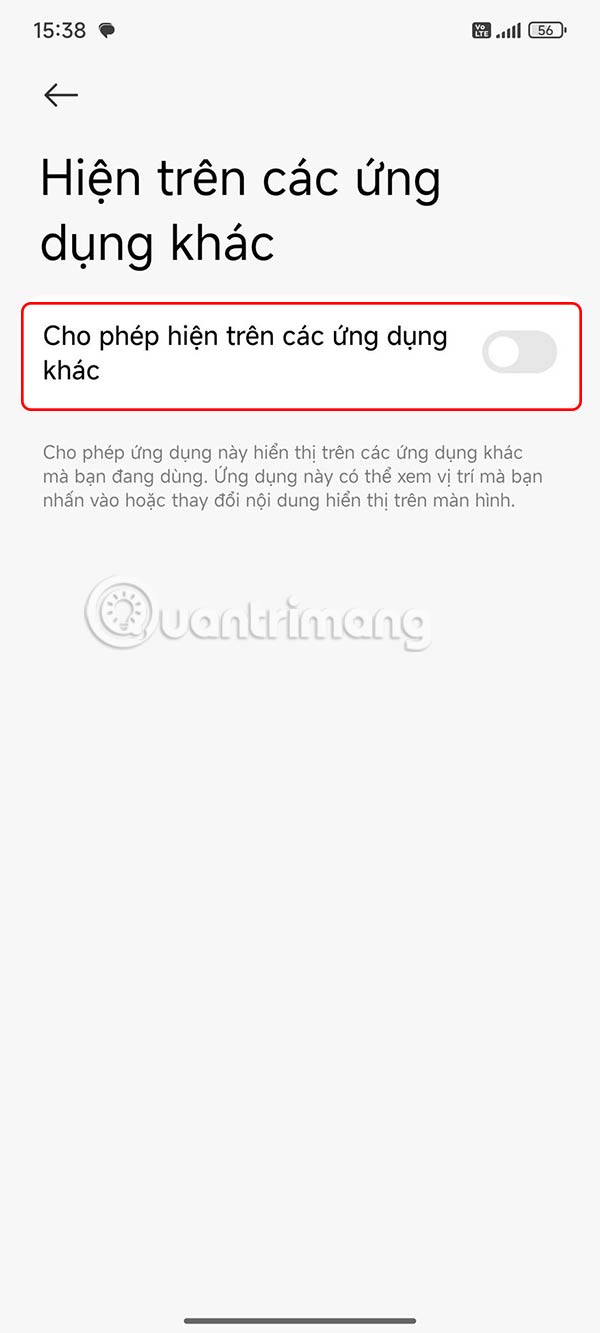
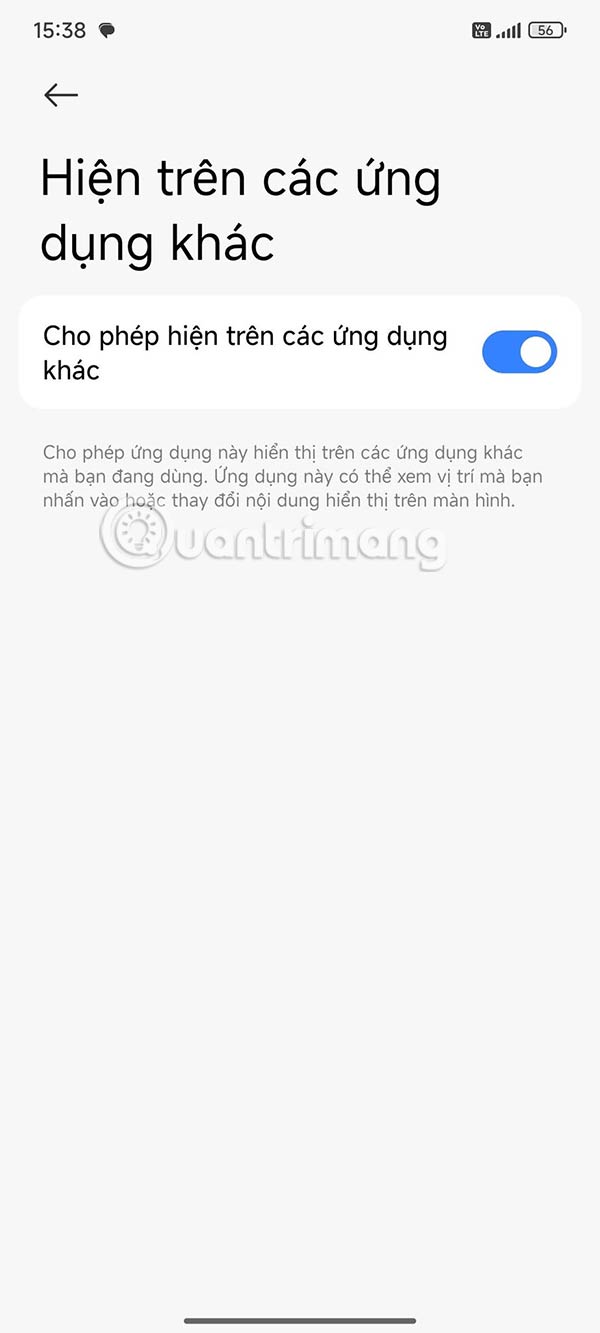
Now you need to enable the mode that allows this application to display above other applications on Android.
Enable display over other apps on Samsung
Step 1:
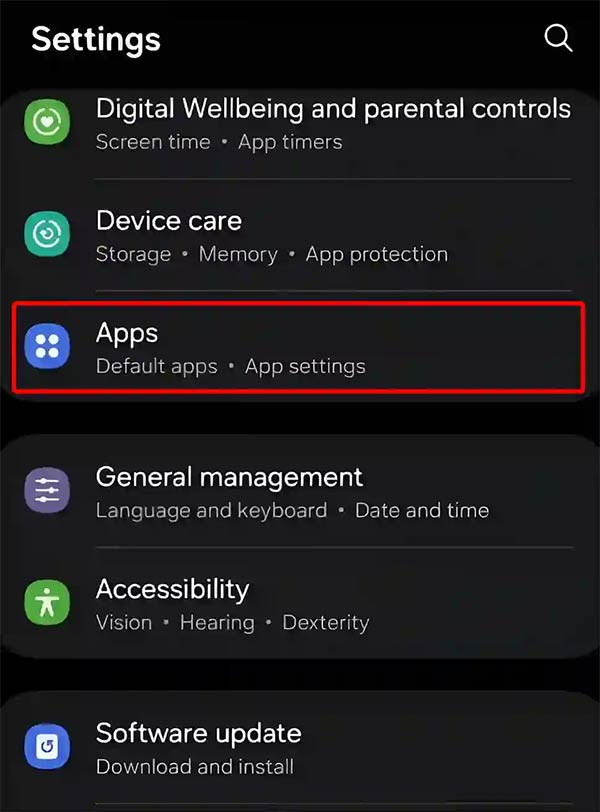
Go to Settings and select Apps .
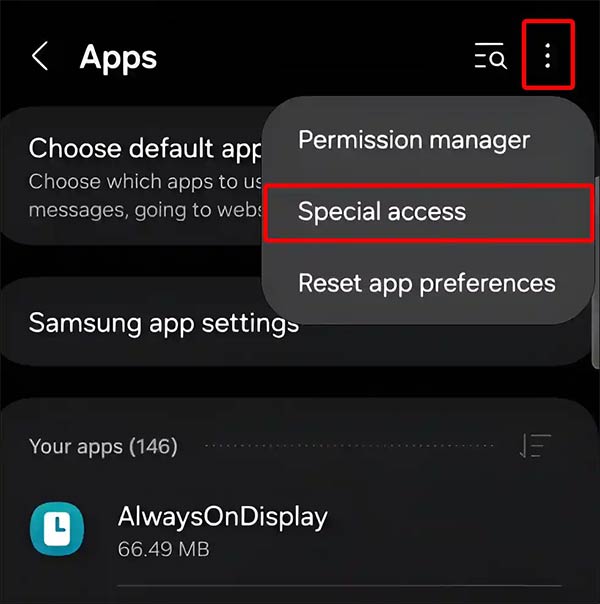
Then we select the 3 dots icon and select Special Access .
Step 2:
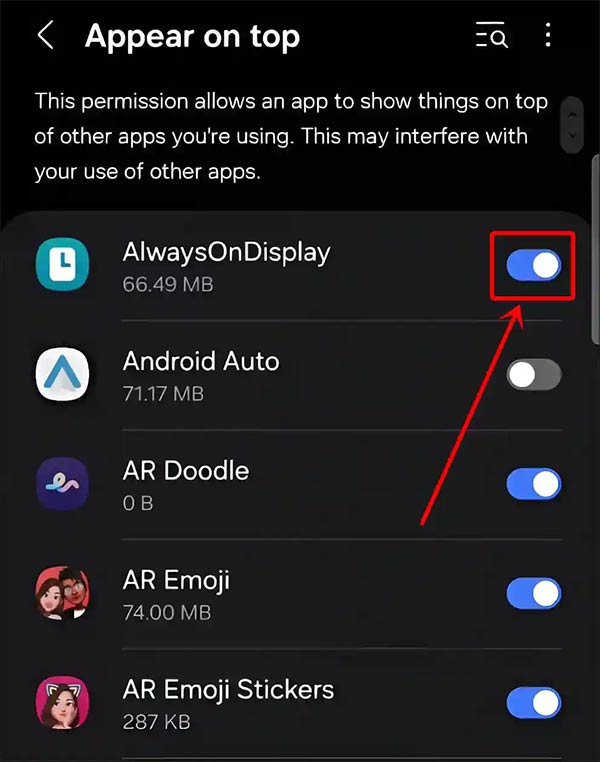
You select Appear on Top to adjust the top display permission. Then you turn on AlwaysOnDisplay to enable display over other applications on Samsung phones.
Fix the error that the display feature on the application is not available
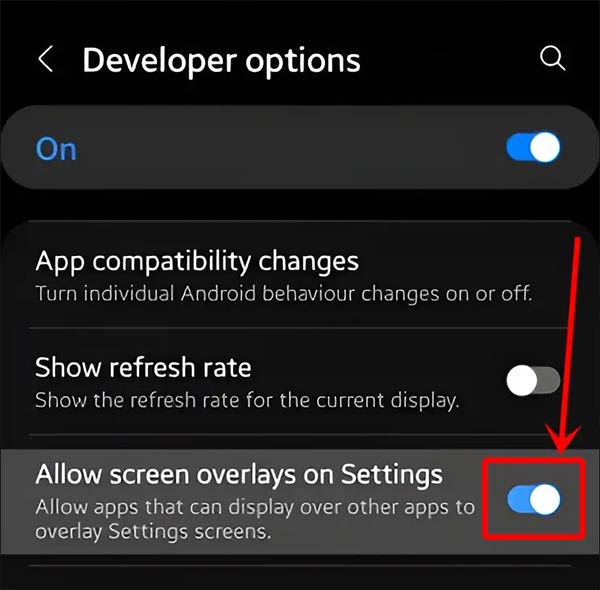
Your Android phone may not have the Display Over Other Apps feature for several reasons, such as running Android Go or system restrictions. If you see the error message 'Display Over Other Apps has been disabled because it slows down your phone', you can re-enable it from Developer Options.
Open Settings then tap System (Additional Settings on Xiaomi, Redmi & POCO), then tap Developer Options. Now you need to enable Allow Screen Overlays on Settings.
FAQ
What should you know about enable display over other apps on Xiaomi, Redmi, POCO?
You access Settings on your phone, then select Personal Protection and then select Special Permissions.
What should you know about enable display over other apps on Samsung?
Then we select the 3 dots icon and select Special Access.
What should you know about fix the error that the display feature on the application is not available?
Your Android phone may not have the Display Over Other Apps feature for several reasons, such as running Android Go or system restrictions. If you see the error message 'Display Over Other Apps has been disabled because it slows down your phone', you can re-enable it from Developer Options.
Related Articles
 How to Enable Android App Resume Mode on Windows 11: Step-by-Step Guide3 minutes read
 4 Apps to See the Best Lyrics for Android6 minutes read
 The Best Android Apps9 minutes read
 How to Find Hidden Apps on Android6 minutes read
 How to Enable Android System WebView: Step-by-Step Guide3 minutes read
 Why Are Android Tablet Apps So Bad: Key Facts7 minutes read
Reader Comments 0
Sign in with email or Google to join the discussion.