Table of Contents
This guide organizes the entries in "6 Free Tools That Tell You Your Hard Drive Is About to Fail" and explains what each option, idea, or example offers. It also highlights practical details that matter when comparing the choices.
6. Windows has built-in tools to check hard drive health
Before downloading third-party software, check out what Windows already offers. CHKDSK is still the simplest tool for scanning for drive errors. Open a Command Prompt with admin rights and type chkdsk C: /f /r to scan your primary drive. The /f flag automatically fixes errors, while /r locates bad sectors and recovers readable information. Fair warning, this process can take a while, especially on larger drives.
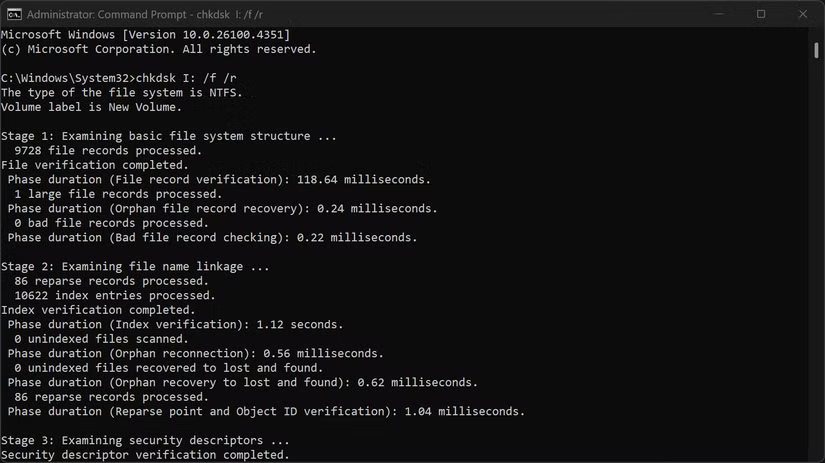
Windows also includes SMART (Self-Monitoring, Analysis, and Reporting Technology) monitoring. You can also use Event Viewer to troubleshoot Windows problems related to your hard drive. Open Event Viewer and navigate to Windows Logs > System and filter for Disk events . Look for warning messages about the drive's health — these messages often appear days or weeks before the drive fails completely.
5. CrystalDiskInfo
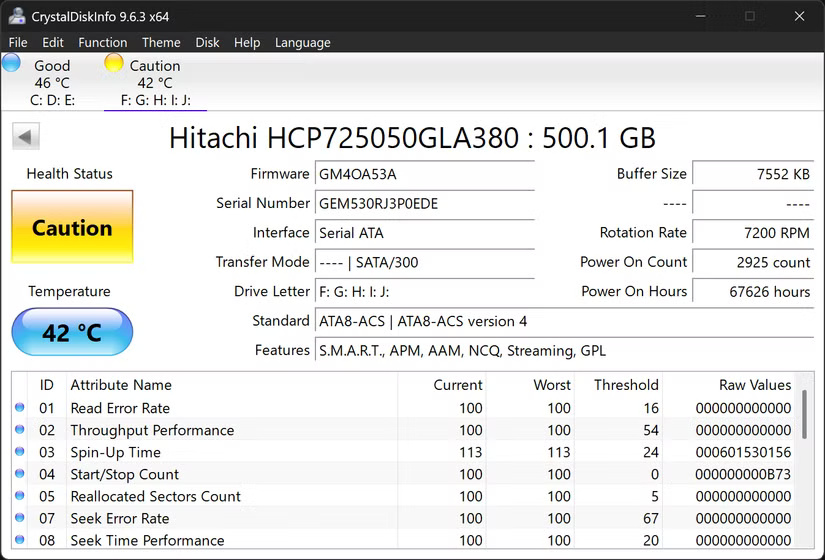
CrystalDiskInfo stands out as the most user-friendly drive monitoring tool available. Its clean interface shows everything you need at a glance.
The color-coding system makes it easy to assess drive health. Blue means excellent, green indicates good, yellow warns of a problem, orange indicates failure, and red indicates immediate replacement. The status colors are a bit like traffic lights.
Pay attention to key SMART attributes like reallocated sectors, currently pending sectors, and uncorrectable errors. Increasing numbers in these categories often predict impending failure, sometimes weeks before the drive actually fails.
4. HWiNFO
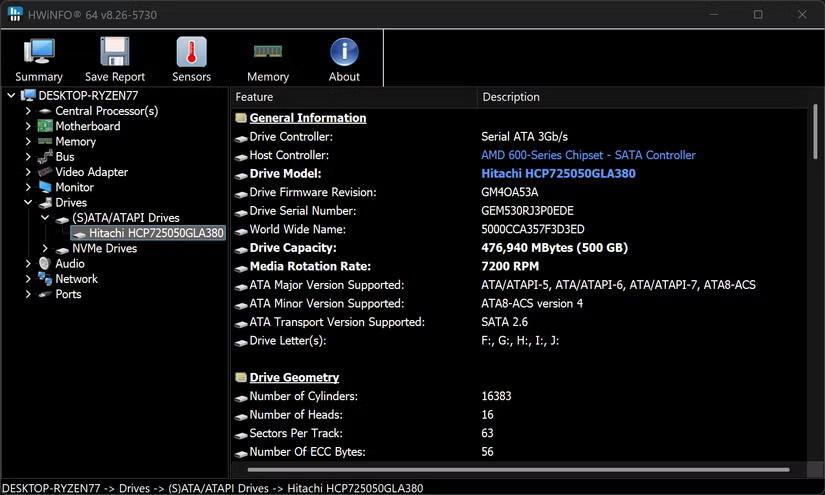
This tool takes hardware monitoring to the next level, and drive health is just one of its key features. It overwhelms beginners with information. While CrystalDiskInfo displays the essentials, HWiNFO displays every conceivable hardware metric.
After installing HWiNFO, navigate to the Drives section to find detailed SMART data along with temperature readings and performance statistics. HWiNFO can log drive metrics over time and generate detailed reports that show gradual degradation patterns. This historical data is useful for spotting trends that moment-to-moment snapshots might miss.
3. HDDScan
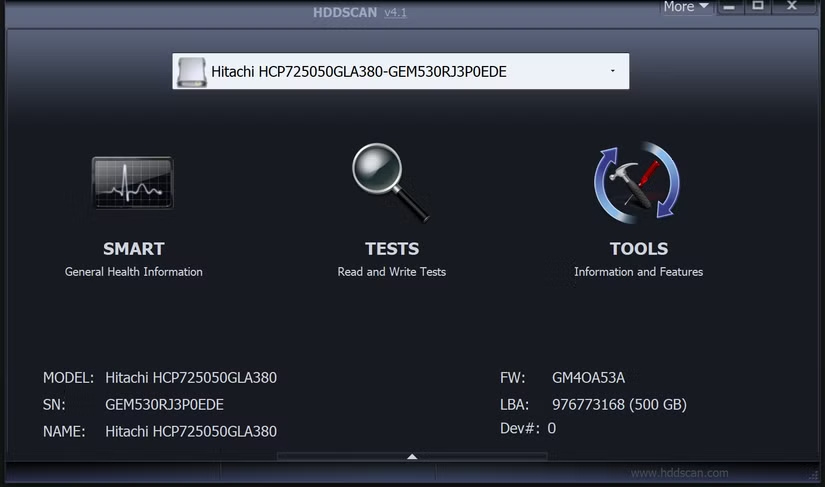
HDDScan takes a different approach, focusing on proactive testing rather than passive monitoring. It performs surface scans and stress tests. These proactive tests can detect issues that don't show up in standard health reports, especially the development of bad sectors or inconsistent read speeds.
This tool works with virtually any storage device you can connect to your computer. Whether you have an HDD or SSD, a USB flash drive, an SD card, or even network-attached storage, it's all within its testing range.
The interface is dated but useful. You just select your drive, choose a test type, and let it run. It offers several test types, each serving different purposes. Surface scans methodically test each sector, while read verification tests measure access times across the entire drive.
2. HDDLife
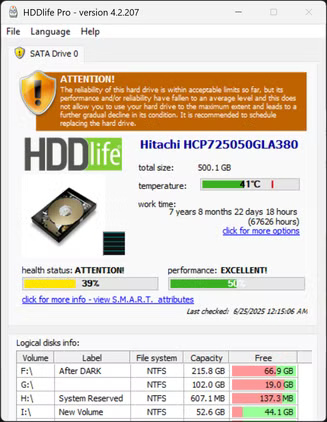
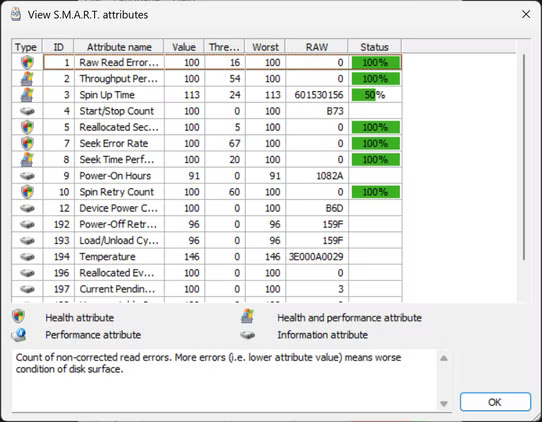
This tool balances simplicity and detail as it focuses on the drive's lifespan rather than just its current health status. It displays real-time temperature monitoring, prominently displayed alongside the health percentage.
The interface displays important information at a glance: Drive temperature, total hours of operation, and a percentage-based health score. Unlike some other tools that simply report 'good' or 'bad,' HDDLife attempts to predict the remaining life of the drive based on usage patterns and SMART attribute analysis.
1. GSmartControl
This tool is also a middle ground between simplicity and technical depth, and is one of the recommended ways to check actual drive capacity to ensure you're getting what you paid for.
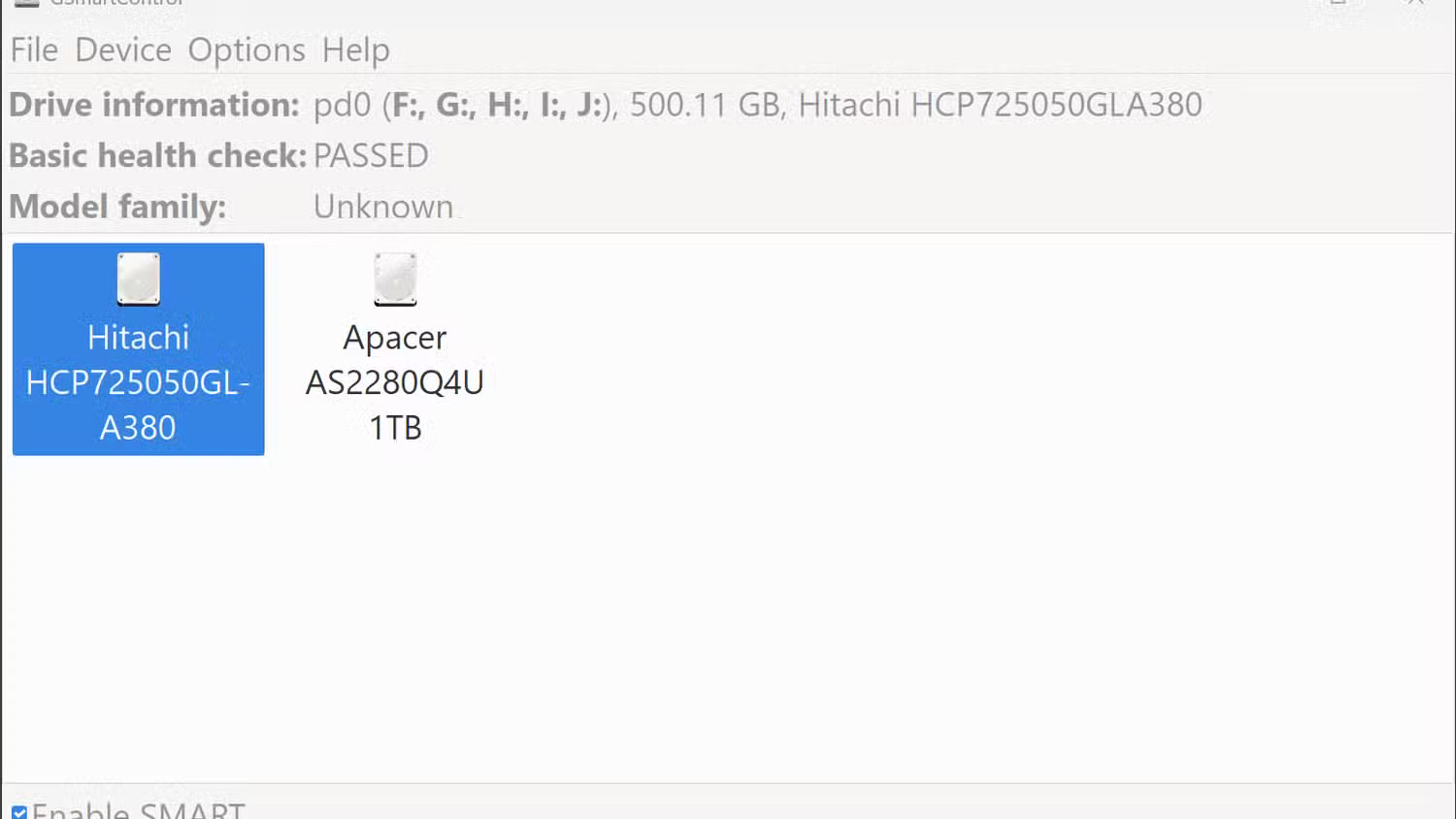
The main interface keeps things simple with a basic status check that displays 'PASSED' or 'FAILED' for each connected drive. But it shines in the multi-tab interface. The General tab provides full drive specs, from firmware version to interface speed.
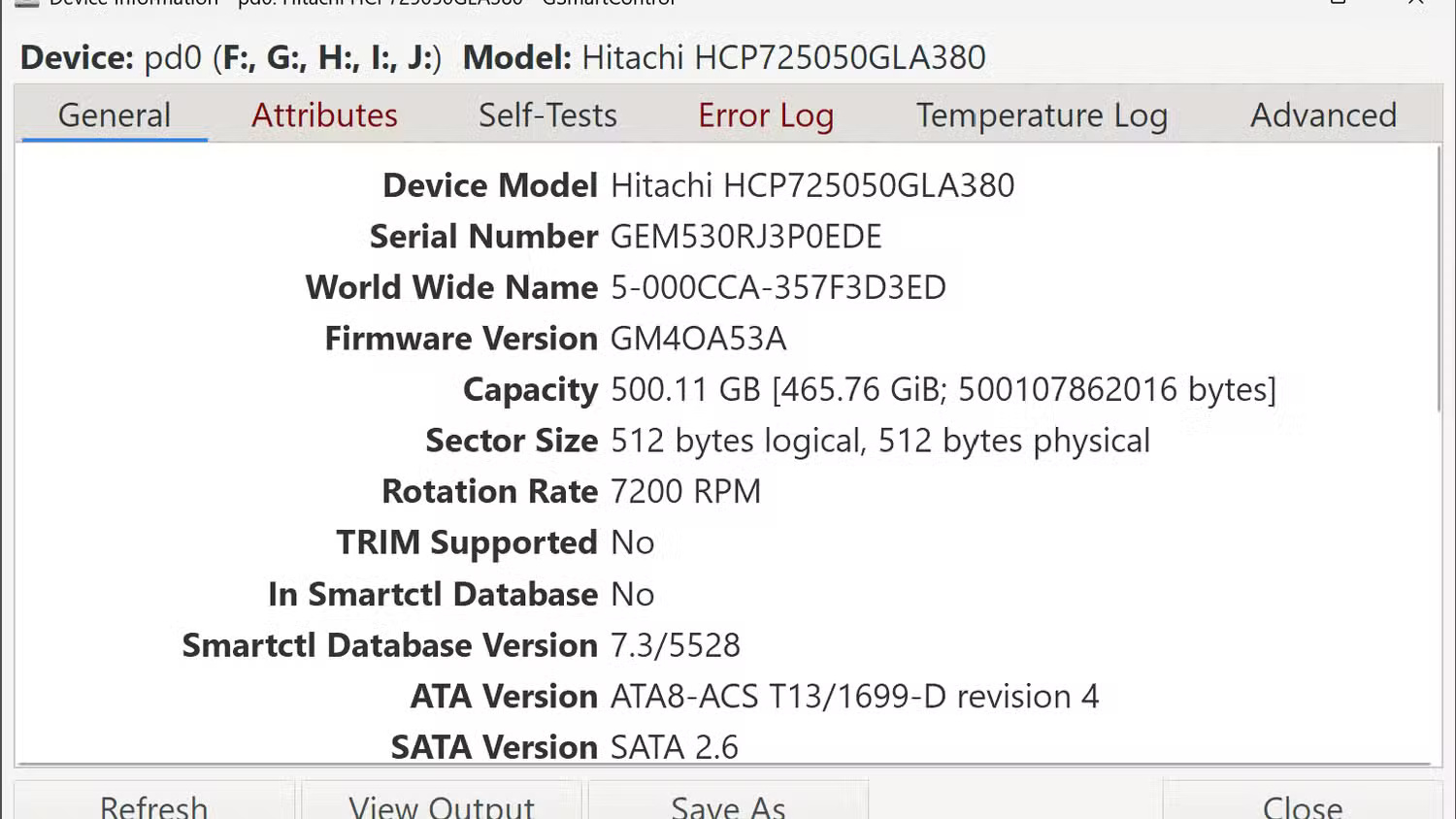
Meanwhile, the Attributes section displays all SMART parameters with current values, thresholds, and predicted failures. The Self-Tests tab allows you to run various diagnostic procedures directly from the interface. Short tests typically complete in a few minutes, while extended tests provide comprehensive drive validation.
See also:
- Top 7 Hardware Diagnostic Tools for Windows 10
- Signs that you should replace your hard drive
- 5 tips to free up hard drive space
FAQ
What should you know about 6. Windows has built-in tools to check hard drive health?
Before downloading third-party software, check out what Windows already offers. CHKDSK is still the simplest tool for scanning for drive errors. Open a Command Prompt with admin rights and type chkdsk C: /f /r to scan your primary drive. The /f flag automatically fixes errors, while /r locates bad sectors and recovers readable.
What should you know about 5. CrystalDiskInfo?
CrystalDiskInfo stands out as the most user-friendly drive monitoring tool available. Its clean interface shows everything you need at a glance.
What should you know about 4. HWiNFO?
This tool takes hardware monitoring to the next level, and drive health is just one of its key features. It overwhelms beginners with information. While CrystalDiskInfo displays the essentials, HWiNFO displays every conceivable hardware metric.
What should you know about 3. HDDScan?
HDDScan takes a different approach, focusing on proactive testing rather than passive monitoring. It performs surface scans and stress tests. These proactive tests can detect issues that don't show up in standard health reports, especially the development of bad sectors or inconsistent read speeds.
Related Articles
 These Free Utilities Check and Diagnose Hard Drive Health13 minutes read
 Warning Signs of Hard Drive Failure8 minutes read
 3 Free Apps for Analyzing and Checking Hard Drive Space on Mac11 minutes read
 How to Identify Hard Drive Failure, Hard Drive Failure, Bad Hard Drive7 minutes read
 7 Tools to Increase Hard Drive Performance on Windows8 minutes read
 10 Best Free and Easy-to-use Hard Drive Dividers and Formats7 minutes read
Reader Comments 0
Sign in with email or Google to join the discussion.