Table of Contents
ChatGPT's parental controls feature allows you to link your account to your child's account to guide their AI experience.
ChatGPT's parental controls allow you to link your account to your child's account to guide their AI experience. You'll be able to adjust settings, filter sensitive content, save storage, and even get alerts if your child is affected by ChatGPT content. However, you won't see detailed account activity. Here's how to enable parental controls on ChatGPT.
Instructions for enabling parental controls on ChatGPT
You can only do this on the web, the feature settings do not apply on mobile.
Step 1:
At the ChatGPT interface on your computer, click Settings .
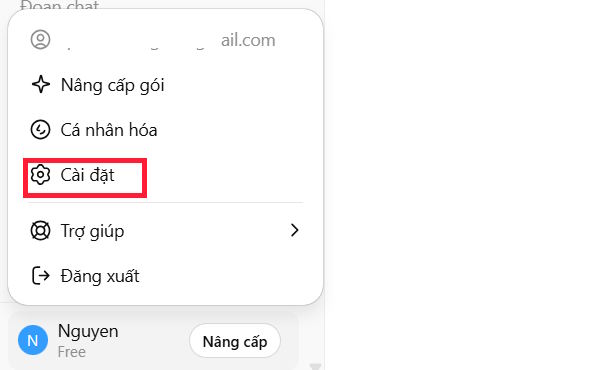
Continue to click on Parental Controls In the left menu of the interface.

Now click Add family member To add account.

Step 2:
Here you Enter the email address Of the account you want to control.
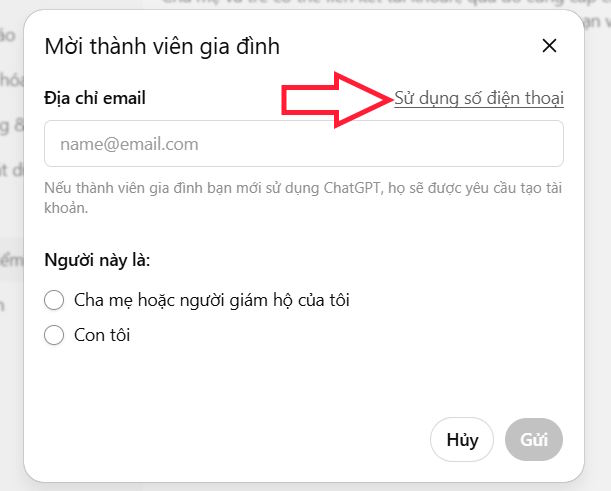
Or fill in the ChatGPT registered phone number of that account.
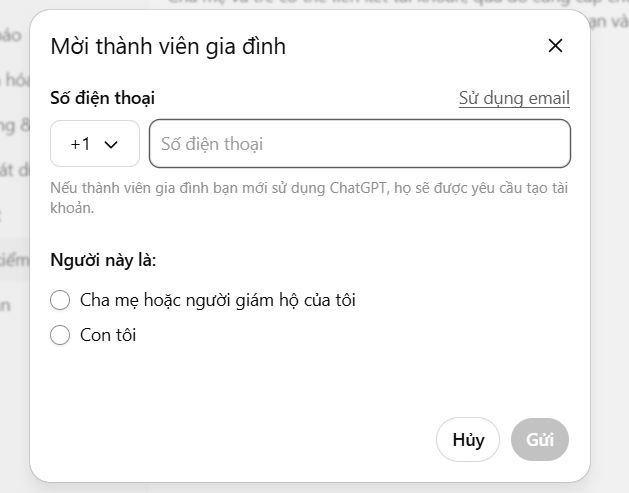
Then you choose your child's connection account and Click Send Below to send the invitation.
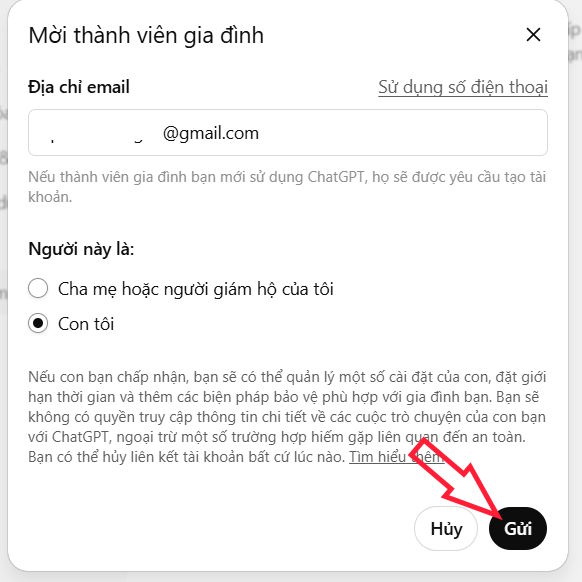
Step 3:
Your child receives emails and Needs to accept them So that parents can control settings.
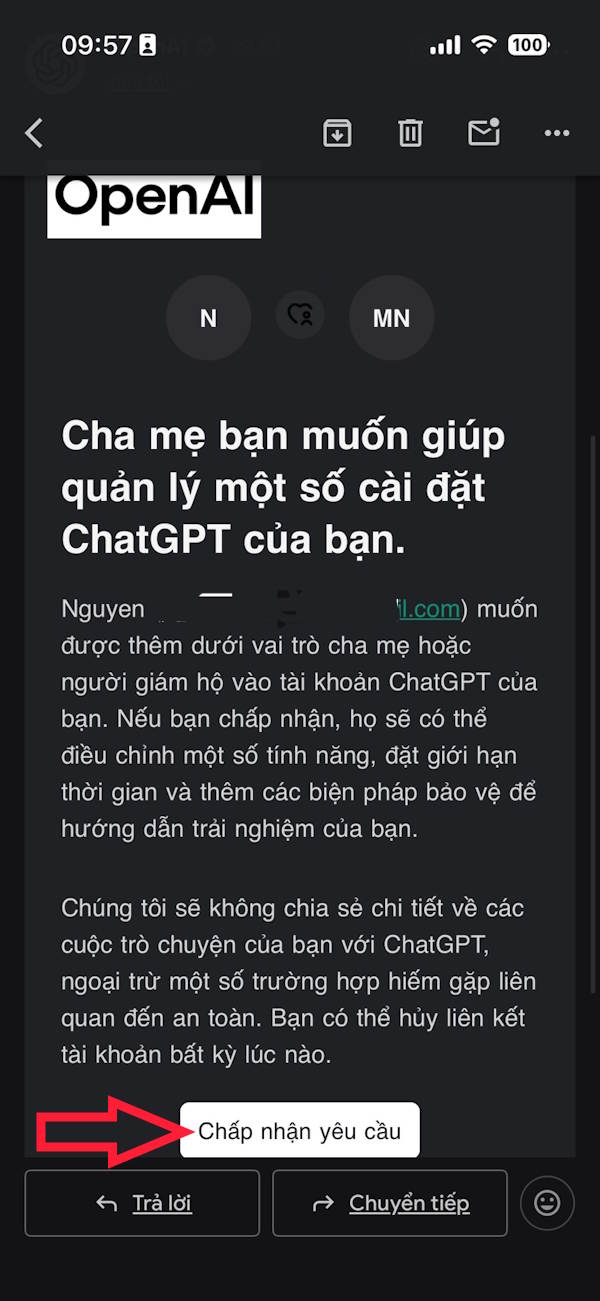
As a result you have successfully added members to your ChatGPT account to control some settings.
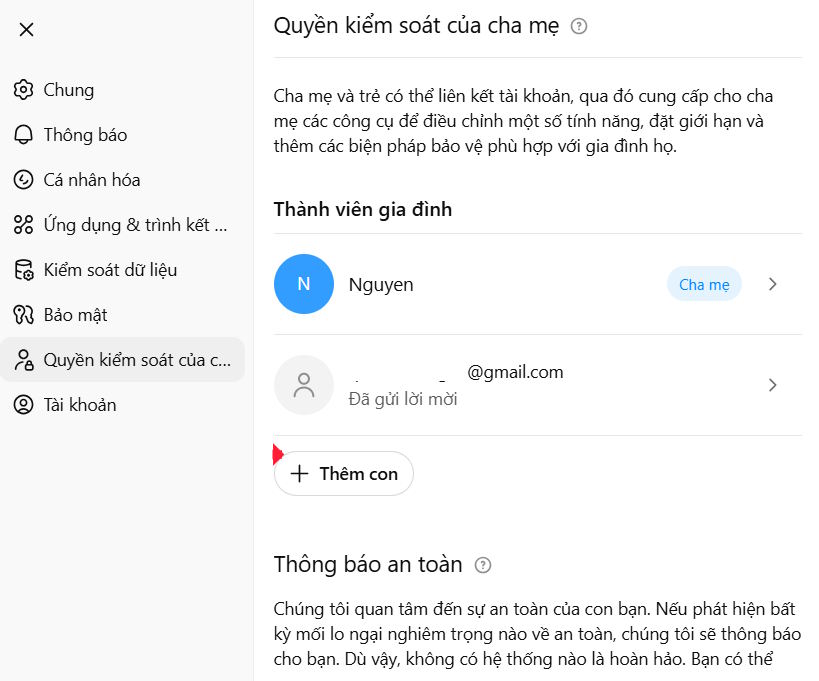
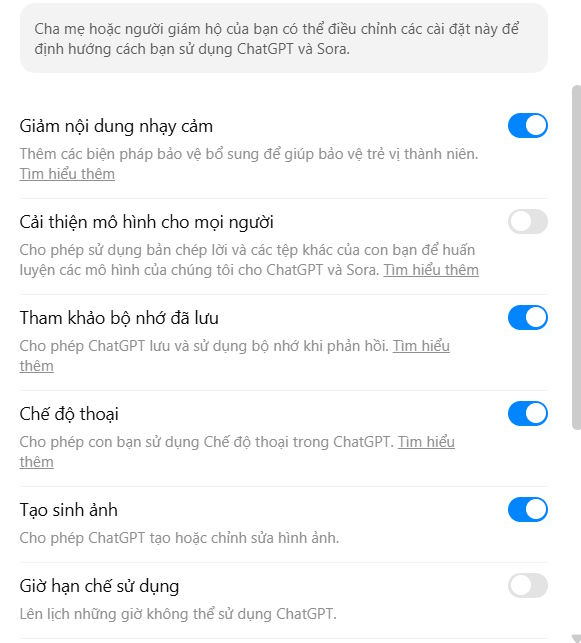
Step 4:
From here, parents can control some of their child's ChatGPT account settings right on their ChatGPT control management interface. You can turn on or off any settings you want your child to use or not use.
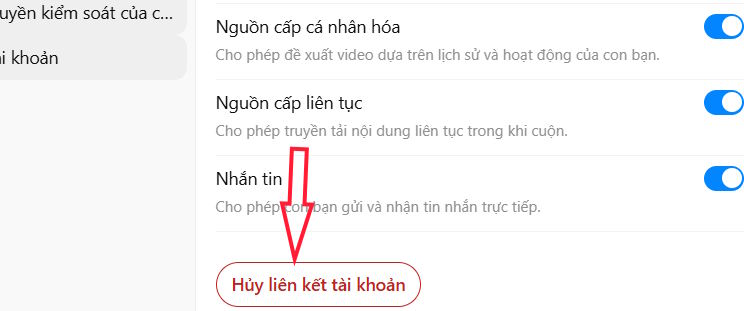
Step 5:
In this interface there is also An Unlink option If you no longer want to add that account to the family section on ChatGPT.
FAQ
How do you enable parental controls on ChatGPT: step-by-step guide?
In practical terms, chatGPT's parental controls feature allows you to link your account to your child's account to guide their AI experience.
What should you check before getting started?
Review the requirements, compatible device or software version, and any warnings described in the guide before making changes.
What should you do if the steps do not work?
Repeat the steps in order, confirm that your app or system is up to date, and review the troubleshooting details provided above.
Related Articles
 Click: How to Bypass Parental Controls on a Mac8 minutes read
 How to Set up Child Control on Windows 107 minutes read
 How to Set up Parental Controls on Netflix3 minutes read
 Preferences: How to Use Parental Controls on a Mac6 minutes read
 How to Turn Off Parental Controls on Android: Practical Guide6 minutes read
 5 Chromebook Apps to Help Parents Manage Their Children's8 minutes read
Reader Comments 0
Sign in with email or Google to join the discussion.