Table of Contents
With the strict policies of the Chinese government causing some changes to features in Clash of Clans, leading to curiosity among gamers who want to download and play the Chinese version of Clash of Clans, satisfying their desire to experience what the Chinese version offers.

Download the Chinese version of Clash of Clans on Mobile
I. How to download and play Clash of Clans China on Android
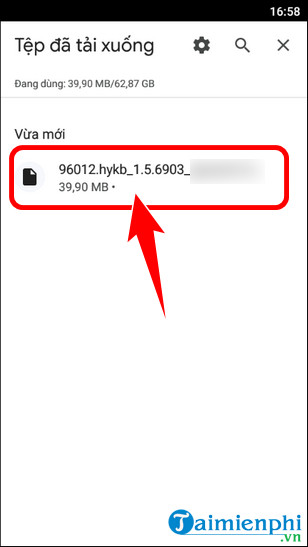
Step 1: Access the download link for the Chinese version of Clash of Clans HERE . Open the downloaded file => click the app installation file 3839 .
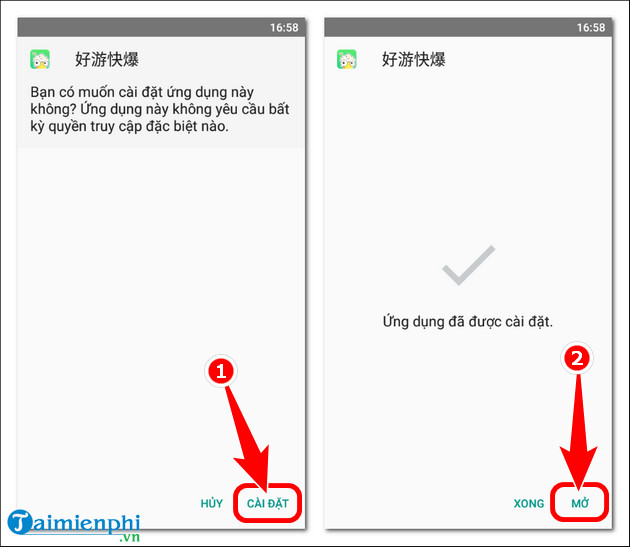
- Press Settings => press Open .
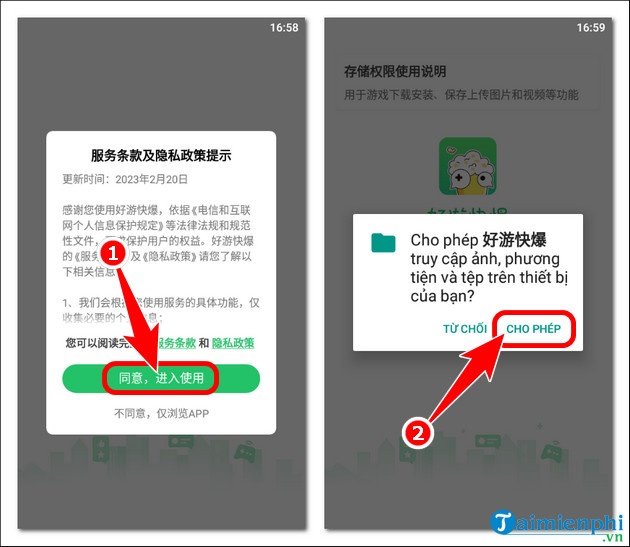
Step 2: Select同意,进入使用(Agree to the publisher's terms) => Allow the application to access files on your device.
- Click Skip => press the X icon to turn off notifications.

Step 3: The Chinese version of Clash of Clans will automatically download as shown below. After completion, press我得到了(I understand).

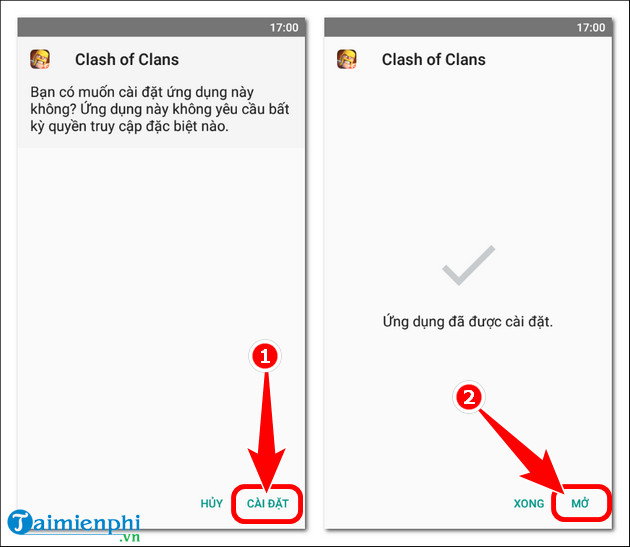
- Continue by pressing Settings => Open .
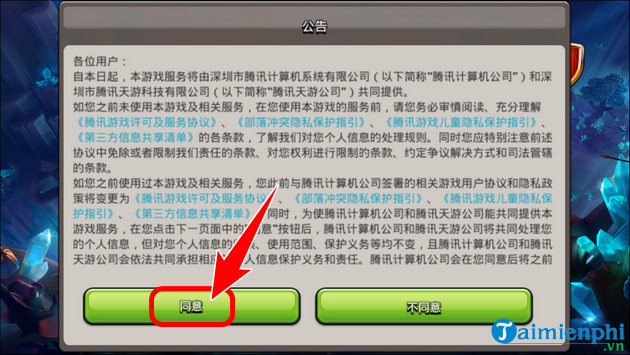
- Click "Agree" to accept the game's terms and conditions.
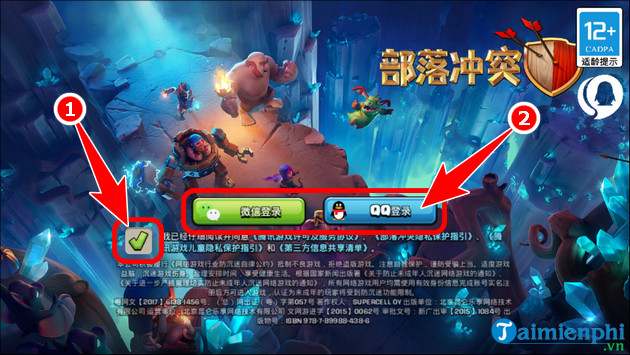
- Check the privacy protection box => log in using your Wechat or QQ account .
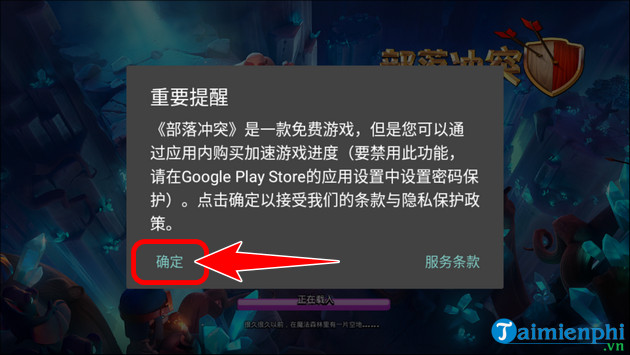
- Click Confirm (Definitely).
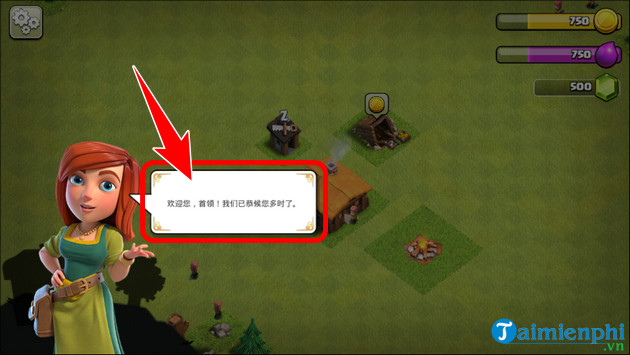
Step 4: Click on the NPC dialogue and complete the beginner's tutorial . Here, you will be guided through the basics such as building houses, defending territory, gathering resources, etc.
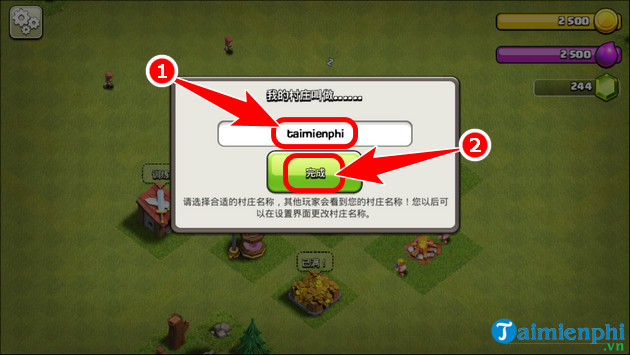
- Enter the character's name => press the "Set Name" button .
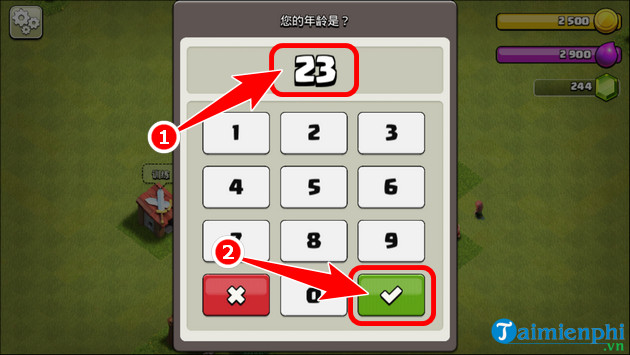
- Enter your age => click the ✔ icon .
Step 5: The Chinese version of Clash of Clans gameplay interface will appear as shown below.

II. Instructions on how to download and install Clash of Clans China on iOS
Step 1: Change your App Store Region/Country to Mainland China .
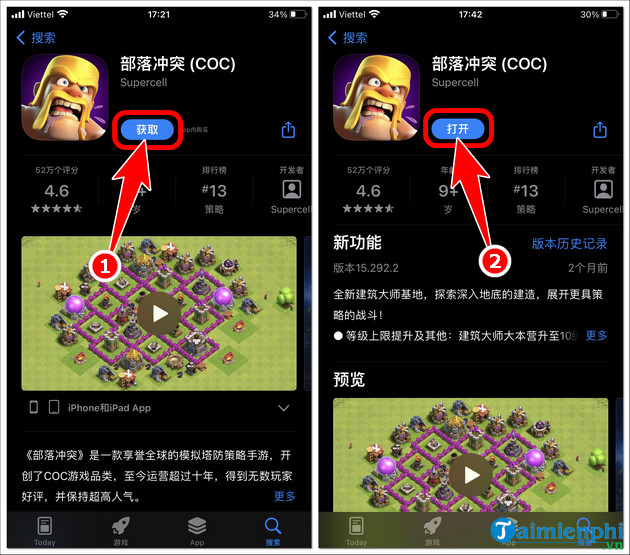
Step 2: Open the App Store , click Search => press the game search bar and search for Clash of Clans => press Clash of Clans (COC) .

- Select Settings => press Open .
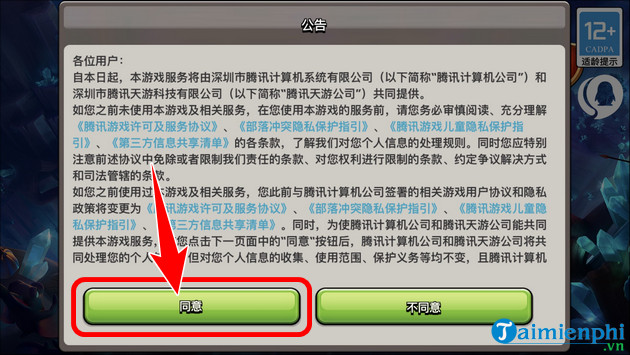
Step 3: Agree to the publisher's terms and conditions.
- Check the box to accept the privacy policy => log in to your QQ account .

Step 4: Similar to the Android version, simply complete the beginner's tutorial , enter your name and age , and you'll be able to experience the new features in the Chinese version of Clash of Clans.

There are many new things waiting for you to discover, so quickly download and play the Chinese version of Clash of Clans on your phone. Alternatively, gamers can experience it on a larger screen using the BlueStacks emulator , which supports lower resource consumption, increased game performance, and better multitasking with a mouse and keyboard.
Related Articles
 Download Clash of Clans for Android, iPhone and PC New Version4 minutes read
 Latest Clash of Clans Code and How to Enter the Code4 minutes read
 How to Play the Strategy Game Clash of Clans: Step-by-Step Guide12 minutes read
 Tips to Play Clash Quest for Beginners4 minutes read
 How to Create an Effective Base in Clash of Clans6 minutes read
 Tips for Building an Empire in Clash of Clans4 minutes read
Reader Comments 0
Sign in with email or Google to join the discussion.