Table of Contents
Download Chrome from Google on Windows or macOS, check the installed version, update the browser, and uninstall it when necessary.
Official download: Use Google’s Chrome download page. Avoid third-party installers, bundled download managers, and pages that ask you to disable browser or operating-system security.
Google Chrome is a web browser that is available on supported desktop and mobile platforms, whether it's a desktop computer, laptop, mobile device, or tablet.
Chrome supports Windows, macOS, Linux, Android, and iOS, subject to current system requirements, and offers many great features such as incognito browsing mode, bookmarks, extension support, and more.
In this article, let's explore how to download and install Google Chrome on your computer, including Windows PCs and Macbooks, so you can enjoy a smooth and convenient web browsing experience.
How to download Google Chrome on Windows
Step 1: Access the official Google Chrome download page using any web browser.
Step 2: Click the Download Chrome button in the upper right corner and select Download for Desktop to begin downloading Chrome.
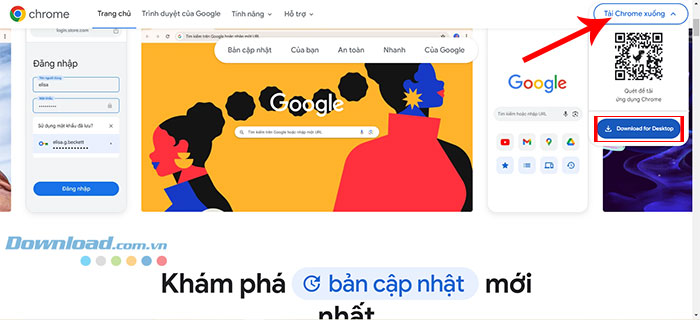
Step 3: A dialog box will now open; click on " Accept and install".
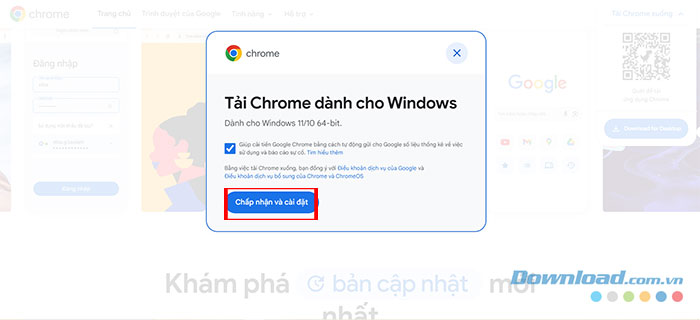
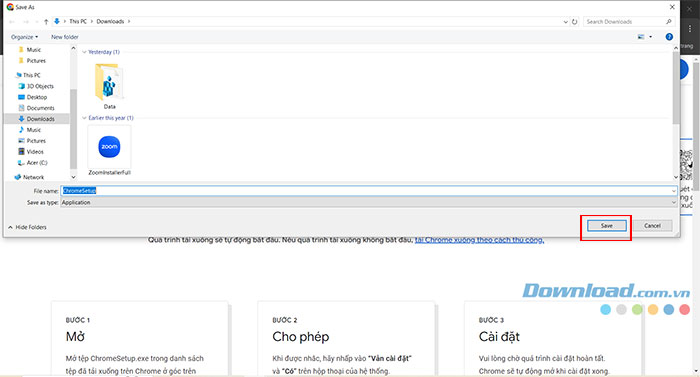
Step 4: Now choose the folder to save the installation file and press Save.
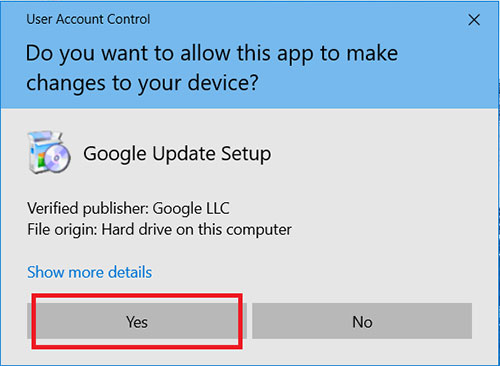
Step 5: After the download is complete, open the folder where you saved the file and launch it. The system will prompt you to confirm the changes, so click Yes.
Step 6: After this, the installation process will begin and will take 5-7 minutes to complete, depending on your internet speed.

Step 7: After the download, the Google Chrome browser will automatically open. At this point, you need to click on Start.
Step 8: Choose bookmarks and a background to make your browser look nicer, then click Next.
Step 9: Now click the Continue button to complete the setup.
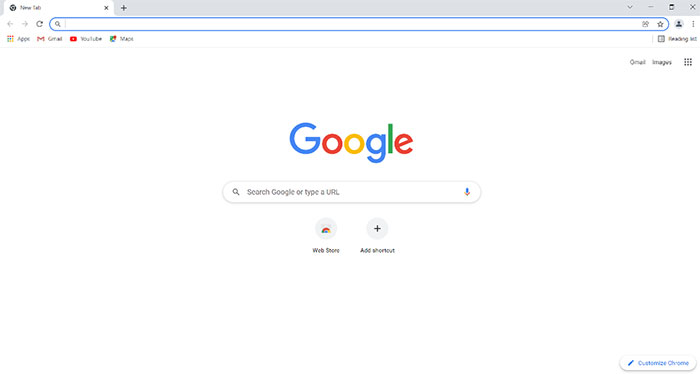
Now let's look at the interface of the Google Chrome browser, which has been successfully installed on the system. A desktop icon will be created for easy user access.
How to download Google Chrome on Mac
The process of downloading and installing Google Chrome on a Mac computer is quite similar to that on Windows. This is because the Google Chrome download page automatically detects the device being used to download the web browser.
Step 1: Access the Google Chrome download page for Mac using your Mac's existing browser (in this case, Safari ), and it will automatically detect your device. Click the Download Chrome button.
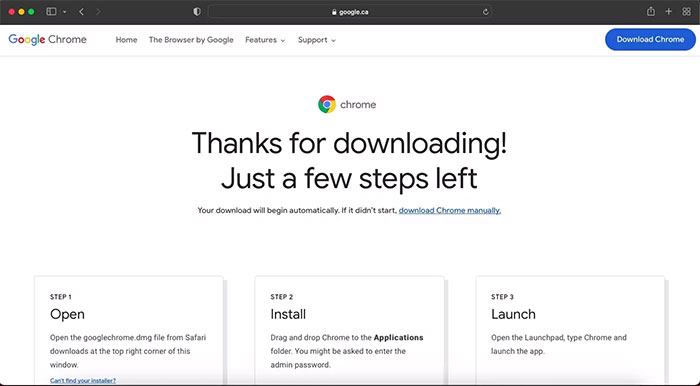
Step 2: After the installation file has downloaded, you will find the googlechrome.dmg file in Safari's downloads folder in the upper right corner.
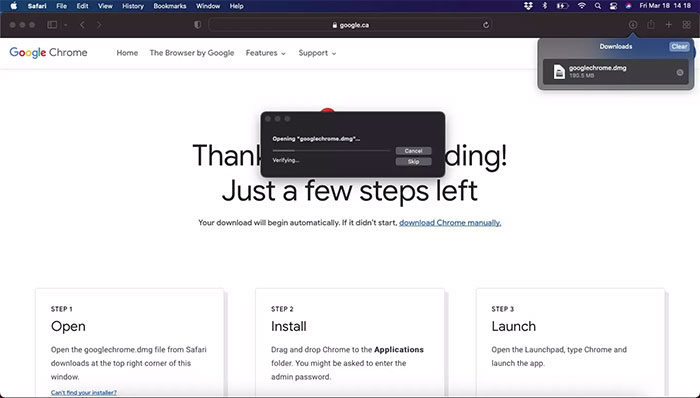
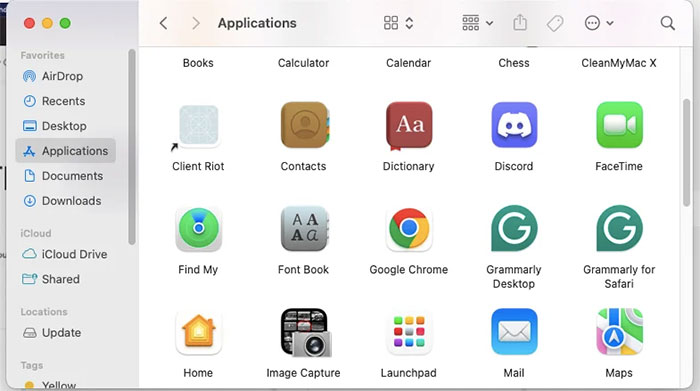
Step 3: Open the file, then drag and drop Chrome into the Applications folder.
Step 4: Double-click the Chrome icon in Applications and launch the browser.
How to check Chrome version on Windows
Follow these steps to check which version of Chrome you are using:
- Open Google Chrome
- Click the three-dot icon in the upper right corner.
- Select Help > About Google Chrome
- The current Chrome version will display, for example: Version 132.0.6834.160 (Official Build) (64-bit)
How to uninstall Google Chrome on Windows
For Windows 11/10:
- Press Win + R, type appwiz.cpl and press Enter.
- Find and select Google Chrome from the list.
- Click Uninstall > Select Yes
- (Optional): If prompted, check the box "Also delete browsing data" to completely delete it.
For Windows 7/8:
- Open the Sea Panel
- Go to Programs > Programs and Features
- Find Google Chrome, then click Uninstall.
- Restart your computer to apply the changes.
Frequently Asked Questions about Installing Google Chrome on a Computer
What is Google Chrome and on which operating systems can it be installed?
- Google Chrome is a popular web browser that can be installed on Windows, macOS, Linux, as well as desktops, laptops, and tablets. Chrome offers useful features such as incognito mode, bookmark management, plugin support, and many other extensions.
How do I set Chrome as my default browser?
- After installation is complete, open Chrome. When prompted, click Set as default browser so that all web links open directly in Chrome.
Do I need an internet connection to download and install Chrome?
- Yes, you need an internet connection to download the latest Chrome installer from the official website.
What are the benefits of using Google Chrome on a computer?
- Fast and smooth web browsing, data syncing across multiple devices.
- Supports many plugins and extensions.
- Incognito mode protects privacy.
- Easily manage bookmarks, history, and passwords.
How do I download Google Chrome on Windows 10/11/7/8?
- Access the official Google Chrome download page.
- Click Download Chrome and select Download for Desktop.
- Accept the terms and choose a location to save the installation files.
- After the download is complete, open the file and click Yes to grant installation permission.
- Wait for the installation process to complete, and Chrome will open automatically.
Instructions for installing Chrome on a Macbook (MacOS)
- Open your existing browser (e.g., Safari) and go to the Google Chrome for Mac download page.
- Download the googlechrome.dmg file.
- Drag and drop the Chrome icon into the Applications folder.
- Double-click Chrome to open the browser and start using it.
Can you install Chrome on a Raspberry Pi?
Raspberry Pi does not support Google Chrome. You can overcome this by installing the Chromium browser, an open-source version of Chrome.
How do I install Google Chrome on a smart TV?
Chrome can only be installed directly on an Android TV. You can stream content to your smart TV from another device that has Chrome installed. On an Android TV, there are several methods to install Chrome.
- You can use a computer to download Chrome from the Play Store.
- First, click on 'Settings', then select your Android TV from the dropdown menu and click 'Settings'.
Alternatively, you can enable voice commands on your remote and say 'Launch Chrome'. Your smart TV will ask if you want to install the app; click 'Agree', and Chrome will be installed and ready to use in seconds.
With the instructions above, everyone can easily check the version, uninstall, reinstall, or update Chrome and set it as the default browser. Whether you're using Windows 7, 8, 10, or 11, these steps apply and ensure smooth Chrome usage.
Related Articles
 How to Add Idm to Chrome, Install Idm for Chrome4 minutes read
 How to Quickly Download Google Chrome to Your Computer: Clear Instructions7 minutes read
 How to Download Apps from Google Play to Your Computer: Complete Guide8 minutes read
 Better Download Manager in Chrome with Downloadr3 minutes read
 How to Install Savior on Chrome: Install Savior for Chrome5 minutes read
 How to Download Google Play Store to Your PC3 minutes read
Reader Comments 0
Sign in with email or Google to join the discussion.