Table of Contents
This updated guide explains how to erase all your laptop data before selling it to someone else with clear steps, practical tips, and useful context. If you still do not know how to delete data completely and safely, the article below from TipsMake.com will guide you through simple steps to clean your laptop before transferring it to someone else.
Currently, there are many ways to help you delete all your Laptop data quickly, but before deleting data, It is best to back up your important data. Below, TipsMake.com shares with you 2 ways to delete all your Laptop data before selling it to someone else, please follow along.
1. Erase All Data Using the Reset This PC Feature
Windows provides the Reset this PC feature to help you easily reset your computer to factory settings. You can use this feature to erase all your Laptop data before selling it to someone else without fear of recovery even when using recovery software. You perform these method to erase all Laptop data using the Reset this PC feature:
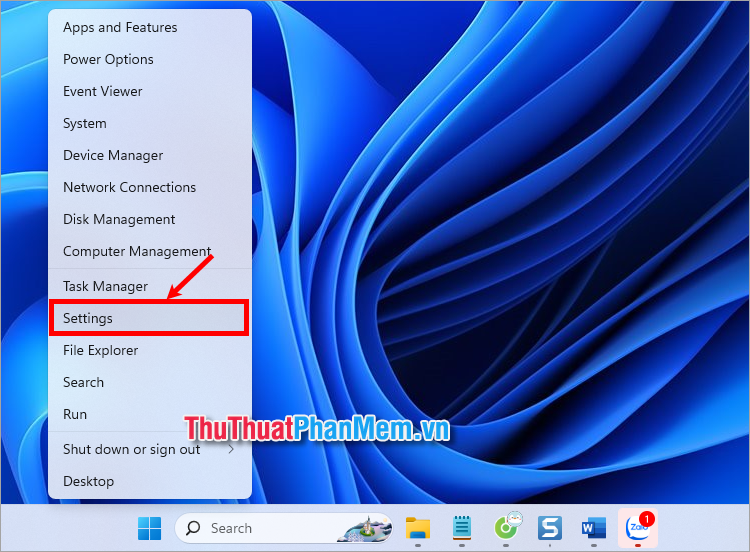
Step 1 : Right-select the Start menu → Settings .
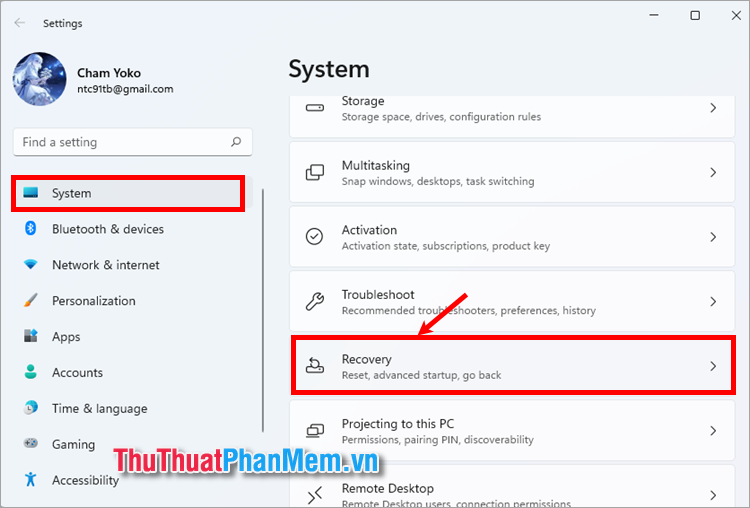
Step 2: On the Settings window, select System → Recovery .
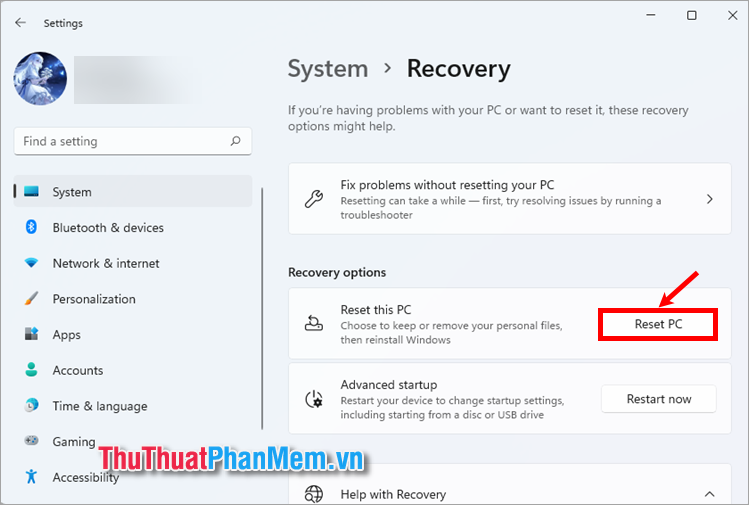
Step 3 : Next, in the Recovery Options section, select Reset PC on the Reset this PC line.
Step 4: In the Reset this PC window, select Remove everything to delete all your laptop data.
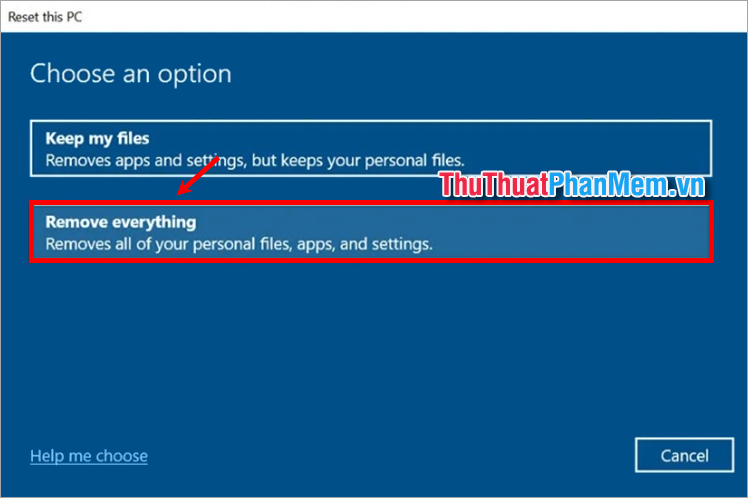
Step 5 : In the Additional settings section, select Change settings .
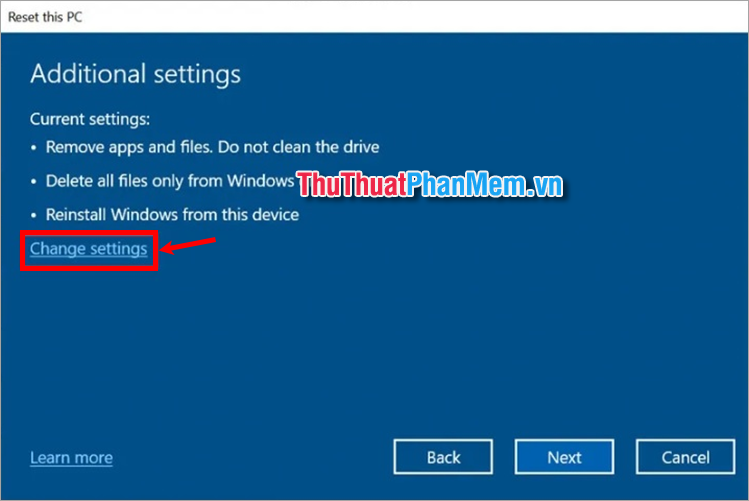
Step 6: The Choose settings window appears, you slide the switch to the right to turn on the two parts Clean data and Delete files from all drives . And select Confirm .
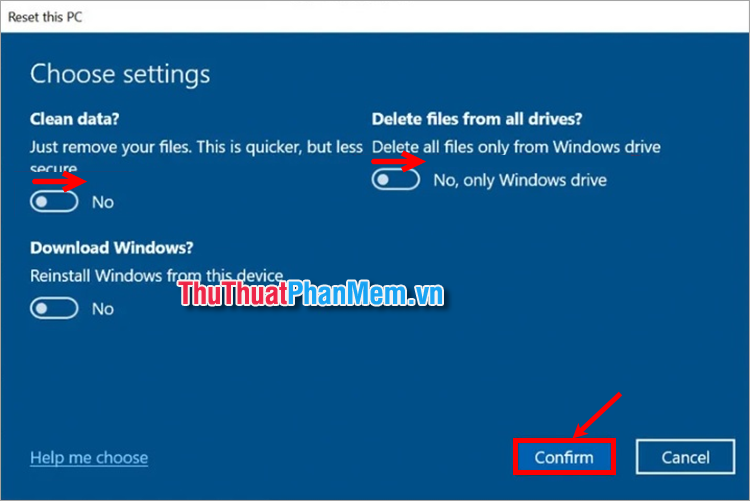
Step 7 : Finally, select Reset to start permanently deleting all your Laptop data.
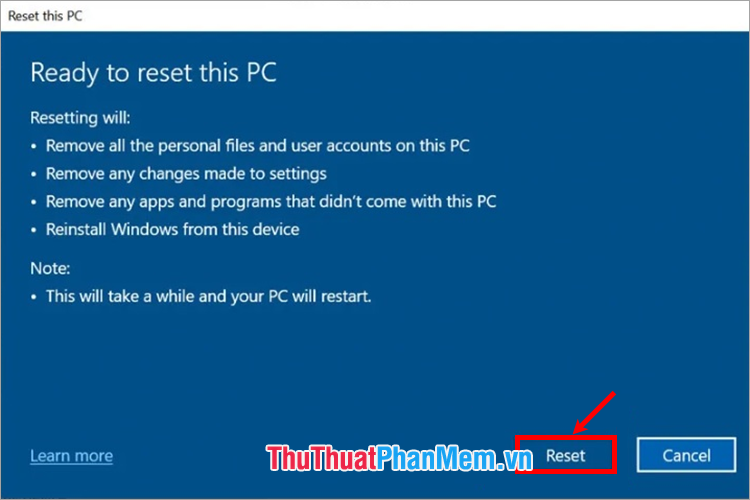
2. Delete All Data Using CCleaner Tool
CCleaner is a popular software that is often installed along with necessary applications when installing Win. CCleaner is not only known as a software that helps you clean up junk files but also helps you permanently delete all unrecoverable data on your computer. Using CCleaner is an effective way to delete all your Laptop data before selling it to someone else. You do these:
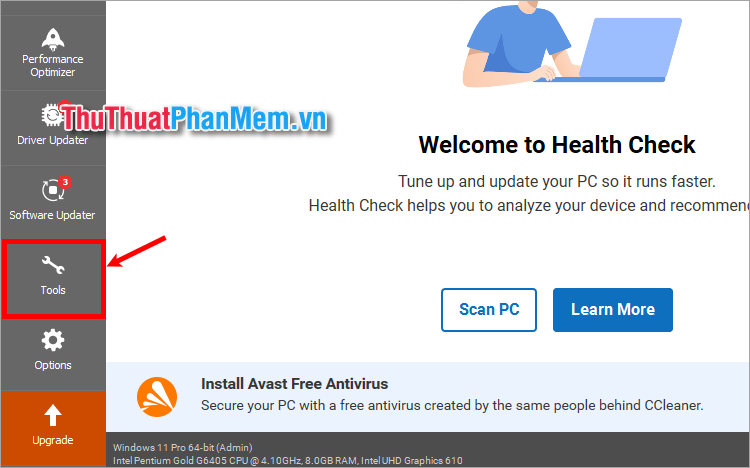
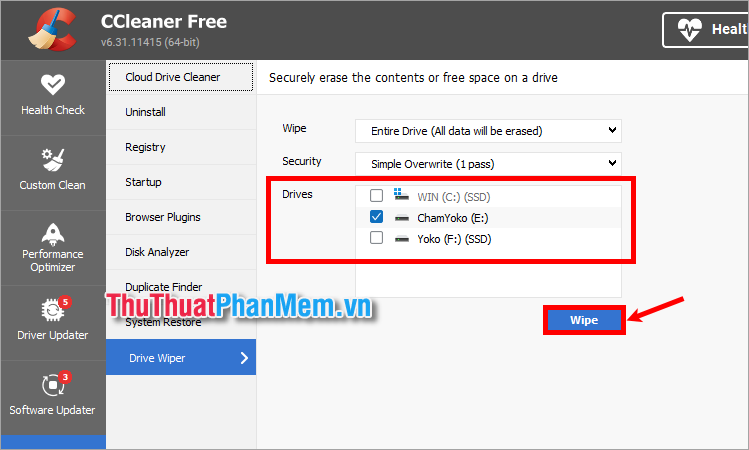
Step 1 : First you need to open the Ccleaner tool and select Tools .
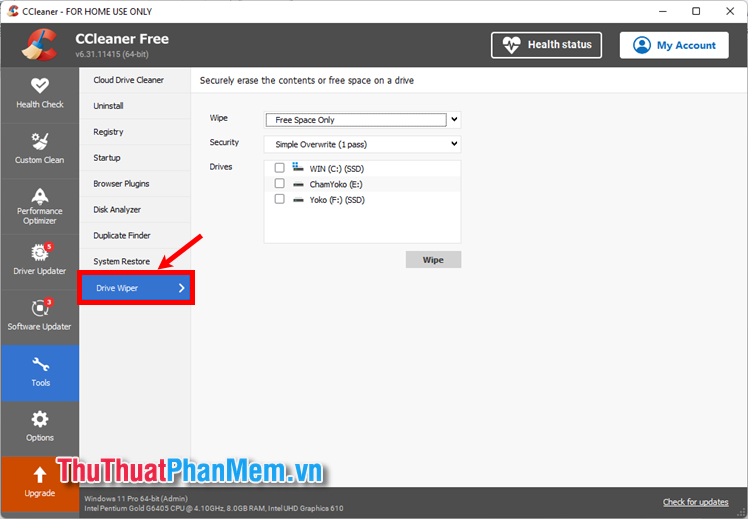
Step 2 : Select Drive Wiper .
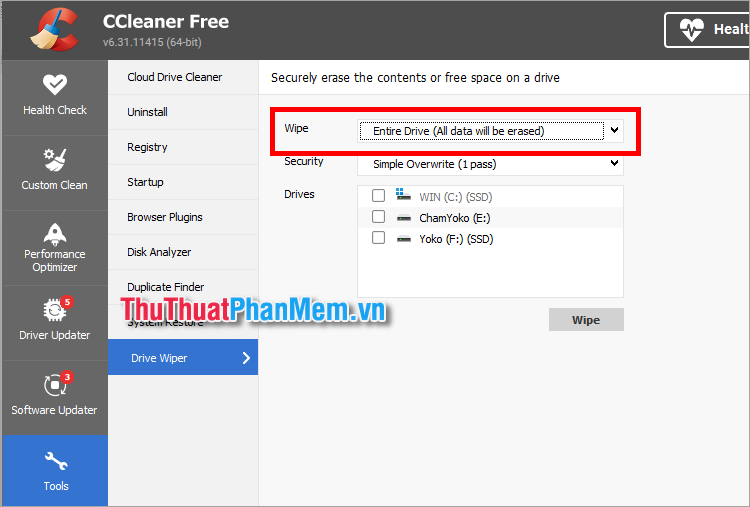
Step 3 : Set up in Wipe , there are 2 options: Free Space Only (only clean free space) and Entire Drive (All data will be erased) . To erase all data, select Entire Drive (All data will be erased ) .
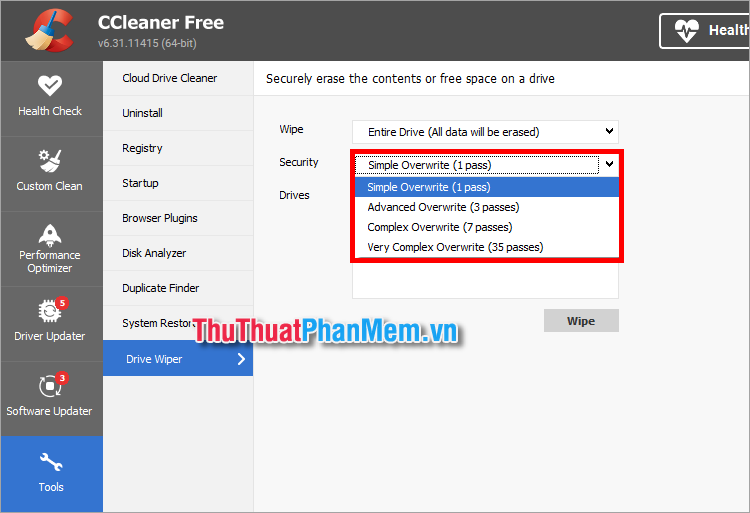
Step 4 : In the Security section, choose 1 of 4 options when you delete data.
- Simple Overwrite (1 pass) : Simple Overwrite (1 pass)
- Advanced Overwrite (3 passes) : Advanced Overwrite (3 passes)
- Complex Overwrite (7 passes) : Complex Overwrite (7 passes)
- Very Complex Overwrite (35 passes) : Very Complex Overwrite (35 passes)
Step 5 : Select the drive that needs to erase all data in the Drivers section and select Wipe to start erasing data on your laptop.
Above, TipsMake.com has shared with you 2 effective ways to erase all your laptop data before selling it to someone else. Hopefully with these simple and quick ways to erase all data, you can easily erase the data on your laptop without fear of the buyer using recovery software to retrieve the data. Thank you for your interest and following this article.
FAQ
What should I prepare before I erase all your laptop data before selling it to someone else?
Review the requirements and options in the guide first. Having the correct device, app version, account access, or materials ready helps prevent avoidable errors.
How long does it take to erase all your laptop data before selling it to someone else?
The time depends on the task and your setup. Most basic steps can be completed quickly, while downloads, updates, scans, or troubleshooting may take longer.
What should I do if the steps do not work?
Repeat the instructions in order, confirm that your software or device is supported, and check permissions, connectivity, and available updates before trying again.
Related Articles
 What Is Secure Erase?5 minutes read
 Erase Data: How to Completely Delete Data on the Computer?19 minutes read
 4 Things to Do Before Selling a Windows PC or Laptop7 minutes read
 Distinguish Delete and Erase, Wipe and Shred9 minutes read
 Completely Erase a Hard Drive on Windows: Step-by-Step Guide9 minutes read
 This 'Super' iPhone Security Mode Will Ensure That the Data3 minutes read
Reader Comments 0
Sign in with email or Google to join the discussion.