Table of Contents
Understanding How to combine photos requires more than a headline. The overview below breaks down the key facts, changes, and user impact.
The name of League of Legends has become extremely familiar to gamers all over the world, owning the first-class fan base in the game village. The game is a unique combination of 3 genres of role-playing games, action games and tactical games, giving players the colorful and engaging battles to every moment. And if you're a fan of LOL or simply someone who likes to break the way in your portraits, try the Ephoto 360 photo collage app.
- Download the League of Legends game
Ephoto 360 will bring users the featured photo frames of LOL game, including the game's rating frame. We just need to choose any portrait and Ephoto 360 will do the photo collage for you. Along with the Network Administrator to implement the LOL game rank frame portrait in the article below.
Step 1:
First of all, please download Ephoto 360 application for Android and iOS devices under the link below.
- Download Ephoto 360 for iOS for free
- Download the Ephoto 360 app for Android
Step 2:
They then launch the application on the device. You will be asked by the application if you want to receive notifications from the application. Next, we click on the Categories tab and look to the Game theme - Cover, Rank.

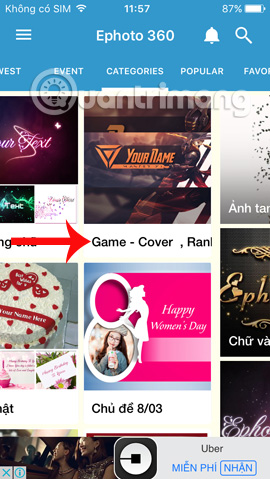
Step 3:
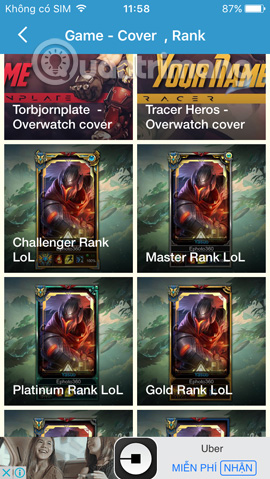
Soon, the interface will switch to mockup types such as LOL game cover photo or game rating frame LOL. Now select the stock image you want to use for the photo collage. Next will be the image compositing interface on the selected frame. Click on the image icon below to open the image you want to join.
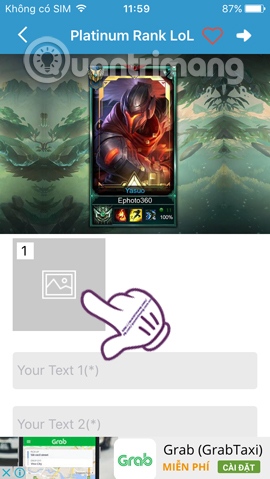
Step 4:
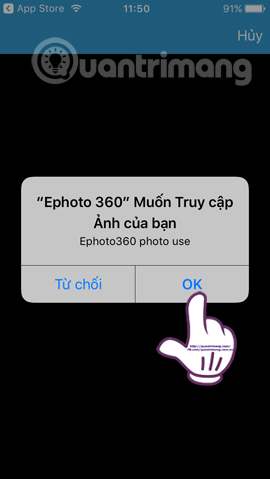
The application will ask you to use the photo taken Take Photo directly or use available photos in the album on the Choose Photo device. For example, here I will use photos in the album and requested by Ephoto 360 to allow album access. Then find me a good portrait in the album on the device.
In case users take photos directly, click OK to agree to Ephoto 360 to use Camera.
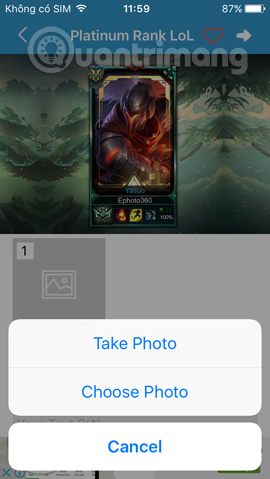

Step 5:
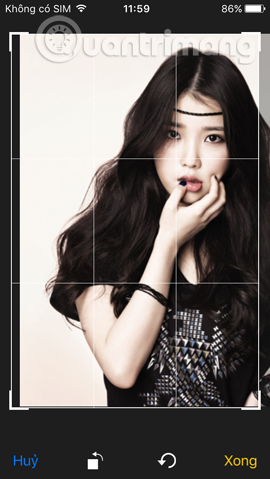
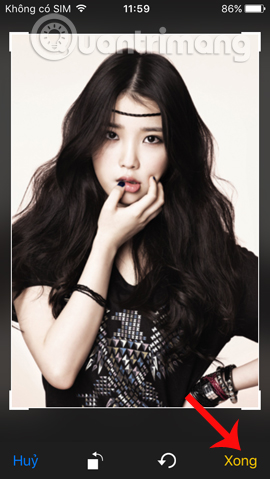
Next is the image editing interface. We can move the image position to fit the frame, rotate the image if the image you choose is inverted,. Then click Done at the bottom to save the edit.
Step 6:
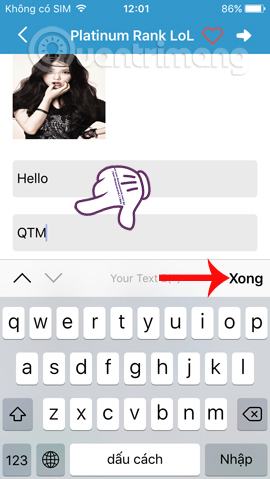
Next job, enter the content into 2 Text lines in this interface. Then press X to save. Next, users can insert other effects such as frames, stickers,. After inserting new effects, press the tick to save. Click the download arrow icon next to the next step.
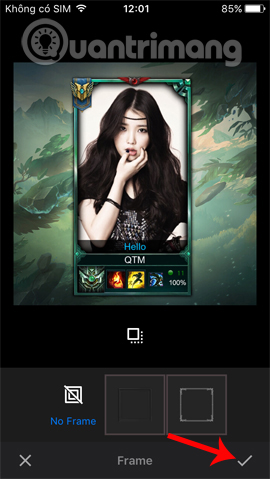
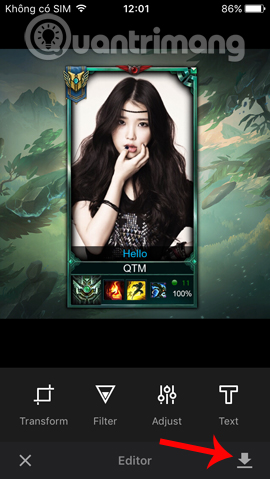
Step 7:
Now click the Save icon in the top right corner of the interface to save the image. Click the Share icon to share the image. We can choose any application to share photos, like Facebook, Zalo, Twitter,.
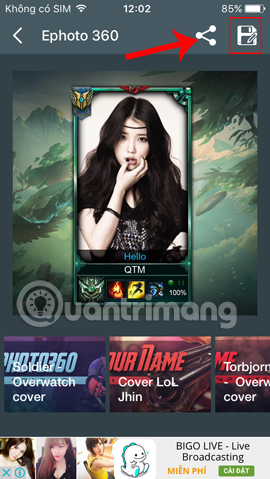

For example, I will post photos to Facebook. We can tag friends' names or add emotions like when you post articles on Facebook. Photos after being matched with Ephoto 360 will have the interface under the wire. It's quite strange, isn't it?!
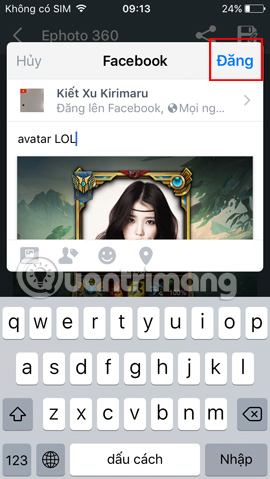
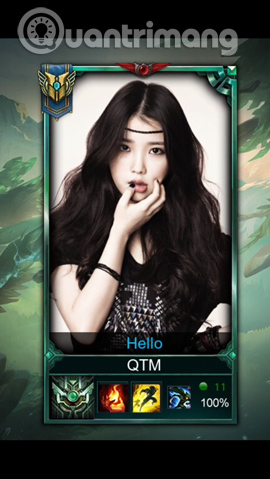
We can use the image above to make our avatar in the gaming community, exciting game groups especially the LOL game team. Try adding some other LOL game ratings frames on Ephoto 360 application.
Refer to the Following Articles:
- How to combine photos of "Duck Up, Duck, Stuck" toxic and strange
- How to fix photos in GTA game style with iToon
- How to create GIF images quickly with Giphy
I wish you all success!
FAQ
How does How to combine photos work?
Understanding How to combine photos requires more than a headline.
What should you prepare before using this method?
The overview below breaks down the key facts, changes, and user impact.
What should you do if the process does not work as expected?
The name of League of Legends has become extremely familiar to gamers all over the world, owning the first-class fan base in the game village.
Related Articles
 League of Legends: Top 4 Useful but Neglected Equipment in the Game7 minutes read
 The Terms in the Game League of Legends (LOL) You Need to Know8 minutes read
 League of Legends Server Maintenance Period for Version 25.207 minutes read
 League of Legends Shortcuts (LOL) to Know3 minutes read
 How to Picture League of Legends on Designcold6 minutes read
 Want to Improve Your MMR in League of Legends? Here's How7 minutes read
Reader Comments 0
Sign in with email or Google to join the discussion.