Table of Contents
This updated guide explains how to change default browser and email on iPhone with clear steps, practical tips, and useful context. In this guide, Tipsmake will guide you how to change the default browser and email reader on iPhone.
This is a notable change since iOS 14 and iPadOS 14. Previously, Apple did not allow iPhone and iPad users to change the default email browser to the built-in Mail app, and the web browser was required to be Safari.
This means tasks will go through the operating system and run on third-party applications such as receiving, sending, composing emails and opening links instead of having to use the Mail or Safari applications as before.
Change Default Web Browser on iPhone
To set your preferred web browser app as the default on iOS, follow these steps:
Step 1 : open Settings > scroll down and select any browser you have installed on your iPhone, for instance here I choose Chrome.
Step 2: Click Default Browser App and select the browser you want to set as default.
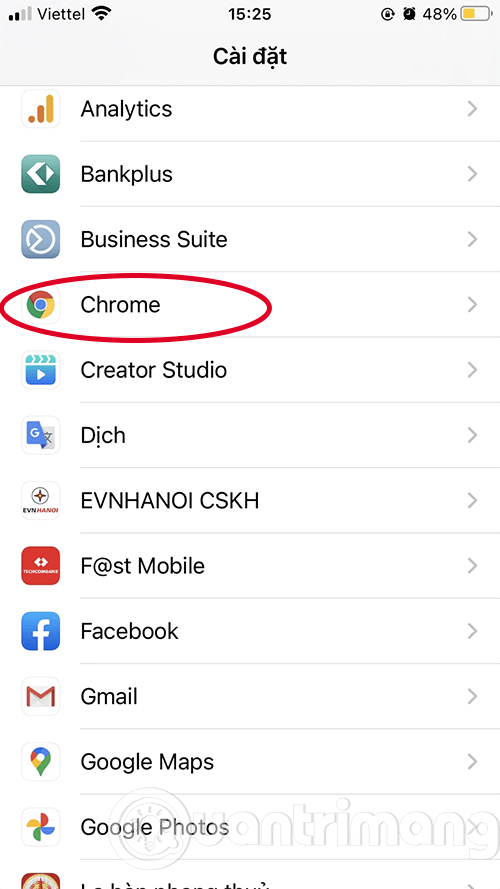
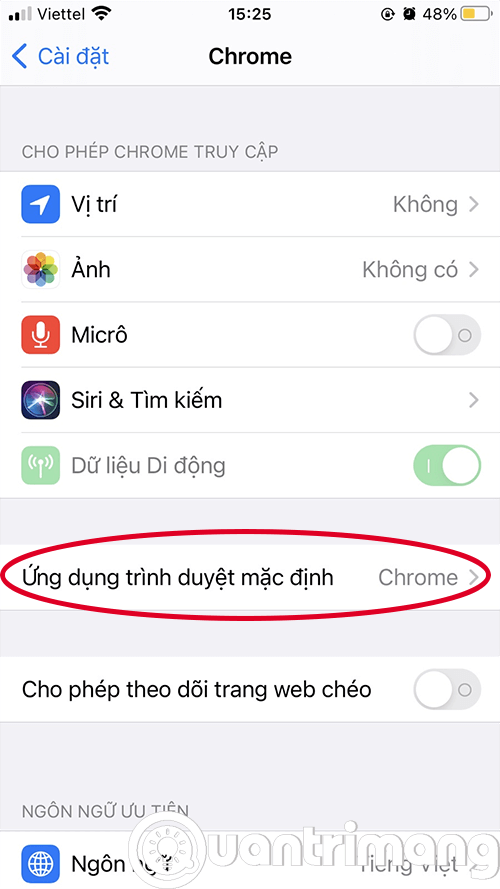
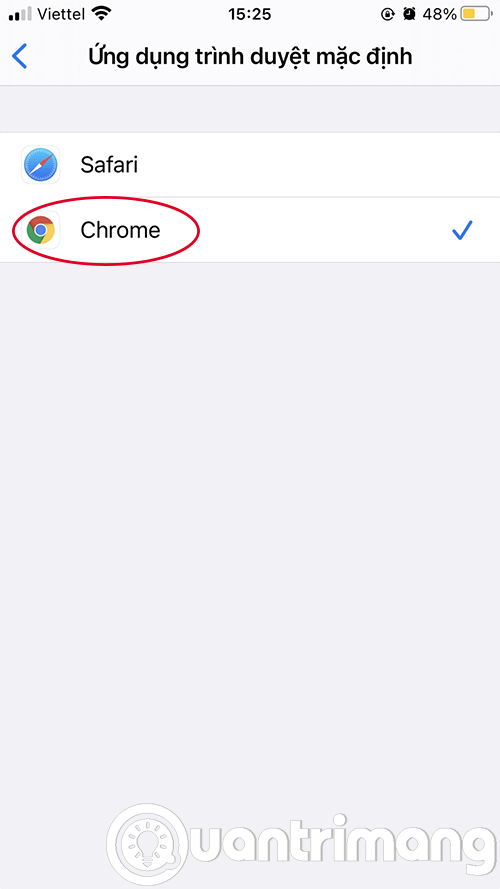
If the app you want does not appear, it is possible that the app's developers haven't yet supported this feature. Web browsers like Google Chrome and Microsoft Edge already support this feature.
- 10 Alternative Browsers to Safari on iPhone
Set Default Email Reader on iPhone
To set your preferred email browser as default on iOS, follow these steps:
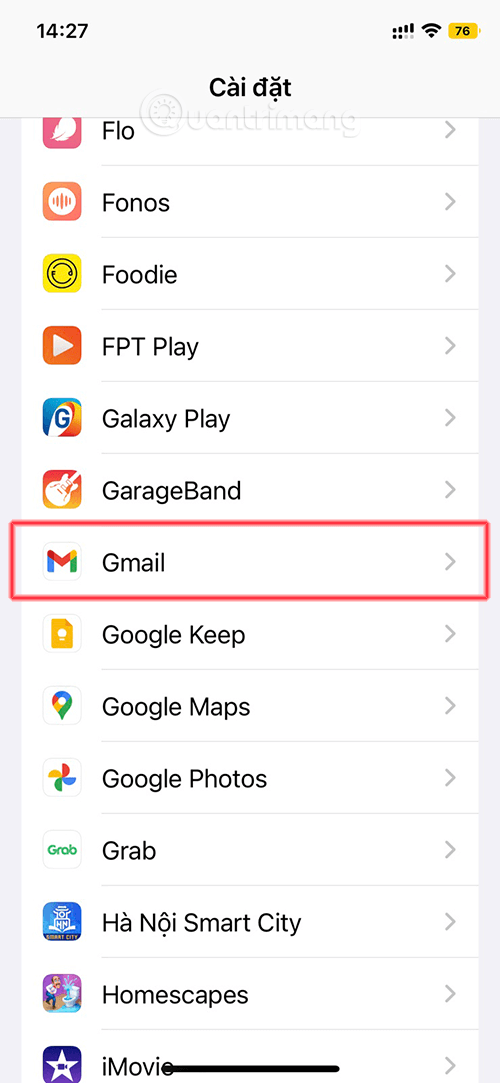
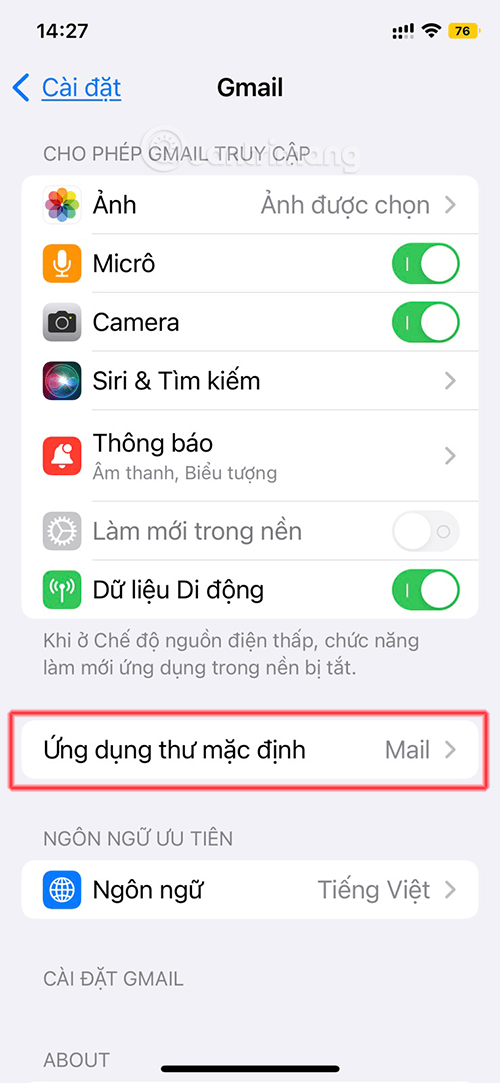
- open Settings , use the search bar to find your email app. Or you can scroll down and find it in the list.
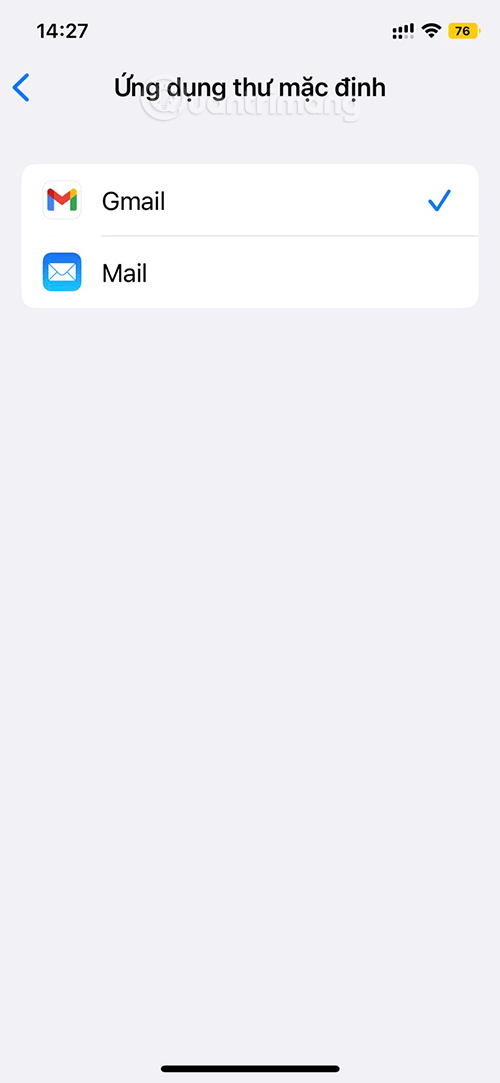
- Next, select Default Mail App
- Choose an app other than Mail as your default email client.
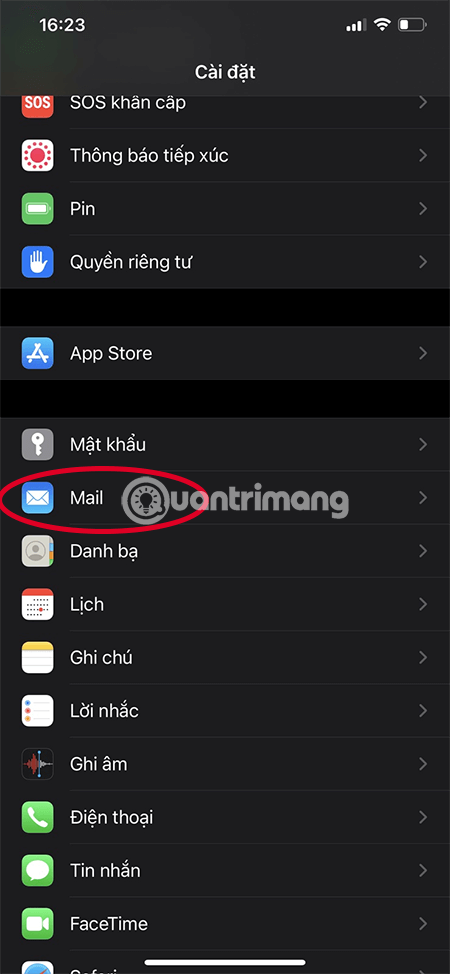
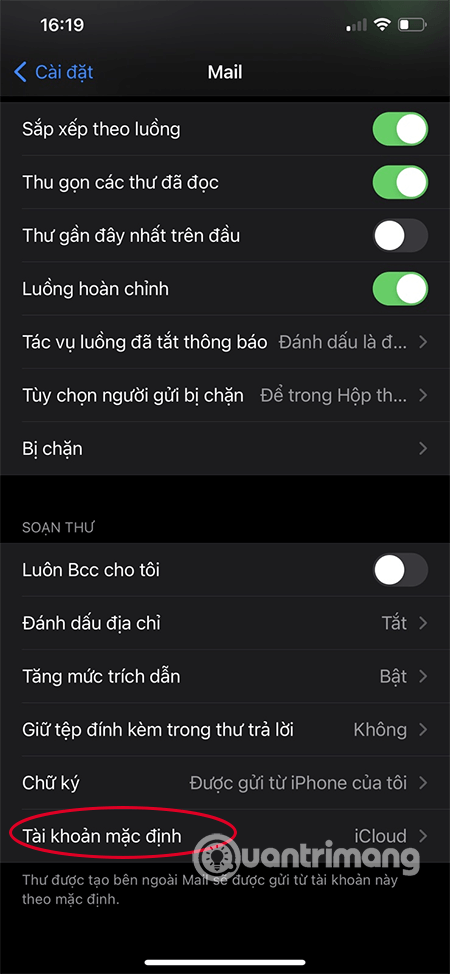
Set Default Mail Account
To set a default email account in the Mail app, do these:
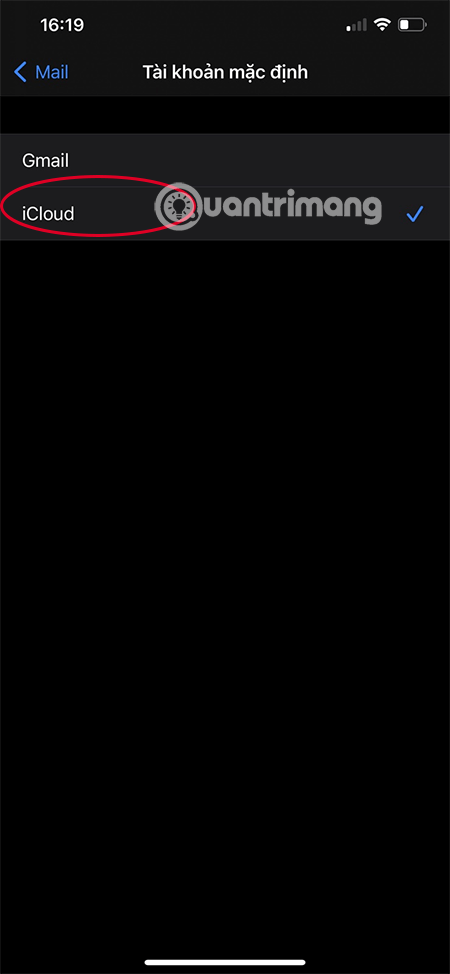
Just like web browsers, there are a few email apps that haven't been supported by their developers yet, so all you can do is be patient and wait for future updates. Since this is a new feature in iOS 14, most email apps should support it soon.
Setting the default email app and web browser on iOS 14 is that simple.
Video Tutorial on Changing Default Browser and Email on iOS
See also:
- 12 best solutions to help you replace default applications on iPhone
FAQ
What should I prepare before I change default browser and email on iphone?
Review the requirements and options in the guide first. Having the correct device, app version, account access, or materials ready helps prevent avoidable errors.
How long does it take to change default browser and email on iphone?
The time depends on the task and your setup. Most basic steps can be completed quickly, while downloads, updates, scans, or troubleshooting may take longer.
What should I do if the steps do not work?
Repeat the instructions in order, confirm that your software or device is supported, and check permissions, connectivity, and available updates before trying again.
Related Articles
 Instructions for Changing the Default Web Browser in Windows 73 minutes read
 How to Set the Default Browser When Opening Any Link on the Computer4 minutes read
 Will iOS 14 Allow Users to Change Their Default Browser and Email3 minutes read
 iOS 14 Lets Users Set Chrome as the Default Browser, Gmail as the Default3 minutes read
 3 Ways to Change the Default Browser in Windows 105 minutes read
 How to Change the Default Browser on Android5 minutes read
Reader Comments 0
Sign in with email or Google to join the discussion.