Table of Contents
xAI announced Custom Voices on April 30, 2026. The feature creates a synthetic voice from a recording for use with Grok’s Text to Speech and Voice Agent APIs.
This is voice cloning, not transcription. Transcription turns spoken words into text; voice cloning produces a voice that can speak new text.
What is confirmed
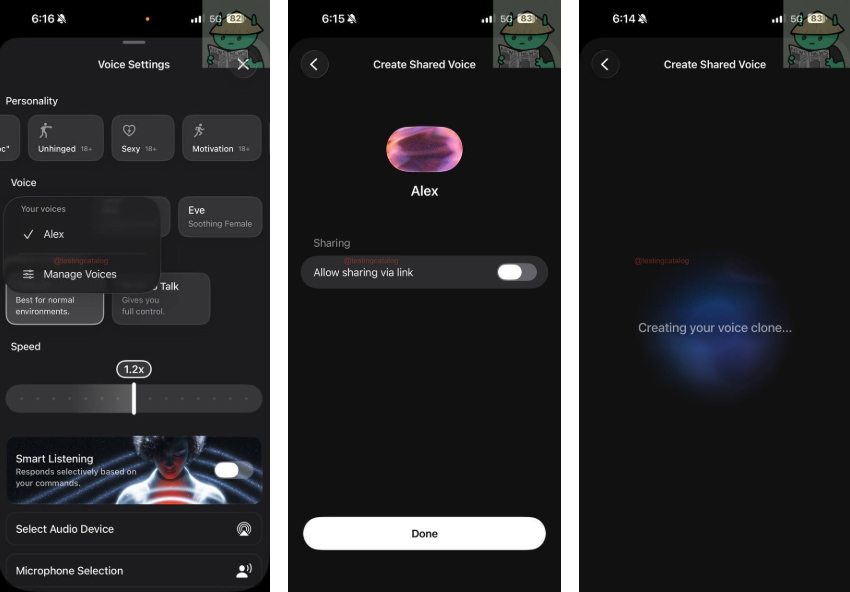
The launch announcement describes recording your own voice in the xAI console, completing a verification process, and using the resulting voice in supported speech services. It presents narration and branded conversational agents as potential uses.
The current Custom Voices documentation explains that a generated voice_id can be used with the speech APIs. It lists a maximum reference clip length of 120 seconds and recommends a quiet recording with a single speaker.
That documentation currently lists availability in the United States except Illinois, and says creation through the API is restricted to Enterprise teams. Check the console and documentation for your account’s current options.
Do custom voices have public sharing links?
The earlier description of a consumer-app voice library with public links should not be treated as an established feature. The current API documentation says custom voices are scoped to a team and are not available to other users.
API support therefore does not confirm that anyone can save another person’s voice through a Grok app link. Look for an explicit product announcement before relying on that workflow.
Prepare and review a voice sample
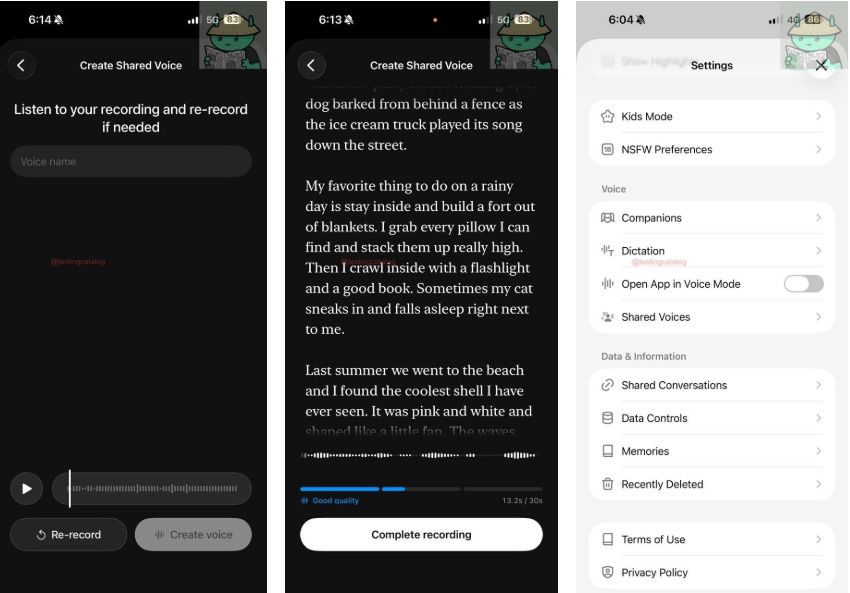
If the feature is available to you, use your own voice and follow the service’s verification instructions. Record without background music, speak in the style you intend to generate, and test a short script before preparing longer narration.
Listen for pronunciation, pacing, and unintended sounds. Label synthetic recordings where listeners might mistake them for an actual recorded statement, and do not use a voice model to impersonate someone.
For other narration workflows, see text-to-speech with stock voices in Speechma and the OmniVoice voice creation guide. These are different products with their own controls and terms.
Related Articles
 How to Enable the Memory Feature on Grok to Personalize Your Own AI Assistant6 minutes read
 What Is the Project Feature in Grok AI? How to Effectively Manage Your Projects with Grok10 minutes read
 Experience the Hilarious Grok AI Chatbot on X3 minutes read
 How to Disable the Automatic Video Creation Feature in Grok6 minutes read
 How to Write Basic Code with Grok: Step-by-Step Guide11 minutes read
 Negative Prompt AI Techniques5 minutes read
Reader Comments 0
Sign in with email or Google to join the discussion.