Table of Contents
Explore great to turn iPhone and iPad into a true gaming machine, including the core mechanics, useful strategies, and common mistakes to avoid.
Great to Turn iPhone and iPad into a True Gaming Machine Overview
Find Good Games (and Discount Games)
The first thing is to talk about the game. If you think that phones and tablets can only play simple, entertaining minutes like Angry Birds, then you're wrong. The App Store brings many high-quality games, just as much as the game console that you will play for hours, bringing a lot of emotions and graphics quality to your surprise. Some names can be mentioned as GTA: San Andreas, Star Wars: Knights of the Old Republic or Final Fantasy.
 On the App Store there are many good quality games
Use the Mfi Gamepad to Work Easier
Some games played by touch are fine, but for others, you should have a handle. There are a number of gamepads designed for iPads and iPhones that you can use to play with many games on the App Store, Gamevice is generally the most appreciated, along with StellSeries Nimbus and PXN Speedy.
 Use the included gamepad to make it easier to control
Use Good Headphones
Perhaps you are using a headset on your PC with speakers on your TV, so why only use the tiny speaker on your iPhone and iPad? A good headset not only helps sound in the game better but also helps detect sound direction (especially useful in FPS shooting game). Open headphones are better for orientation but closed headphones won't bother people around.
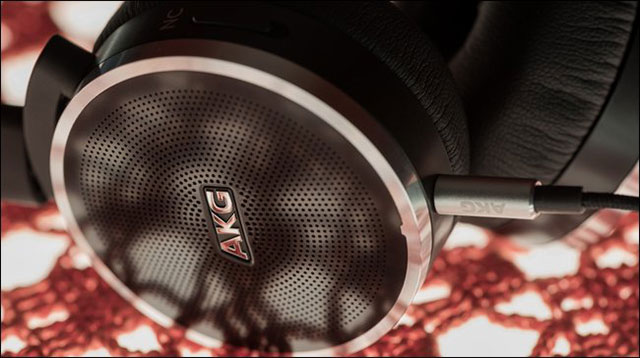 Use good headphones for better sound quality
Stream PC Game to iOS with Moonlight
If you're not happy with mobile games and own a PC with an NVIDIA graphics card, you can play PC games right on your iPhone or iPad.
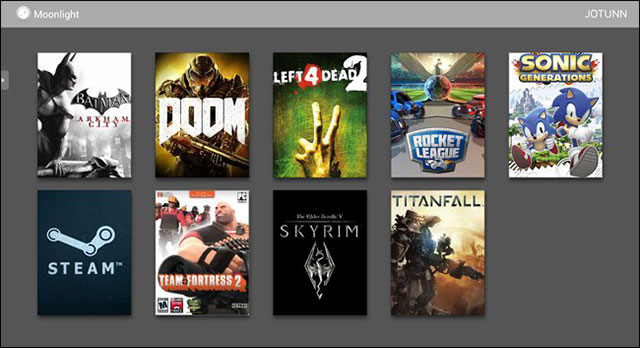 Stream PC game to iOS with Moonlight
Thanks to NVIDIA Gamestream and the free Moonlight app, gamers can stream games directly from PC to iOS and let the computer do the heavy work. Moonlight can also be used with gampad MFI so it looks like you have a small version of NVIDIA SHIELD running on iOS. Once you've played Skyrim on the iPad, you probably won't leave the seat.
Update note: Game mechanics, item values, menus, and availability can change. Check the current game version or official support information if your experience differs.
FAQ
What does this guide explain about great to Turn iPhone and iPad into a True Gaming Machine?
Explore great to turn iPhone and iPad into a true gaming machine, including the core mechanics, useful strategies, and common mistakes to avoid.
What is the best way to apply these tips?
Work through the sections in order, especially find good games (and discount games) and use the MFi Gamepad to work easier. Practice one change at a time so you can see what improves your results.
Can game features or requirements change?
Yes. Updates can change menus, mechanics, item values, compatibility, and availability. Check the current in-game information or the developer's official support pages when details differ.
Related Articles
 5 Gaming Options for Iphone and Ipad8 minutes read
 What to Do When the iPhone or iPad Can't Turn On?6 minutes read
 4 Reasons iPhone Pro Max Is Great for Gaming6 minutes read
 iPad Pro Is Taking a Big Step Forward to Become a Computer for Everyone10 minutes read
 Detailed Instructions on How to Disconnect Your iPad from Your iPhone4 minutes read
 How to Turn Off the 'Unlock iPhone to Use Accessories' Warning on5 minutes read
Reader Comments 0
Sign in with email or Google to join the discussion.