Table of Contents
In August 2025, reporting described Grok conversations appearing in Google results through public share links. The privacy lesson remains relevant: sending a conversation link to one person does not necessarily make that link private to that recipient.
A public sharing page is different from an account's private chat history. The incident should not be described as proof that every Grok conversation was exposed, or that search-result estimates represent an exact count of affected users.
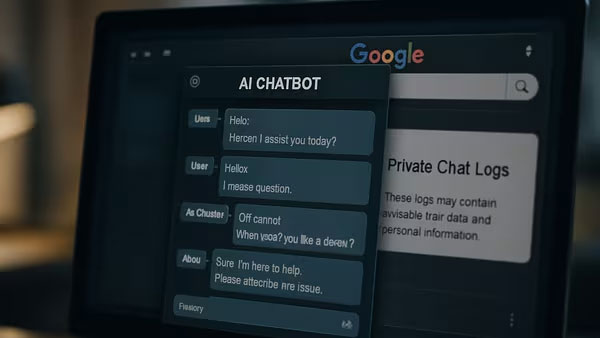
How a shared conversation becomes discoverable
A Share button can create a web page containing a conversation and a URL that others can open without your account credentials. If that page is publicly accessible and discoverable, a search engine may index it. A long or unfamiliar URL is not the same as access control.
The provider's current consumer FAQ describes Grok sharing links as public and notes that links posted publicly can be indexed. That current documentation should not be treated as evidence of the exact warning users saw when sharing in 2025.
Nor does “not indexed” mean confidential: anyone with access to a public link may still read, copy or redistribute its contents.
What information can be exposed
A transcript can reveal details across several messages, not just in its final answer. Names, workplace references, health questions, financial context and combinations of small clues can identify someone even if the page does not display their account name.
Generated answers can also repeat private material supplied in the prompt. Removing one obvious identifier from the question may leave it elsewhere in the conversation. Review the complete shared page, including attachments and quoted text, before distributing it.
How to review and revoke Grok share links
- Sign in to your Grok account and open the shared-links management page at grok.com/share-links, as directed by the provider's FAQ.
- Review existing links and remove those you no longer intend to make available.
- Check what each shared page contains, especially older chats that may include sensitive details.
- If a removed page still appears in search results, consult the search engine's removal or outdated-content process. Removing a search listing and revoking the original link are separate actions.
Revocation can prevent future access through that link, but cannot recall screenshots, downloaded copies or material someone has republished. Avoid claiming that everything online is impossible to remove; the practical limit is that you cannot guarantee removal of every copy.
Safer ways to share AI output
When someone needs only an answer, copy the relevant passage into a separate document and remove personal context rather than sharing the full transcript. For confidential work, use only tools and sharing methods approved for that information.
Check privacy, chat-history and model-training controls separately from sharing controls. A private-chat mode is not permission to disclose sensitive information, and it does not make a separately published page confidential.
Our guides to AI limitations and verifying generated claims explain why chatbot assurances about privacy also need checking against actual product documentation.
Related Articles
 How to Save a Grok Response as a PDF
 Google improves Search to provide more in-depth results for questions
 The fast Google search tips you should know
 How to Delete Grok Chat History on Mobile, Web, and X
 Japan requires Google to delete 122 search results
 Google stops displaying content authors in search results
Reader Comments 0
Sign in with email or Google to join the discussion.