Table of Contents
When I used Floorp, I didn't expect what I got. That was the exception.
You can find many Firefox forks, and they almost always look and feel the same—at least on the surface. Most promise privacy improvements, telemetry data removal, and performance improvements. While they often deliver, the novelty wears off after the third fork.
So when I used Floorp, I wasn't expecting what I got. That was the exception. For the first time, I got to experience a Firefox fork that thought about the user interface in a way that actually made a difference. This was even more impressive because Floorp kept Firefox's strong privacy defaults, like fingerprinting and telemetry blocking. It even disabled Mozilla's telemetry data entirely and gave you the option to disable WebGL and WebRTC, blocking even more tracking.
Floorp's groundbreaking approach
A browser you can customize to your liking
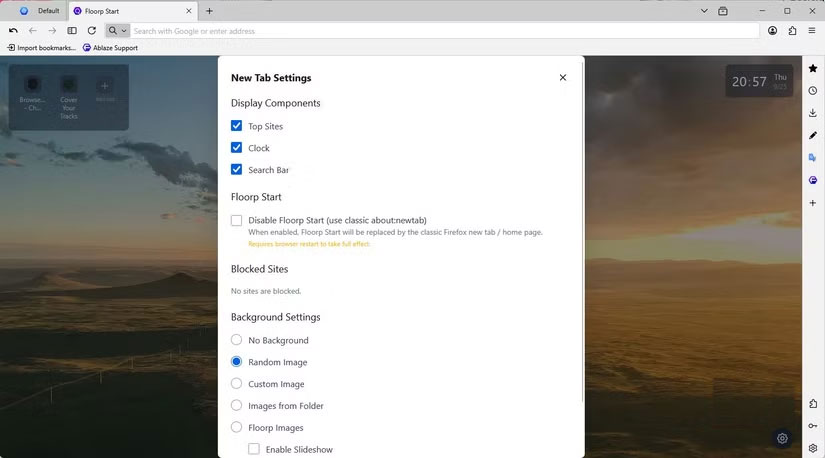
Floorp not only refines the Firefox interface, but also allows for deeper user interface customization. Floorp's toolbars and tabs are more flexible: You can resize the toolbar, stack tabs into multiple rows, or organize frequently used tabs into sections. The workspace adapts to your workflow.
Floorp takes customization to the next level with a powerful sidebar where you can access your bookmarks, history, and extensions. You can even add additional components to the sidebar—a big change from Firefox-based browsers and their limited menu components. With Floorp, these components can move freely, even across multiple monitors. You also get dual sidebar and split view support, which lets you run two panels side by side for even more layout flexibility.
Workspaces are responsive enough to adapt to what you're doing. They're built into the browser menu, and you can switch between a reading-focused setup, a research-oriented layout, or a multitasking grid, all of which are saved for future sessions. This integration of workspaces fits with Firefox's original philosophy of user-centric customization and flexibility.
The difference in user interface is important
Compare Floorp with other Firefox versions
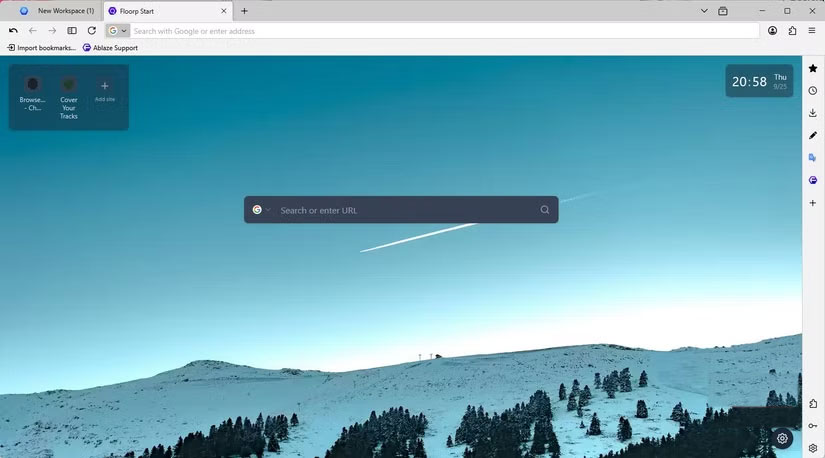
Many Firefox forks have very narrow goals. For example, Waterfox focuses on legacy support and performance tweaks, while LibreWolf focuses on removing telemetry data and improving privacy. But the question is: How should the browser feel to users? That's something these forks rarely address, but Floorp tackles it head-on, combining a solid security foundation with the freedom to extend the user interface.
In essence, while most Firefox forks do not offer a good user interface and experience, Floorp thrives on a fresh experience that emphasizes the interaction between the browser and the user. This is more evident in real-world use cases: You can move panels around the screen and manage multiple tabs with minimal friction, which is cumbersome and limiting in LibreWolf or most Firefox forks.
Impact
Who really benefits from the freedom of Floorp's user interface
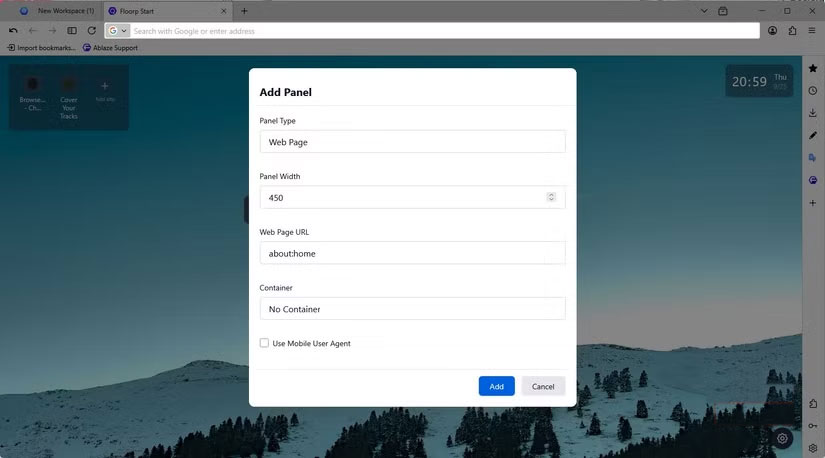
If you're thinking about opening more than one tab at a time, Floorp's flexibility becomes a real advantage. It's an ideal browser for power users who miss the days of fully customizable Firefox. You'll be able to tweak every aspect of your workspace, from tab organization to panel behavior.
This is also the browser for anyone focused on productivity. If your work spans multiple projects, documents, or research tabs, take advantage of Floorp's ability to save and switch between different layouts. You can optimize one layer for writing reports alongside another for web research. The browser no longer feels one-size-fits-all.
That said, even minimalists will find Floorp a very useful option. They can remove unnecessary menus, hide panes, consolidate buttons, and create a distraction-free browsing environment. It's rare to find a browser that's so versatile.
A browser that works the way you do
Floorp doesn't always seem to fit the "Firefox fork" mold. It does more than just be a traditional fork. However, it's still one of the best Firefox-based browsers around. While privacy is important and should be a priority, you can't be productive if the browser doesn't fit perfectly into your workflow.
FAQ
What should you know about floorp?
In practical terms, when I used Floorp, I didn't expect what I got. That was the exception.
Why does floorp matter?
The article highlights that this was even more impressive because Floorp kept Firefox's strong privacy defaults, like fingerprinting and telemetry blocking.
What is the main takeaway?
The main takeaway is that floorp's groundbreaking approach A browser you can customize to your liking Floorp not only refines the Firefox interface, but also allows for deeper user interface customization.
Related Articles
 7 Best Firefox-Based Web Browsers7 minutes read
 How to Play Pokémon GO on a Computer6 minutes read
 How to Play Pokémon GO on a Smartphone6 minutes read
 26 Types of Poké Balls Explained: Part 25 minutes read
 How to Earn and Use Stardust in Pokémon GO5 minutes read
 Pokémon GO Eggs: Incubation and Hatching Guide4 minutes read
Reader Comments 0
Sign in with email or Google to join the discussion.