Table of Contents
This guide covers eee PC s101 high-end netbook with practical context and easy-to-follow details. Use it to understand the subject and apply the information confidently.
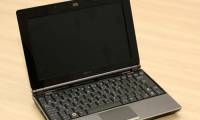
'High-end netbook' is an opposition phrase to talk about the S101 Eee PC because of this product 'cheap, but low power consumption'. However, Asus's strategy is aimed at those who have not decided to buy netbooks because of their 'money's' model. With this S101, this concept will change. The Eee PC S101 is compact and shiny. The lid is brown, or rather, coffee brown looks very strong and luxurious. In addition, the other two colors are wine and gray.
S101 is about the same size as the Eee PC 1000, but a bit shorter and much thinner - only 23 mm on the front and 26 mm on the back, compared to the 29 mm / 38 mm of 1000. S101 weighs less than 1. 1 kg, much lighter than the 1. 41 kg Eee PC and 1. 3 kg Eee PC 901.
Small silver plastic joints create an interesting contrast to the body. Tiny swarovski crystals on the hinge are not as attractive as they should be, but at the very least it creates a feature for the product. The base has a simple design, consisting of only black plastic panels and air vents, along this shell is the SODIMM slot and Wi-Fi module.
The inside of the Eee PC S101 also has a stylish design like the outside, but still can't match the features of Sony's high-end laptop line. The point here is that the low-cost netbook is no longer in your mind, but a mini laptop instead.
The S101 keyboard is similar to the Eee PC S1000 - the same width, the same shape and size with the same number of keys. The Asus N10 keyboard is slightly wider. The point of placing the hand to hover is spread over a sheet of metal with the same color as the laptop cover. It allows two fingers to perform the same tasks as other Eee PC models.
The 10. 2-inch screen and the 1, 024 x 600 resolution are similar to the Asus N10, but the thick frame should look better than the baby. Compared to N10, the screen of S101 is only convenient in strong light conditions. There is not much to say about image quality, because like other Eee PC models, the image is clear, bright and generally very good. One disappointment was that Asus did not increase the resolution for the Eee PC S101. Asus's idea for high-end netbooks is not so much.
This mini laptop is still equipped with Intel Atom N270 chip, clocked at 1. 6 GHz, which is streamed in the Eee PC series. One improvement is that Asus has replaced two SSDs in netbook lines with a 16 or 32 GB hard drive. However, if Windows XP is installed, S101 will receive a 16 GB drive and if you install Linux, you will get a 32 GB drive. Processing speed with configuration of Intel Atom N270 1. 6 GHz chip and 1 GB RAM (equivalent to other Asus Eee PC series) is quite fast and runs smoothly.
Asus is still leading the mini laptops on battery life. When testing the Eee PC S101 with many features, the battery reached 3 hours 45 minutes, and when turned off Wi-Fi and the screen at medium brightness, it was 5 hours.
FAQ
What should I check before following these steps?
Confirm device and software compatibility, save important data, and make sure you have the required permissions, files, and account access.
Why might the process not work?
Common causes include outdated software, missing permissions, incompatible hardware, an unstable connection, or completing a step in the wrong order.
Can I undo the changes if necessary?
That depends on the tool or setting. Use built-in restore options when available, keep a backup, and record the original configuration first.
Related Articles
 Asus Revealed the High-end Eee PC S101 Laptop3 minutes read
 The Most Powerful Netbooks Today9 minutes read
 New Eee PC 1002HA Aluminum Case3 minutes read
 The Trend of High Netbook Configuration5 minutes read
 Asus Announced the S101 Ultra-thin Eee PC Laptop3 minutes read
 5 Netbooks Have High Definition Screens4 minutes read
Reader Comments 0
Sign in with email or Google to join the discussion.