Table of Contents
This guide covers asus revealed the high-end eee PC s101 laptop with practical context and easy-to-follow details. Use it to understand the subject and apply the information confidently.
Like the two previous mini-laptops, Eee PC 901 and 1000, the Eee S101 will also be integrated with Intel Atom 1. 6GHz chip, but will be equipped with SDD storage up to 64GB. The product is expected to cost $ 900, and will lead in the price list of the Eee PC laptop. However, Asus still has not updated this new laptop model to the Eee PC list. The Eee S101 has a 10. 2-inch LED display and is equipped with a 64GB SDD storage drive or 32 GB SDD drive (about $ 699) depending on your choice.
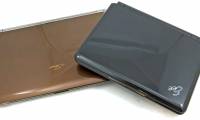
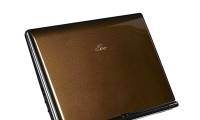
The thickness of the machine is 2. 2 cm and weighs about 1kg. This laptop has two optional brown and white colors. The battery life is about 5 hours. According to Asus CEO Jerry Shen, the brand and the name 'Eee' for the Eee PC laptop could be changed before the product hit the market. However, he did not disclose any specific new brand information for the product.
FAQ
What should I check before following these steps?
Confirm device and software compatibility, save important data, and make sure you have the required permissions, files, and account access.
Why might the process not work?
Common causes include outdated software, missing permissions, incompatible hardware, an unstable connection, or completing a step in the wrong order.
Can I undo the changes if necessary?
That depends on the tool or setting. Use built-in restore options when available, keep a backup, and record the original configuration first.
Related Articles
 Asus Announced the S101 Ultra-thin Eee PC Laptop3 minutes read
 Eee PC S101 High-end Netbook6 minutes read
 Asus Will Launch Eee PC Widescreen Later This Year3 minutes read
 The Most Powerful Netbooks Today9 minutes read
 ASUS Launches High-end Laptop for Business People3 minutes read
 Asus Revealed the High-end Zenbook UX301 Model Ultrabook3 minutes read
Reader Comments 0
Sign in with email or Google to join the discussion.