Table of Contents
This guide covers Intel's thin 14mm netbook with practical context and easy-to-follow details. Use it to understand the subject and apply the information confidently.
The new Atom chip platform for ultra-portable devices like netbooks, tablets or smartphones was introduced a few days ago by Intel with many outstanding advantages. At Computex 2010, the company continues to introduce this strength to the original netbook version called " Canoe Lake " with a thickness of only 50% compared to conventional models.
The new Intel Atom processor generation will help netbooks have the same performance as desktops while maintaining an average battery life of up to 10 hours as currently.
In addition, models using Intel's new platform also feature DDR3 RAM and the ability to play high-definition videos and heavy games.
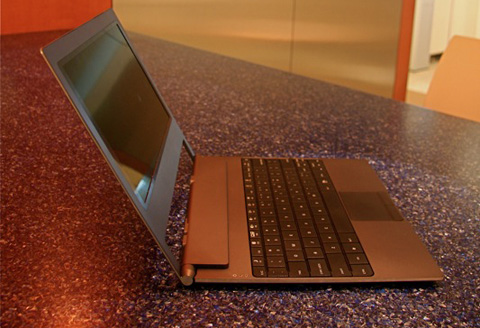 Intel's sample version is only 14mm thin.
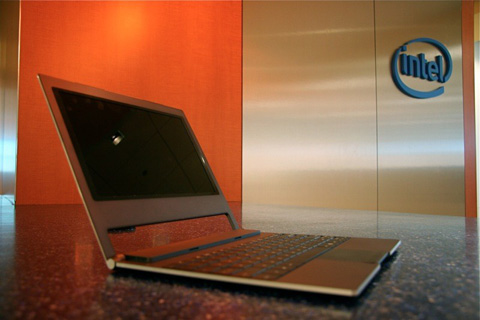 This thinness is only 50% of the current models.
 Versions with this technology will play high definition videos and heavy games.
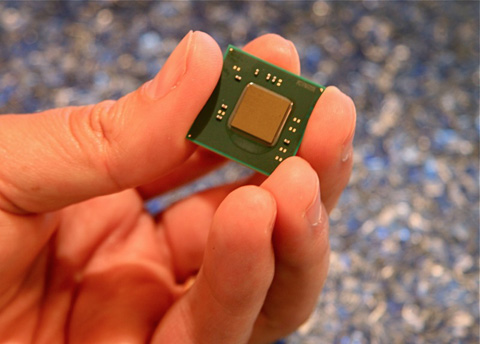 New generation Atom processor.
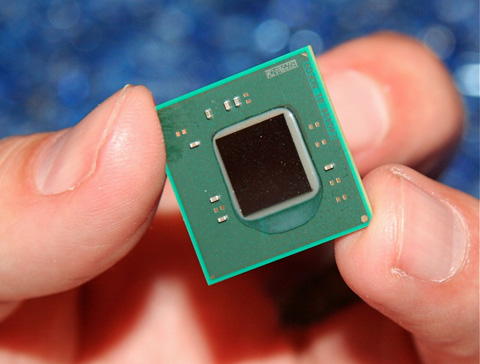 . Has outstanding performance while retaining the same power consumption.
FAQ
What should I check before following these steps?
Confirm device and software compatibility, save important data, and make sure you have the required permissions, files, and account access.
Why might the process not work?
Common causes include outdated software, missing permissions, incompatible hardware, an unstable connection, or completing a step in the wrong order.
Can I undo the changes if necessary?
That depends on the tool or setting. Use built-in restore options when available, keep a backup, and record the original configuration first.






Reader Comments 0
Sign in with email or Google to join the discussion.