Table of Contents
This guide covers nec versa e series is strong and sexy with practical context and easy-to-follow details. Use it to understand the subject and apply the information confidently.
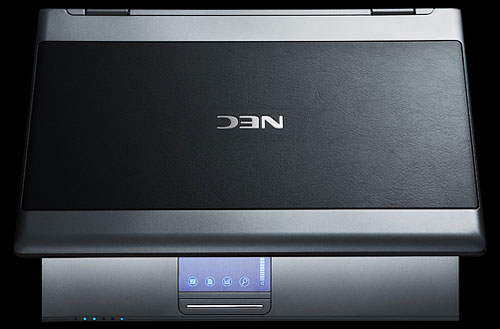 VERSA E6510 is one of the first models to apply technology NEC's Centrino 2 Series P.
The latest laptop from the Japanese brand NEC E6510 / E6500 integrates a Core 2 Duo P8400 CPU with a speed of 2. 26 Ghz, a 6 MB cache (Cache), a 1, 066 Mhz bus (FSB) speed. Intel's new Centrino 2 platform now has seven processors divided into three P, T, and X series, including: P8400, P8600, P9500, T9400, T9600 and X9100 Core 2 Extreme. The P series processors operate below the power level of 25 W. While T and X are approximately 45 W, which means more "power consumption" but with higher performance. The X9100 hit a clock speed of 3. 06 Ghz while the highest CPU P currently is 9500 and only 2. 53 Ghz. In the Centrino 2 processor, the bus speed reaches 1, 066 MHz, increasing the connection between the CPU and other important components in the machine. This promotes smoother graphics and video apps.
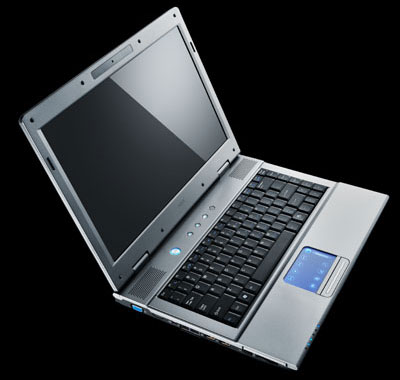
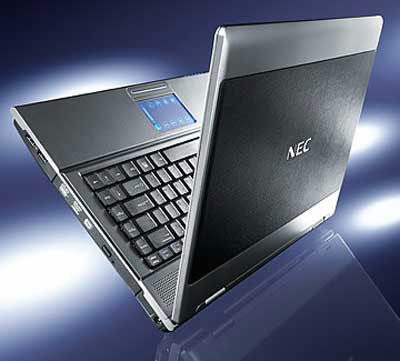 The machine supports a double layer DVD burner.
The E6510 is powered by more powerful graphics with NVIDIA GeForce 9600M GS discrete VGA card with 256 MB GDDR2 capacity with Turbo cache technology. This device is optimized for mobile handling of game, video, or high-speed graphics apps especially for HD movie performance. In addition, the HDMI communication port is also integrated for more smooth transmission of HD video and audio signals. Particularly, the E6500 version only integrates Intel's highest onboard graphics chip, 4500 MHD which supports HD images. There is no HDMI communication port in this line.
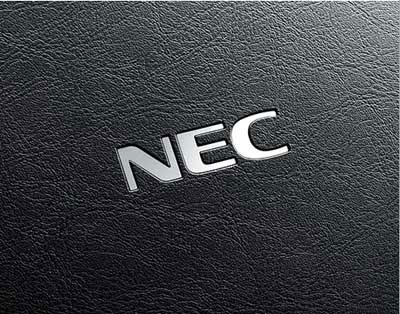 Black faux leather veins and front logo on the VERSA E6510.
Logo of mirror brand is engraved on the front back of the case. The most impressive design is the luxurious black faux leather pattern lines created with special anti-scratch alloy. Through the actual test of using the head to write the friction back and forth hard on this "skin" layer, the results showed that it was not scratched. Another highlight of the product is the tap-n-Go mouse tap panel with sensual Chrome blue light that incorporates joystick for office software, multimedia apps. However, the two trackpad functions and tap keys cannot be used simultaneously. To switch from trackpad to tap key or vice versa, you must press twice on the "Switch" button. When using a tap mouse, the light will turn off.
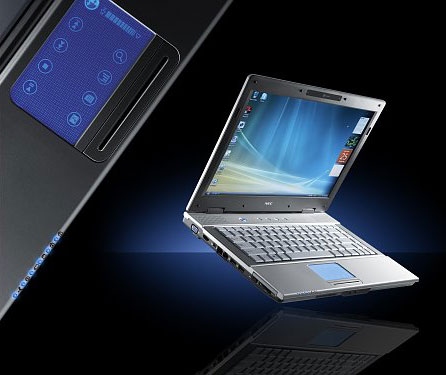 Touchpad with Chrome blue light.
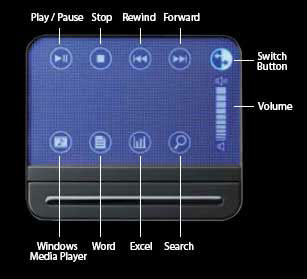 Tap keys on trackpad.
Hot keys on laptops are also available, such as e-mail, Internet, VOIP connections, support for SKYPE apps and the device's power management.
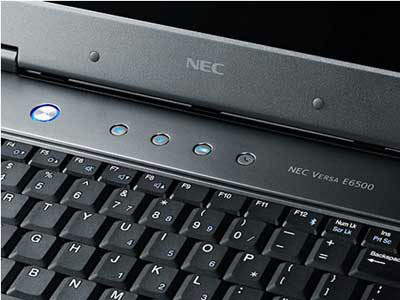 The hotkey is on the edge of the keyboard.
It also supports remote conferencing with 2. 0 Megapixel webcam and dual micro array technology to reduce noise and increase sound quality.
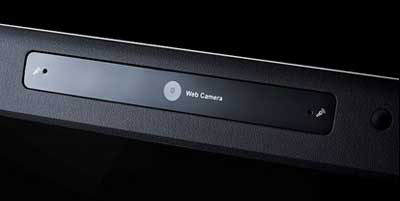 Webcam 2. 0 and dual microphones on both sides.
Standard LCD screen with WXGA resolution (1280 x 800 pixels) size 14. 1 inch. It also supports Bluetooth 2. 0 communication, LAN connection reaches Gigabit standard speed of 1, 000 Mb / sec, Wi-Fi standard b / g.
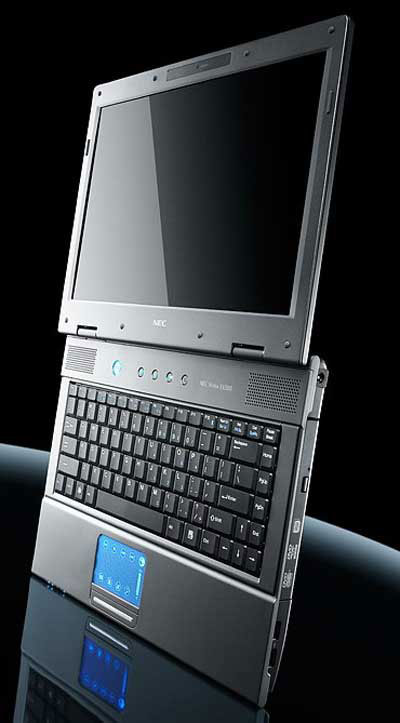 The sleek and attractive look of VERSA E6510.
The product is expected to be available in Vietnam in mid-October for about $ 1, 199 for E6510 and 1, 069 for E6500. Full configuration of VERSA E6510 / E6500 Windows Vista; CPU P8400 2. 26 GHz Core 2 Duo; RAM 2 GB DDR2 800 MHz; 160 GB hard drive with 7, 200 rpm, 6-in-1 card reader slot (SD, SDIO, MS, MS PRO, MMC, XD), 4 USB 2. 0 ports, Express Card Slot, IEEE 1394, VGA port, RJ45, RJ11, 6-cell standard battery, weighs 2. 44 kg.
FAQ
What should I check before following these steps?
Confirm device and software compatibility, save important data, and make sure you have the required permissions, files, and account access.
Why might the process not work?
Common causes include outdated software, missing permissions, incompatible hardware, an unstable connection, or completing a step in the wrong order.
Can I undo the changes if necessary?
That depends on the tool or setting. Use built-in restore options when available, keep a backup, and record the original configuration first.
Related Articles
 How to Choose Between the Fitbit Versa and Apple Watch 314 minutes read
 How to Add Music to Fitbit Versa7 minutes read
 The Style of Makeup over the Past 2 Decades of Victoria's Secret6 minutes read
 The Most Sexy Laptops Today6 minutes read
 'America' Will Dell Adamo Die Prematurely?4 minutes read
 The Best Strong Stt Girl Lines: Stt Good About Strong Girl15 minutes read
Reader Comments 0
Sign in with email or Google to join the discussion.