Table of Contents
This guide covers new eee PC 1002ha aluminum case with practical context and easy-to-follow details. Use it to understand the subject and apply the information confidently.
Located in the Eee PC 1000, but the design of the device is quite similar to S101, thin and luxurious.
The keyboard is wide, the keys are pressed to the outer edge.
The Eee PC 1002HA carries a 1. 6 GHz Atom N270 processor, 1 GB RAM and a 160 GB HDD.
The weak point easily recognized with 1002HA is that the machine only has two cell batteries, much weaker than 1000H and S101.
It has a 10. 2-inch screen, 1, 024 x 600 pixel resolution, LED Backlit technology that saves power.
It has 3 USB 2. 0 ports, Ethernet, VGA output, audio port, memory slot SHDC, weighs about 1. 2 kg (compared with 1. 45 kg of 1000H and 1. 06 kg of S101).
Yesterday, Asus unveiled a new version of the silver aluminum case in addition to the black model. The machine has now started appearing on many US sales websites for $ 499.
FAQ
What should I check before following these steps?
Confirm device and software compatibility, save important data, and make sure you have the required permissions, files, and account access.
Why might the process not work?
Common causes include outdated software, missing permissions, incompatible hardware, an unstable connection, or completing a step in the wrong order.
Can I undo the changes if necessary?
That depends on the tool or setting. Use built-in restore options when available, keep a backup, and record the original configuration first.
Related Articles
 Case: 'Armor' for PC3 minutes read
 How to Open the New Apple MacBook Plastic Case3 minutes read
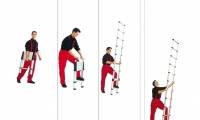 Choose to Buy Safe, Cheap Aluminum Ladders7 minutes read
 Compare 3 Premium Aluminum Ladder Brands Nikawa, Nikita and Poongsan8 minutes read
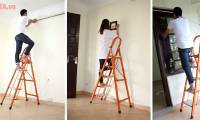 Buy Aluminum Chairs for Families Which Is the Best4 minutes read
 Compare Apple Watch Aluminum Apple Watch Stainless Steel8 minutes read
Reader Comments 0
Sign in with email or Google to join the discussion.