They appear on expensive smartphones and tablets that respond to the lightest of touches, support multitouch, and are generally highly responsive (unless you're wearing gloves). Or, they take a little longer to respond, require a bit more pressure, don't support multitouch, but work with any touch.
If you are a tech enthusiast, especially with touch screen phones, you may have experienced these differences. Think about what makes the difference between touch screens, why the iPhone 4 screen cannot sense gloved fingers, or why we cannot use old touch pens for iPad?
All these questions can be answered by two factors: impedance and capacitance. The difference between these two touch technologies answers all of the above questions. Here is a simple explanation of how these two types of touch screens work.
Touch Screen

Although they are becoming more and more popular, that does not mean that touch screens are a new invention. The first touch screens were invented in the 1960s and have undergone many changes and improvements to become the touch screens we see today.
Touch screens are not limited to smartphones and tablets, they are used in every field and every corner of life, from ATMs, point of sale devices, navigation systems, handheld game consoles and even touchpads on laptops. Touch screens are gradually entering our lives so understanding how they work is also helpful for us.
Resistive Touch Screen
Resistive touchscreens are the most common type of touchscreen. With the exception of modern smartphones and tablets, most touchscreens we encounter are actually resistive. Resistive touchscreens, of course, rely on impedance. The pressure you apply causes the screen to respond.
A touchscreen is made up of two basic layers separated by a space. These two layers have a coating on the surface that meets in the space, like two pieces of bread sandwiched together. When the two coatings touch, a voltage is generated and is processed as a touch at that location.
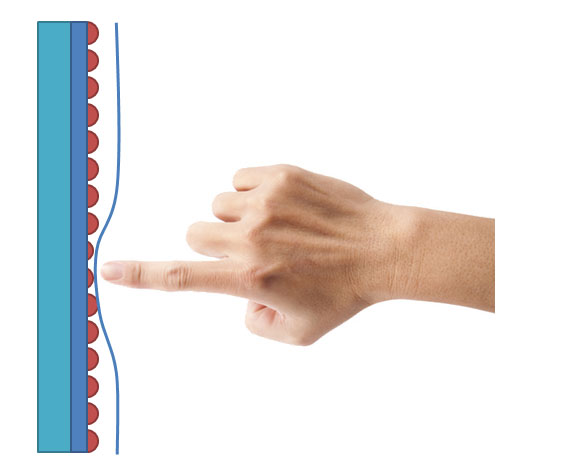
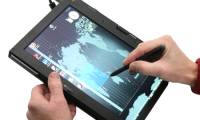
So when a finger, stylus, or any other object touches a resistive touchscreen, it creates pressure on the top layer and it is transmitted down to the next layer, generating a signal. So you can use anything you want to apply to a resistive touchscreen to make the touch interface work; a gloved finger, a piece of wood, a fingernail, as long as enough pressure is applied to the touch point to activate the mechanism and the touch is registered.
For similar reasons, resistive touchscreens require light pressure to register a touch and are not always as responsive as capacitive touchscreens. Additionally, the multi-layer structure makes for less sharp, lower-contrast images than capacitive touchscreens. While most resistive touchscreens do not allow for multitouch, such as two-finger pinch-to-zoom, they can register a touch from one finger while another finger is already touching another location on the screen.
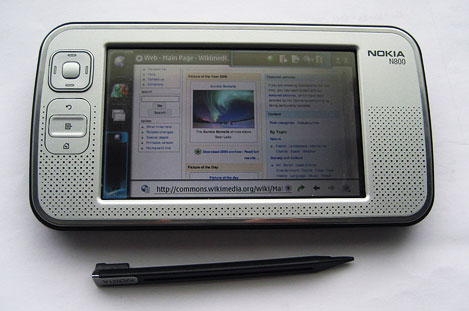
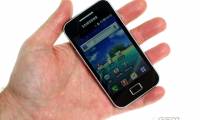
Resistive touchscreens have also improved greatly over the past few years, and today many mid-range touchscreen smartphones have a resistive touchscreen that is just as accurate as high-end devices. Some recent devices that use resistive touchscreen technology include the Nokia N800, Nokia N97, HTC Tattoo, and Samsung Jet. Another famous device that uses resistive touchscreen technology is the Nintendo DS, the first gaming device to use the technology.
Capacitive Touch Screen
Surprisingly, capacitive touchscreens were actually invented first. The first screens were developed about 10 years before resistive touchscreens. However, today's capacitive touchscreens are more accurate and respond quickly to light finger touches.
In contrast to resistive touch, which relies on mechanical pressure from a finger or stylus, capacitive touch screens use the electromagnetic properties of the human body. A capacitive touch screen is typically made of an insulating layer such as glass, covered with a transparent conductive material on the inside. Since the human body conducts electricity, a capacitive touch screen can use this conductivity as input. When you touch a capacitive touch screen with your finger, you cause a change in the screen's electromagnetic field.
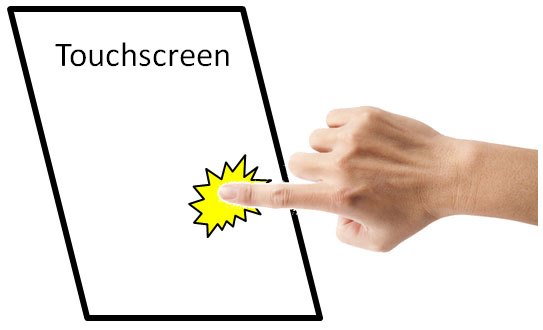
This change is detected, and the location of the touch is determined by a processor. This is done using a number of different technologies, but they all rely on the electromagnetic changes caused by the touch of a finger. This is why you can't use a capacitive touchscreen while wearing insulating gloves. The same goes for styluses.
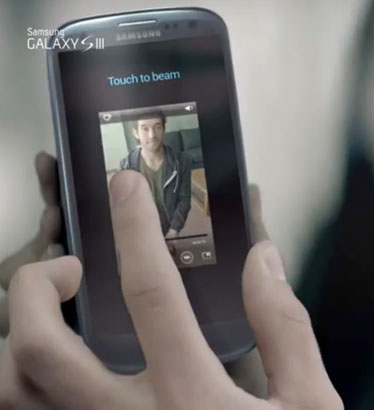
Because capacitive screens are made from just one main layer that gets thinner as technology improves, they are not only more sensitive and accurate, but they also look sharper, like the iPhone 4S. And of course, capacitive screens can support multitouch, but only when using multiple fingers at once. If one finger is touching the screen, the screen won't be able to sense another touch accurately.
Conclude
These are the basic differences between the two popular types of touch screens today. Most high-end devices often consider capacitive touch technology as the number one choice due to its high responsiveness and ability to display sharp images. But resistive touch technology still has certain advantages.




Reader Comments 0
Sign in with email or Google to join the discussion.