Table of Contents
ScratchJr control blocks manage timing, speed, repetition, and stopping. End blocks tell a script what to do after its sequence finishes, such as repeat forever, switch to another page, or end. Together, these blocks help children turn a simple list of actions into a complete animation or story.
Control blocks in ScratchJr
Control blocks are useful when several actions must happen in a particular rhythm or repeat a set number of times. Place a control block in the same script as the motion, looks, or sound blocks it should affect.
| Block | What it does |
|---|---|
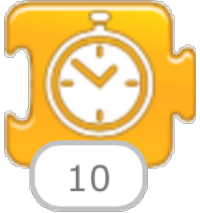 |
Wait: Pauses the script before the next block runs. The value is measured in tenths of a second, so 10 waits for about one second and 50 waits for about five seconds. |
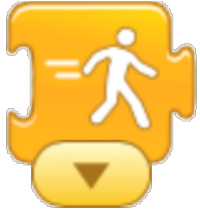 |
Set speed: Changes how quickly a character performs applicable actions. ScratchJr offers slow, medium, and fast settings; the image shows medium speed. |
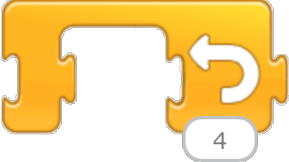 |
Repeat: Runs the blocks placed inside the repeat block a specified number of times. In the example, the enclosed sequence runs four times. |
 |
Stop: Stops the running scripts for the character. Use it when an event should interrupt an action instead of letting the script continue. |
Example: repeat a movement
To make a character hop four times, place the movement blocks inside a Repeat block and set its value to 4. Put a short Wait block between movements if the animation happens too quickly to follow. Changing the speed affects how the movement feels, while waiting adds a pause between actions.
End blocks in ScratchJr
Red end blocks appear at the end of a script. They control whether that script loops, moves the project to a different page, or simply finishes.
| Block | What it does |
|---|---|
 |
Repeat forever: Returns to the beginning of the script and runs it again continuously. Use it for actions that should keep happening, such as a character pacing back and forth. |
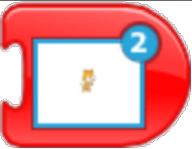 |
Go to page: Switches the project to the selected page. This block connects scenes in a multi-page story or animation. |
 |
End: Marks the end of the script. Unlike Repeat Forever, it does not return to the first block. |
Repeat or repeat forever?
Use Repeat when an action must happen a known number of times. Use Repeat Forever when it should continue for as long as the project is running. An endless loop can make it difficult to coordinate another action, so test how it interacts with the character's other scripts.
Tips for testing ScratchJr scripts
- Build one short sequence first, then add repeats and page changes.
- Run the project after each change so you can identify which block caused unexpected behavior.
- If two characters must act in order, use waits or message blocks to coordinate them.
- Check every Go to Page block to ensure it points to the intended scene.
For more child-friendly coding ideas, compare these programming games and apps for kids. Learners who later move from ScratchJr to Scratch can try this step-by-step Scratch maze project.
Related Articles
 Commands for Events, Animation, Appearance, and Sound in ScratchJr5 minutes read
 What Is ScratchJr?4 minutes read
 Basic ScratchJr Quiz - Lesson 1 with Answers4 minutes read
 ScratchJr Quiz - Lesson 2: Adding Characters4 minutes read
 ScratchJr Quiz - Lesson 5: Review of Commands3 minutes read
 How to Add Characters in ScratchJr4 minutes read
Reader Comments 0
Sign in with email or Google to join the discussion.