Table of Contents
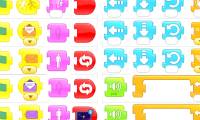
ScratchJr organizes commands into six color-coded block categories: Triggering, Motion, Looks, Sound, Control, and End. This nine-question quiz checks whether you can recognize the most important groups and choose the right block for a simple task.
Answer each question before opening the answer key. If you are new to block-based coding, read the basic Scratch tutorial first. Scratch and ScratchJr use different interfaces, but both teach programs as sequences of connected blocks.
ScratchJr command quiz
1. How many block categories does ScratchJr have?
A. 4
B. 5
C. 6
D. 7
2. Which category starts a script after an event?
A. Triggering
B. Motion
C. Looks
D. Sound
3. Which category moves or turns a character?
A. Triggering
B. Motion
C. Looks
D. Sound

4. Which category changes a character's size or visibility?
A. Triggering
B. Motion
C. Looks
D. Sound
5. Which category plays a pop sound or recorded audio?
A. Triggering
B. Motion
C. Looks
D. Sound

6. Which block plays audio recorded inside a ScratchJr project?
A. Say
B. Pop
C. Play Recorded Sound
D. Send Message
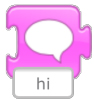
7. Which block displays words in a speech bubble?
A. Say
B. Wait
C. Show
D. Start on Tap

8. Which block returns a character to its starting location?
A. Move Left
B. Go Home
C. Reset Size
D. End
9. Which block restores a character to its default size?
A. Shrink
B. Show
C. Reset Size
D. Go Home

Answer key and explanations
- C — 6. ScratchJr has Triggering, Motion, Looks, Sound, Control, and End categories.
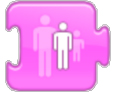
- A — Triggering. These blocks begin a script when the green flag is tapped, a character is tapped or bumped, or a message is received.
- B — Motion. Motion blocks move a character in four directions, turn it, make it hop, or return it home.
- C — Looks. Looks blocks handle speech, size, hiding, and showing.
- D — Sound. The Sound category includes the built-in Pop block and blocks for recorded audio.
- C — Play Recorded Sound. Use this block after creating a recording in the project.
- A — Say. The block shows editable text in a speech bubble above the selected character.
- B — Go Home. A character's home is the position it occupied when the project started.
- C — Reset Size. This reverses changes made with Grow or Shrink and restores the default size.
Try the blocks in a short script
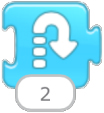
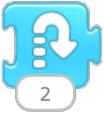
Create a character and connect these blocks: Start on Green Flag → Grow → Say → Wait → Reset Size → Go Home → End. Run the project, then change the number on Grow or Wait to see how a parameter affects the result. For a broader look at projects children can build, see these programming games and apps for kids.
The official ScratchJr block guide provides a concise description of every block.
Related Articles
 Basic ScratchJr Quiz - Lesson 1 with Answers4 minutes read
 ScratchJr Quiz - Lesson 2: Adding Characters4 minutes read
 Commands for Events, Animation, Appearance, and Sound in ScratchJr5 minutes read
 A Compilation of Control and Termination Statements in ScratchJR4 minutes read
 How to Add a Start and End Screen for a ScratchJR Quiz (Part 3)6 minutes read
 How to Learn English on ScratchJr3 minutes read
Reader Comments 0
Sign in with email or Google to join the discussion.