Table of Contents
Apple Music Replay shows personalized listening statistics and playlists based on your Apple Music history. In the Music app, open Home, scroll to Replay: Your Top Music, and select Go back in time. You can also sign in at Apple's Replay website from a phone or computer.
Replay can include top songs, albums, artists, playlists, genres, stations, play counts, listening time, milestones, monthly insights, and a year-end highlight reel. The exact cards shown depend on your listening activity and the time of year.
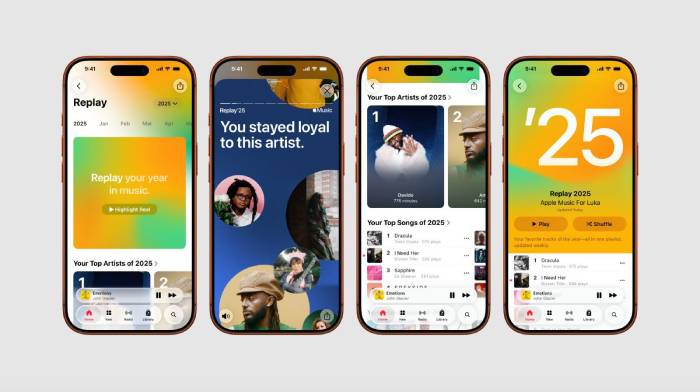
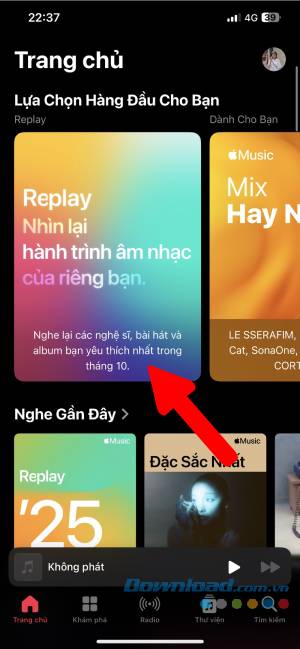
View Replay in the Apple Music app
- Update iOS, iPadOS, or the Apple Music Android app.
- Open Music and select the Home tab.
- Scroll to Replay: Your Top Music.
- Tap Go back in time to open the listening statistics.
- Select a month or the available year-end view.
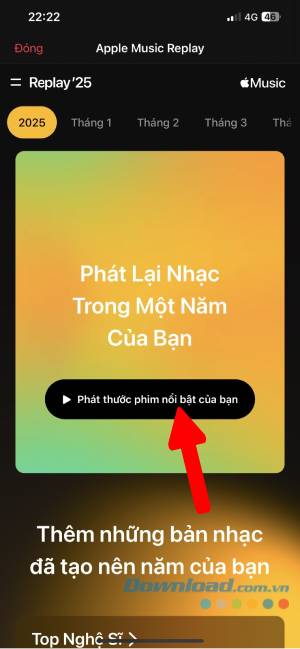

View Replay on the web
- Open replay.music.apple.com.
- Sign in with the same Apple Account used for the Apple Music subscription.
- Select Jump In.
- Browse the current year's insights, available months, and previous years.
Play and explore the year-end highlight
When the full year-end experience is available, select Play your highlight to watch the audio-visual recap. Continue to the dashboard for category totals and rankings rather than relying only on the short reel.

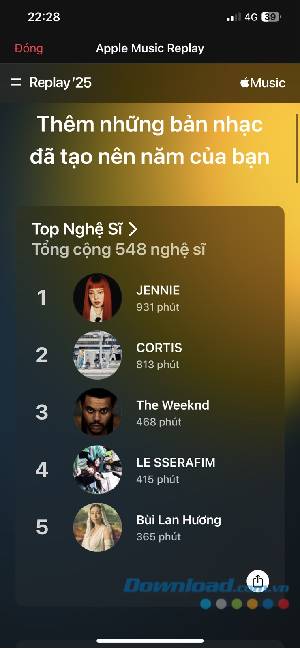
Replay may surface insights such as artists discovered during the year, artists repeatedly played across years, or artists who returned to your listening rotation. These labels are generated from Apple's analysis of the account's eligible listening history.

Find Replay playlists
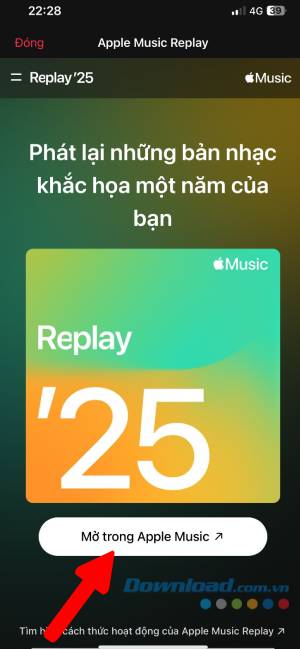
In the Music app, go to Home and scroll to Replay: Your Top Music. From that section you can:
- Open the current year's Replay playlist, which Apple updates during the year.
- Listen to Replay playlists from previous eligible years.
- Open the All Time playlist of heavily played songs across your Apple Music history, where available.
- Add a Replay playlist to the library with the Add button.
- Share a playlist or supported Replay insight.
How Apple calculates Replay
Apple says Replay uses eligible Apple Music listening history, the number of plays, and time spent listening. A subscription and enough qualifying activity are required. Plays made while listening history is disabled do not contribute in the same way, and listening on a different Apple Account will not appear in the intended Replay.
If Replay is missing
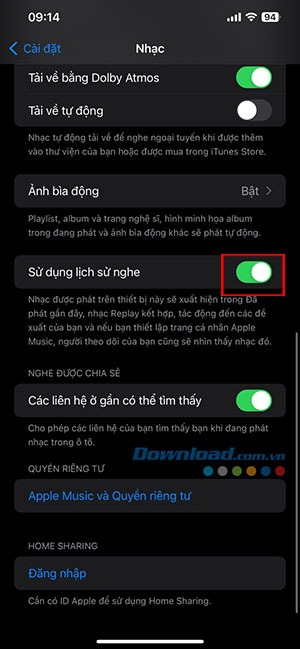
Turn on Use Listening History
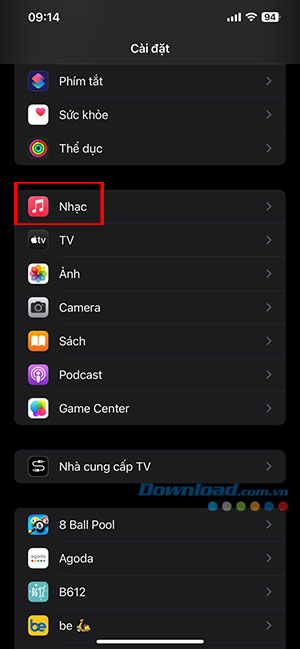
- iPhone or iPad: go to Settings > Apps > Music and enable Use Listening History.
- Mac: open Music, choose Music > Settings > General, and select Use Listening History.
- Android: open Apple Music, tap the More button, choose Settings, and enable Use Listening History.
Turn it on for every device whose playback should count. Enabling it now does not necessarily reconstruct listening that was excluded in the past.
Check the account and activity
- Confirm that the Apple Music subscription is active.
- Use the same Apple Account in Apple Music and on the Replay website.
- Listen long enough to become eligible; Apple notifies users when Replay is ready.
- Update the app or try the web version if one interface does not load.
- Check whether Replay is available in the country or region.
Apple's official Replay support page contains the current paths and troubleshooting steps.
Share without revealing more than intended
Use the Share button on an insight or wait for a personalized video to finish preparing, then choose Share Video where supported. Review the card before posting: listening time, ranking badges, usernames, and favorite artists may reveal more about an account than a playlist alone.
Related Articles
 Instructions for Watching Apple Music Replay 2023: What to Know4 minutes read
 How to Statistics Monthly Spotify Music Listening: Practical Guide4 minutes read
 15 Great Benefits of Listening to Music You May Not Know15 minutes read
 7 Ways to View Your Spotify Stats: View Spotify Statistics5 minutes read
 What Is a Replay Attack?3 minutes read
 How to Set Up Privacy for Apple Music Accounts3 minutes read
Reader Comments 0
Sign in with email or Google to join the discussion.