Table of Contents
Explore Android app shortcuts that many people overlook, including the key concepts, practical examples, important considerations, and useful guidance.
How to use app shortcuts on Android
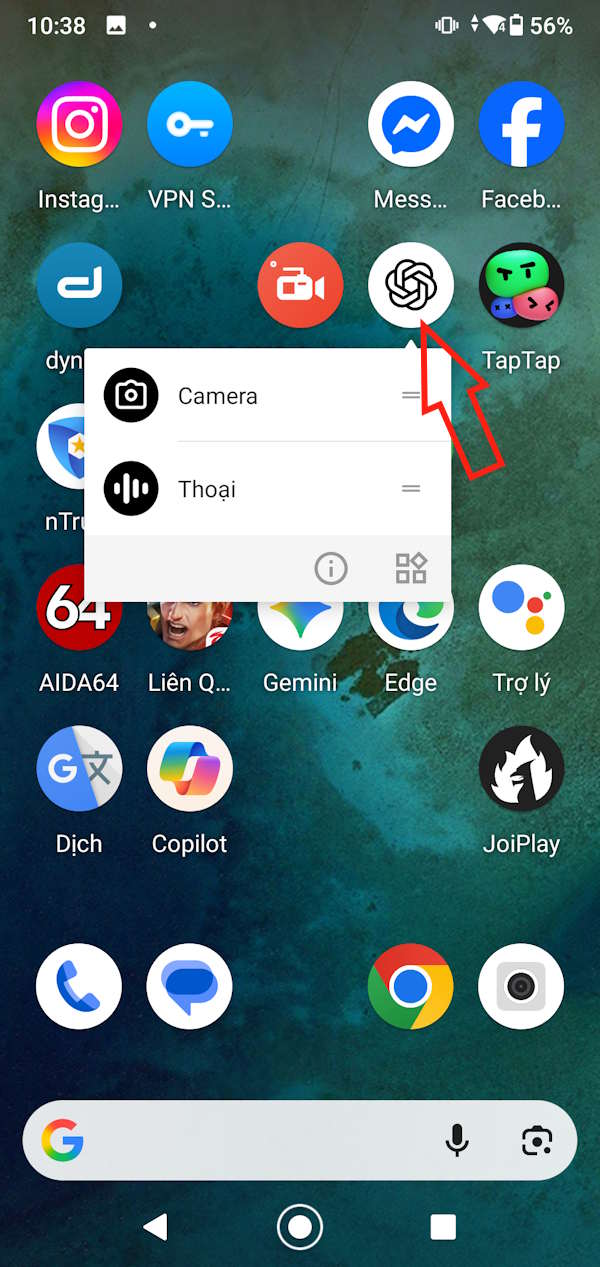
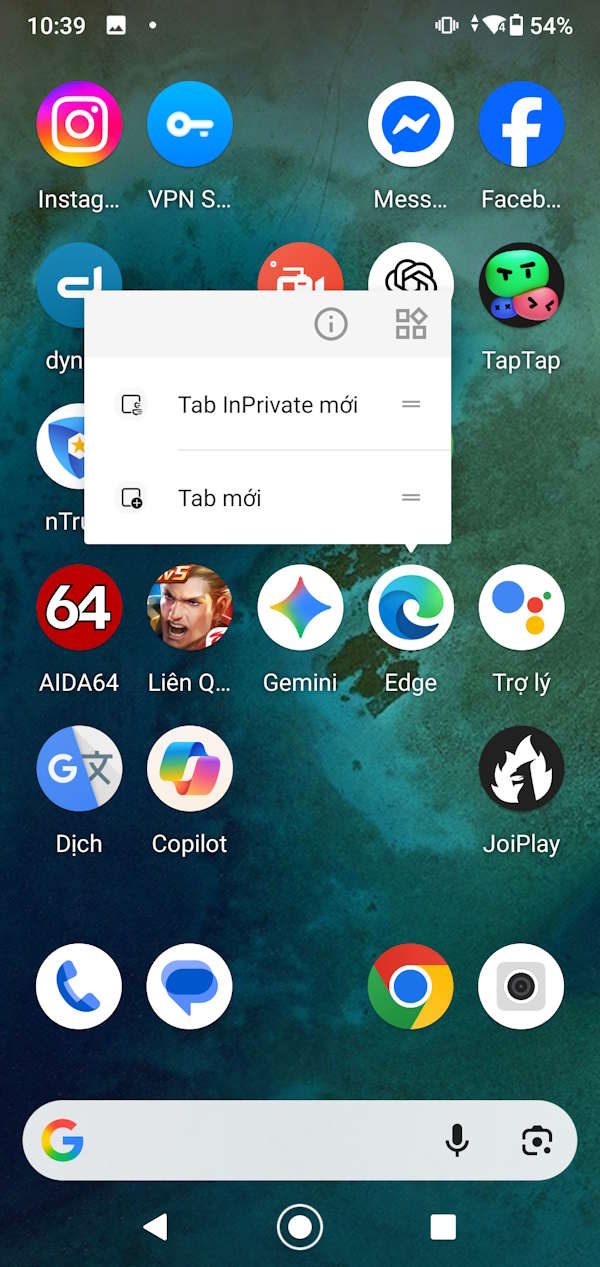
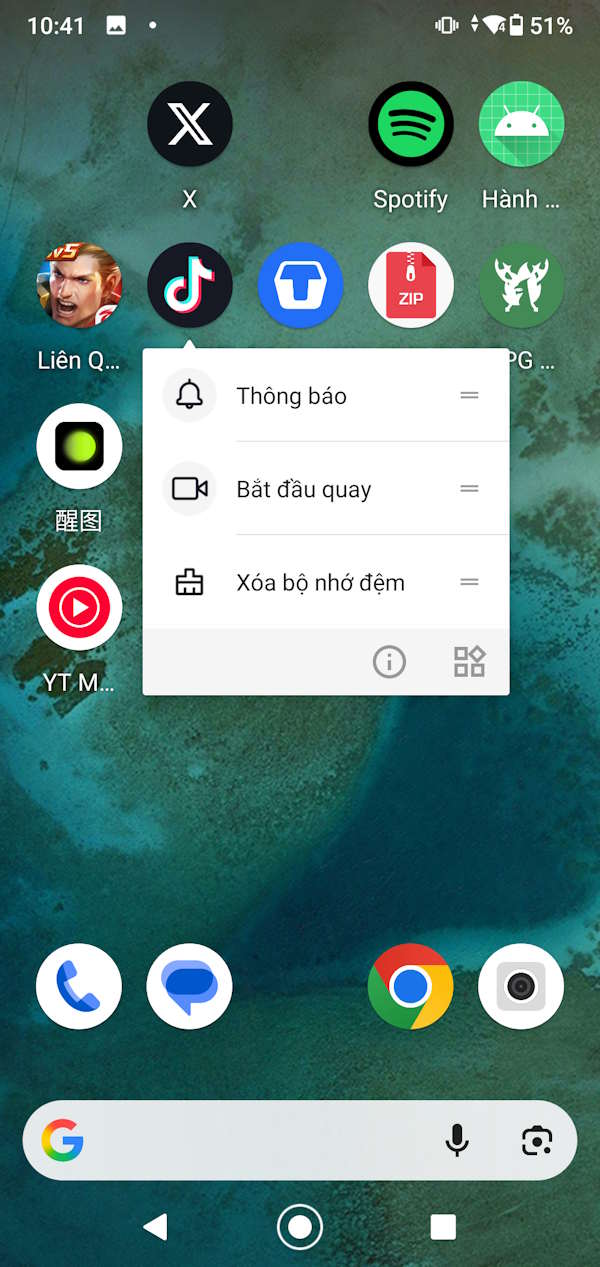
Instead of tapping the app icon on the screen to perform the desired actions, we simply press and hold the app icon , and then a menu will appear allowing us to perform actions for that app .
Each application has a different menu of operations, and while it may not display all the application's functions, it saves time. These application shortcuts allow for quicker and easier access to everything.
Please note that not all applications support keyboard shortcuts.
How to add app shortcuts to your Android home screen
Once you've learned about app shortcuts on Android, you can add them to your home screen, specifically for actions you frequently use with that app.
To add any app shortcut to your Android home screen , simply press and hold the app icon to display the action menu.
Next, press and hold the app shortcut and drag it to the app grid on the home screen . You will now see the app shortcut with the operation and app icon as shown below.
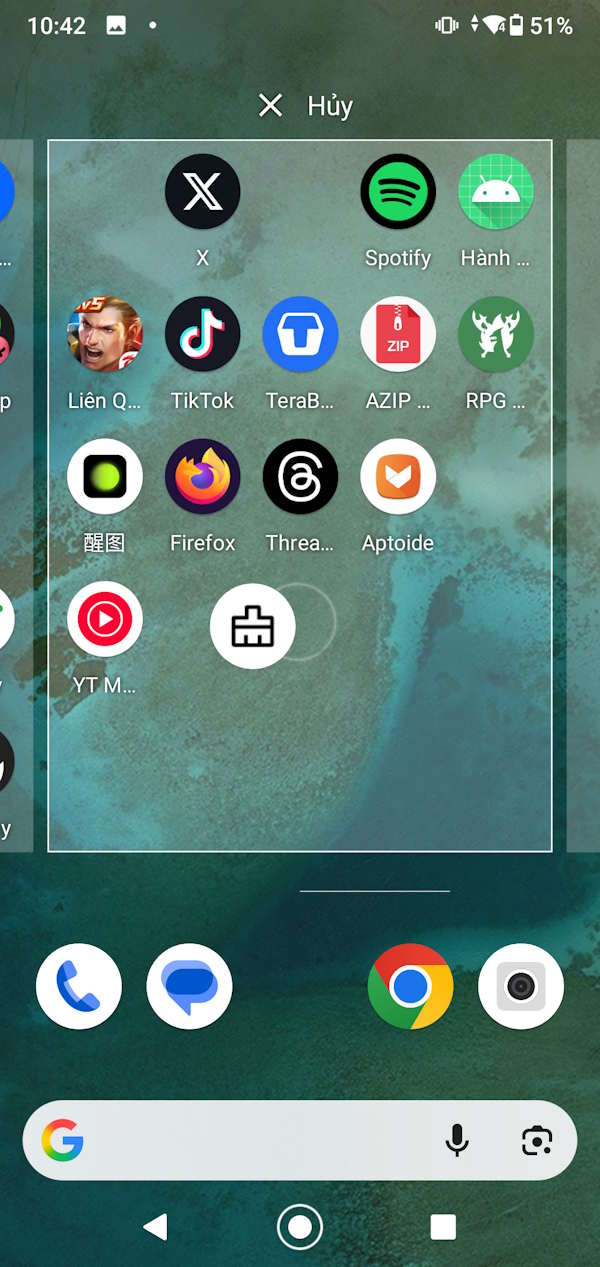
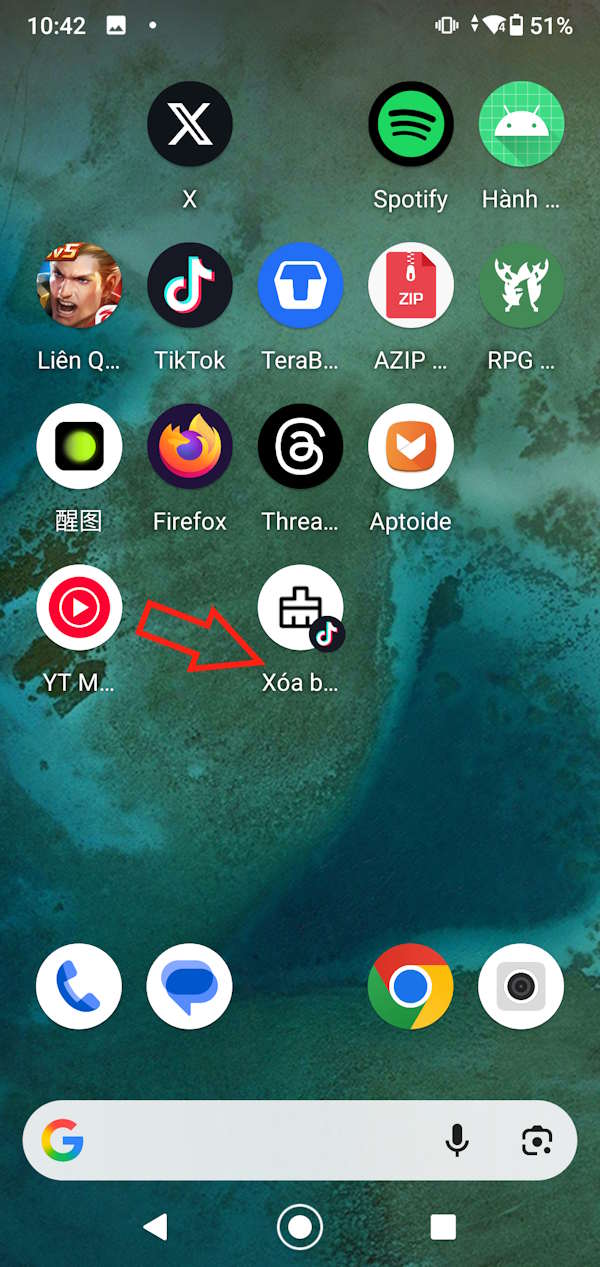
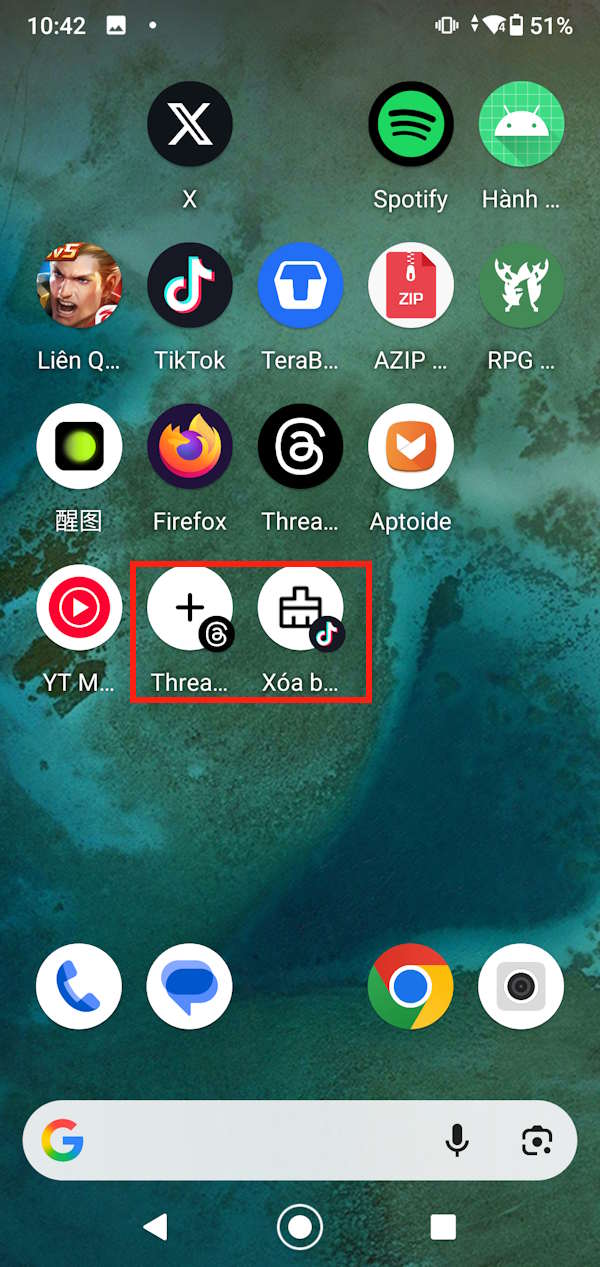
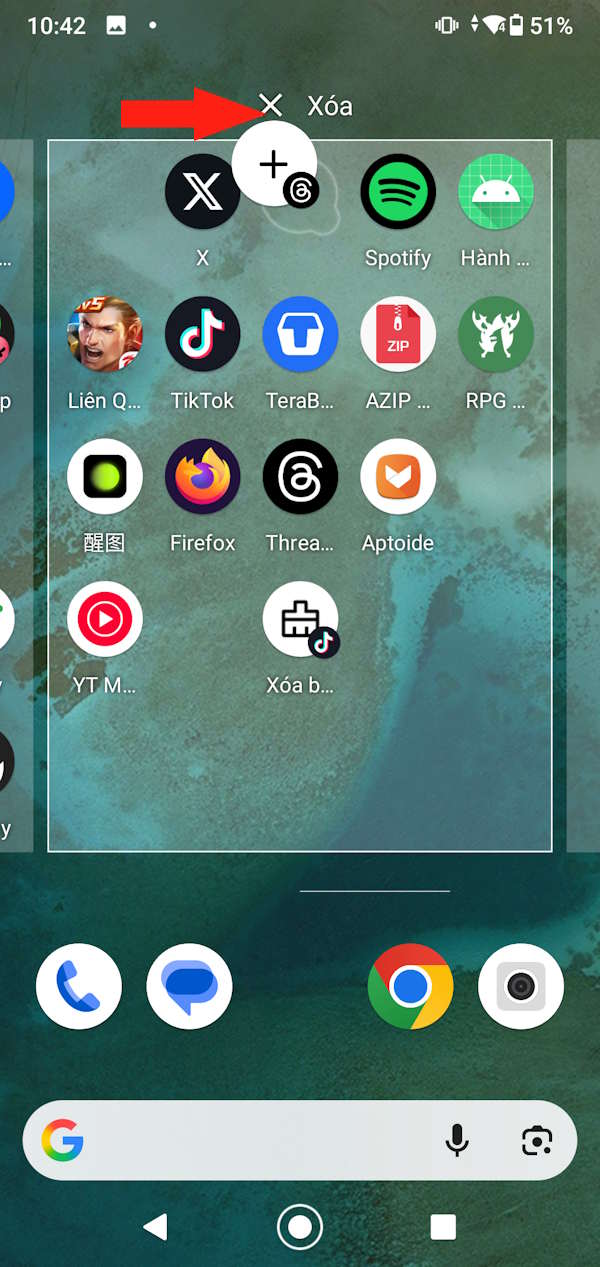
If you want to delete an app shortcut , simply press and hold the shortcut and then move it to the trash can to delete it.
Final Thoughts
Understanding android app shortcuts that many people overlook makes it easier to evaluate the information and apply the most relevant recommendations. Focus on the key points above and verify details that may change over time.
FAQ
What is android app shortcuts that many people overlook?
Explore Android app shortcuts that many people overlook, including the key concepts, practical examples, important considerations, and useful guidance.
What key points does this article cover?
The article focuses on How to use app shortcuts on Android, How to add app shortcuts to your Android home screen, with practical explanations and examples.
How can you use this information in practice?
Use the explanations to compare options, verify important details, and make a more informed decision. Apply the recommendations that best match your goals and situation.
Related Articles
 Summary of Priceless Shortcuts on Android14 minutes read
 List of Shortcuts for Google Docs on Android (Part 4): Hotkeys5 minutes read
 List of Common Shortcuts for Google Sheets on Android (Last Part)3 minutes read
 6 Useful Outlook Shortcuts You Can Use Every Day11 minutes read
 All the Keyboard Shortcuts on Obscure Computers11 minutes read
 17 Shortcuts Contain Shift Useful in Windows4 minutes read
Reader Comments 0
Sign in with email or Google to join the discussion.