Table of Contents
This guide provides a clear, practical overview of an easy guide on how to unlock your iPhone 7, with useful context, important details, and straightforward takeaways for everyday readers.
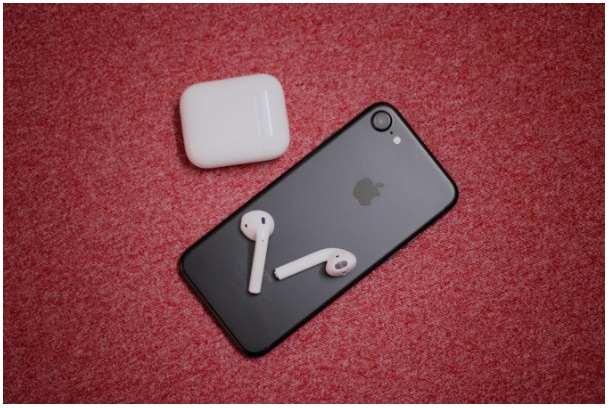
Here's some information to guide you through unlocking your iPhone 7.
Why do I Need to Unlock my iPhone?
If you are switching to another network provider or, as mentioned in the introduction, you may have bought an iPhone from someone who originally bought it from a network, you will need to unlock your iPhone to use it. Once it's unlocked you can choose the network provider that offers you the best coverage and bang for your buck.
Another reason to unlock it is so that you can travel around the world and use different sim cards and networks. If you plan on selling your iPhone after you are finished with it, you may find it easier to find a buyer or even be able to negotiate a higher price because you have already done the hard yards for the new owner.
How Do I Unlock My iPhone?
There are 4 customary ways to unlock your iPhone 7. The iPhone guru's at netchimp.co.uk/webdesign/unlock-iphone/how-to-unlock-iphone-7/ guide you through these steps in detail. The 4 methods are hardware unlocking, software unlocking, network unlocking, and Gevey SIM unlocking.
The best option is "network unlocking" as this does not void your phone's warranty or possibly damage it - like "hardware unlocking". You can do this by contacting your network provider and asking them to unlock it, or you can contact a third-party company to do it for you. If you are still under contract, then your network provider will probably not unlock your iPhone for you, thus third-party companies are the recommended option. Find a third-party company in your area that has good reviews. Since the iPhone 7 has been around for a while, the original contract is likely finished, so there is a better chance with older models that your network provider can help you.
What To Avoid
The remaining three options: hardware unlocking, software unlocking, and Gevey SIM unlocking, come with risks or are no longer available.
"Hardware unlocking" involves opening up your phone and does not always work. There is a risk when someone opens up your phone and your warranty is immediately void. This is considered the riskiest option so you want to avoid this one.
The "Gevey SIM unlocking" method is clever but also can damage your device and has some tradeoffs. It involves attaching a small chip onto your SIM card and squeezing this into your phone. The tradeoffs are that your warranty is void, it can cause overheating, iMessage and Facetime don't work, to name a few.
The "software unlocking" option is no longer available so be careful of anyone offering this service to you. An important consideration is that you have paid for an iPhone 7 and risking damage and losing a warranty to unlock it is likely, not worth it.

What You Should Expect
Depending on where you live, the cost to have your iPhone 7 unlocked should not be extraordinarily expensive. You should expect to pay around $30 to have it unlocked and the job should only take a few days. This does depend on where you are currently located, things to bear in mind are the time of year, and whether or not it is a busy period. Other than that, you should expect the process to be cost-effective and painless.
You should now have all the information you need to unlock your iPhone 7. Remember to avoid options that may void your warranty or risk damage to your phone. Keep this in mind as well if you are buying an iPhone that has already been unlocked or when your friends and family are in the market for a new iPhone. It's worth having your iPhone unlocked so that you have flexibility with network providers and can travel with your iPhone. This is a major benefit as we have all heard of the horror stories of exorbitant phone bills are a holiday abroad.
Key Takeaways
Use the information above as a practical reference for an easy guide on how to unlock your iPhone 7. Review each step carefully, confirm any requirements, and choose the option that best fits your situation.
FAQ
What does this guide explain about An Easy Guide on How to Unlock Your iPhone 7?
It explains the main concepts, practical considerations, and useful steps related to an easy guide on how to unlock your iPhone 7 without requiring advanced knowledge.
Who can benefit from learning about An Easy Guide on How to Unlock Your iPhone 7?
This information is useful for readers who want a clear overview, practical guidance, and reliable steps related to an easy guide on how to unlock your iPhone 7.
What should I check before applying this information?
Review the requirements, confirm that your device, software, or situation matches the instructions, and back up important data before making major changes.
Related Articles
 How to Turn Off the Feature Press the Home Button to Unlock It on6 minutes read
 How to Unlock Disabled iPhone9 minutes read
 Guide to Unlock Smart Screen Like iPhone for Android Device7 minutes read
 6 Ways to Unlock iPhone Without Password8 minutes read
 How to Set Face ID on iPhone X4 minutes read
 US Police Scramble to Buy Tools to Unlock All IPhones Despite the Price of up to $30,0004 minutes read
Reader Comments 0
Sign in with email or Google to join the discussion.