Table of Contents
Microsoft 365 Copilot Library is a central place to find visual assets and Copilot Pages created in the Microsoft 365 Copilot app. It is not a general archive of every Copilot conversation or every document in OneDrive. Use its filters to locate a poster, image, infographic, story, banner, or page and then open the actions available for that item.
Open Copilot Library
- Sign in to the Microsoft 365 Copilot app or visit microsoft365.com with the account used to create the content.
- Select Library in the left navigation.
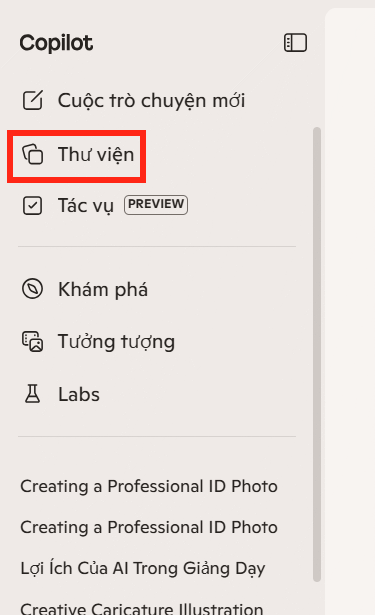
If Library is missing, confirm that you are using the correct personal, work, or school account. Some content types and controls depend on your Microsoft 365 subscription and organizational settings.
Filter the content
Library separates content by type. The Images area can include AI-created images, infographics, stories, posters, and banners. The Pages area contains Copilot Pages that you created or that were shared with you.
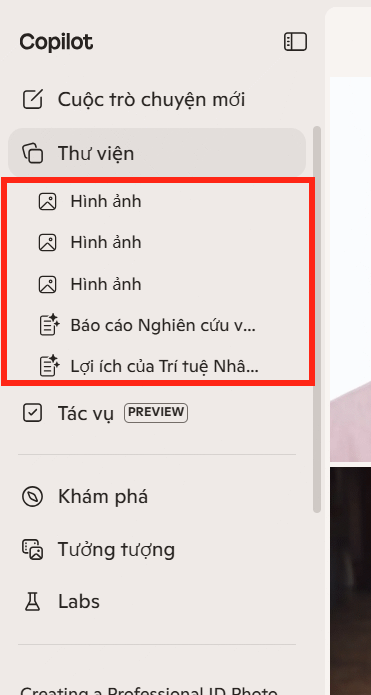
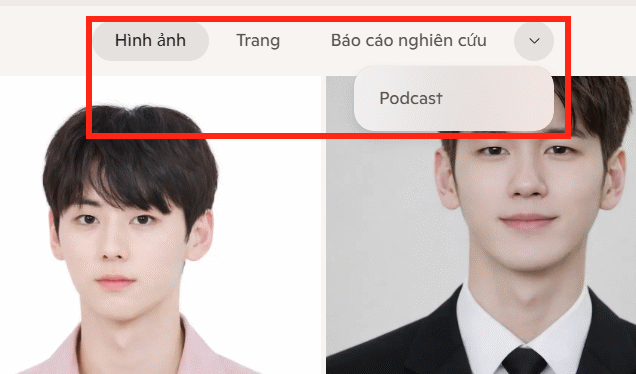
Use the type and source filters when the list is long. For Pages, for example, the source filter can narrow the list to items created by you. Library organization may change as Microsoft adds new creation formats.
Download, edit, copy, or delete an item
Hover over a visual to reveal its quick actions. Select the download control to save it, or open the three-dot menu for commands such as Edit, Copy, or Delete. The exact commands depend on the content type; a Copilot Page and a generated image do not have identical options.
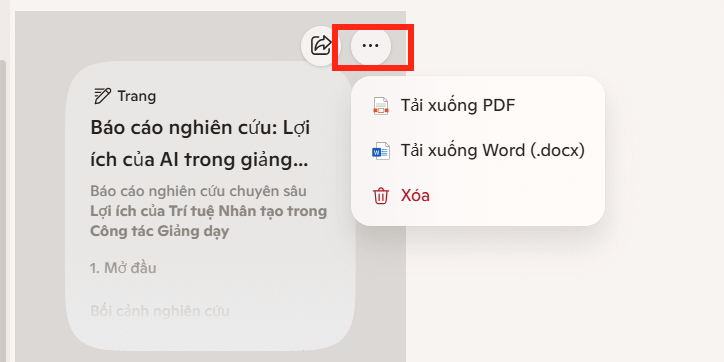
Open an item before deleting it if similar versions have nearly identical thumbnails. A downloaded visual may be provided as a JPEG, which is less suitable than an editable source when you still need to change text or layout.
Sharing and access
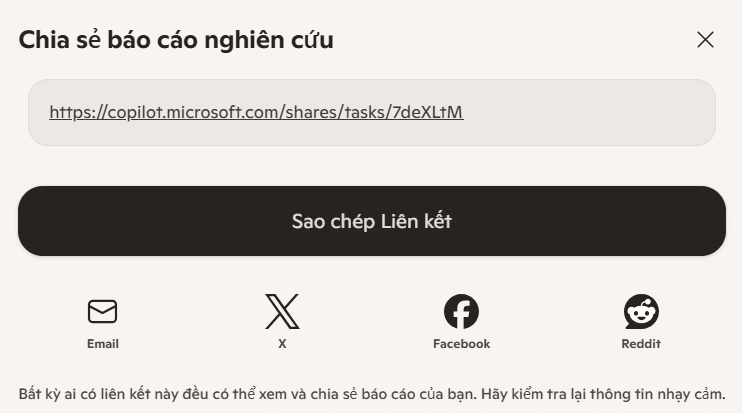
Use the sharing controls shown for the selected item, if available. Work and school content remains subject to the permissions and policies of the organization. Before sending a link, verify the audience and test whether recipients can open it without requesting access.
For a related creative workflow, see how to create an AI poster with Microsoft Designer. Microsoft's current Copilot Library documentation lists supported visuals and Pages and should be checked when menu options differ from the screenshots.
Related Articles
 What Is Microsoft Copilot AI? How to Use It Effectively?6 minutes read
 How to Turn Off Copilot in Windows 11: Step-by-Step Guide4 minutes read
 How Is Copilot Pro Different from Copilot? Should I Upgrade Explained7 minutes read
 minutes read
 How to Completely Disabling Copilot in Windows5 minutes read
 Image Library on ChatGPT: a Complete Guide on How to Use the Library5 minutes read
Reader Comments 0
Sign in with email or Google to join the discussion.