Table of Contents
This guide organizes the entries in "8 Unnecessary Apps for iPhone" and explains what each option, idea, or example offers. It also highlights practical details that matter when comparing the choices.
Flashlight application
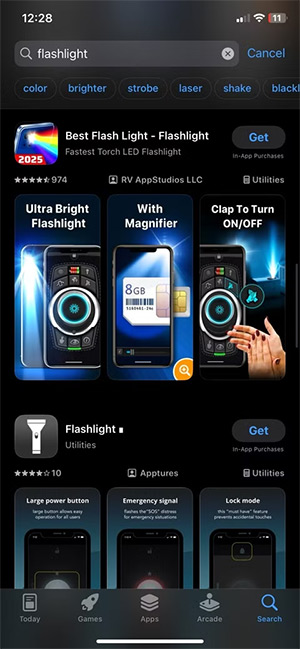
Flashlight apps were useful when the iPhone didn't have its own. But that changed when iOS 7 came out in 2013, which included a built-in flashlight app.
Additionally, third-party flashlight apps often contain ads, request access to data, and even track your data usage for mining.
QR code scanning application
Many people still download QR code scanning apps even though they already have them on their iPhones. The iPhone Camera app can automatically scan any QR code without collecting more data than necessary like third-party QR code scanning apps.
- 4 simple ways to scan QR codes on iPhone
Battery saving app
Don't believe any battery app claims you see. Battery-saving apps on iOS don't do what they say they do. Unlike Android, iOS doesn't allow third-party apps to control battery usage at the system level. At worst, they'll run in the background, draining more battery and injecting ads.
Use battery saving mode on your iPhone to improve your device's battery performance.
Compass App
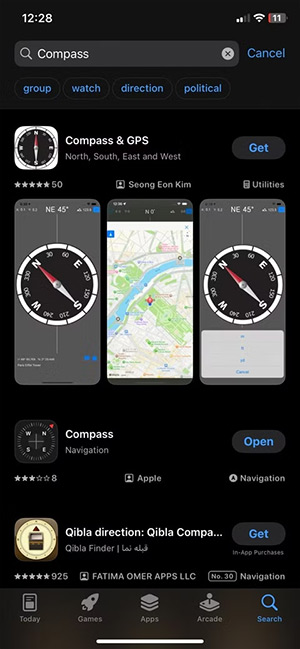
The iPhone comes with the Compass app built in, which is accurate, clean, and ad-free. It also has built-in location services and works offline in most cases.
RAM booster app
If you find your iPhone is slowing down, don't rush to download a RAM booster app. Apple doesn't allow third-party apps to interfere with the system. iOS already handles RAM efficiently in the background, closing unused processes and prioritizing active ones without any outside help.
Mirror App
In theory, Mirror apps seem useful. But in practice, they're just glorified shortcuts to the front-facing camera.
Just open the Camera app, switch to the front camera and you have a mirror to do the work you need.
Call recording app
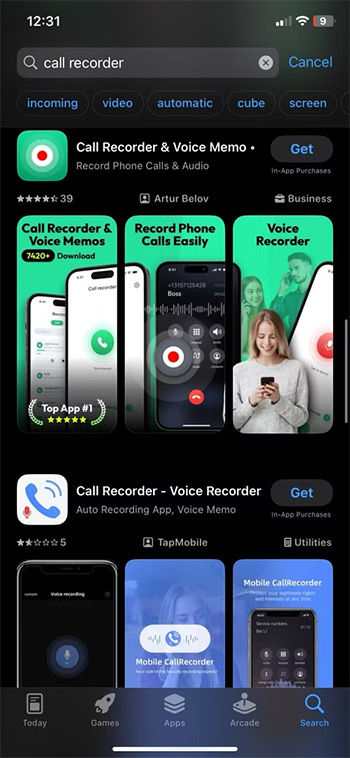
Before iOS 18.1, you had to use alternative apps to record calls. Now, the iPhone has this feature built in, allowing you to record by tapping the icon in the upper left corner during a call.
Apple places strict limits on app access, especially when it comes to sensitive data like phone calls.
Antivirus application
Simply, with iPhone you don't need an antivirus app.
iOS is built with sandboxing technology, a security model that keeps apps isolated from each other and from the system itself. This makes it nearly impossible for a virus or common malware to affect a device like a Windows PC or an Android phone. Furthermore, every app on the App Store goes through a rigorous review process before it can be downloaded.
FAQ
What should you know about flashlight application?
Flashlight apps were useful when the iPhone didn't have its own. But that changed when iOS 7 came out in 2013, which included a built-in flashlight app.
What should you know about qR code scanning application?
Many people still download QR code scanning apps even though they already have them on their iPhones. The iPhone Camera app can automatically scan any QR code without collecting more data than necessary like third-party QR code scanning apps.
What should you know about battery saving app?
Don't believe any battery app claims you see. Battery-saving apps on iOS don't do what they say they do. Unlike Android, iOS doesn't allow third-party apps to control battery usage at the system level. At worst, they'll run in the background, draining more battery and injecting ads.
What should you know about compass App?
The iPhone comes with the Compass app built in, which is accurate, clean, and ad-free. It also has built-in location services and works offline in most cases.
Related Articles
 11 Unnecessary Windows Apps and Software You Should12 minutes read
 Best AI Apps on iPhone10 minutes read
 8 Apps Cost VND 550,000 Being Free for iOS6 minutes read
 6 Tips for Organizing Apps on Your iPhone5 minutes read
 6 iPhone Apps That Enhance MacBook / Imac Capabilities10 minutes read
 Apps You Need to Remove from Your iPhone Soon5 minutes read
Reader Comments 0
Sign in with email or Google to join the discussion.