Table of Contents
This guide reviews 5 free comic reader apps on Android you should know with a focus on usability, value, and practical features. Use the comparisons below to narrow down the best choices.
A few years ago, when the e-book began to draw charisma, some people predicted that this would be the end of the published books. Years later, publishing books were still "standing" with its electronic counterparts, and newspapers and magazines began publishing electronic editions, and it was only a matter of time before the books paintings also do the same.
While published comics have a place, the convenience of its electronic version is incomparable. Imagine you brought a 'giant' print book "The Walking Dead" onto the subway and not just one but seven episodes, you'll see the e-comic door convenience (electronic comics). When comics converted to electronics, many "follow-up" story readers were born.
Comixology, Marvel and DC all have great comic reading apps for Android. However users are locked into their ecosystem to really enjoy the benefits. If you have a DRM-free comic collection in many different formats, you will want something more flexible. So let's take a look at 5 free comic readers on Android.
1. Comics Plus
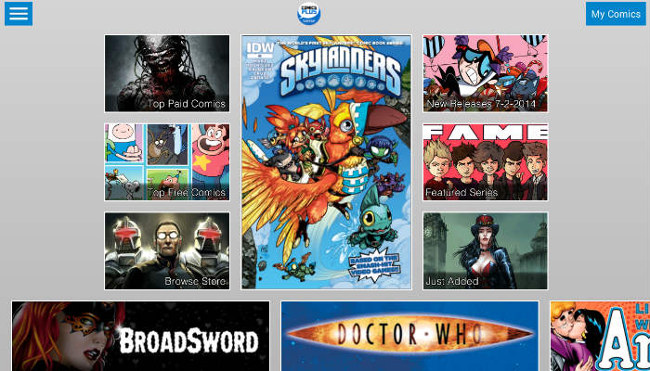
Comics Plus is one of the full-featured electronic comic readers. It has its own store so users can buy and download comics directly in the app. Comics Plus also allows you to import DRM-free comics in PDF, ePub, CBR and CBZ formats. In addition, it also allows users to rent comic books by deadline.
Download - Comics Plus
2. Perfect Viewer
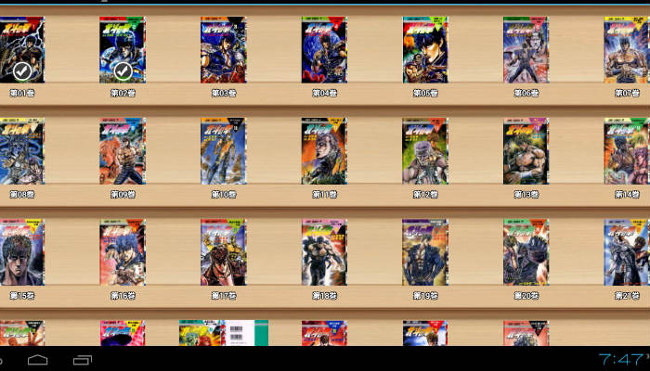
Perfect Viewer has no comic book store, but it manages your comic collection without any problems. Perfect Viewers supports many file formats and a variety of handy features like bookmarks and other reading options (such as changing from left to right and right to left).
Download - Perfect Viewer
3. Astonishing Comic Reader
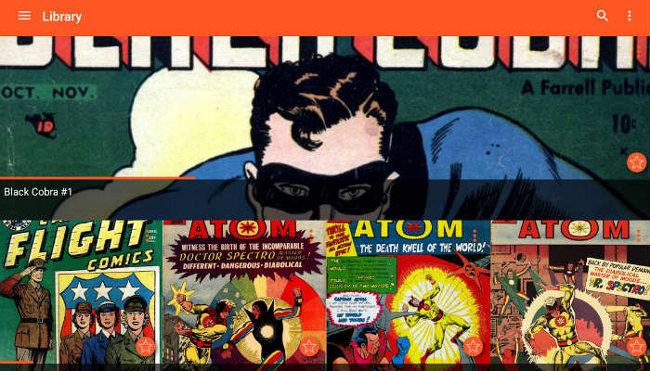
Astonishing Comic Reader has a more attractive interface than the rest. It supports standard comic formats like PDF, CBR and CBZ. Astonishing Comic Reader has a feature to turn to pages by pressing on the right side of the screen, the auto-organizing feature helps you organize comics into collections.
Download - Astonishing Comic Reader
4. ComicScreen
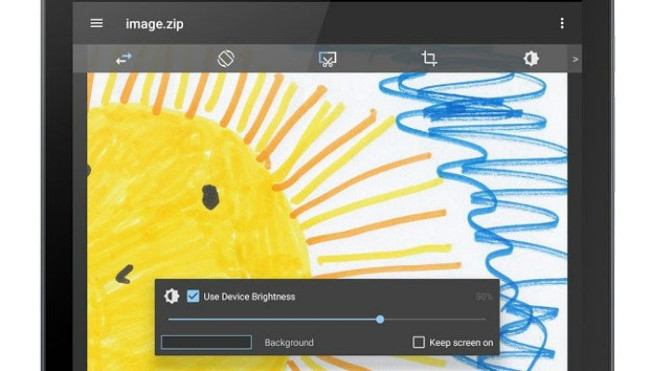
ComicScreen 'self-marketing' is the solution for all your electronic files. In addition to supporting conventional DRM-free comic format, it also functions as a picture and text viewer. ComicScreee is capable of viewing a variety of compressed file formats such as CBR, CBZ, PDF and ZIP. In addition, the app also supports transferring SMB and wireless FTP files.
Download - ComicScreen
5. Challenger

Challenger does not have a smooth interface but it compensates for cloud storage. All of the above readers allow users to download DRM-free comics via SD card or PC. With Challenger, users can import comics from many cloud storage providers like Google Drive, Dropbox, OneDrive. Moreover, Challenger also supports protocols like Samba and DLNA for wireless data transfer. This application is completely free and without ads.
Download - Challenger
The applications mentioned above are completely free so most have advertising. But these ads don't affect your enjoyment of your comic book. Please see and choose for yourself the most suitable application.
FAQ
How were the 5 free comic reader apps on Android you should know options selected?
The options are compared by usefulness, ease of use, core features, and their fit for the situations described in the article.
Which option is best for beginners?
Choose the option with the simplest setup, clear documentation, and the features you actually need. A more advanced option is not always the better starting point.
What should I check before choosing?
Check compatibility, current availability, pricing or licensing, privacy requirements, and whether the product still receives updates and support.


Reader Comments 0
Sign in with email or Google to join the discussion.