Table of Contents
Google Opal is a Google Labs tool for building and sharing small AI-powered applications without writing traditional code. You describe the app in natural language, Opal creates a visual workflow of prompts, model calls, and tools, and you can edit that workflow before publishing the mini-app.
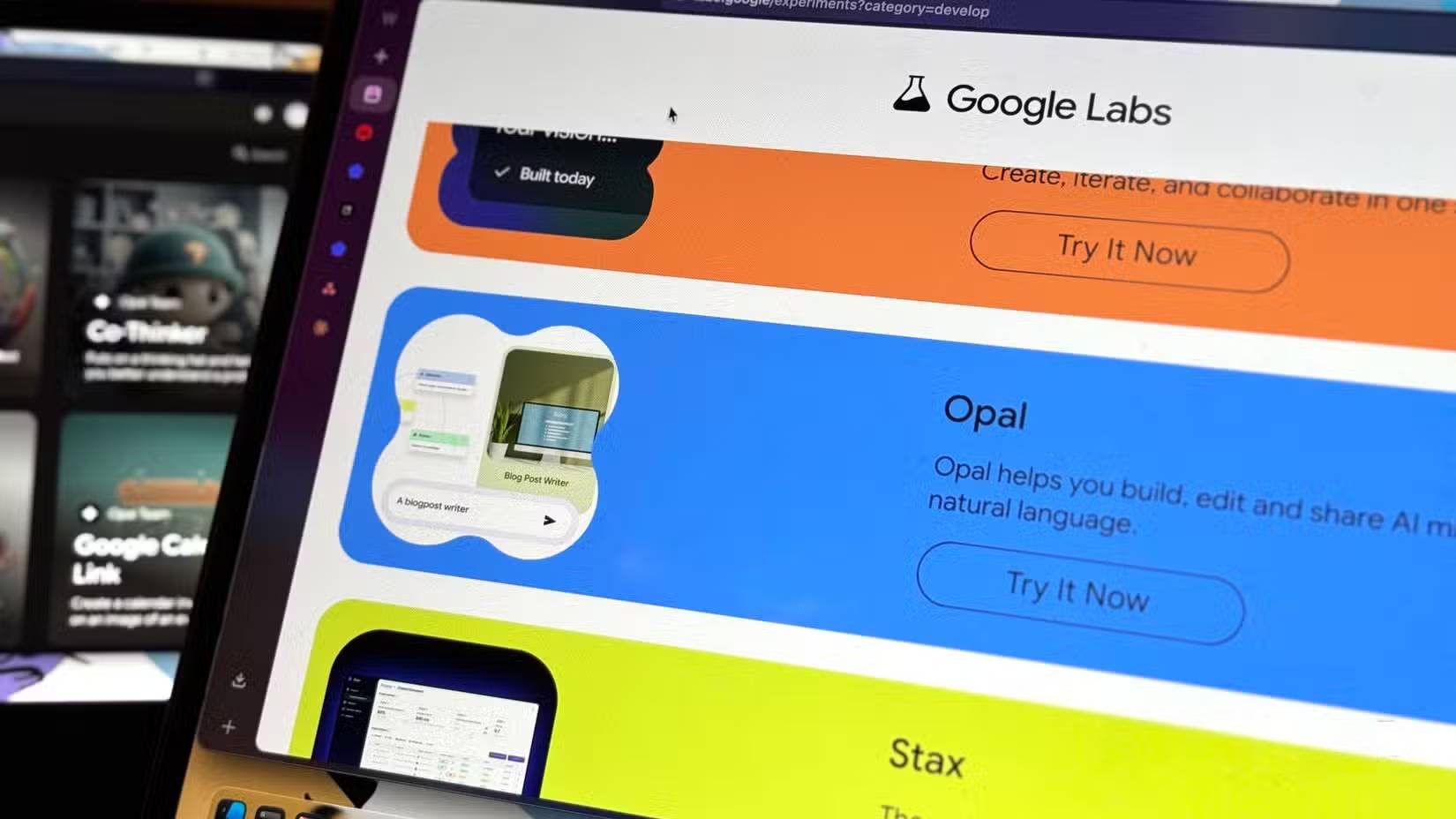
Opal is best suited to prototypes and focused utilities such as a document summarizer, lesson activity, content formatter, idea evaluator, or multi-step research aid. It is not a general replacement for a full application stack: complex business logic, databases, security controls, integrations, automated tests, and independent hosting may still require conventional development.
How Opal works
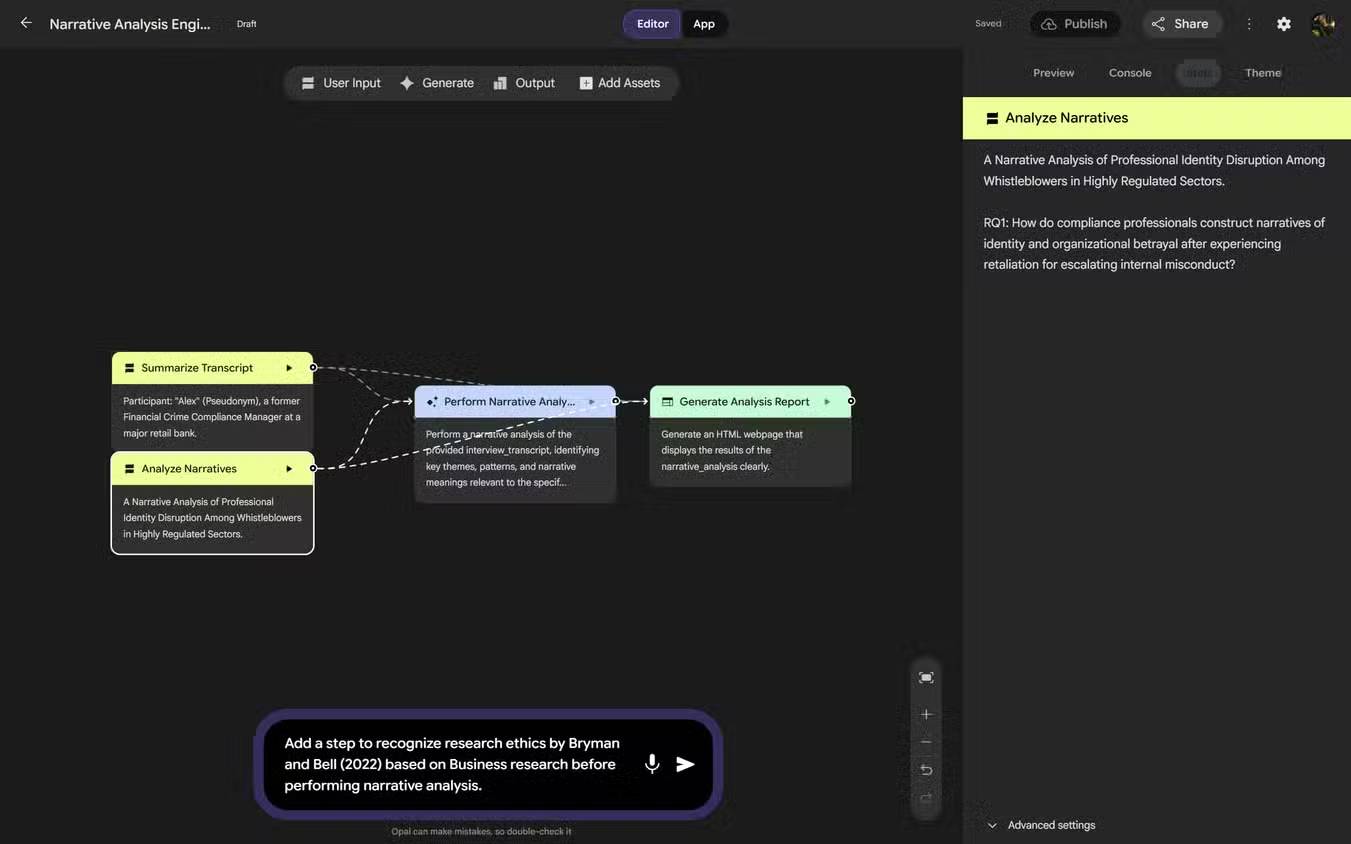
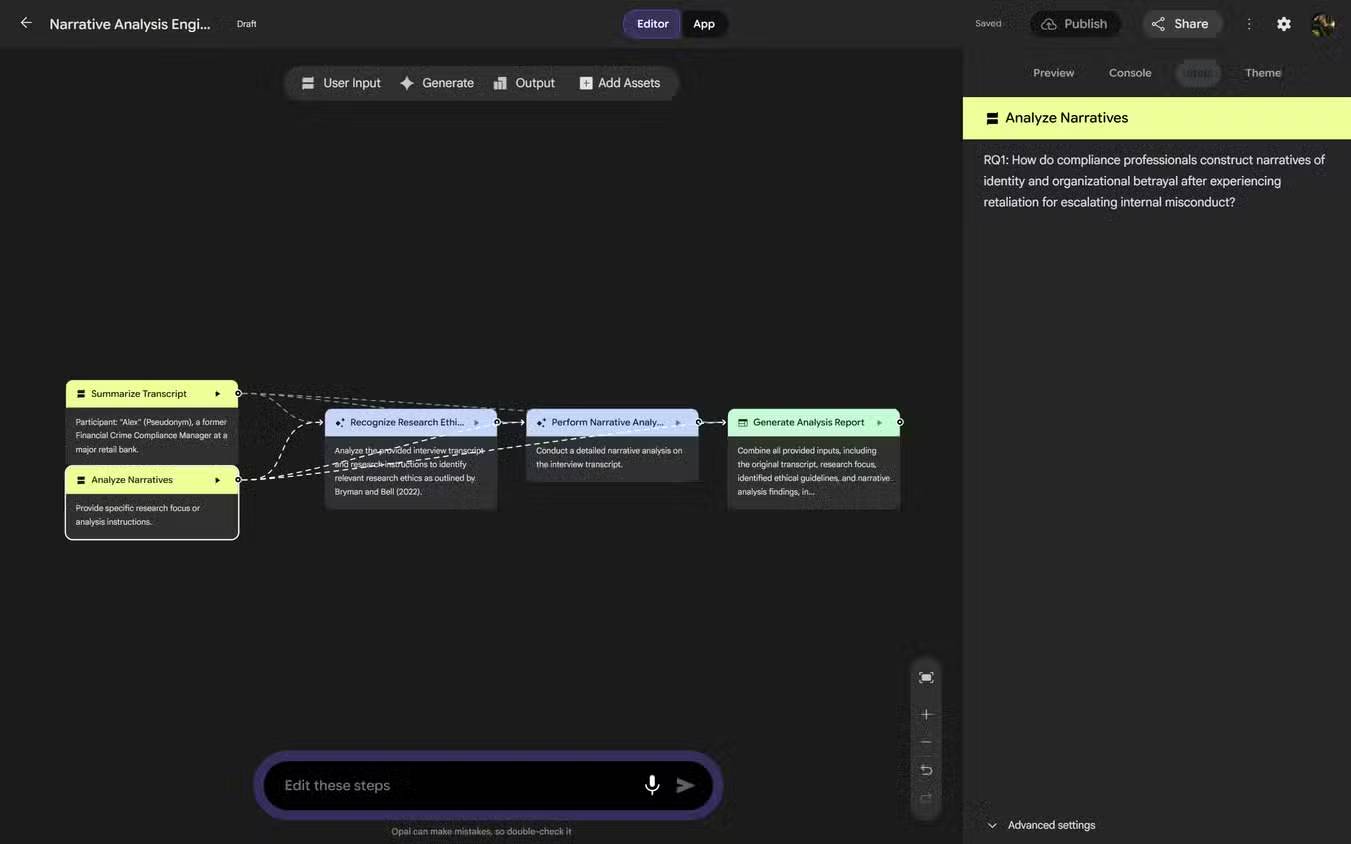
An Opal is a sequence of connected steps. A user supplies an input, one or more AI or tool steps transform it, and an output step presents the result. The visual graph makes that sequence easier to inspect than one long prompt.
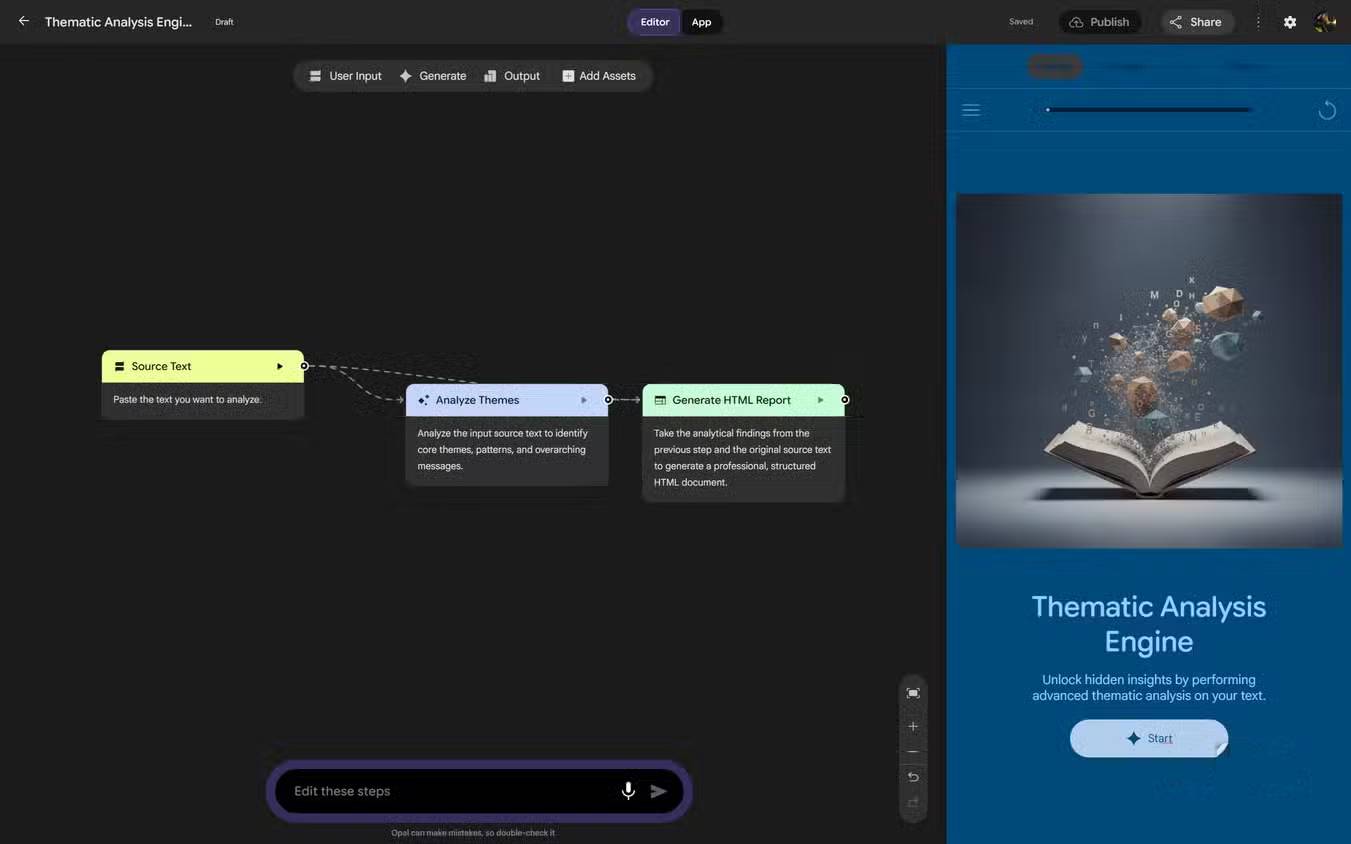
You can create or change a workflow in two ways:
- Natural-language editing: describe the app or the change you want.
- Visual editing: open individual steps, adjust prompts or settings, and change how steps connect.
Google hosts the mini-app, so it can be used and shared without deploying a separate web server. People who open a shared app use it with their own Google account, subject to current availability and sharing controls.
Key Opal features
Build from a description
A clear request can produce an initial workflow and interface. Describe the user, required input, processing steps, output format, and important limits. “Make a study tool” is too vague; “Accept pasted notes, identify five key concepts, generate a ten-question quiz, and display answers only after submission” gives the builder a testable job.
Edit the generated workflow
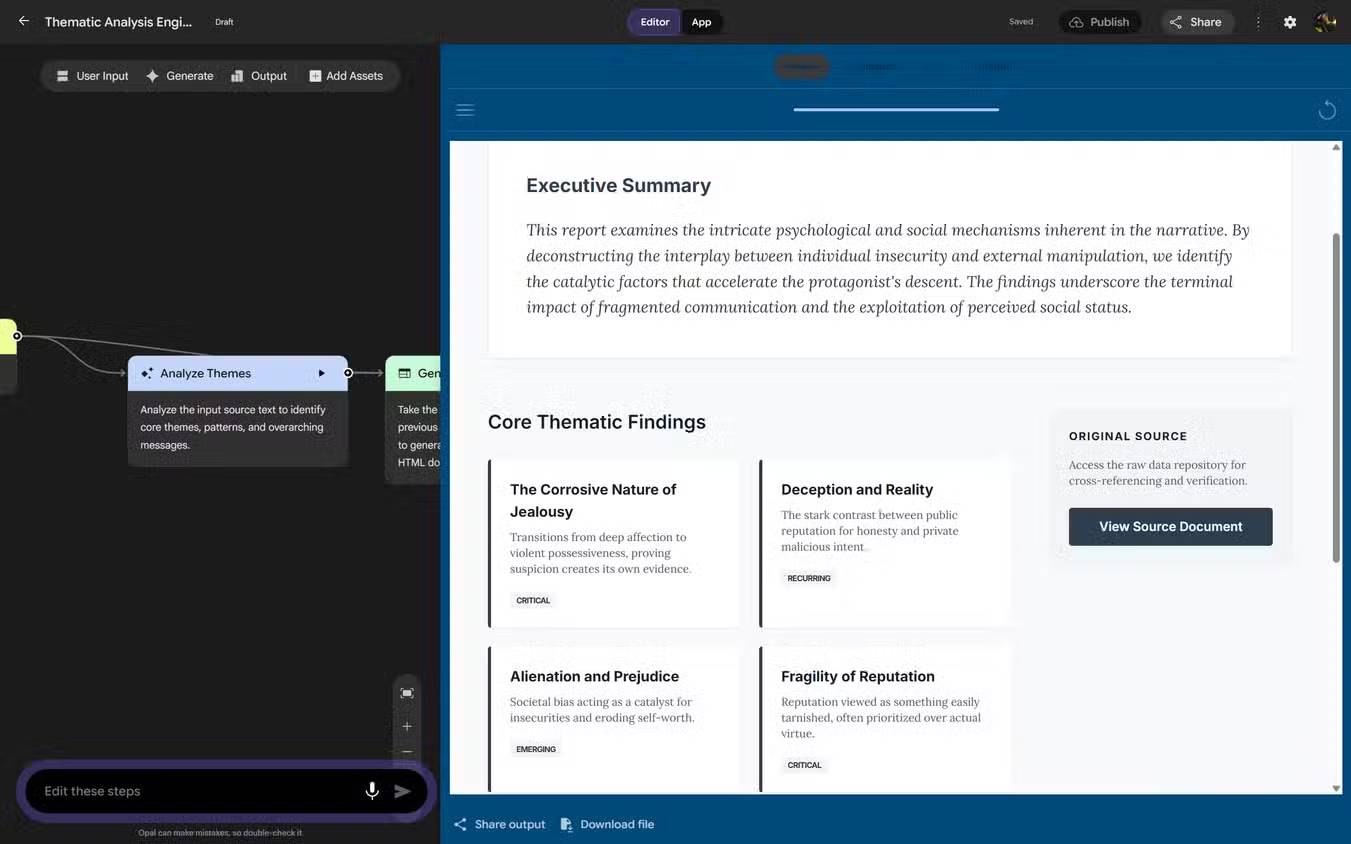
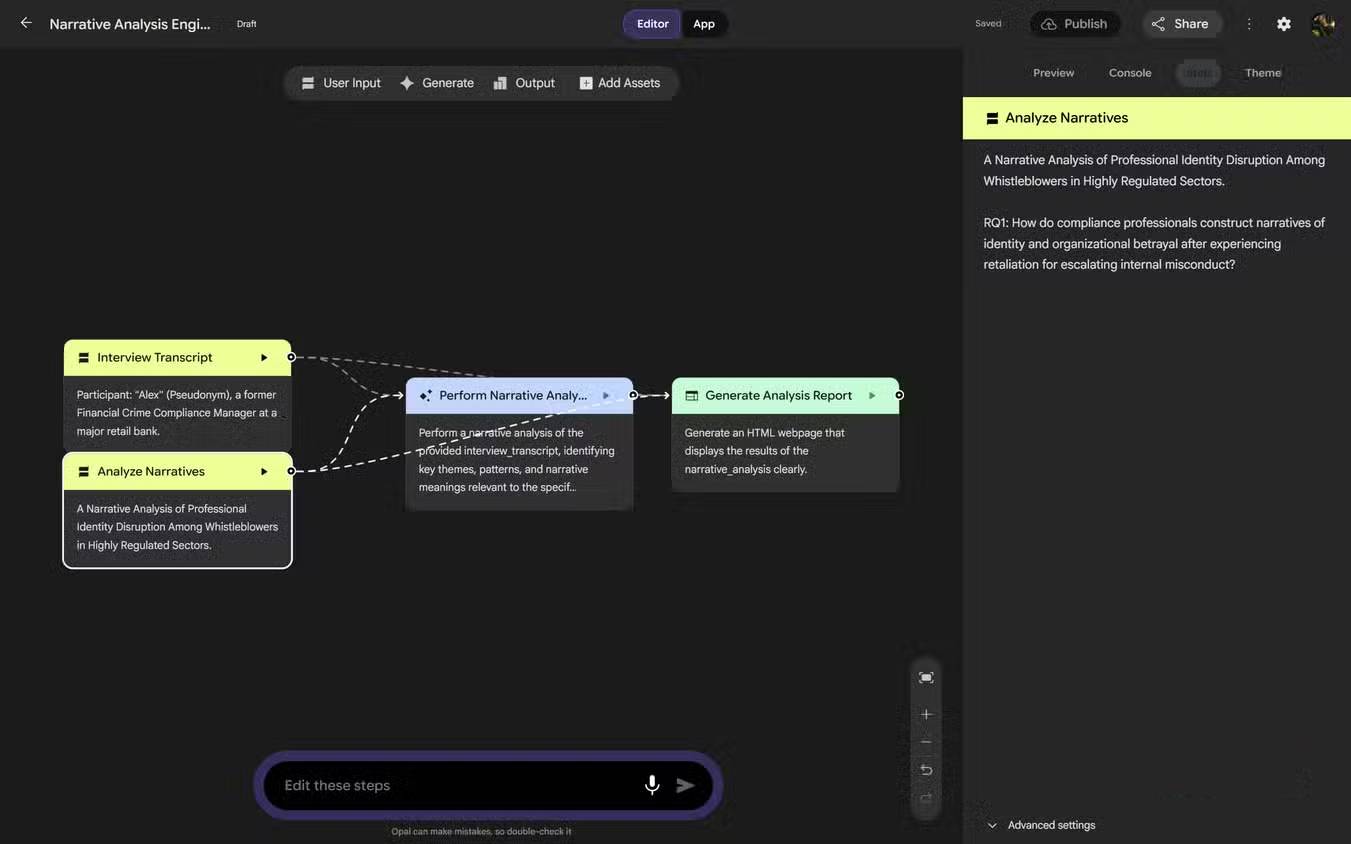
The first result is a draft. Open each step and check what information it receives, what prompt it runs, and what it passes forward. Split unrelated tasks into separate steps so an error is easier to locate.
Start from the gallery
Opal includes a demo gallery of starter apps. You can run one to understand the interaction, then remix it instead of starting with an empty canvas. Review every inherited prompt and tool before publishing the copy.
Share a hosted mini-app
After testing, publish or share the app using the available controls. A shareable result is useful for feedback and demonstrations, but publication does not make the workflow production-ready. Confirm who can open it and what data users may enter.
Build your first Opal
- Choose a narrow task. Start with one input and one useful output.
- Explore a related gallery app. Run it before remixing so you understand its assumptions.
- Describe the workflow. State input fields, processing order, output format, and exclusions.
- Inspect the graph. Rename vague steps and check every prompt.
- Test normal cases. Use representative inputs of different lengths and formats.
- Test failure cases. Try blank input, very long text, unsupported content, conflicting instructions, and a request outside the intended scope.
- Review the output. Verify factual claims, calculations, citations, and formatting rather than judging only fluency.
- Share with limited testers. Collect failures before distributing the link more broadly.
Example: a source-grounded meeting brief
A practical first project could accept approved meeting notes and produce a structured brief. The workflow might contain:
- Input: pasted notes plus meeting date and project name.
- Extract: list decisions, action items, owners, and deadlines exactly as stated.
- Check: mark any action item without an owner or date as “not specified.”
- Format: create a concise brief with separate Decisions, Actions, and Open Questions sections.
- Output: display the result and a reminder to verify it against the notes.
This decomposition is safer than asking one prompt to “summarize the meeting,” because missing names or dates are handled explicitly and each stage can be tested.
What Opal is good for
| Use case | Why it fits | Required review |
|---|---|---|
| Internal prototype | Fast way to demonstrate an AI-assisted workflow | Security, data handling, and feasibility before production |
| Teaching activity | Visual steps make prompt and output flow easier to discuss | Age suitability, accuracy, and classroom privacy |
| Content transformation | Repeatable formatting, classification, or summarization | Copyright, factual accuracy, and preservation of meaning |
| Product discovery | Stakeholders can try an idea instead of reading a static description | Do not confuse a successful demo with validated demand |
| Personal utility | Small, focused tasks can be reused without rebuilding a prompt | Avoid sensitive input unless the current data terms permit it |
Opal compared with coding assistants and app builders
The claim that Opal does what Cursor, Claude Code, Replit, or other tools “cannot” is misleading. These products serve different audiences and layers of development.
| Approach | Primary strength | What the user manages |
|---|---|---|
| Google Opal | No-code AI mini-apps and visual prompt workflows | Workflow logic, prompts, testing, and sharing settings |
| AI coding assistant | Writing and modifying code in a real repository | Architecture, dependencies, tests, security, and deployment |
| Full-stack cloud IDE or app builder | Broader interfaces, application logic, data, and deployment | Product structure and production operations |
| Automation platform | Connecting services and event-driven business processes | Credentials, integration rules, retries, and monitoring |
Choose Opal when the core product is a small sequence of AI transformations and fast sharing matters. Choose a coding or full-stack platform when you need detailed control, non-AI logic, a database, custom authentication, or a maintainable codebase.
Important limitations and safety checks
- Experimental status: the original Google announcement describes Opal as an experiment. Features and availability can change.
- Model errors: a visual workflow is easier to inspect, but its AI outputs can still be incorrect or fabricated.
- Prompt injection: untrusted documents or web content can contain instructions that attempt to redirect the workflow. Separate data from instructions and constrain outputs.
- Sensitive data: do not put confidential research interviews, medical records, student records, secrets, credentials, or client data into a prototype without organizational approval and a review of current terms.
- Sharing: inspect access settings and remove sample data before publishing.
- High-stakes use: medical, legal, financial, hiring, and safety decisions require qualified human review and appropriate governance.
Pre-publish checklist
- The app has one defined audience and purpose.
- Every step has a clear name, input, and output.
- Prompts prohibit invented sources, quotations, and numbers where relevant.
- Blank, malformed, hostile, and out-of-scope inputs have been tested.
- Outputs include uncertainty or “not found” behavior rather than guessing.
- No private data, tokens, or internal instructions appear in the shared version.
- A human checks representative results and monitors feedback.
Opal lowers the effort required to turn a prompt sequence into something other people can use. Its real advantage is the combination of natural-language creation, visible workflow steps, and hosted sharing—not the elimination of design, testing, security, or human judgment.
Related Articles
 3 Ways to Use Google Opal to Build Mini Apps Without Coding6 minutes read
 Australia Discovered Dinosaur Fossils Turned into Gems8 minutes read
 Google Will Start Deleting Photos, Comments, Pages and More on Google+ from April6 minutes read
 Google Products: 11 Products of Google Are Little Known3 minutes read
 What Is Google One?8 minutes read
 18 Interesting 'Bombs' of Google11 minutes read
Reader Comments 0
Sign in with email or Google to join the discussion.