Table of Contents
This roundup examines 10 best software emulators for gaming consoles and explains what makes each option useful. Compare the main features, limitations, and ideal use cases before choosing.
In this article, we will take a look at 10 emulator software to help you recreate your childhood games. Before going into specific game emulation software, you need to keep in mind that although these software are legitimate, you cannot download image ROMs (game copies in the form of software) from the Internet. The emulator software is used to play the games you own and you must create your own ROM images.
1. RetroArch
Available on: Windows, Mac OS X, Linux, mobile devices
RetroArch is an all-in-one emulator that runs most games from a console. It supports Playstation 1 game emulator and Game Boy Advance games, as well as older games.

RetroArch is based on cores, with each core emulating a console, ie GBA will have its own core as well as NES. This means that when creating new emulators, you can turn them into cores to run on RetroArch. In fact, you can also run it on different modern consoles.
Download : RetroArch
2. OpenEmu
Available on: Mac OS X
OpenEmu is partly based on RetroArch but for the purpose of providing the same experience on a Mac. It includes a library view of games similar to iTunes, which helps you organize your games scientifically. Although based on RetroArch, this software does not simulate many console game consoles like RetroArch but there is a test version that can do it but not be stable.

If there's a Mac and lots of video games, try OpenEmu. With this emulator, you can manage the collection with a nice interface, because OpenEmu can name the game and download automatic art boxes online.
Download : OpenEmu
3. Dolphin
Available on: Windows, Mac OS X, Linux
Dolphin is a GameCube / Wii emulator software and is currently the only emulator that can simulate the 7th generation console (PS3 / Xbox 360 / Wii) and imitate it quite well, due to the party components. in the same with GameCube. This emulator software is highly compatible so you don't need to worry that your favorite games can't run on Dolphin.
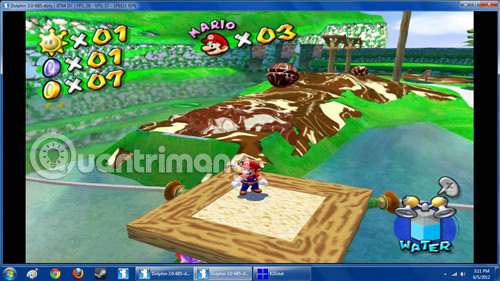
This emulator software also allows you to run GameCube games on the widescreen HD, even if the game does not support this feature. It is constantly evolving, and recently its latest ability can touch Nintendo's Wi-Fi connection, so you can expect continuous improvements and updates from Dolphin.
Download : Dolphin
4. PCSX2
Available on: Windows, Linux
There's no denying that Playstation 2 is one of the best-selling console games today and with PCSX2 you will be able to play a large number of games. However, the disadvantage of this emulator software is that it requires a fairly powerful computer due to the internal structure of PS2, but if there is a quality enough computer, you can run most of the games available. Available on this platform.
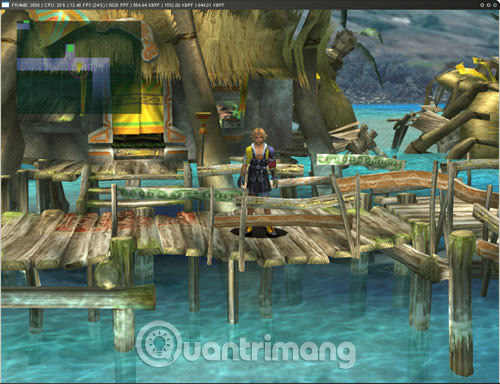
PCSX2 is based on a plug-in system and with the right configuration, you can upgrade your games to HD quality. Note, it has a Mac version but is not updated.
Download : PCSX2
5. PPSSPP
Available on: Windows, Mac OS X, Linux, mobile devices
PPSSPP stands for Playstation Portable Simulator Suitable For Playing Portably, is a fairly new emulation software, designed for the purpose of running PSP games. It is co-created by Dolphin's developers and like Dolphin, the PPSSPP setting is very easy and can play a large number of PSP games.
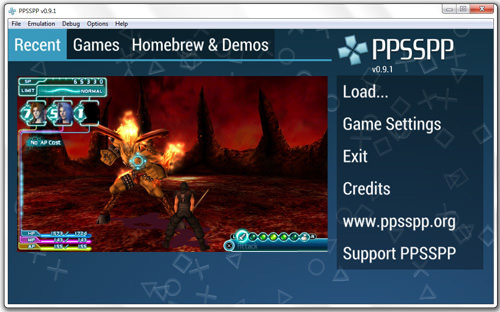
You can even transfer PSP games saved to this emulator and keep playing. PPSSPP is still in the process of developing new features and offering continuous patching bugs.
Download : PPSSPP
6. DeSmuME
Available on: Windows, Mac OS X, Linux
Nintendo's dual screen gaming machine can be re-displayed on your computer with DeSmuME, in full screen mode. You use the mouse as a stylus for touch input. It even supports games that require you to play on the device's horizontal screen.

DeSmuME is being developed continuously with new features and improved old features to be able to run more smoothly. This emulator software has been on the market for a while, so it can run most games without problems. Note, this emulator has a version for Linux but must compile itself.
Download : DeSmuME
7. DOSBox
Available on: Windows, Mac OS X, Linux
DOSBox primarily creates an environment for running MS-DOS software. If there are some old DOS games that can't run on modern PC, you can try using DOSBox. It will simulate the game exactly at the original speed.
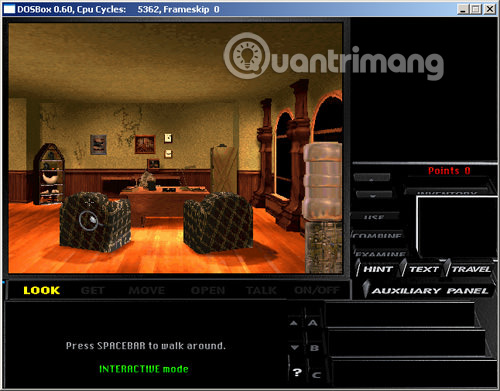
In fact, game companies use this emulator to repack their old DOS games so they can be played on modern computers. It can completely run on Windows 9x and DOS operating systems on DOSBox if desired.
Download : DOSBox
8. ScummVM
Available on: Windows, Mac OS X, Linux, various systems
If you're a fan of click and point adventure games, you'll love ScummVM. This emulator software is designed to run games using SCUMM scripting language, used in many click and point games by LucasArts and other companies.

Therefore it can run games on systems other than the original system intended. So games make Windows run on Mac or Linux. Like DOSBox, game companies use this emulator to repackage their games to run on modern systems.
Download : ScummVM
9. ePSXe
Available on: Windows, Linux
This software is considered to be the best emulator of 1 Playsation for computers, it allows to run almost all PS1 games perfectly on correctly configured machines. This emulator software uses a plug-in system, so you need to find out the best way to configure it on your computer.
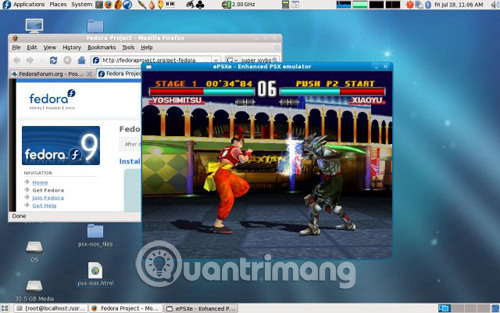
Similar to PCSX2, with proper plugins and configurations, and on powerful computers, you can run old PS1 games with great HD mode and high resolution.
Download : ePSXe
10. Mupen64plus
Available on: Windows, Mac OS X, Linux
Mupen64plus is an N64 emulator software. The program does not have a GUI, so it needs to download the interface to be easily used, with developers providing links to a number of suggested sites. Similar to many software simulating N64 gaming machine generations, Mupen64plus uses a plug-in system and you should use some plugins to improve performance.
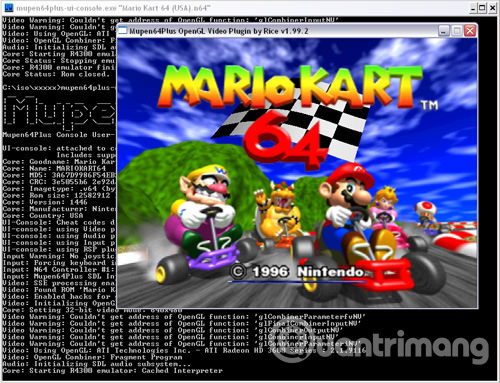
Download : Mupen64plus
- 10 best Android emulator software for Windows
- Top 5 software that emulates Xbox One for Windows PC in 2018
- 5 best command line emulation software for Windows 10
FAQ
How were the 10 best software emulators for gaming consoles options selected?
The options are compared by usefulness, ease of use, core features, and their fit for the situations described in the article.
Which option is best for beginners?
Choose the option with the simplest setup, clear documentation, and the features you actually need. A more advanced option is not always the better starting point.
What should I check before choosing?
Check compatibility, current availability, pricing or licensing, privacy requirements, and whether the product still receives updates and support.
Related Articles
 8 Best PlayStation Emulators for PC in 202610 minutes read
 Why Do Many People Prefer PC Gaming Over Consoles: What You Need to Know7 minutes read
 8 Top PlayStation Emulators for PC 2023: Expert Selection Guide10 minutes read
 8 Best Playstation Emulators for PC 20217 minutes read
 Top Best iOS Emulators Help Run Applications on Windows9 minutes read
 The Best Android Emulators for Gaming7 minutes read
Reader Comments 0
Sign in with email or Google to join the discussion.