Table of Contents
YouTube announced a redesigned player and related visual changes in October 2025, covering mobile, web, and TV devices. The update focused on controls, seeking animations, saving videos, and comment replies. It changed how the interface looks and behaves; it did not establish that every device would show identical controls at the same time.
What changed in the player
The TeamYouTube announcement described refreshed icons and controls intended to obscure less of the video. It also included a less intrusive double-tap seeking animation and smoother tab transitions on mobile.
These are interface changes, not a new video quality setting. Resolution, captions, and playback speed remain separate controls. Look for the relevant menu in your current app rather than matching an old screenshot exactly.
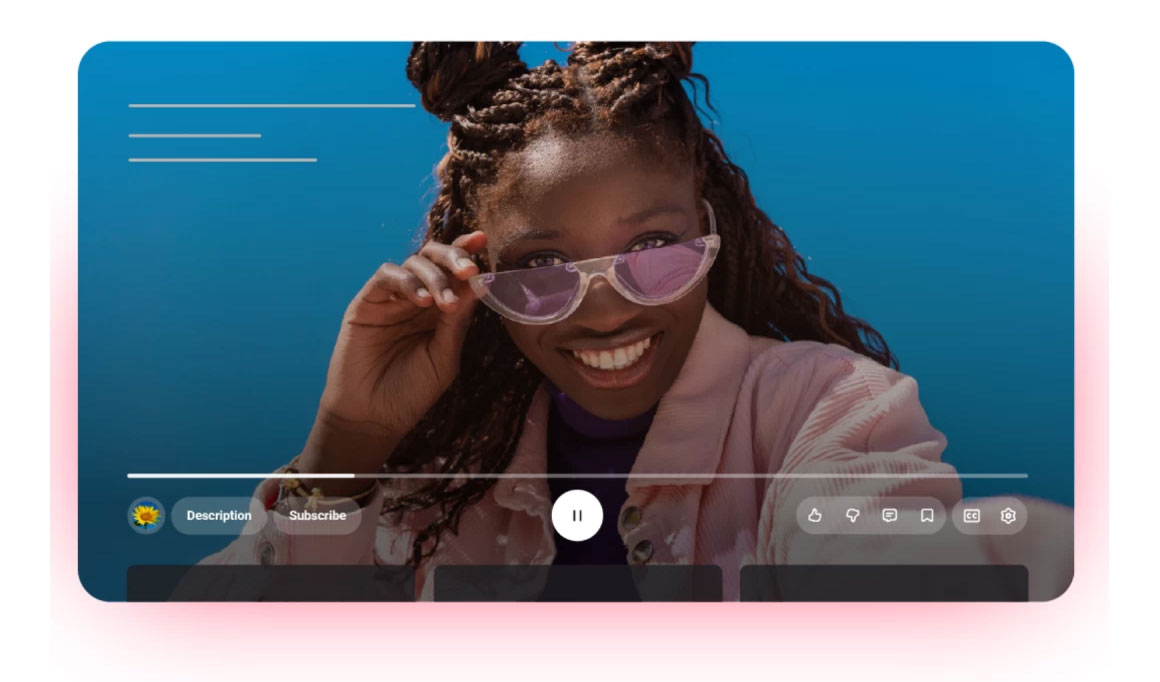
Likes, playlists, and replies
Some videos received content-related like animations, such as a musical cue. A special animation is a visual treatment; it is not a different type of like or a guarantee that the same effect appears on every video.
The update also refreshed the process for saving to playlists and Watch Later and introduced a more structured replies interface. Check the selected destination when saving so a video does not go into a different playlist than intended.
Replies remain connected to their parent comment. YouTube's comment guide explains how replies work and why commenting can be unavailable on some videos. A changed replies layout does not override a creator's comment restrictions.
Why your interface may look different
YouTube rolls out changes and runs experiments across accounts, devices, and app versions. The original “arriving soon” wording referred to the October 2025 release, not a promise about what a particular account should see now.
Compare the same platform and orientation when checking a control. A mobile portrait player, mobile fullscreen player, desktop browser, and TV app have different space and input requirements.
If a control is difficult to find
- Tap or move the pointer over the player to show playback controls.
- Inspect the More menu for actions that no longer have a visible button.
- Update the official app and reopen it if controls are malfunctioning.
- Check whether the issue affects one video or all videos.
- Send feedback with the device, app version, and exact missing or obstructed control.
Do not install an unofficial “new player” app or browser script just to match a rollout screenshot. Use the current interface and describe concrete usability problems through YouTube's feedback controls.
Related Articles
 YouTube is updating its new web interface, users are 'going crazy'
 10 interesting hidden functions of VLC Media Player
 How to change the display language on VLC Media Player
 How to get YouTube video link in full screen
 How to change the YouTube interface with SuperYouTube
 5 Useful Settings and Shortcuts for Watching YouTube on Your TV
Reader Comments 0
Sign in with email or Google to join the discussion.