Table of Contents
This guide provides a clear, practical overview of you need to update your iPhone to iOS 14.6 immediately, with useful context, important details, and straightforward takeaways for everyday readers.
Accordingly, the iOS 14.6 update will patch vulnerabilities that hackers can take advantage of to take control of iPhones and iPads.
In particular, hackers can take advantage of audio files containing malicious code to execute many pieces of code on users' iPhones to exploit information, gain access to.
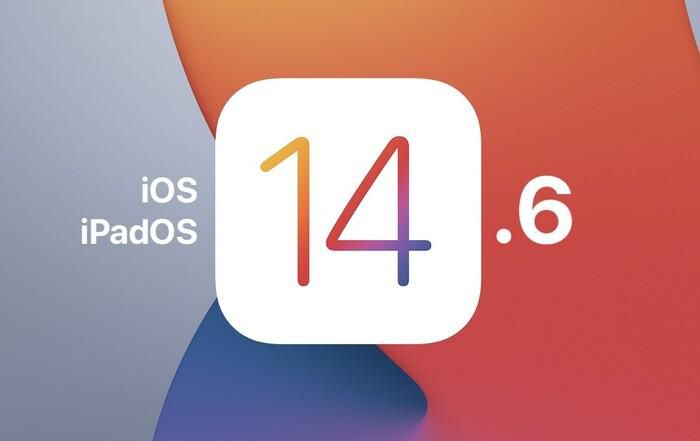
The security issue is seriously assessed, because Apple allows users to update to the new iOS version on most devices manufactured in the past 5 years from iPhone 6s and above, to iPad Pro, iPad Air 2 and above, iPad 5th generation or later, iPad Mini 4 and iPod Touch 7th generation.
In addition, this release also fixes the following issues:
- Unlock with Apple Watch may not work after using iPhone Lock on Apple Watch
- The prompt may appear as a blank line
- Call barring extension may not appear in Settings
- Occasionally, a Bluetooth device may disconnect or send audio to another device during a call
- iPhone may experience reduced performance on startup.
With iOS 14.6, users will be able to use new features such as sharing Apple Card credit cards with 5 family members through the Apple Card Family application; allows users to update an email in addition to the phone number with the AirTag device.
After users update to iOS 14.6, the Apple Music application allows users to listen to high-quality music (Lossless), supporting the Dolby Atmos audio standard.
Currently, iOS 14-compatible iPhone/iPad users can download the iOS 14.6 and iPadOS 14.6 updates for free via the OTA protocol. To update iOS 14.6, users need to access the Settings app => General => Software Update .
Key Takeaways
Use the information above as a practical reference for you need to update your iPhone to iOS 14.6 immediately. Review each step carefully, confirm any requirements, and choose the option that best fits your situation.
FAQ
What does this guide explain about You Need to Update Your iPhone to iOS 14.6 Immediately?
It explains the main concepts, practical considerations, and useful steps related to you need to update your iPhone to iOS 14.6 immediately without requiring advanced knowledge.
Who can benefit from learning about You Need to Update Your iPhone to iOS 14.6 Immediately?
This information is useful for readers who want a clear overview, practical guidance, and reliable steps related to you need to update your iPhone to iOS 14.6 immediately.
What should I check before applying this information?
Review the requirements, confirm that your device, software, or situation matches the instructions, and back up important data before making major changes.
Related Articles
 Apple Released iOS 14.2.1: Fix Many Bugs on iPhone 12, Users3 minutes read
 Should I Update to iOS 15?7 minutes read
 Older iPhone Users Should Update to iOS 16.7.6 Immediately: What to Know18 minutes read
 Rate iPhone 11 to iOS 14.5: Update Now, Don't Hesitate!14 minutes read
 How to Update Whatsapp on Iphone, Android4 minutes read
 Should iPhone 7, Update iOS 14?3 minutes read
Reader Comments 0
Sign in with email or Google to join the discussion.