Table of Contents
The sections below explain Windows phone 8.1 is about to receive a major update in a clear and practical way. Review the key details, examples, and considerations before applying the information.
 The new update has many changes on battery saving features
Specifically, the new version with the code 8.1.14203 includes the following features
- Displays the energy level that a particular application consumes when users launches it or does not launch it.
- Time Filters: A filter added in the section showing energy usage and users can view the recorded data for a certain period of time. You can check the data of the previous day, 2 days in advance or in 1 week, no longer defaulting only 1 day as before.
- The interface of the settings in the battery saver application is readjusted, for a clearer display.
- Real Time Live Tile, since version 8.1.14203 or higher, the economical saver application will display in real time when pinned to the 'Start' screen.
- Quick Settings: You can add a battery saver to the quick settings for more convenient use.
- New option allows to enable battery saving mode until users plugs in the charger.
- The algorithm is expanded on how to calculate the battery capacity for each specific application, the data displayed clearly and in more detail.
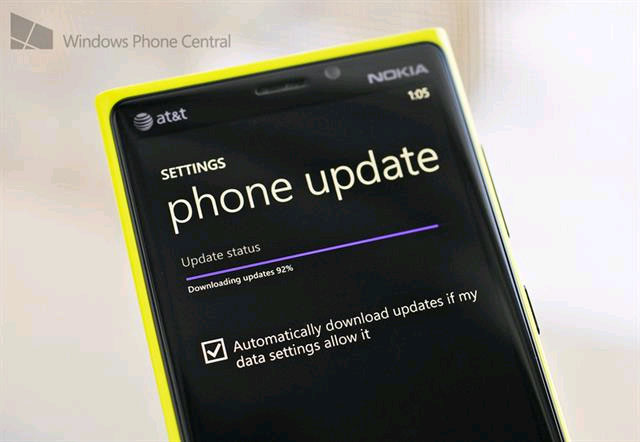 Soon updated
FAQ
What is the main benefit of Windows phone 8.1 is about to receive a major update?
The main benefit is a clearer understanding of the topic and a practical way to apply the information covered in this guide.
What should I check before using Windows phone 8.1 is about to receive a major update?
Confirm compatibility, review the required settings, protect important data, and use the latest supported version whenever possible.
What should I do if the result is different?
Repeat the steps carefully, verify permissions and version differences, and consult the product's official support documentation for changes not shown in the article.
Related Articles
 Windows 10 October 2018 Update and New Highlights Will Appear5 minutes read
 Microsoft Releases Performance Patch to Prepare for Major4 minutes read
 Windows Phone 8.1 Will Be Updated in June4 minutes read
 Microsoft Improves Windows Update for Faster Installations4 minutes read
 How to Check If Your Old Computer Can Run Windows 11 24H2 Version: Step-by-Step5 minutes read
 Should I Update Windows 11 Now?6 minutes read
Reader Comments 0
Sign in with email or Google to join the discussion.