Table of Contents
Back Tap lets you tap the back of your phone to perform quick actions, including turning on the flashlight.
Last week, someone woke up in the middle of the night and picked up his iPhone to check the time. It immediately turned on the flashlight at full brightness and woke him up completely. There's a special iPhone feature behind these random activations: Back Tap.
Back Tap lets you tap the back of your phone to perform quick actions, including turning on the flashlight. The annoying thing is that the feature is horribly buggy when used, randomly activating throughout the day. Many people have encountered this ridiculous situation on the iPhone 13 Pro Max and now the iPhone 16 Pro Max, but there's actually a simple fix.
Why does Back Tap keep accidentally activating the flashlight?
The sensitivity issue that Apple has yet to solve
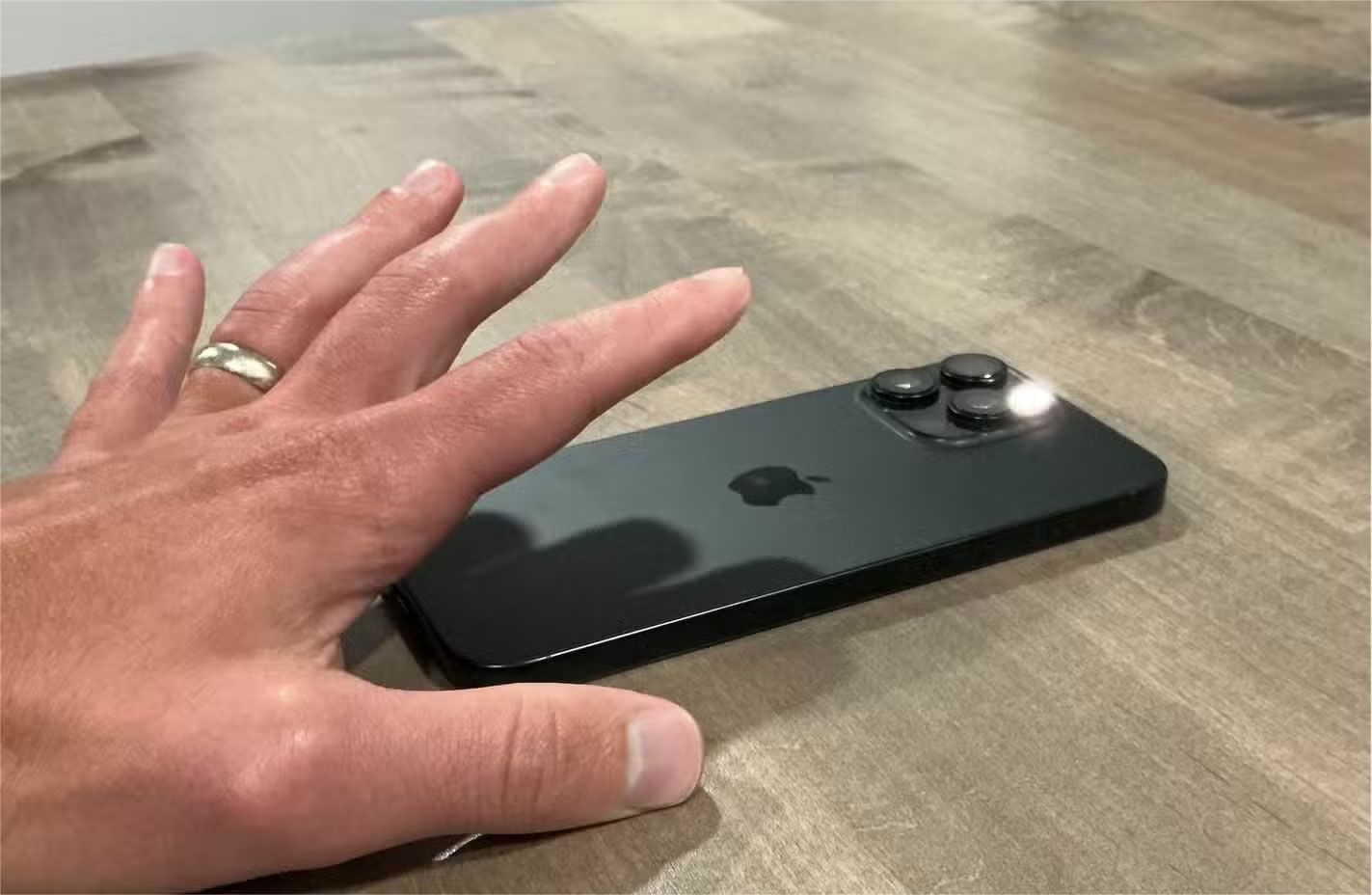
The core problem isn't hardware—it's software sensitivity, which is inconsistent across all compatible iPhone models. The act of holding a phone becomes a minefield of potential triggers. Simply placing the phone on a surface, slipping it into your jeans pocket, or adjusting your grip while texting can trick the sensor into thinking you want to trigger something.
The nighttime trigger is the worst. Your phone is sitting on your nightstand when something small—maybe a notification buzzing or your furniture moving—triggers the Back Tap sensor. The next thing you know, you're squinting at what looks like a tiny flashbang at 3 a.m.
Cases don't fix the problem either. I tried different case thicknesses and materials, but the detection system was still unreliable. This annoying inconsistency is present across iPhone models and accessories—it's a fundamental software issue.
How to Check if Back Tap is Causing Your Flashlight Problems
Find the culprit in iPhone settings
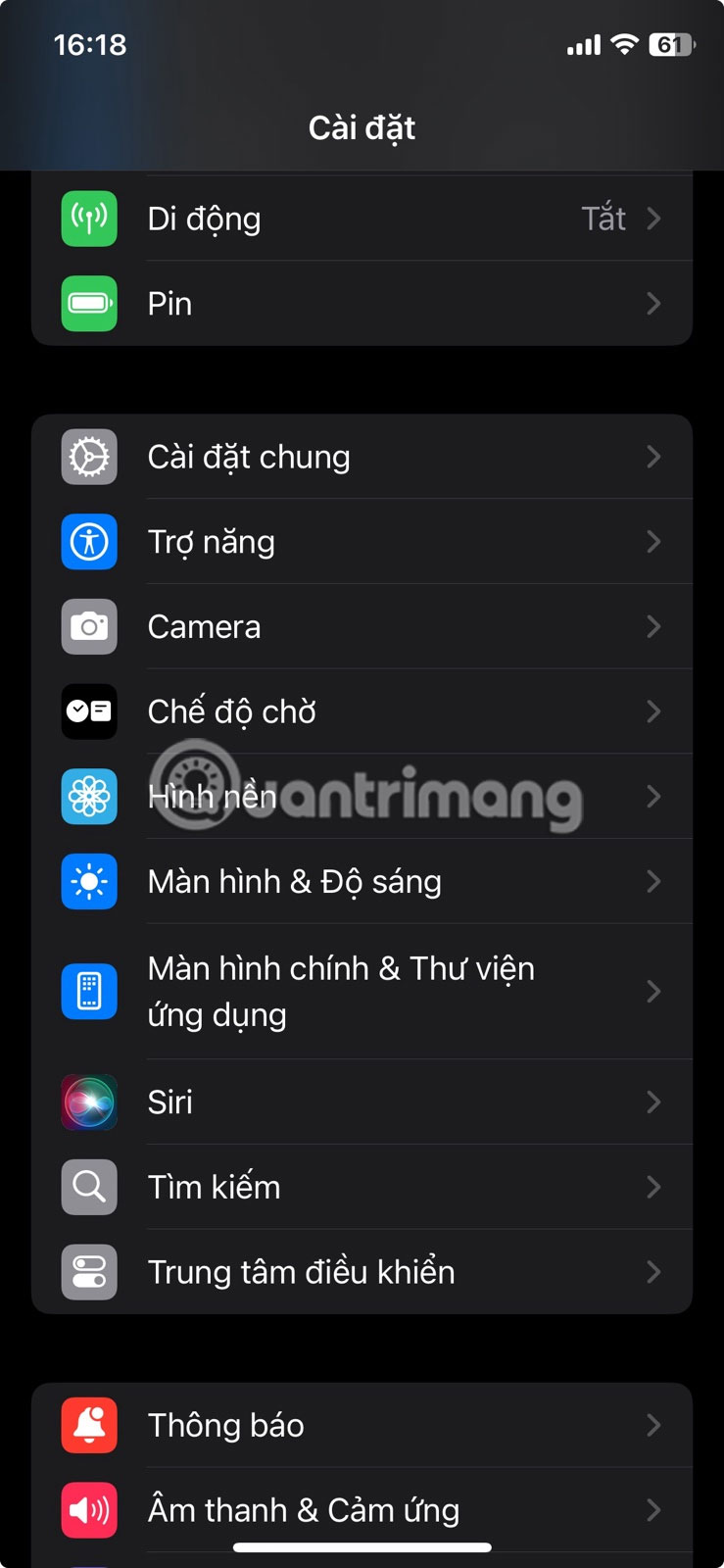
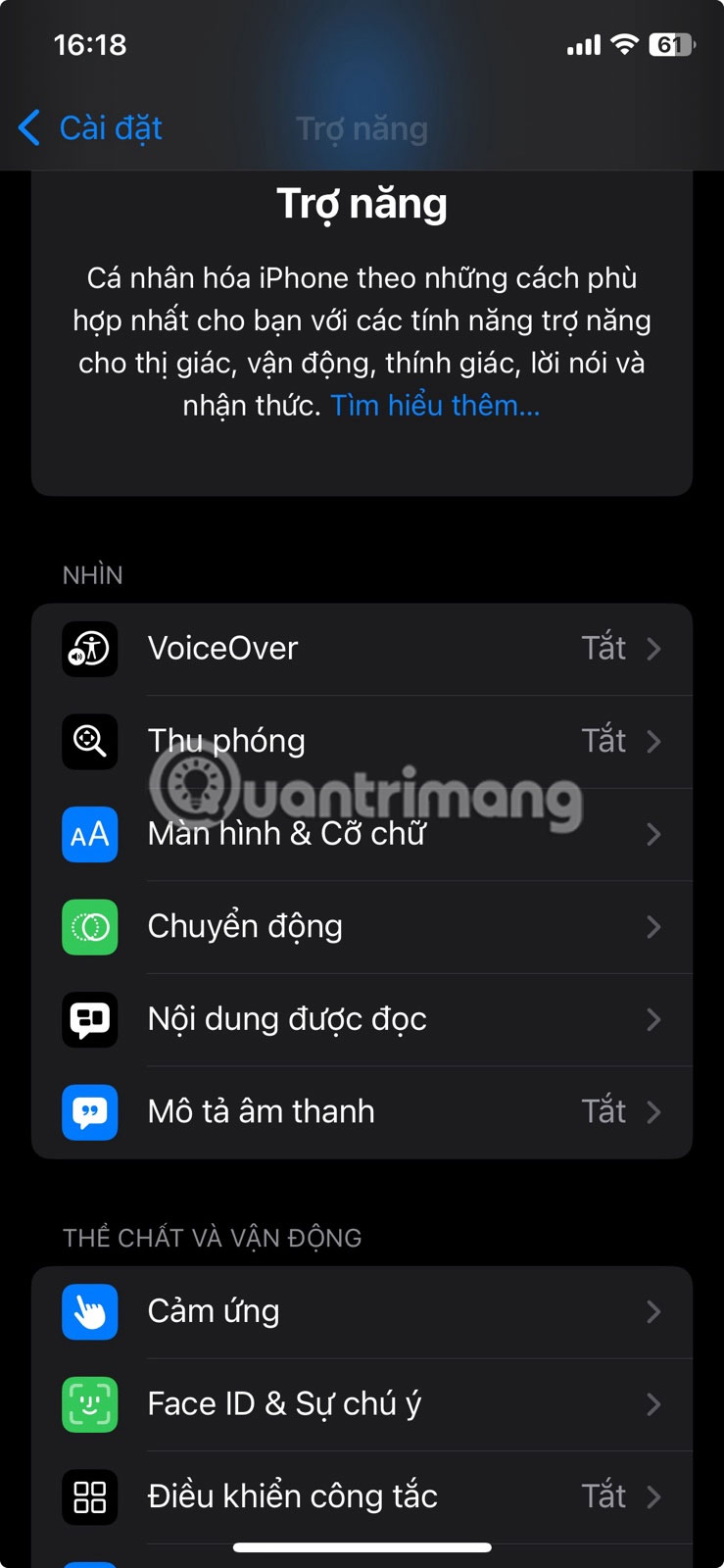
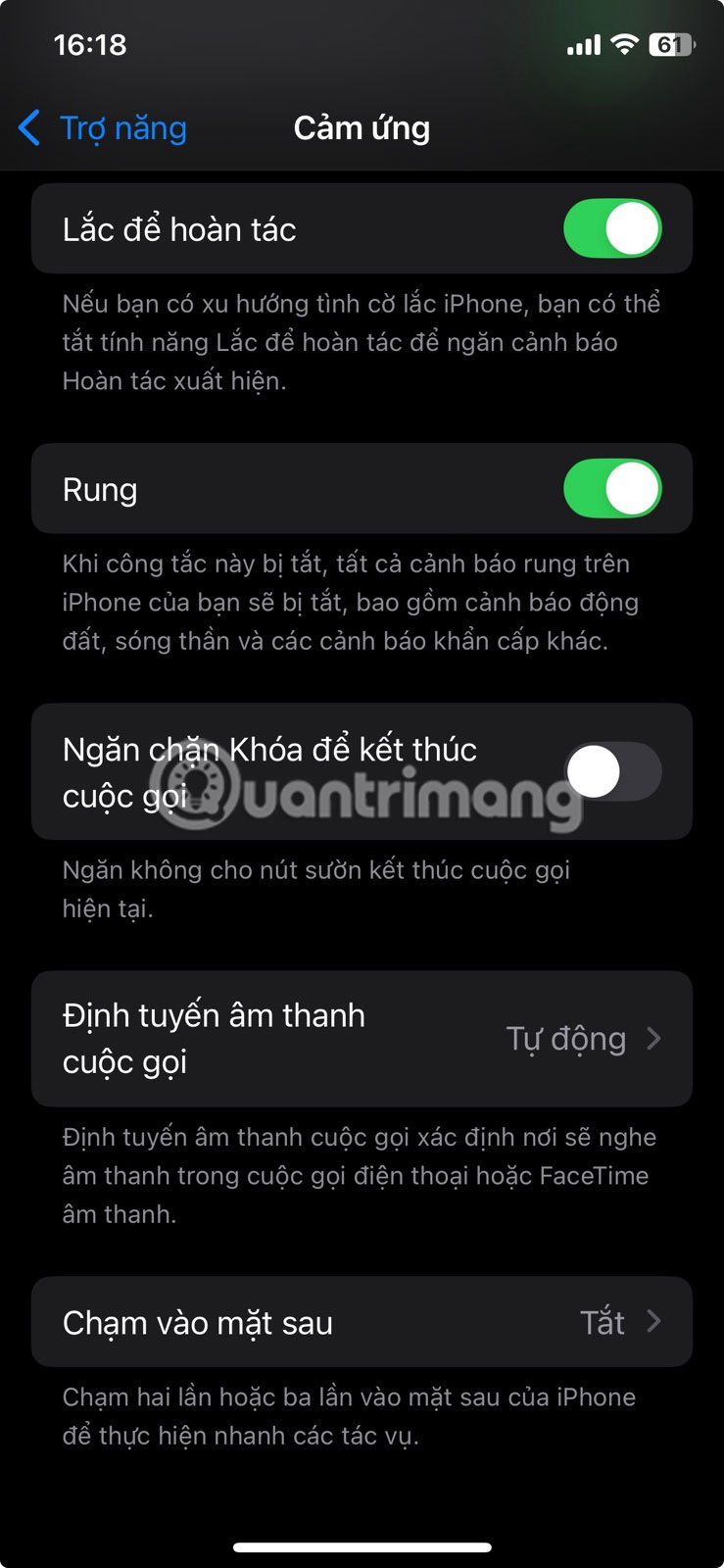
Go to Settings , then select Accessibility > Touch > Back Tap . You'll find the Double Tap And Triple Tap Settings here. Check out what each setting does by tapping on it.
Look for Flashlight Listed in one of the two options. When this option is enabled, double or triple tapping the back of your phone will turn on the flashlight. Don't worry if you don't remember setting this up - sometimes it's turned on during phone setup or when you're looking for it in settings.
Options to fix random flashlight on issue
3 Ways to Prevent Your Flashlight from Turning On Unexpectedly
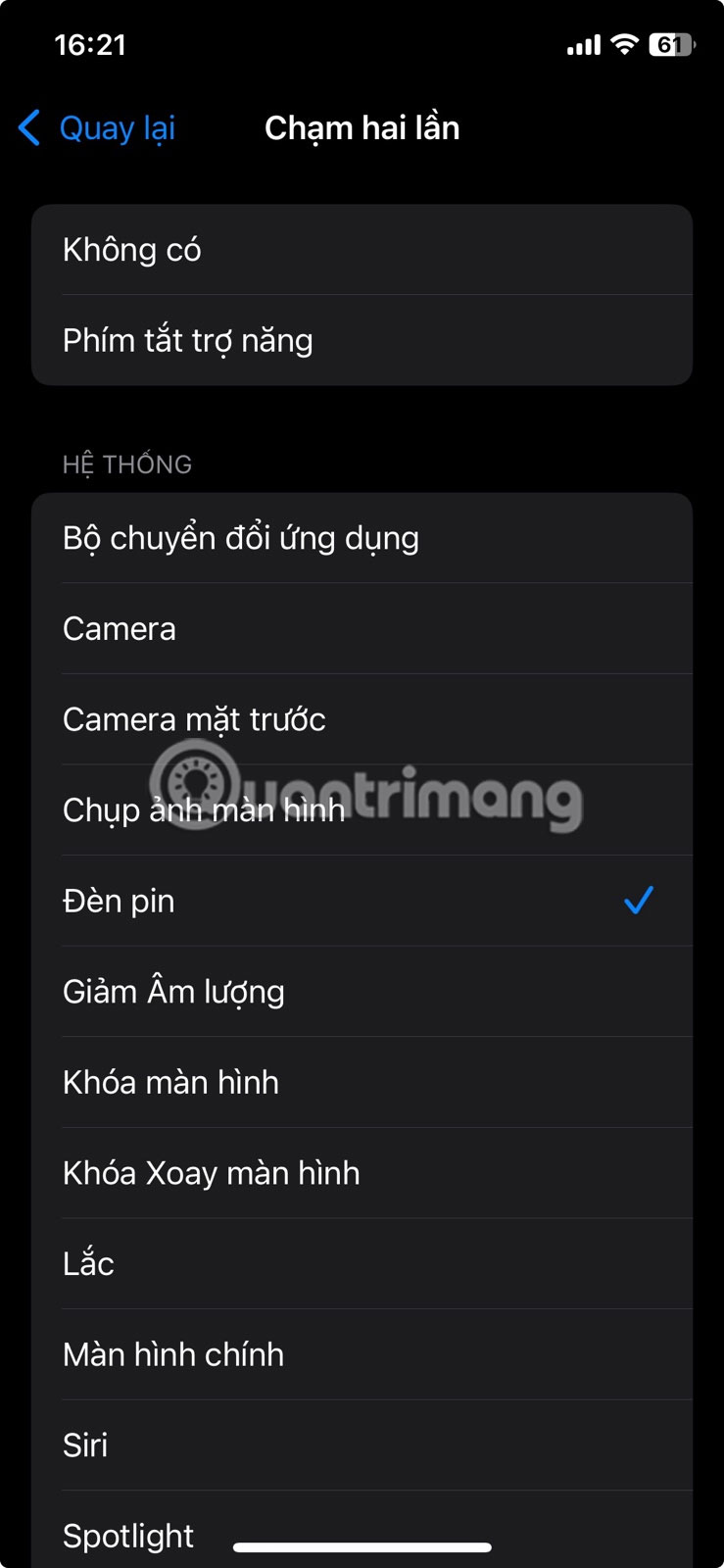
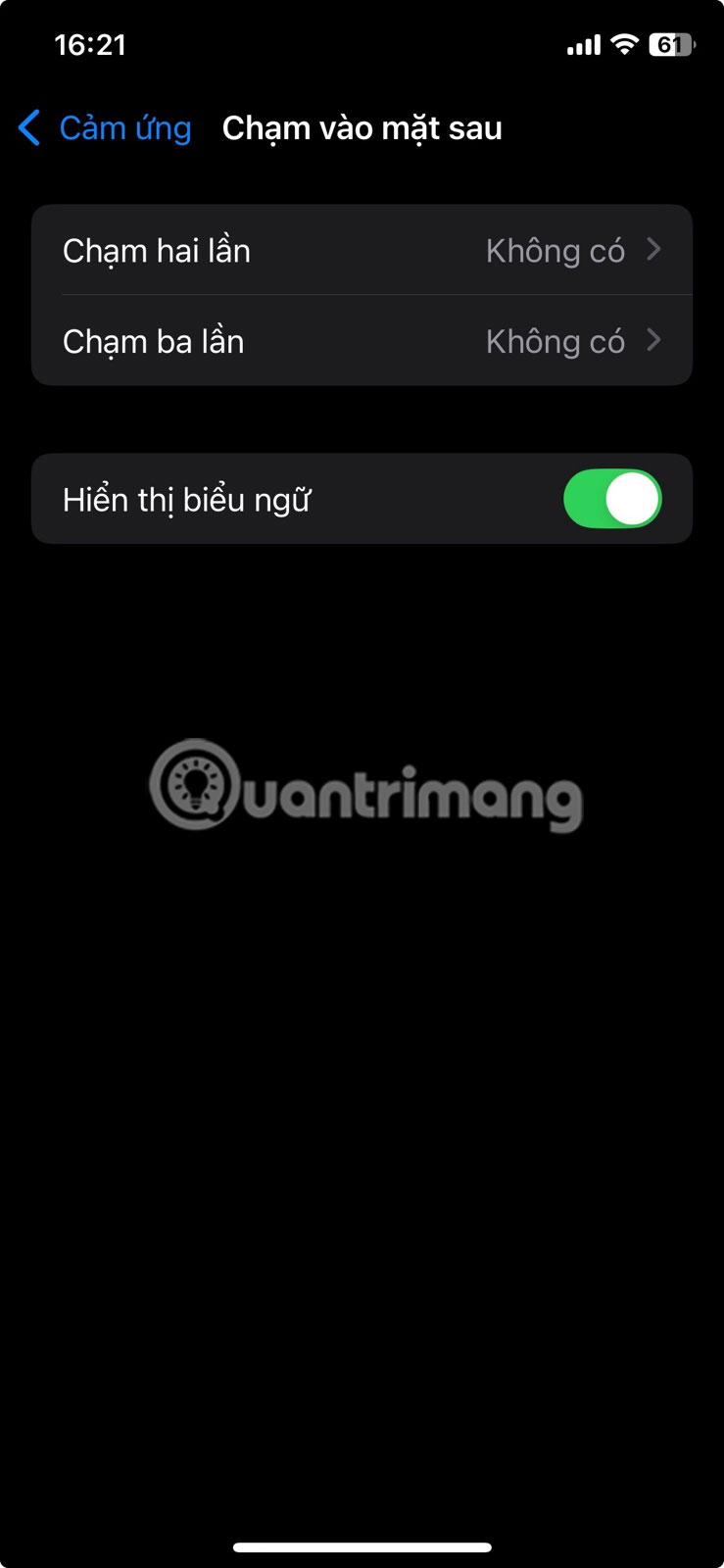
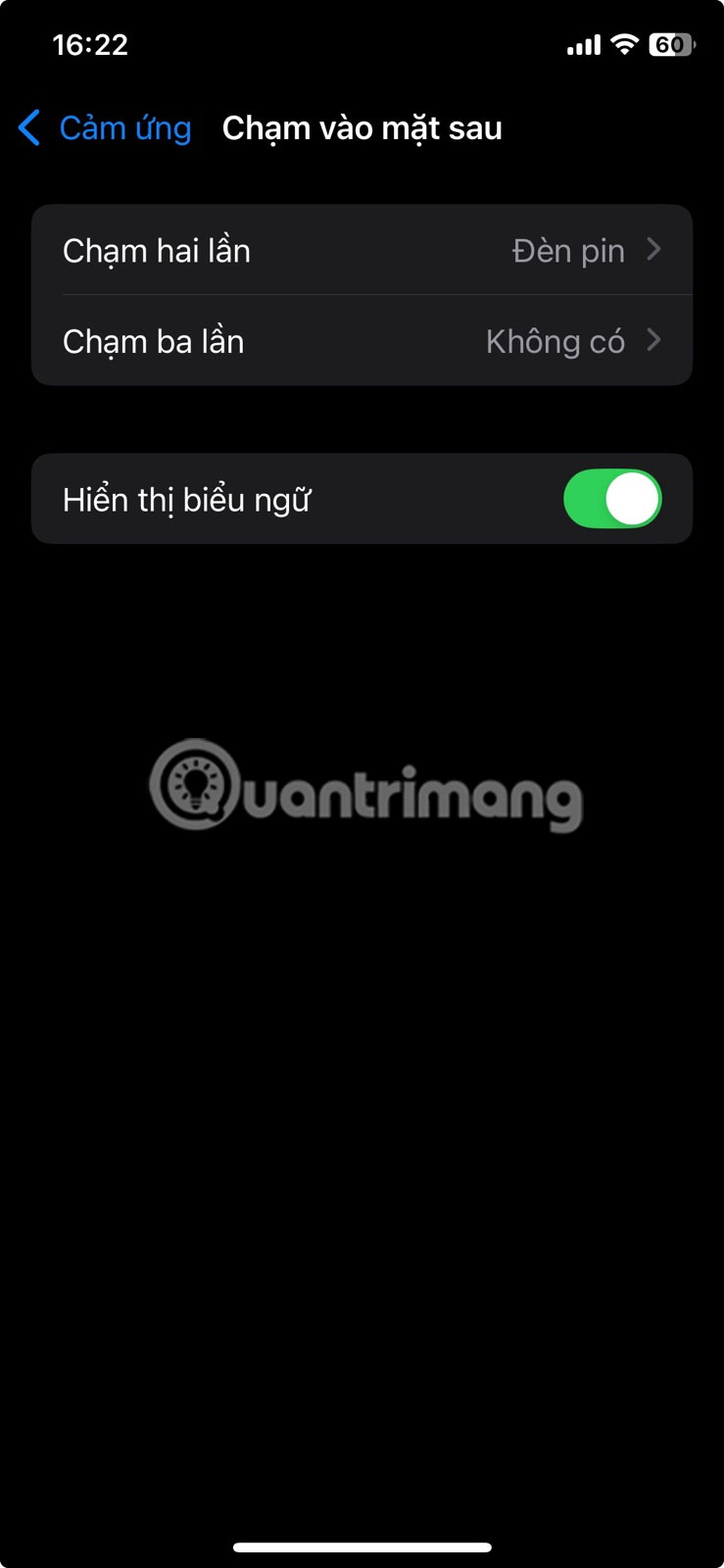
Completely disable Back Tap
Final option: Set both Double Tap And Triple Tap To None . This eliminates any chance of accidental activation, as the feature won't work. You'll lose the ability to use shortcuts, but you'll still have peace of mind.
If both settings say None, but the flashlight still comes on unexpectedly, you may have another accessibility setting issue or a hardware issue. Try troubleshooting flashlight issues on iPhone.
Change to less disruptive action
You can also keep Back Tap, but assign it to an innocuous action like taking a screenshot. Accidentally triggering it will just create an extra photo that you can delete—no more random flashing lights. Other safe options include opening Control Center or triggering a custom shortcut to perform an innocuous action. You can even set double and triple taps to trigger productivity tools.
Switch Flashlight to Triple Tap Only
If you actually use the flashlight shortcut, assign it to the Triple Tap Action while setting Double Tap To None . Triple Tap requires a more intentional action and is less likely to trigger accidentally during normal phone use.
FAQ
Why Does Back Tap Keep Accidentally Activating the Flashlight on: Key Facts?
In practical terms, back Tap lets you tap the back of your phone to perform quick actions, including turning on the flashlight.
What factors are most important?
The article highlights that how to Check if Back Tap is Causing Your Flashlight Problems Find the culprit in iPhone settings Go to Settings , then select Accessibility > Touch > Back Tap .
What is the main takeaway?
The main takeaway is that options to fix random flashlight on issue 3 Ways to Prevent Your Flashlight from Turning On Unexpectedly Completely disable Back Tap Final option: Set both Double Tap and Triple Tap to None .
Related Articles
 How to Turn on the Flashlight with the Power Key on the iPhone6 minutes read
 iOS 17.1: Complete Guide4 minutes read
 Ultra-powerful Mini Flashlights Can Burn Paper and Cook Food3 minutes read
 Flashlight on iOS 18 Has a New Focus Beam and Better Brightness4 minutes read
 Where to Find a Flashlight in Sons of the Forest3 minutes read
 Small Tips to Turn on 2 Flash at the Same Time on iPhone4 minutes read
Reader Comments 0
Sign in with email or Google to join the discussion.