Table of Contents
GNOME 42 Introduces New Features and Upgraded Apps
This guide provides a clear overview of gnome, including GNOME 42 Introduces New Features and Upgraded Apps, When Will Users Get GNOME 42. Use it to understand the topic, compare the available options, and make a more informed decision.

Users are given the option to capture an area, a window, or the entire screen when they press the Print Screen key.
GNOME 42 has also created the stability of the accompanying applications. Many default applications have been upgraded to GTK 4, the "toolkit" that defines the look and feel of GNOME programs. These include disk usage analyzer, fonts, to-dos, calendar, clock, software, contacts, weather, and calculator.
In addition to GNOME's existing applications getting a new look and feel, there are two brand new programs that debuted with GNOME 42: the Text Editor and the Console.
Most surprising is Text Editor, the venerable Gedit alternative text editor, which automatically saves the user's work to avoid data loss.
Console, a terminal emulator for Linux command line access, will indicate when the user is in "root" or admin mode by changing the color in the title bar. Because editing plain text files and using the command line are still important parts of Linux, these will likely be welcome additions to GNOME 42.
In addition, GNOME has made several performance improvements, including smoother video playback in the Videos player, reduced power usage in full-screen programs, improved file search speed in the Tracker indexer and faster browsing in the default browser, named Web.
When Will Users Get GNOME 42?
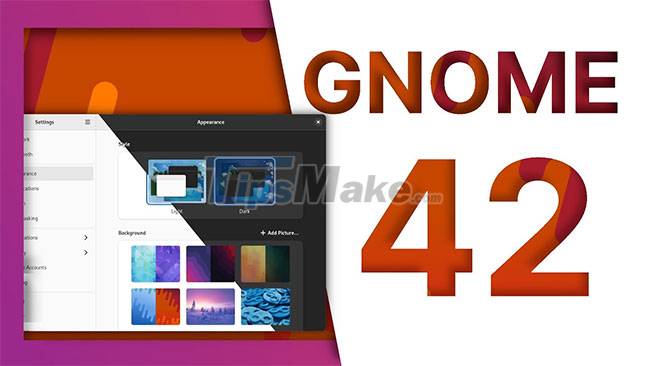
Now that GNOME 42 has been released, downstream developers of Linux distributions will have to integrate it into the system. With the popularity of GNOME, major distributions like Ubuntu may soon have new versions in the near future. Users of rolling-release distributions like Arch will likely see GNOME 42 sooner.
For those who want to try it out, the GNOME Foundation offers a GNOME OS nightly image for download, with a warning that it shouldn't be used on critical systems, in case bad things go wrong.
The GNOME feature set will likely make loyal users more satisfied with this Linux desktop. Its versatility and attractive design have made GNOME a favorite among Linux users over the years, and it looks like that trend will continue with GNOME 42.
Conclusion
Understanding GNOME makes it easier to compare options, avoid common mistakes, and apply the information in this guide more effectively. Review the relevant requirements before making changes or choosing a solution.
FAQ
What is GNOME?
Users are given the option to capture an area, a window, or the entire screen when they press the Print Screen key.
Why is GNOME important?
Understanding GNOME helps you evaluate features, compatibility, performance, and potential limitations before you choose a product or follow a procedure.
What should you consider when using or choosing GNOME?
Consider your specific goal, compatibility requirements, available features, cost, security, and the practical recommendations described in this guide.
Related Articles
 9 Useful Little-Known GNOME Extensions: Practical Guide7 minutes read
 The Latest Features of GNOME 4010 minutes read
 How to Disable Automatic Workspace in GNOME4 minutes read
 How to Work with Workspace in GNOME5 minutes read
 The 10 Top Features in GNOME 45: Expert Selection Guide9 minutes read
 How to Change Themes on Ubuntu with Gnome Tweak Tool5 minutes read
Reader Comments 0
Sign in with email or Google to join the discussion.